


Where to buy gaming pc
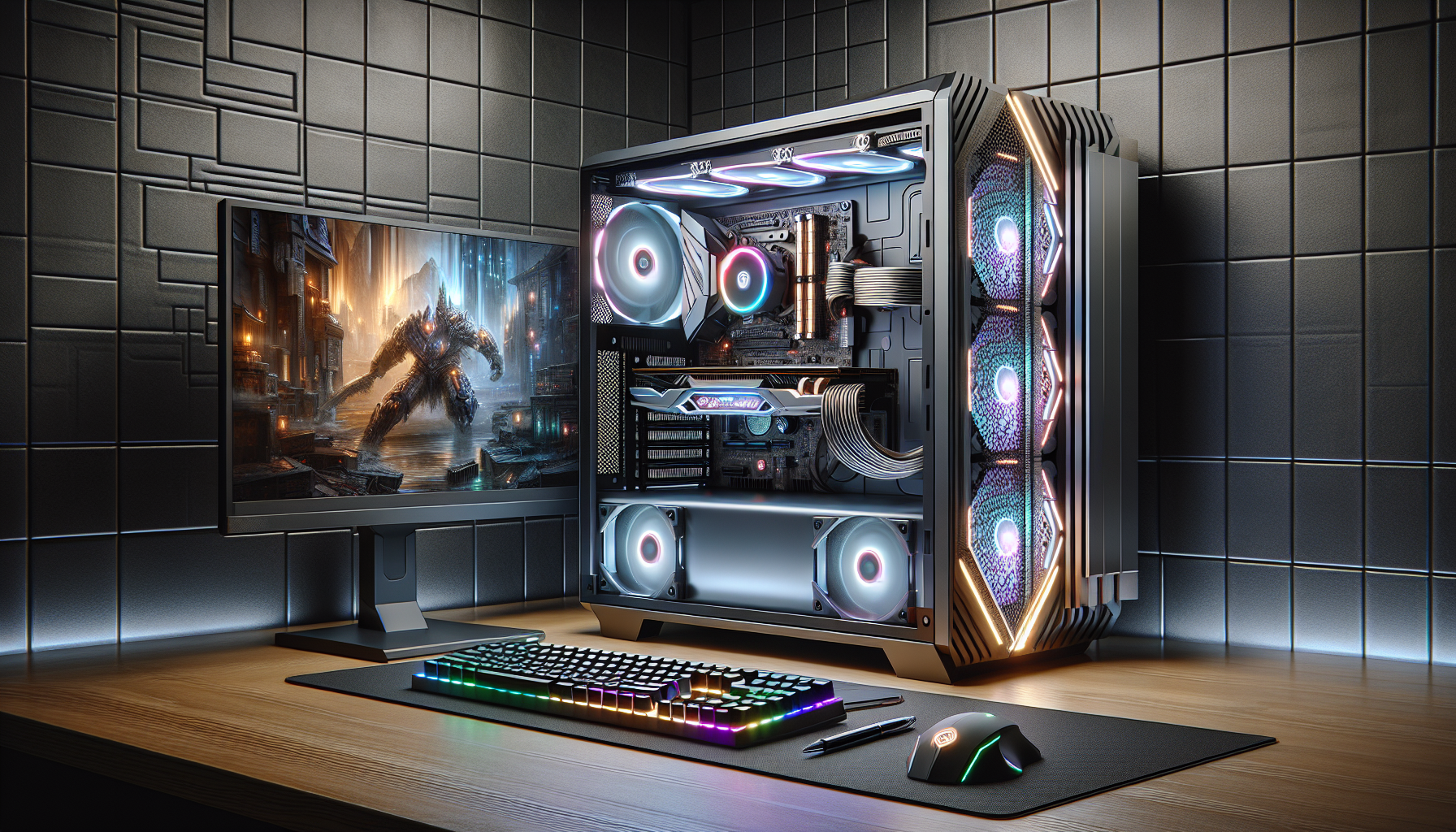
Introduction to Gaming PCs
Importance of Choosing the Right Gaming PC
For gamers, selecting the right gaming PC is crucial. The right machine can significantly enhance the gaming experience, offering smoother performance, better graphics, and quicker load times. A well-chosen gaming PC ensures compatibility with the latest games and allows players to enjoy them at their full potential. Investing in the right gaming PC can also mean fewer upgrades and repairs in the long run, making it a cost-effective choice.
Factors to Consider When Buying a Gaming PC
When looking to buy a gaming PC, there are several essential factors to consider:
Performance Requirements: The performance of a gaming PC depends on several components, including the CPU, GPU, RAM, and storage. Gamers should assess the minimum and recommended requirements of their favorite games to ensure the PC can handle them.
Budget: Setting a realistic budget is vital. Balancing performance and price can help find a gaming PC that offers good value. For more details on budgeting, see our guide on gaming pc budget.
Future-Proofing: Considering future-proofing options can save money in the long term. Opting for a PC with upgradeable components ensures it can keep up with future game releases and technological advancements. Learn more about future-proofing in our article on gaming pc requirements.
Cooling System: Effective cooling is essential to prevent overheating and ensure consistent performance. Options include air cooling, liquid cooling, and hybrid systems. For details on cooling solutions, check out gaming pc fans.
Storage: Adequate storage is crucial for installing games and saving progress. SSDs are faster but more expensive, while HDDs offer more storage at a lower cost. For information on expanding storage, see add storage to gaming pc.
Warranty and Support: A good warranty and reliable customer support can provide peace of mind and assistance in case of issues. For more on warranty considerations, visit gaming pc warranty.
By carefully evaluating these factors, gamers can make an informed decision and choose a gaming PC that meets their needs and enhances their gaming experience. For a comprehensive guide on specifications, see good gaming pc specs.
| Factor | Importance Level (1-5) |
|---|---|
| Performance | 5 |
| Budget | 4 |
| Future-Proofing | 4 |
| Cooling System | 3 |
| Storage | 4 |
| Warranty and Support | 3 |
For more detailed discussions and recommendations, refer to our articles on best gaming pc and buy gaming pc Australia.
Where to Buy Gaming PCs
When it comes to purchasing a gaming PC, there are several avenues one can explore. Each option has its own benefits and considerations. Below, we will delve into online retailers, brick-and-mortar stores, and specialised gaming PC retailers.
Online Retailers
Online retailers offer a convenient way to buy gaming PCs. They often have a wide selection, competitive prices, and the ability to compare different models easily. Many online stores also provide customer reviews and detailed specifications, which can be helpful when making a decision.
| Retailer | Benefits | Considerations |
|---|---|---|
| Online Retailer 1 | Wide selection, competitive prices, customer reviews | Delivery times, lack of physical inspection |
| Online Retailer 2 | Detailed specifications, easy comparisons | Potential shipping costs, return process |
For those in Australia, several online platforms cater specifically to gaming enthusiasts, offering a range of pre-built and customisable options. To learn more about the cost implications, visit our article on gaming pc cost.
Brick-and-Mortar Stores
Brick-and-mortar stores provide the advantage of being able to physically inspect and test gaming PCs before purchasing. This can be particularly useful for those who prefer to see the build quality and performance firsthand. Additionally, in-store staff can offer personalised advice and recommendations.
| Store Type | Benefits | Considerations |
|---|---|---|
| Electronics Stores | Physical inspection, immediate purchase | Limited stock, potentially higher prices |
| Specialty Computer Shops | Expert advice, hands-on experience | Smaller selection, location-dependent |
Visiting a local store can also allow for immediate troubleshooting and support services, which can be crucial for those who are not tech-savvy. For a detailed guide on setting up your new gaming PC, check out our article on set up gaming pc.
Specialised Gaming PC Retailers
Specialised gaming PC retailers focus exclusively on gaming hardware. These retailers are often staffed by enthusiasts who have in-depth knowledge of the latest trends and technologies in the gaming world. They usually offer both pre-built and custom-built options, catering to a variety of budgets and performance needs.
| Retailer Type | Benefits | Considerations |
|---|---|---|
| Gaming PC Boutiques | Expert advice, customisation options | Higher prices, niche focus |
| Custom PC Builders | Tailored builds, high-performance components | Longer build times, cost variations |
These specialised shops often provide extensive support and warranty services, ensuring that your gaming PC remains in top condition. For more information on balancing performance and price, visit our article on gaming pc budget.
By exploring these different purchasing options, one can make an informed decision that best suits their gaming needs and budget. Whether opting for the convenience of online shopping, the tactile experience of in-store purchases, or the specialised service of dedicated gaming retailers, there are plenty of choices available for gamers in Australia looking to buy a new gaming PC.
Researching Gaming PCs
When it comes to purchasing a gaming PC, thorough research is essential. This section will guide you through reading reviews and comparisons, understanding specifications, and seeking recommendations from gaming communities.
Reading Reviews and Comparisons
Reviews and comparisons are invaluable resources when researching a gaming PC. They provide insights into the performance, reliability, and value of different models. Look for reviews from reputable tech websites and gaming forums. These reviews often include benchmark tests, user experiences, and expert opinions.
| Source | Type of Information |
|---|---|
| Tech Websites | Expert reviews, benchmark tests |
| Gaming Forums | User experiences, recommendations |
| YouTube Channels | Video reviews, unboxings |
Reading multiple reviews can give a well-rounded perspective on the strengths and weaknesses of a particular gaming PC. Comparisons between models can help you understand how different systems stack up against each other in terms of performance, features, and price. For more information on balancing performance and price, see our article on gaming pc budget.
Understanding Specifications
Understanding the specifications of a gaming PC is crucial for making an informed decision. Key specifications to consider include the processor (CPU), graphics card (GPU), memory (RAM), storage, and cooling systems.
| Component | Importance |
|---|---|
| CPU | Determines processing power |
| GPU | Handles graphics and gaming performance |
| RAM | Affects multitasking and loading times |
| Storage | SSD for speed, HDD for capacity |
| Cooling | Prevents overheating, maintains performance |
Knowing what each component does and how it affects gaming performance can help you choose a system that meets your needs. For a deeper dive into each component, refer to our article on gaming pc components.
Seeking Recommendations from Gaming Communities
Gaming communities are a treasure trove of information and advice. Members of these communities often share their experiences with different gaming PCs and can provide valuable recommendations. Join online forums, social media groups, and subreddits dedicated to gaming. Engage in discussions, ask questions, and seek advice from seasoned gamers.
| Platform | Community Type |
|---|---|
| Subreddits like r/buildapc, r/gamingpc | |
| Facebook Groups | PC gaming groups, tech discussion groups |
| Discord Servers | Gaming communities, tech support channels |
These communities can also help you stay updated on the latest trends, deals, and technologies in the gaming PC market. For tips on optimizing your gaming PC, check out our article on optimise pc for gaming.
By leveraging reviews, understanding specifications, and engaging with gaming communities, you can make a well-informed decision when buying a gaming PC.
Budgeting for a Gaming PC
Setting a Realistic Budget
Setting a realistic budget is the first step in the journey to buy a gaming PC. Understanding what you can afford and what you need from a gaming PC will help narrow down your options. Here are some factors to consider:
- Performance Requirements: Determine the types of games you will be playing. High-end games with demanding graphics require more powerful hardware, which can increase the cost.
- Future-Proofing: Investing in slightly better hardware now can save money in the long run by delaying the need for upgrades.
- Peripheral Costs: Don't forget to include the cost of peripherals like monitors, keyboards, and mice.
Below is a table summarising average costs for different levels of gaming PCs in Australia:
| Gaming PC Level | Estimated Cost (AUD) |
|---|---|
| Entry-Level | $800 - $1,200 |
| Mid-Range | $1,200 - $2,000 |
| High-End | $2,000 - $4,000 |
| Enthusiast | $4,000+ |
For more detailed information on setting a budget, visit our guide on gaming pc budget.
Balancing Performance and Price
Once a budget is set, balancing performance and price becomes crucial. The goal is to get the best performance for your money without overspending. Here are some tips to help you strike that balance:
- Prioritise Key Components: Focus your budget on key components such as the GPU (Graphics Processing Unit) and CPU (Central Processing Unit). These have the most significant impact on gaming performance. For more details on components, see our article on gaming pc components.
- Consider a Custom-Build: Building your own PC can often be more cost-effective than buying a pre-built one, and it allows you to choose components that offer the best value for money. Learn more about this in our article on build a gaming pc.
- Look for Sales and Deals: Retailers often have sales, especially around holidays. Keeping an eye out for these can save you a significant amount of money.
- Evaluate Upgrade Potential: Choose a PC that allows for future upgrades. This can spread out the cost over time and ensure your system remains competitive. For more on upgrading, visit our guide on add storage to gaming pc.
Here is a breakdown of the typical budget allocation for different components:
| Component | Percentage of Budget |
|---|---|
| GPU | 30% |
| CPU | 20% |
| RAM | 10% |
| Storage (SSD/HDD) | 10% |
| Motherboard | 10% |
| Power Supply | 5% |
| Case | 5% |
| Cooling System | 5% |
| Peripherals | 5% |
Balancing performance and price ensures that you get the most out of your investment, whether you’re an entry-level gamer or a high-end enthusiast. For more tips on optimising your budget, visit our guide on gaming pc budget.
Custom-Built vs. Pre-Built Gaming PCs
When deciding to buy a gaming PC, one of the key considerations is whether to opt for a custom-built system or a pre-built one. Each option has its own set of advantages and disadvantages.
Pros and Cons of Custom-Built Gaming PCs
Custom-built gaming PCs offer the flexibility to tailor every component according to specific needs and preferences.
Pros:
- Customization: Allows for selecting every part, from the CPU to the case fans, ensuring each component meets personal performance and aesthetic requirements.
- Upgradability: Easier to upgrade individual components as technology evolves.
- Cost Efficiency: Potential for cost savings by choosing parts based on performance needs, possibly finding better deals on individual components.
- Quality Control: Ensures high-quality parts are used, reducing the risk of bottlenecks and compatibility issues.
Cons:
- Time-Consuming: Assembling a custom-built PC requires significant time and effort, from researching parts to actual assembly.
- Technical Knowledge: Requires a good understanding of PC components and assembly processes.
- Potential for Errors: Risks of incorrect assembly or compatibility issues that can lead to system instability or failures.
For those interested in building their own system, check out our guide on build a gaming PC.
Pros and Cons of Pre-Built Gaming PCs
Pre-built gaming PCs offer convenience and simplicity, often appealing to those who prefer a ready-to-use solution.
Pros:
- Convenience: Arrives fully assembled and tested, ready to use out of the box.
- Warranty and Support: Typically comes with a comprehensive warranty and customer support, providing peace of mind.
- Time-Saving: Eliminates the need for researching and assembling components, saving significant time.
- Reliability: Assembled by professionals, reducing the risk of assembly errors and compatibility issues.
Cons:
- Limited Customization: Offers less flexibility in choosing specific components, which may not perfectly match individual preferences or performance needs.
- Higher Cost: Often more expensive than custom-built systems due to assembly and service costs.
- Upgradability: May have limitations on future upgrades, depending on the design and components used.
For more on purchasing pre-built systems, visit our article on buy prebuilt gaming PC.
When choosing between custom-built and pre-built gaming PCs, consider factors such as budget, technical knowledge, and personal preferences. Both options have their own merits, and the best choice depends on individual needs and circumstances. For additional considerations and tips, explore our resources on gaming PC requirements and optimize PC for gaming.
Additional Considerations
When purchasing a gaming PC, it's essential to consider several additional factors to ensure you make a well-informed decision. These considerations include warranty and support services, return policies and customer service, and future upgrade options.
Warranty and Support Services
Warranty and support services are critical when investing in a gaming PC. Ensure that the retailer or manufacturer offers a comprehensive warranty that covers potential hardware failures or defects. A good warranty provides peace of mind and can save you significant expenses in case of unexpected issues.
| Service Type | Coverage Period | Inclusions |
|---|---|---|
| Standard Warranty | 1 year | Hardware defects, basic support |
| Extended Warranty | 2-3 years | Enhanced coverage, priority support |
| Premium Support | Varies | 24/7 tech support, on-site repairs |
It's advisable to inquire about the terms of the warranty and the availability of support services, especially if you are purchasing a custom-built gaming PC. For more on this topic, visit our guide on gaming pc requirements.
Return Policies and Customer Service
Understanding the return policies and the level of customer service provided by the retailer is crucial. Look for retailers that offer flexible return policies, allowing you to return or exchange the PC if it does not meet your expectations or has technical issues.
| Return Window | Restocking Fee | Conditions |
|---|---|---|
| 14 days | 10% | Original packaging, no damage |
| 30 days | 15% | Original packaging, minimal use |
| 60 days | 20% | Original packaging, condition verified |
Good customer service ensures that you receive timely assistance and solutions to any problems you may encounter with your gaming PC. For more insights, check our article on buy prebuilt gaming pc.
Future Upgrade Options
Considering future upgrade options is essential to ensure your gaming PC remains relevant and powerful for years to come. Evaluate the PC's upgradeability, including the ease of adding more RAM, storage, or upgrading the graphics card.
| Upgrade Component | Compatibility | Difficulty Level |
|---|---|---|
| RAM | DDR4, DDR5 | Easy |
| Storage | SSD, HDD | Moderate |
| GPU | PCIe slots | Advanced |
Investing in a PC with good upgrade potential can save you money in the long run and allow you to keep up with the latest gaming requirements. For more details on upgrading, visit our guide on add storage to gaming pc.
By considering these additional factors, you can make a more informed decision when purchasing a gaming PC. Whether you are looking for the best warranty, flexible return policies, or future upgrade options, these considerations will help you find the perfect gaming PC to meet your needs.


