


What to look for in a gaming pc
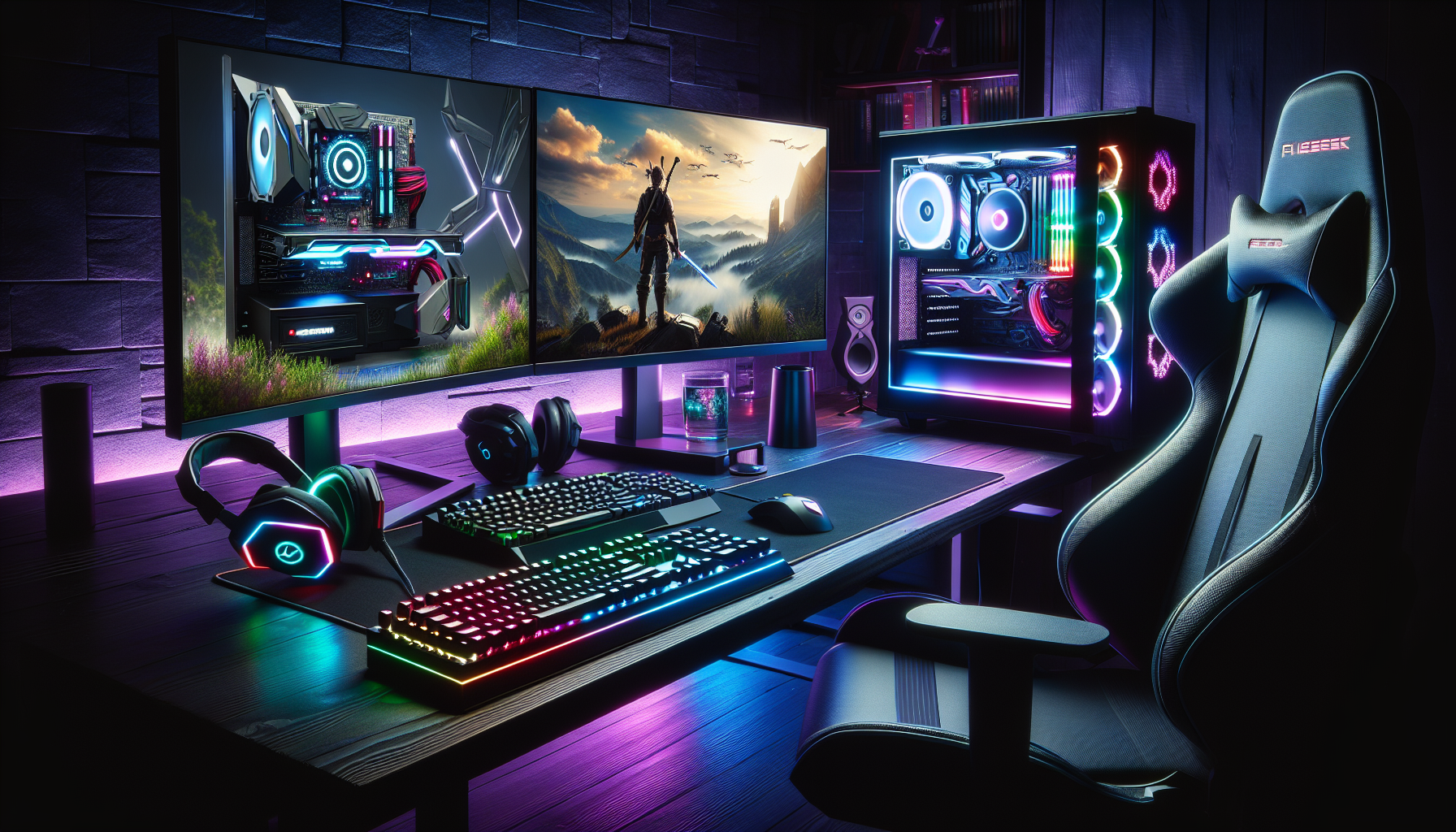
Introduction to Gaming PCs
Importance of Choosing the Right Gaming PC
Selecting the right gaming PC is crucial for gamers who seek an immersive and seamless gaming experience. A well-chosen gaming PC ensures optimal performance, allowing gamers to enjoy the latest titles without lag or disruptions. The right setup can significantly enhance gameplay, providing fluid graphics, fast load times, and responsive controls. Furthermore, a reliable gaming PC can have a longer lifespan, reducing the need for frequent upgrades.
Factors to Consider When Selecting a Gaming PC
When choosing a gaming PC, several factors should be taken into account to ensure it meets specific gaming needs. These factors include:
Performance Features: The processor (CPU), graphics card (GPU), and RAM are critical components that determine the overall performance of the gaming PC. High-performance CPUs and GPUs are essential for running demanding games smoothly. For more details on these components, check our article on gaming pc components.
Storage Options: The choice between a Solid-State Drive (SSD) and a Hard Disk Drive (HDD) can impact the speed and storage capacity of the gaming PC. SSDs offer faster load times, while HDDs provide more storage space at a lower cost. Read more about different storage options in our guide on add storage to gaming pc.
Connectivity and Ports: Adequate USB ports, audio jacks, and display outputs like HDMI and DisplayPort are necessary for connecting peripherals and external devices. Ensure the gaming PC has sufficient connectivity options for your setup. Learn more about this in our section on connectivity and ports.
Cooling Systems: Effective cooling is vital to maintain performance and prevent overheating. Both air and liquid cooling systems have their pros and cons. Explore more about cooling systems in our article on gaming pc cooling systems.
Aesthetics and Customization: Many gamers value the aesthetic appeal of their gaming rig. Features like RGB lighting, unique case designs, and customization options can enhance the visual appeal of the setup. Discover how to customise your gaming PC in our article on gaming pc aesthetics.
Budget: The cost of a gaming PC can vary widely. Establishing a budget and understanding the cost implications of different components is essential. For budgeting tips, visit our guide on gaming pc budget.
| Factor | Consideration |
|---|---|
| CPU | High performance for smooth gameplay |
| GPU | Essential for high-quality graphics |
| RAM | Adequate memory for multitasking |
| Storage | SSD for speed, HDD for capacity |
| Connectivity | Sufficient ports for peripherals |
| Cooling | Effective cooling to prevent overheating |
| Aesthetics | Customisation options for visual appeal |
| Budget | Establish a budget for components |
By considering these factors, gamers in Australia can select a gaming PC that meets their needs and provides an optimal gaming experience. For more detailed insights, explore our articles on build a gaming PC and buy gaming PC Australia.
Performance Features
When selecting a gaming PC, understanding the key performance features is crucial. These features include the processor (CPU), graphics card (GPU), and RAM (memory). Each component plays a significant role in determining the overall performance of the gaming system.
Processor (CPU)
The CPU is the brain of the gaming PC. It processes instructions from games and other applications. A powerful CPU ensures smooth gameplay and quick load times. It is important to consider the number of cores and clock speed when choosing a CPU. More cores allow for better multitasking, while a higher clock speed improves the processing of individual tasks.
| CPU Feature | Description |
|---|---|
| Cores | The number of individual processing units within the CPU. More cores can handle more tasks simultaneously. |
| Clock Speed | The speed at which a CPU processes instructions, measured in GHz. Higher clock speed means faster processing. |
Graphics Card (GPU)
The GPU is responsible for rendering images, animations, and visual effects in games. A high-quality GPU is essential for achieving high frame rates and smooth graphics. When selecting a GPU, consider the amount of VRAM, which impacts the resolution and detail of graphics.
| GPU Feature | Description |
|---|---|
| VRAM | Video RAM, the memory used by the GPU to store image data. More VRAM allows for higher resolution and better graphics. |
| CUDA Cores | The cores within the GPU that handle rendering tasks. More CUDA cores can improve performance in graphically intensive games. |
RAM (Memory)
RAM is the temporary storage used by the CPU to store data that is actively being used. Sufficient RAM ensures smooth multitasking and quick access to game data. For gaming, it is recommended to have at least 8GB of RAM, with 16GB being ideal for more demanding games.
| RAM Size | Description |
|---|---|
| 8GB | Suitable for most modern games, allowing for smooth performance in standard settings. |
| 16GB | Ideal for high-end gaming, providing ample memory for multitasking and running demanding games. |
For more information on optimising your gaming PC, visit our articles on gaming pc components and optimise pc for gaming. Understanding these performance features will help you make an informed decision when selecting the best gaming PC for your needs.
Storage Options
When selecting a gaming PC, storage options play a crucial role in performance and user experience. The two main types of storage devices are Solid-State Drives (SSDs) and Hard Disk Drives (HDDs). Understanding their differences and benefits can help make an informed decision.
Solid-State Drive (SSD)
SSDs are renowned for their speed and reliability. They use flash memory to store data, resulting in faster boot times, quicker game loading, and overall improved system responsiveness. This makes them a preferred choice for gamers seeking optimal performance.
| Feature | SSD |
|---|---|
| Speed | Very Fast |
| Durability | High |
| Noise | Silent |
| Power Consumption | Low |
| Cost per GB | Higher |
SSDs come in various form factors, such as 2.5-inch SATA drives and M.2 NVMe drives. M.2 NVMe SSDs offer even faster data transfer rates compared to SATA SSDs. When looking to build a gaming PC, choosing an SSD for your primary drive can significantly enhance your gaming experience.
Hard Disk Drive (HDD)
HDDs are traditional storage devices that use spinning disks to read and write data. Although they are slower compared to SSDs, HDDs offer larger storage capacities at a lower cost per gigabyte.
| Feature | HDD |
|---|---|
| Speed | Slower |
| Durability | Moderate |
| Noise | Audible |
| Power Consumption | Higher |
| Cost per GB | Lower |
HDDs are suitable for storing large files like games, movies, and other media. They are often used as secondary storage in gaming PCs to complement the faster SSD. For those on a budget, HDDs can be a cost-effective solution to achieve ample storage space without compromising too much on performance.
Combining both SSD and HDD in a gaming PC setup can provide the best of both worlds: the speed of an SSD for the operating system and frequently played games, and the capacity of an HDD for additional storage. For more detailed advice on optimising your storage setup, check out our article on add storage to gaming pc.
Understanding these storage options helps in making informed decisions when purchasing or building a gaming PC. To explore more about gaming PC components, visit our comprehensive guide on gaming pc components.
Connectivity and Ports
When selecting a gaming PC, connectivity and ports play a vital role in ensuring a seamless gaming experience. A well-equipped gaming PC should have a variety of ports to accommodate different peripherals and devices.
USB Ports
USB ports are essential for connecting a wide range of devices, including gaming mice, keyboards, external storage, and other peripherals. Modern gaming PCs typically come with multiple USB ports, including USB 3.0 and USB 3.1, which offer faster data transfer speeds compared to the older USB 2.0 ports.
| USB Type | Data Transfer Speed |
|---|---|
| USB 2.0 | 480 Mbps |
| USB 3.0 | 5 Gbps |
| USB 3.1 | 10 Gbps |
Having a good number of USB ports ensures that gamers can connect all their necessary devices without the need for additional hubs. For optimal performance, look for gaming PCs with USB 3.0 or higher to take advantage of the increased speed and efficiency.
Audio Jacks
Audio jacks are crucial for connecting headphones, headsets, and external speakers. High-quality audio output is essential for an immersive gaming experience, especially in multiplayer games where communication with teammates is key.
Typically, gaming PCs will have separate jacks for headphones and microphones, allowing gamers to use high-quality audio equipment. Some gaming PCs also offer optical audio outputs for connecting to advanced sound systems.
HDMI and DisplayPort
HDMI and DisplayPort connectors are essential for connecting your gaming PC to monitors and TVs. These ports support high-definition video and audio signals, ensuring that gamers enjoy the best possible graphics and sound quality.
| Port Type | Maximum Resolution | Maximum Refresh Rate |
|---|---|---|
| HDMI 1.4 | 4K @ 30Hz | 1440p @ 120Hz |
| HDMI 2.0 | 4K @ 60Hz | 1080p @ 240Hz |
| DisplayPort 1.2 | 4K @ 60Hz | 1440p @ 144Hz |
| DisplayPort 1.4 | 8K @ 60Hz | 4K @ 120Hz |
When choosing a gaming PC, consider the type and number of display ports available. HDMI 2.0 and DisplayPort 1.4 are ideal for high-resolution gaming and support higher refresh rates, which are crucial for a smooth and responsive gaming experience. For more information on setting up your gaming PC, visit our article on set up gaming pc.
By considering the connectivity and ports available on a gaming PC, gamers can ensure that their system is equipped to handle all their gaming peripherals and display needs. This not only enhances the gaming experience but also provides the flexibility to expand and upgrade as needed. For further guidance on build a gaming pc and optimise pc for gaming, explore our detailed articles.
Cooling Systems
In the realm of gaming PCs, cooling systems play a crucial role in maintaining optimal performance. Effective cooling ensures that the components within the PC operate efficiently, preventing overheating and potential damage.
Importance of Cooling in Gaming PCs
Cooling systems are essential for gaming PCs due to the high-performance components they house, such as the processor (CPU) and graphics card (GPU). These components generate significant heat during intensive gaming sessions. Without adequate cooling, the PC can overheat, leading to thermal throttling, where the system reduces its performance to cool down. This can negatively impact gaming experience and potentially shorten the lifespan of the components.
To maintain a stable and high-performance gaming environment, it is vital to invest in a reliable cooling system. Proper cooling also enhances the longevity of the gaming PC, ensuring that it delivers consistent performance over time. For more insights on maintaining your gaming rig, check out our article on optimise pc for gaming.
Types of Cooling Systems (Air vs. Liquid)
When it comes to cooling systems in gaming PCs, there are two primary types: air cooling and liquid cooling. Each has its own set of advantages and considerations.
Air Cooling
Air cooling is one of the most common methods used in gaming PCs. It involves using fans to dissipate heat away from the components. Air coolers typically consist of a heat sink and one or more fans. The heat sink absorbs heat from the CPU or GPU, while the fans blow the hot air away, keeping the components cool.
Advantages of Air Cooling:
- Cost-effective
- Easier to install and maintain
- Reliable and widely available
Considerations:
- Can be noisier due to fan operation
- Less efficient at cooling high-performance components compared to liquid cooling
| Feature | Air Cooling |
|---|---|
| Cost | Lower |
| Installation | Easier |
| Noise Level | Higher |
| Cooling Efficiency | Moderate |
Liquid Cooling
Liquid cooling, also known as water cooling, uses a liquid coolant to absorb and dissipate heat. The liquid circulates through a series of tubes and a radiator, effectively removing heat from the components. This method is highly efficient and is often preferred for high-performance gaming PCs.
Advantages of Liquid Cooling:
- Superior cooling performance
- Quieter operation
- Ideal for overclocking and high-performance setups
Considerations:
- Higher cost
- More complex installation and maintenance
- Potential risk of leaks
| Feature | Liquid Cooling |
|---|---|
| Cost | Higher |
| Installation | More Complex |
| Noise Level | Lower |
| Cooling Efficiency | High |
Choosing the right cooling system for your gaming PC depends on your specific needs and budget. Air cooling is a great option for most gamers due to its affordability and ease of use. However, for those seeking the best cooling performance and planning to overclock their systems, liquid cooling may be the better choice. For additional guidance on building a gaming PC, visit our article on build a gaming pc.
By understanding the importance of cooling and the different types of cooling systems available, gamers can make informed decisions to keep their gaming PCs running efficiently and effectively.
Aesthetics and Customisation
Aesthetics and customisation play a significant role in the appeal of a gaming PC. Gamers often seek to personalise their setups to reflect their unique style and preferences. This section delves into the various aspects of customising a gaming PC, including RGB lighting, case design, and other customisation options.
RGB Lighting
RGB lighting has become a staple feature in gaming PCs. It allows gamers to add vibrant, dynamic lighting effects to their rigs, enhancing the overall visual appeal. RGB lights can be found in various components such as the motherboard, RAM, fans, and even the case itself.
Gamers can often control the lighting effects using software provided by the component manufacturers. These effects can range from static colours to dynamic patterns that sync with in-game actions or music. RGB lighting not only adds a touch of personalisation but also creates an immersive gaming experience.
| Component | RGB Lighting Options |
|---|---|
| Motherboard | Yes |
| RAM | Yes |
| Fans | Yes |
| Case | Yes |
Case Design
The design of the PC case is another critical factor in the aesthetics of a gaming setup. Cases come in various sizes and styles, from compact mini-ITX cases to large full-tower cases. The choice of case design can impact both the appearance and functionality of the gaming PC.
When selecting a case, gamers should consider factors such as airflow, cable management, and expansion options. A well-designed case can improve cooling efficiency and make it easier to install and upgrade components. Additionally, the exterior design, including the colour, shape, and window panels, can significantly enhance the visual appeal of the setup.
| Case Size | Description |
|---|---|
| Mini-ITX | Compact, limited expansion |
| Micro-ATX | Mid-size, moderate expansion |
| ATX | Standard size, good expansion |
| Full-Tower | Large, extensive expansion |
Customisation Options
Beyond RGB lighting and case design, there are numerous other customisation options available to gamers. These options allow for further personalisation and enhancement of the gaming experience. Some of the popular customisation choices include:
- Custom Cooling Solutions: Gamers can opt for custom cooling setups, such as liquid cooling loops, to improve thermal performance and add unique visual elements.
- Cable Sleeving: Custom sleeved cables can enhance the interior aesthetics of the PC, providing a clean and organised look.
- Decals and Stickers: Applying decals or stickers to the case can add personal touches and themes to the rig.
- Peripheral Customisation: Customising peripherals like keyboards, mice, and monitors can complete the overall look and feel of the gaming setup.
| Customisation Option | Benefit |
|---|---|
| Custom Cooling Solutions | Improved cooling, unique aesthetics |
| Cable Sleeving | Organised, clean look |
| Decals and Stickers | Personalised themes |
| Peripheral Customisation | Cohesive setup appearance |
For those looking to build or buy a gaming PC in Australia, exploring these customisation options can enhance both the functionality and aesthetics of their setup. More information on building a gaming PC and optimising a PC for gaming can provide further insights into creating the perfect gaming rig.


