


What pc should I buy for gaming
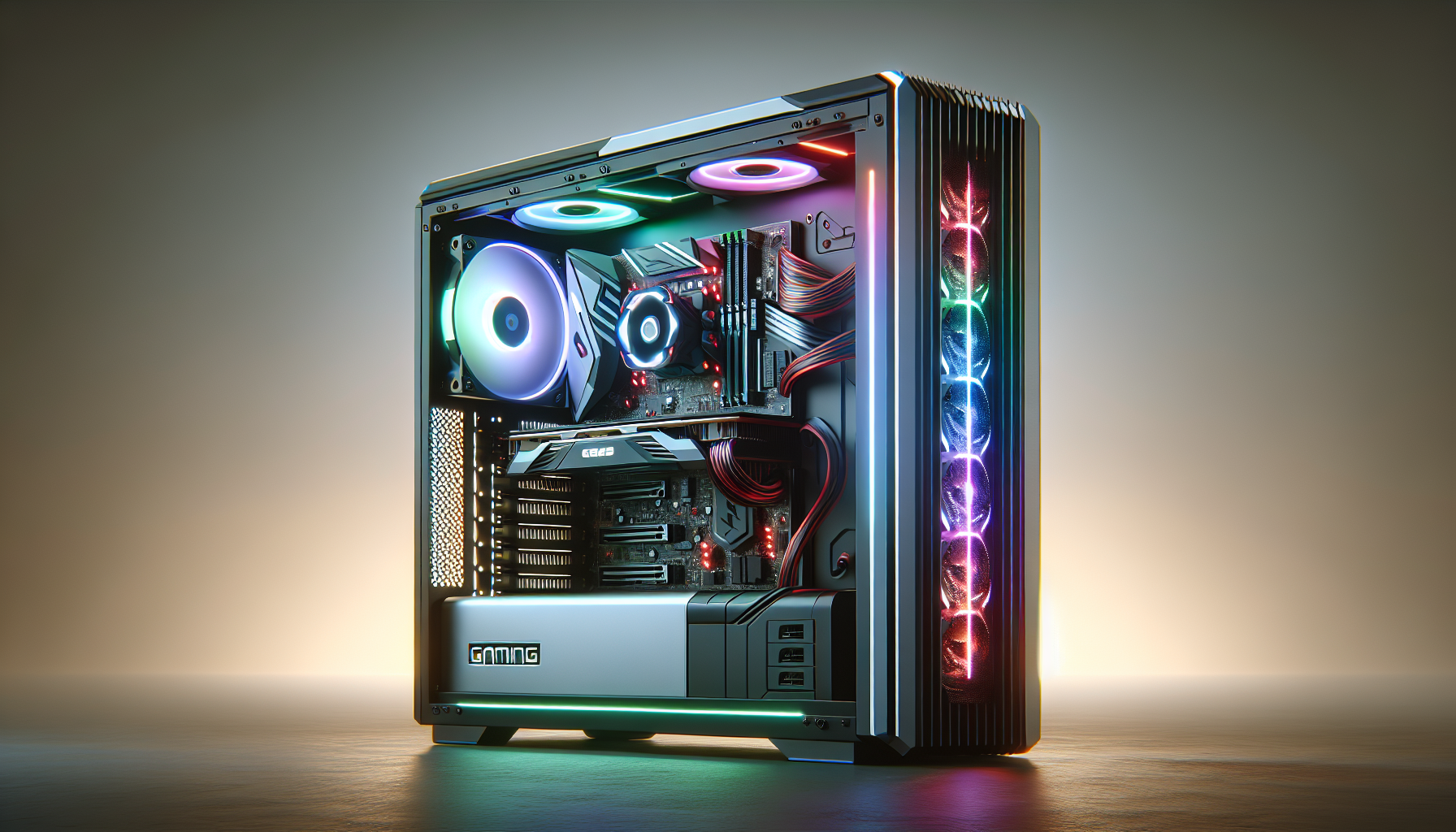
Understanding Gaming PCs
Importance of Choosing the Right Gaming PC
Choosing the right gaming PC is crucial for gamers who seek an immersive and seamless gaming experience. The performance of a gaming PC directly impacts the fluidity and visuals of games, especially for modern, graphically intensive titles. A well-chosen gaming PC not only enhances gameplay but also ensures longevity and upgradability, making it a worthwhile investment for avid gamers. For those in Australia, selecting the best PC for gaming can significantly elevate their gaming sessions, providing an edge in competitive scenarios.
Factors to Consider When Buying a Gaming PC
When buying a gaming PC, several key factors need to be considered to ensure it meets your gaming needs. Here are the primary aspects to focus on:
- Processor (CPU) and Graphics Card (GPU):
- The CPU and GPU are the heart of any gaming PC. The CPU handles game logic, while the GPU renders images, providing smooth and detailed visuals. A powerful combination of both is essential for optimal performance. For an in-depth look at their roles, read our section on gaming pc components.
- Memory (RAM):
- Adequate RAM is necessary for running games and multitasking. Typically, 16GB of RAM is considered sufficient for most modern games. More information can be found in our article on gaming pc ram.
- Storage (SSD vs. HDD):
- Solid State Drives (SSDs) offer faster load times and overall better performance compared to Hard Disk Drives (HDDs). Combining an SSD for the operating system and games with an HDD for additional storage can be a practical approach. Discover more in our section on add storage to gaming pc.
- Cooling System:
- Effective cooling is essential to maintain performance and prevent overheating. Various cooling options are available, from air cooling to liquid cooling. Explore different solutions in our section on gaming pc cooling systems.
- Connectivity and Ports:
- Ensure the gaming PC has sufficient and appropriate ports for peripherals like keyboards, mice, and monitors. Essential connectivity features should not be overlooked.
- Customization and Upgradability:
- A gaming PC that allows for future upgrades can save money in the long run. Components such as the CPU, GPU, and RAM should be easy to replace or upgrade. Learn more in our article on customization and upgradability in gaming pcs.
- Budget:
- Balancing performance and cost is key. Determine a budget that meets your gaming requirements without overspending. For advice on budgeting, refer to our section on gaming pc budget.
| Factor | Importance Level | Notes |
|---|---|---|
| CPU & GPU | High | Essential for game performance and rendering. |
| RAM | High | 16GB recommended for modern games. |
| Storage | Medium | SSD for performance, HDD for additional storage. |
| Cooling System | Medium | Prevents overheating and maintains performance. |
| Connectivity | Medium | Adequate ports for peripherals. |
| Customization | High | Future-proofing through easy upgrades. |
| Budget | High | Balance between cost and performance. |
By considering these factors, gamers can make an informed decision and select the best PC for gaming that suits their needs and budget. For further guidance on building or buying a gaming PC, see our comprehensive guides on build a gaming pc and buy gaming pc.
Processor and Graphics
Significance of CPU and GPU in Gaming PCs
When choosing the best PC for gaming, the central processing unit (CPU) and graphics processing unit (GPU) are the most crucial components to consider. The CPU, often referred to as the "brain" of the computer, handles all the instructions from the software and games. It is responsible for processing game logic, physics calculations, and the overall performance of the system.
The GPU, on the other hand, is dedicated to rendering images, videos, and animations. It is the heart of the gaming experience, providing the necessary power to display high-resolution graphics and ensuring smooth gameplay. For gamers, a powerful GPU is essential for running modern games at high settings without lag or stuttering.
| Component | Function | Importance in Gaming |
|---|---|---|
| CPU | Processes game logic and physics | High |
| GPU | Renders graphics and animations | Very High |
How Processor and Graphics Impact Gaming Performance
The performance of a gaming PC largely depends on the synergy between the CPU and GPU. A high-performance CPU ensures that the game runs smoothly, handling tasks such as artificial intelligence, character movements, and environmental interactions. A capable GPU enhances the visual experience, allowing for higher frame rates and better image quality.
For a balanced gaming system, it is important to match the capabilities of the CPU and GPU. A powerful GPU paired with a weak CPU can lead to a bottleneck, where the CPU cannot keep up with the demands of the GPU, resulting in subpar performance. Conversely, a high-end CPU with an underpowered GPU will not be able to fully utilize the CPU's capabilities.
| Game Type | CPU Demand | GPU Demand |
|---|---|---|
| Strategy | High | Moderate |
| First-Person Shooter | Moderate | High |
| Role-Playing Game | High | High |
For gamers in Australia looking to buy a gaming PC, understanding the importance of both the CPU and GPU is essential. Ensuring that these components are well-matched and capable of handling the demands of modern games will provide a smoother and more enjoyable gaming experience. For more information on building your own gaming PC, check out our article on build a gaming PC.
Memory and Storage
Memory and storage are vital components when selecting the best PC for gaming. They directly impact the speed, performance, and overall gaming experience.
RAM and SSD vs. HDD
Random Access Memory (RAM) and storage options like Solid-State Drives (SSD) and Hard Disk Drives (HDD) play distinct roles in a gaming PC.
RAM
RAM is crucial for smooth gameplay and multitasking. The more RAM a gaming PC has, the better it can handle intensive games and applications.
| RAM Size (GB) | Usage Scenario |
|---|---|
| 8 GB | Entry-level gaming |
| 16 GB | Standard gaming and multitasking |
| 32 GB | High-end gaming and professional use |
For most gamers, 16 GB of RAM is a sweet spot, providing enough memory for modern games and ensuring smooth performance.
SSD vs. HDD
SSDs and HDDs serve as primary storage options, each with their own advantages.
- SSD (Solid-State Drive): SSDs offer faster load times, quicker boot-ups, and better overall system responsiveness. They are ideal for installing the operating system and frequently played games.
- HDD (Hard Disk Drive): HDDs provide larger storage capacities at a lower cost. They are suitable for storing large files, additional games, and media.
| Storage Type | Speed (Read/Write) | Capacity | Cost |
|---|---|---|---|
| SSD | 500 MB/s - 3500 MB/s | 256 GB - 2 TB | Higher |
| HDD | 80 MB/s - 160 MB/s | 500 GB - 16 TB | Lower |
Combining an SSD for the operating system and main games with an HDD for additional storage is a common setup for gaming PCs.
Memory and Storage Considerations for Gaming PCs
When determining the best memory and storage setup for a gaming PC, several factors should be considered:
- Game Requirements: Modern games require substantial memory and storage. Check the recommended specifications for your favourite games.
- Budget: Balancing your budget between RAM, SSD, and HDD is essential. Prioritise components that offer the best performance within your budget.
- Future Proofing: Opting for higher RAM and SSD capacities can future-proof your system, accommodating future games and updates.
For gamers in Australia, it's important to consider the gaming pc price australia and how it fits into your budget. Additionally, understanding the gaming pc requirements can help you make an informed decision.
For more detailed advice on building a gaming PC, check out our guide on build a gaming pc. If you're looking to optimise your setup, our article on optimise pc for gaming offers useful tips and tricks.
Cooling Systems
Importance of Cooling Systems in Gaming PCs
Cooling systems play a pivotal role in the performance and longevity of gaming PCs. They help dissipate the heat generated by the processor (CPU) and graphics card (GPU), crucial components that tend to run hot during intensive gaming sessions.
Overheating can lead to thermal throttling, where the CPU or GPU automatically reduces its clock speed to prevent damage, resulting in a significant drop in performance. Consistently high temperatures can also shorten the lifespan of these components. Therefore, an efficient cooling system is essential for maintaining optimal performance and extending the life of your gaming PC.
Different Types of Cooling Systems for Gaming PCs
There are several types of cooling systems available for gaming PCs, each with its own advantages and drawbacks. Below, we explore the most common cooling solutions.
Air Cooling
Air cooling is the most traditional and widely used method. It involves the use of fans to draw cool air into the case and expel hot air out. The CPU and GPU have dedicated heatsinks and fans to aid in heat dissipation.
| Cooling System | Advantages | Disadvantages |
|---|---|---|
| Air Cooling | Cost-effective, Easy to install | Can be noisy, Less effective in high-performance scenarios |
Liquid Cooling
Liquid cooling systems use a liquid coolant to transfer heat away from the CPU and GPU. The coolant circulates through a loop, passing through a radiator that dissipates the heat with the help of fans.
| Cooling System | Advantages | Disadvantages |
|---|---|---|
| Liquid Cooling | More efficient, Quieter operation | Expensive, Requires maintenance |
All-in-One (AIO) Liquid Cooling
All-in-One (AIO) liquid coolers are pre-assembled units that combine a pump, radiator, and tubing into a single closed-loop system. They are easier to install compared to custom liquid cooling setups.
| Cooling System | Advantages | Disadvantages |
|---|---|---|
| AIO Liquid Cooling | Easier to install, High efficiency | More expensive than air cooling, Limited customization |
Custom Liquid Cooling
Custom liquid cooling systems offer the highest level of cooling efficiency. They allow for custom loops that can cool multiple components, including the CPU, GPU, and even RAM.
| Cooling System | Advantages | Disadvantages |
|---|---|---|
| Custom Liquid Cooling | Superior cooling performance, Highly customizable | Very expensive, Complex installation |
Choosing the right cooling system depends on several factors, including budget, the type of games played, and the performance level required. For more information on the different components needed for a gaming PC, visit our article on gaming pc components.
To ensure your gaming PC remains cool during intense gaming sessions, it's also important to regularly clean the fans and heatsinks, and consider using quality thermal paste. For tips on optimising your PC for gaming, check out our guide on optimise pc for gaming.
Connectivity and Ports
Essential Connectivity Features for Gaming PCs
When selecting the best PC for gaming, connectivity features play a crucial role. These features ensure seamless integration with gaming peripherals and provide a stable connection for online gaming. Here are some essential connectivity features to consider:
- Wi-Fi and Ethernet: Most modern gaming PCs come with built-in Wi-Fi capabilities. However, for a more stable and faster connection, especially during online gaming, having an Ethernet port is highly recommended.
- Bluetooth: Bluetooth connectivity allows for the wireless connection of various gaming peripherals such as controllers, headsets, and keyboards.
- USB Ports: A gaming PC should have multiple USB ports to connect various devices like gaming mice, keyboards, external storage, and more. USB 3.0 and USB-C ports are preferred for faster data transfer rates.
| Feature | Importance |
|---|---|
| Wi-Fi | Essential for wireless internet connectivity |
| Ethernet | Provides stable and faster internet connection |
| Bluetooth | Connects wireless peripherals |
| USB 3.0/USB-C | Fast data transfer and multiple device connection |
Ports and Options for Gaming Peripherals
Gaming peripherals require a variety of ports to function optimally. Here are the key ports to look for when choosing a gaming PC:
- HDMI and DisplayPort: These ports are crucial for connecting your gaming PC to monitors. HDMI is commonly used, but DisplayPort offers higher refresh rates, which is beneficial for gaming.
- Audio Jacks: A gaming PC should have audio jacks for connecting headsets and speakers. Some advanced gaming setups may also benefit from optical audio out ports.
- SD Card Reader: While not essential for all gamers, an SD card reader can be useful for transferring data from other devices.
| Port Type | Usage |
|---|---|
| HDMI | Connects to monitors and TVs |
| DisplayPort | Connects to monitors with higher refresh rates |
| Audio Jacks | Connect headsets and speakers |
| SD Card Reader | Transfers data from memory cards |
For more in-depth information on gaming peripherals and their connectivity, visit our article on gaming pc components.
Selecting a gaming PC with the right connectivity features and ports ensures that gamers in Australia have a seamless and immersive gaming experience. For additional tips on optimizing your gaming setup, check out our guide on optimise pc for gaming.
Customization and Upgradability
When selecting the best PC for gaming, it's essential to consider the benefits of customization and upgradability. These factors can significantly impact the longevity and performance of your gaming setup.
Benefits of Customizing and Upgrading Gaming PCs
Customizing and upgrading your gaming PC offers numerous advantages, making it a preferred choice for many gamers. Here are some key benefits:
- Performance Optimization: Tailoring your components to meet your specific gaming needs can result in a significant performance boost. For instance, upgrading your GPU or adding more RAM can enhance your gaming experience.
- Cost Efficiency: While the initial cost of building a custom gaming PC might be higher, it can be more cost-effective in the long run. Upgrading individual components can be cheaper than purchasing an entirely new system.
- Future-Proofing: Technology evolves rapidly, and gaming requirements change over time. Customizing your PC allows you to keep up with new advancements by upgrading parts as needed.
- Personalization: Customizing your gaming PC enables you to create a system that reflects your personal preferences and gaming style. From RGB lighting to unique case designs, the possibilities are endless.
For more insights on the financial aspects, refer to our articles on cost of gaming pc and good gaming pc cost.
Understanding the Potential for Upgradability in Gaming PCs
When considering the potential for upgradability, it's crucial to evaluate the key components that can be easily upgraded. Here's a closer look at some of the main elements:
| Component | Upgradability | Key Considerations |
|---|---|---|
| CPU | Moderate to High | Ensure compatibility with the motherboard socket type. |
| GPU | High | Check power supply unit (PSU) capacity and case size. |
| RAM | High | Verify the number of available RAM slots and maximum supported capacity. |
| Storage | High | Consider adding SSDs for faster load times and increased storage capacity. |
| Cooling System | High | Evaluate case space and airflow for additional cooling solutions. |
Understanding these components' upgradability can help you plan your gaming PC build or purchase more effectively. For more detailed guidance, visit our articles on gaming pc components and build a gaming pc.
By focusing on customization and upgradability, gamers can ensure their systems remain competitive and capable of handling the latest games and applications. Whether you're looking to build your own gaming pc or buy a gaming pc in Australia, these considerations will help you make an informed decision.


