


What is the best gaming pc
Understanding Gaming PCs
What Makes a Gaming PC Different?
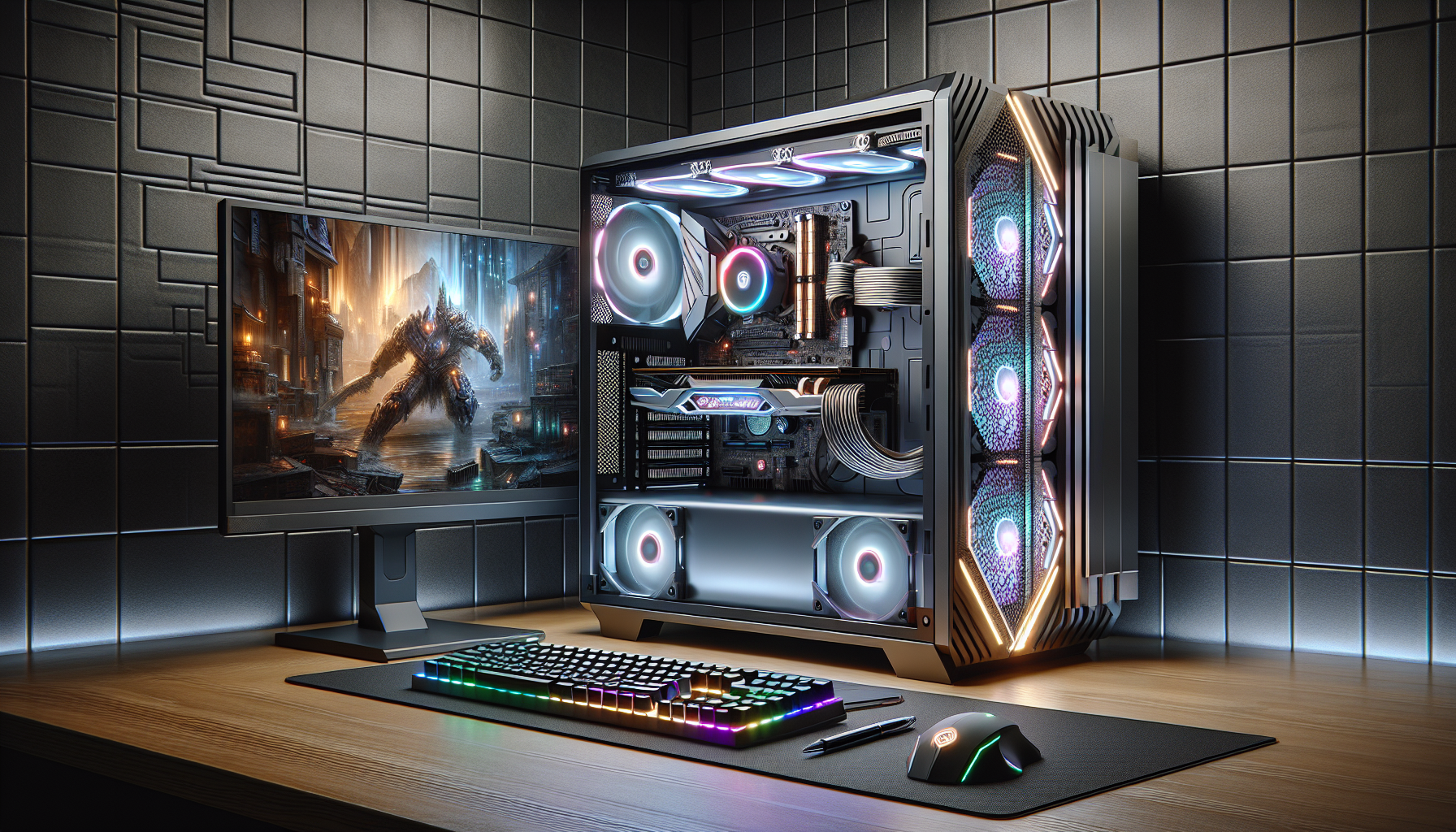
A gaming PC stands apart from regular computers due to its specialised components designed to handle the demands of modern video games. These systems are built to deliver high performance, superior graphics, and smooth gameplay. Key factors that differentiate gaming PCs include powerful processors (CPUs), advanced graphics cards (GPUs), and ample RAM.
| Component | Description |
|---|---|
| Processor (CPU) | Ensures fast and efficient processing of game data. |
| Graphics Card (GPU) | Renders high-quality images and supports high frame rates. |
| RAM | Provides the necessary memory to run games smoothly without lag. |
| Storage | Includes SSDs for quick load times and large capacity HDDs for storing games. |
| Cooling Systems | Prevents overheating during intense gaming sessions. |
For those interested in the nuances of these components, our article on gaming pc components offers a deeper dive.
Importance of Gaming PCs for Gamers
For gamers, a gaming PC is more than just a device; it's a gateway to immersive virtual worlds, competitive play, and creative expression. The importance of a gaming PC lies in its ability to deliver an unparalleled gaming experience, making it essential for serious gamers.
- Performance: Gaming PCs are equipped with high-end hardware that ensures smooth, lag-free gameplay, even with the most demanding titles.
- Graphics Quality: Advanced GPUs allow for stunning visuals, bringing games to life with realistic textures, shadows, and lighting.
- Customization: Gamers can tailor their PC builds to meet specific needs, be it for high frame rates, VR gaming, or multitasking.
- Upgradeability: Unlike consoles, gaming PCs can be easily upgraded with new components to keep up with technological advancements.
- Versatility: Gaming PCs are not limited to gaming; they also excel in tasks like video editing, 3D rendering, and streaming.
For an in-depth look at the various benefits and considerations of gaming PCs, check out our guide on best pc for gaming.
Understanding these aspects helps gamers make informed decisions when selecting or building their gaming rig. For more detailed guidance on building a gaming PC, visit our comprehensive article on build a gaming pc.
Components of a Gaming PC
To understand what makes the best gaming PC, it's essential to delve into its key components. Each part plays a crucial role in ensuring optimal performance and a seamless gaming experience.
Processor (CPU)
The processor, or CPU, is often considered the brain of the gaming PC. It handles all the instructions it receives from hardware and software running on the computer. For gamers, a powerful CPU is crucial as it affects the overall speed and responsiveness of the system.
| CPU Specification | Description |
|---|---|
| Core Count | Number of cores (e.g., 4, 6, 8) |
| Clock Speed | Measured in GHz (e.g., 3.6GHz) |
| Cache Size | Amount of cache memory (e.g., 12MB) |
| TDP | Thermal Design Power in watts (e.g., 65W) |
Graphics Card (GPU)
The graphics card, or GPU, is another critical component for gaming. It renders images, animations, and videos to display on the monitor. A high-quality GPU ensures smooth gameplay, high frame rates, and stunning graphics.
| GPU Specification | Description |
|---|---|
| VRAM | Video RAM (e.g., 6GB, 8GB) |
| Core Clock | Clock speed of the GPU (e.g., 1605MHz) |
| CUDA Cores | Number of processing cores (e.g., 2560) |
| TDP | Thermal Design Power in watts (e.g., 150W) |
Random Access Memory (RAM)
RAM is essential for the temporary storage of data that the CPU needs to access quickly. More RAM allows for better multitasking and faster loading times, which is particularly important for gaming.
| RAM Specification | Description |
|---|---|
| Capacity | Amount of RAM (e.g., 16GB, 32GB) |
| Speed | Measured in MHz (e.g., 3200MHz) |
| Type | DDR4, DDR5 |
| Latency | CAS latency (e.g., CL16) |
For a more in-depth look at RAM, check out our article on gaming pc ram.
Storage Options
Storage options for gaming PCs typically include traditional Hard Disk Drives (HDDs) and Solid-State Drives (SSDs). SSDs are faster and more reliable, making them the preferred choice for gamers who want quick load times and efficient data access.
| Storage Type | Description |
|---|---|
| HDD | Higher capacity, slower speed |
| SSD | Faster speed, lower capacity |
| NVMe SSD | Fastest speed, higher price |
To learn more about expanding your storage, visit add storage to gaming pc.
Cooling System
A robust cooling system is vital for maintaining optimal temperatures and preventing overheating, which can damage components and reduce performance. Cooling systems can be air-based or liquid-based, each with its own advantages.
| Cooling Type | Description |
|---|---|
| Air Cooling | Fans and heat sinks |
| Liquid Cooling | Radiators and coolant |
| Hybrid Cooling | Combination of both |
For more insights on cooling options, explore gaming pc fans.
Each component contributes to the overall performance and efficiency of the gaming PC. Understanding these parts can help gamers make informed decisions when building or buying the best gaming PC. For more detailed guides, check out our articles on build a gaming pc and gaming pc components.
Factors to Consider
When choosing the best gaming PC, several factors come into play. Understanding these can help gamers in Australia make an informed decision.
Budget
The budget is a critical factor when selecting a gaming PC. Gaming PCs can range from entry-level to high-end models, each with different price points. It's important to determine how much one is willing to spend and find a balance between cost and performance.
| Budget Tier | Price Range (AUD) |
|---|---|
| Entry-Level | $800 - $1,200 |
| Mid-Range | $1,200 - $2,000 |
| High-End | $2,000 - $4,000+ |
For more information on how much to spend, visit our article on gaming pc budget.
Gaming Requirements
Different games have different hardware requirements. A gamer should consider the types of games they intend to play and the performance needed. High-end games require more powerful components, while less demanding games can run smoothly on mid-range systems.
| Game Type | Minimum Requirements | Recommended Requirements |
|---|---|---|
| Casual Games | Intel i3, 8GB RAM, GTX 1050 | Intel i5, 8GB RAM, GTX 1660 |
| AAA Titles | Intel i5, 16GB RAM, RTX 2060 | Intel i7, 16GB RAM, RTX 3070 |
| VR Games | Intel i5, 16GB RAM, GTX 1660 | Intel i7, 32GB RAM, RTX 3080 |
Check out our article on gaming pc requirements for detailed specifications.
Future-Proofing
Future-proofing involves choosing components that will remain relevant for several years. This includes investing in a powerful CPU and GPU, as well as ensuring the system is upgradeable. Future-proofing helps in avoiding frequent upgrades and extends the lifespan of the gaming PC.
Key components to consider for future-proofing:
- Processor: Opt for the latest generation CPUs.
- Graphics Card: Choose GPUs with higher VRAM.
- RAM: Aim for at least 16GB, with expansion slots available.
- Motherboard: Ensure it supports future upgrades.
For more tips, refer to our article on gaming pc lifespan.
Customization Options
Customization options allow gamers to tailor their PCs to their specific needs. This includes the ability to upgrade components, add extra storage, and personalize the aesthetic of the gaming rig.
| Customization Area | Options Available |
|---|---|
| CPU | Upgradeable sockets |
| GPU | Multiple PCIe slots |
| Storage | Additional SSD/HDD bays |
| Aesthetics | RGB lighting, custom cases |
Explore our guide on build your own gaming pc for more customization ideas.
Understanding these factors can help in making an informed decision when selecting the best gaming PC. Whether the focus is on budget, performance, future-proofing, or customization, careful consideration of these elements will lead to a satisfying gaming experience.
Types of Gaming PCs
When considering the best gaming PC, understanding the different types available is crucial. Gamers can choose between prebuilt gaming PCs and custom-built gaming PCs, each with its own set of advantages.
Prebuilt Gaming PCs
Prebuilt gaming PCs come fully assembled and ready to use right out of the box. These computers are manufactured by companies that specialise in gaming hardware, ensuring that each component is optimised for gaming performance.
Advantages of Prebuilt Gaming PCs:
- Convenience: No need to assemble or install components.
- Warranty: Often come with a comprehensive warranty covering the entire system.
- Support: Access to customer support for troubleshooting and repairs.
| Feature | Benefit |
|---|---|
| Ease of Use | Ready to use immediately |
| Warranty | Covers all parts |
| Support | Manufacturer support available |
Prebuilt gaming PCs are ideal for gamers who prefer a hassle-free setup and want to start gaming without the need for technical knowledge. For those interested in purchasing one, visit our guide on buy prebuilt gaming pc.
Custom-Built Gaming PCs
Custom-built gaming PCs offer the flexibility to choose each component based on individual preferences and requirements. Building a gaming PC allows for a tailored gaming experience and can be more cost-effective in the long run.
Advantages of Custom-Built Gaming PCs:
- Customization: Select each part to match specific gaming needs.
- Upgradability: Easier to upgrade individual components over time.
- Performance: Potential for higher performance by selecting premium parts.
| Feature | Benefit |
|---|---|
| Customization | Tailor each component |
| Upgradability | Simple to upgrade |
| Performance | Potential for superior performance |
Building a custom gaming PC requires some technical knowledge and patience. However, it can be a rewarding experience for those who want to optimise their system for the best gaming performance. For a comprehensive guide on building your own gaming PC, visit build your own gaming pc.
Both prebuilt and custom-built gaming PCs have their merits. Gamers should consider their budget, technical skills, and gaming requirements when deciding which type to choose. For additional information on gaming PC components and their functions, refer to our article on gaming pc components.
Where to Find Information
When searching for the best gaming PC, it's essential to gather information from reliable sources. Here are some options to explore:
Online Reviews and Forums
Online reviews and forums provide valuable insights from other gamers who have hands-on experience with different gaming PCs. These platforms allow users to share their experiences, pros and cons, and performance reviews of various setups. Websites like Reddit and dedicated gaming forums are excellent places to start. Reading through threads can give you a sense of what to expect and help you avoid common pitfalls.
Tech Websites and Blogs
Tech websites and blogs are another great resource for finding information on the best gaming PC. These sites often feature in-depth reviews, comparisons, and buying guides. They break down the technical specifications and performance metrics, making it easier to understand which components are best suited for your needs. For those in Australia, local tech blogs can offer insights specific to the market, including prices and availability. If you want to know more about the components of a gaming PC, visit our article on gaming pc components.
Gaming Communities
Gaming communities, both online and offline, are invaluable for gathering information. These communities consist of passionate gamers who are more than willing to share their knowledge and experiences. Joining a gaming community can provide you with first-hand recommendations and advice tailored to your specific needs. Whether it's a local gaming club or an online community, being part of a group can help you stay updated on the latest trends and best practices. For tips on how to optimise your PC for gaming, check out our article on optimise pc for gaming.
By leveraging these sources, you can make a well-informed decision when selecting the best gaming PC for your needs. Remember to cross-reference information and consult with experts to ensure you're getting accurate and up-to-date advice.
Making the Right Choice
Choosing the best gaming PC involves thorough research, consultation with experts, and a clear understanding of your gaming needs. This section will guide you through the steps to make an informed decision.
Researching Gaming PCs
Research is crucial when looking for the best gaming PC. Start by exploring different types of gaming PCs, understanding their components, and comparing their specifications. Look into the latest technology and how it benefits gaming performance.
| Component | Importance Level | Recommended Specs for Gaming |
|---|---|---|
| Processor (CPU) | High | Quad-core or higher |
| Graphics Card (GPU) | Very High | 6GB VRAM or more |
| RAM | High | 16GB or higher |
| Storage (SSD/HDD) | Medium | 512GB SSD or more |
| Cooling System | High | Liquid or advanced air cooling |
For additional insights, read our article on gaming pc components.
Consulting with Experts
Consulting with experts can provide valuable insights tailored to your specific needs. Whether it's through tech forums, local computer shops, or professional reviews, expert advice can help clarify uncertainties. Engaging with gaming communities can also offer real-world feedback and experiences.
| Source | Benefits |
|---|---|
| Tech Forums | Real-user experiences, varied opinions |
| Computer Shops | Personalised advice, hands-on experience |
| Professional Reviews | Objective analysis, performance benchmarks |
Visit our page on gaming communities for more information.
Deciding on the Best Gaming PC for Your Needs
After extensive research and expert consultation, it’s time to decide on the best gaming PC for your needs. Consider factors such as your budget, gaming requirements, and future-proofing.
| Factor | Considerations |
|---|---|
| Budget | Set a realistic budget |
| Gaming Requirements | Assess games you intend to play |
| Future-Proofing | Opt for upgradeable components |
| Customization Options | Evaluate the need for custom builds |
For tailored advice, explore our guide on build a gaming pc.
Ensure your chosen gaming PC aligns with your specific requirements and preferences. This comprehensive approach will help you make an informed decision and enjoy an optimal gaming experience. If you're considering building your own system, refer to our article on build your own gaming pc.


