


What is a pc for gaming
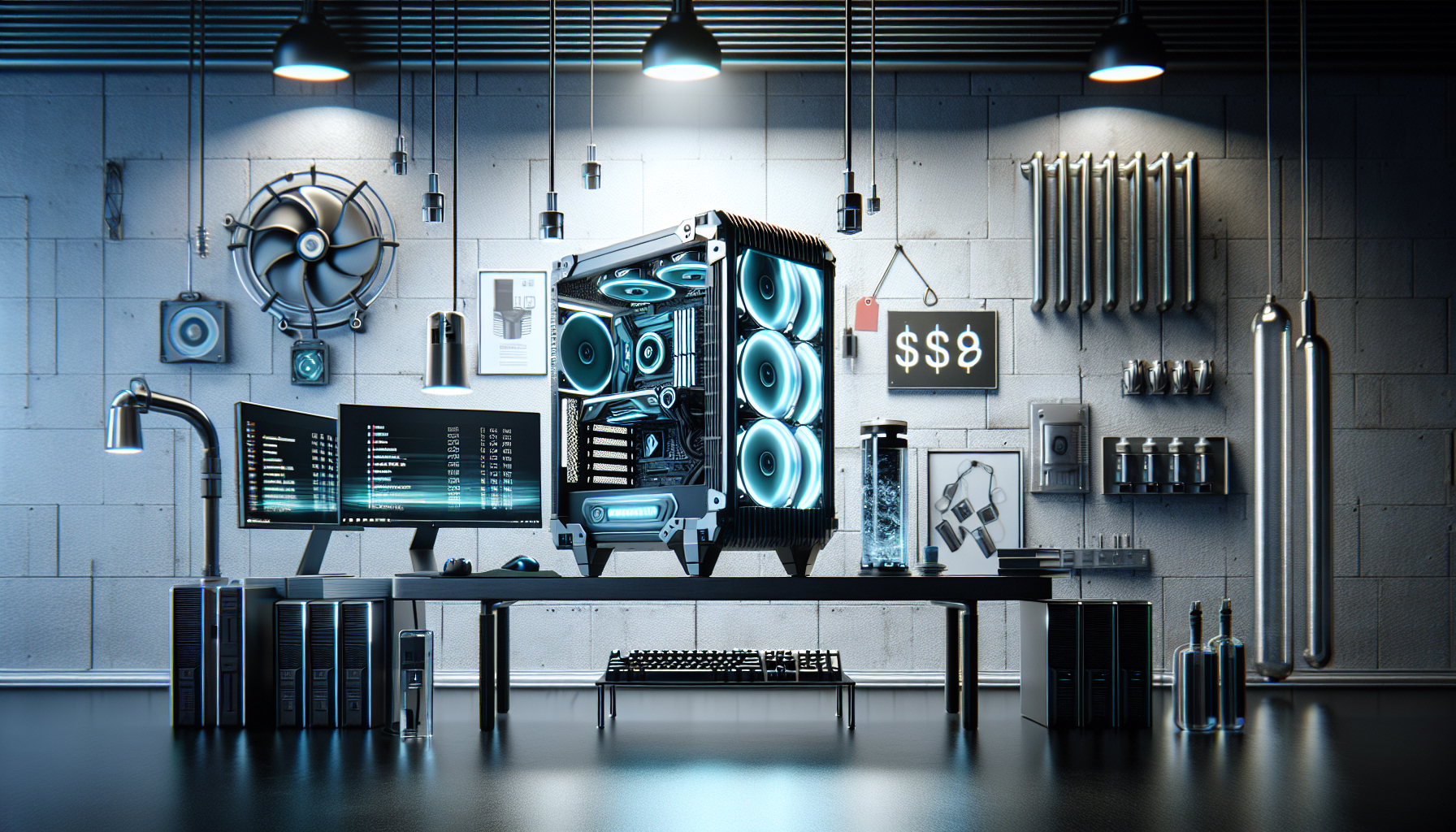
Demystifying Gaming PCs
Understanding the Significance of Gaming PCs
A gaming PC is a personal computer specifically designed to play video games at high performance levels. These machines are equipped with powerful hardware components to handle the demands of modern games, which often require significant processing power and graphical capabilities. Unlike standard PCs, gaming PCs are built to provide a seamless and immersive gaming experience.
Gaming PCs are essential for gamers who seek high frame rates, detailed graphics, and quick load times. They also offer the flexibility to upgrade components, allowing users to keep up with the latest gaming technology. For those looking to build a gaming PC or buy one, understanding the importance and capabilities of a gaming PC can help make informed decisions.
Different Components of a Gaming PC
A gaming PC is composed of several key components, each playing a critical role in the overall performance. Here are the primary parts of a gaming PC:
- Processor (CPU): The brain of the computer, responsible for executing instructions and managing tasks.
- Graphics Card (GPU): Handles rendering images, animations, and video for the monitor.
- Random Access Memory (RAM): Temporary storage that allows quick access to data for running applications and games.
- Storage (SSD vs. HDD): Permanent storage for the operating system, games, and other files.
- Power Supply Unit (PSU): Supplies power to all the components.
- Cooling System: Keeps the components at optimal temperatures to prevent overheating.
Each of these components contributes to the overall performance and efficiency of the gaming PC. For an in-depth look at these components, refer to our article on gaming pc components.
| Component | Function |
|---|---|
| Processor (CPU) | Executes instructions, manages tasks |
| Graphics Card (GPU) | Renders images, animations, video |
| Random Access Memory (RAM) | Temporary data storage for running applications |
| Storage (SSD vs. HDD) | Permanent storage for OS, games, files |
| Power Supply Unit (PSU) | Powers all components |
| Cooling System | Prevents overheating |
Understanding these components is crucial for anyone looking to build a pc for gaming or optimize their setup. Whether you're considering a custom-built or pre-built gaming PC, knowing what each part does will help ensure you get the best performance for your needs. For more information, you can explore our detailed guide on gaming pc parts.
Key Components of a Gaming PC
To understand what makes a PC suitable for gaming, it's essential to break down its core components. Each part plays a significant role in delivering a smooth and immersive gaming experience.
Processor (CPU)
The Central Processing Unit (CPU) is the brain of the gaming PC. It handles all the instructions from software and hardware, making it a critical component for gaming performance. A powerful CPU ensures that games run smoothly, especially in processor-intensive tasks such as physics calculations and artificial intelligence.
| CPU Feature | Importance for Gaming |
|---|---|
| Core Count | Affects multitasking and game performance |
| Clock Speed | Higher speeds improve game responsiveness |
| Cache Size | Larger cache can enhance performance in some games |
Graphics Card (GPU)
The Graphics Processing Unit (GPU) is arguably the most crucial component for a gaming PC. It renders images, animations, and videos for the display. A high-quality GPU ensures that games look visually stunning and run at higher frame rates, providing a better gaming experience.
| GPU Feature | Importance for Gaming |
|---|---|
| VRAM | More VRAM allows higher texture settings |
| CUDA Cores | More cores can improve rendering speeds |
| Ray Tracing | Enhances visual realism in supported games |
Random Access Memory (RAM)
RAM (Random Access Memory) is vital for gaming as it temporarily stores data that the CPU needs to access quickly. Sufficient RAM ensures that games load faster and run smoothly without lag.
| RAM Size | Gaming Performance |
|---|---|
| 8GB | Minimum for modern games |
| 16GB | Recommended for most games |
| 32GB | Ideal for multitasking and future-proofing |
For more details, visit our article on gaming pc ram.
Storage (SSD vs. HDD)
Storage is where your games and other data are stored. Solid State Drives (SSDs) and Hard Disk Drives (HDDs) serve this purpose but differ in performance and reliability.
| Storage Type | Read/Write Speed | Reliability | Use Case |
|---|---|---|---|
| SSD | Fast | High | Game loading, OS, and applications |
| HDD | Slow | Moderate | Mass storage for files and less frequently used games |
For more information on adding storage, check out add storage to gaming pc.
Power Supply Unit (PSU)
The Power Supply Unit (PSU) provides power to all the components of the gaming PC. A reliable PSU is essential for system stability and longevity.
| PSU Feature | Importance for Gaming |
|---|---|
| Wattage | Must match or exceed the total power requirement of all components |
| Efficiency Rating | Higher ratings (80 Plus Bronze, Silver, Gold) mean better efficiency and lower power consumption |
| Modular Cables | Easier cable management and airflow |
Explore more about gaming pc power usage.
Cooling System
Gaming PCs generate a lot of heat, which needs to be managed effectively to maintain performance and prevent damage. Cooling systems can include air cooling, liquid cooling, or a combination of both.
| Cooling Type | Pros | Cons |
|---|---|---|
| Air Cooling | Cost-effective, easy to install | May be less effective for overclocking |
| Liquid Cooling | Superior cooling performance, quieter | More expensive, complex installation |
Learn more about gaming pc fans and cooling solutions.
Understanding these key components will help you make informed decisions when building or buying a gaming PC. Whether you choose to build a gaming pc or buy a prebuilt gaming pc, knowing what goes into a high-performance gaming rig is essential.
Custom-Built vs. Pre-Built Gaming PCs
When considering a PC for gaming, one of the primary decisions involves choosing between a custom-built or pre-built gaming PC. Both options have their own set of advantages and disadvantages, which can influence your decision based on your needs and preferences.
Pros and Cons of Custom-Built Gaming PCs
Custom-built gaming PCs offer a high level of flexibility and personalisation. Users can select each component based on their specific requirements, ensuring the system meets their gaming and performance needs.
Pros:
- Personalisation: Allows for complete control over components such as the processor (CPU), graphics card (GPU), and storage.
- Upgradability: Easier to upgrade individual parts to keep up with technological advancements.
- Cost Efficiency: Potentially cheaper if you source components during sales or discounts.
- Quality Control: Ensures high-quality parts as you can choose reputable brands for each component.
Cons:
- Time-Consuming: Requires time and effort to research, purchase, and assemble components.
- Technical Knowledge: Necessitates a certain level of technical expertise to assemble and troubleshoot.
- Initial Cost: Upfront costs can be higher, especially if opting for high-end components.
| Custom-Built Gaming PC Pros | Custom-Built Gaming PC Cons |
|---|---|
| Personalisation | Time-Consuming |
| Upgradability | Technical Knowledge Required |
| Cost Efficiency | Initial Cost |
| Quality Control |
For more information on building your own gaming PC, visit our article on build a gaming pc.
Pros and Cons of Pre-Built Gaming PCs
Pre-built gaming PCs are assembled by manufacturers and are ready for use upon purchase. These systems are ideal for those who prefer convenience and immediate use without the need to build a system from scratch.
Pros:
- Convenience: Ready to use straight out of the box, saving time and effort.
- Warranty and Support: Often come with warranties and customer support for troubleshooting and repairs.
- No Technical Knowledge Required: Suitable for users who lack the technical know-how to assemble a PC.
- Optimised Performance: Pre-built systems are often optimised for gaming, ensuring compatibility and performance.
Cons:
- Limited Personalisation: Less flexibility in choosing specific components.
- Upgradability: May have limited options for future upgrades due to proprietary parts.
- Cost: Can be more expensive than custom-built PCs for similar specifications.
- Quality Variability: Potential for lower-quality components in some pre-built systems.
| Pre-Built Gaming PC Pros | Pre-Built Gaming PC Cons |
|---|---|
| Convenience | Limited Personalisation |
| Warranty and Support | Upgradability |
| No Technical Knowledge Required | Cost |
| Optimised Performance | Quality Variability |
If you're considering purchasing a pre-built system, read our article on buy prebuilt gaming pc for more insights.
Deciding between a custom-built and a pre-built gaming PC ultimately depends on your preferences, budget, and technical expertise. Both options offer unique benefits and potential drawbacks, making it essential to weigh your priorities carefully. For further guidance on making a choice, explore our article on gaming pc requirements.
Upgradability and Future-Proofing
When investing in a PC for gaming, understanding the importance of upgradability and future-proofing is crucial. This ensures that the gaming rig remains relevant and powerful enough to handle new game releases and evolving technology.
Importance of Upgradability
Upgradability refers to the ability to enhance or replace specific components within the gaming PC. This feature is vital for gamers seeking to extend the lifespan of their gaming setup without purchasing an entirely new system. Key components that can be upgraded include the processor (CPU), graphics card (GPU), and memory (RAM).
Advantages of upgradability:
- Cost Efficiency: Upgrading individual components is generally more economical than buying a new PC.
- Performance Boost: Enhancing certain parts can significantly improve gaming performance.
- Customization: Allows for tailored upgrades based on gaming needs and preferences.
| Component | Average Lifespan | Common Upgrades |
|---|---|---|
| CPU | 3-5 years | Higher clock speed, more cores |
| GPU | 2-4 years | Newer models with better performance |
| RAM | 3-5 years | Increasing capacity (e.g., from 16GB to 32GB) |
For a detailed guide on how to upgrade your gaming PC, visit our article on build a gaming pc.
Future-Proofing Your Gaming PC
Future-proofing involves selecting components and configurations that will remain relevant and powerful for years to come. This strategy minimizes the need for frequent upgrades and ensures that the gaming PC can handle future game releases and software updates.
Key aspects of future-proofing:
- High-End Components: Investing in top-tier components that exceed current requirements.
- Compatibility: Ensuring that the motherboard and power supply unit (PSU) support future upgrades.
- Expandability: Opting for additional slots and ports for future enhancements.
| Component | Future-Proofing Tips |
|---|---|
| CPU | Choose a multi-core processor with a high clock speed. |
| GPU | Opt for a high-end graphics card that supports the latest graphics technologies. |
| RAM | Install more than the current minimum requirement (e.g., 32GB instead of 16GB). |
| Storage | Use an NVMe SSD for faster load times and consider larger capacity options. |
For more information on future-proofing your gaming PC, read our guide on optimise pc for gaming.
By understanding the importance of upgradability and future-proofing, gamers can ensure their PCs remain competitive and capable of delivering an exceptional gaming experience for years to come. For additional insights, explore our articles on gaming pc components and best gaming pc.
Gaming PC vs. Consoles
When deciding between a gaming PC and a console, it's important to weigh the advantages of each. Both platforms offer unique benefits, catering to different preferences and gaming styles.
Advantages of Gaming PCs
Gaming PCs offer several benefits that appeal to serious gamers. One of the primary advantages is the superior graphical performance. PCs can be equipped with high-end graphics cards (GPUs) that deliver stunning visuals and smooth gameplay. This is particularly important for gamers who enjoy playing graphically-intensive games.
Another advantage is customization. PC gamers have the flexibility to upgrade individual components such as the processor (CPU), RAM, and storage. This allows them to keep their system up-to-date with the latest technology, enhancing performance and longevity. For more details on essential components, check out our article on gaming pc components.
| Feature | Gaming PC | Console |
|---|---|---|
| Graphics | Superior, customizable | Fixed, limited by hardware |
| Upgradability | High | Low |
| Game Library | Extensive, includes PC exclusives | Limited to console exclusives |
| Modding | Extensive | Limited |
| Peripheral Support | Wide range | Limited to specific devices |
| Price Range | Varies, can be high | Fixed, generally lower |
PCs also offer a broader range of games, including PC-exclusive titles and a wealth of indie games. Additionally, PCs support modding, allowing gamers to customize and enhance their gaming experience with user-created content.
Peripheral support is another strong point. Gaming PCs can connect to a variety of peripherals, including multiple monitors, specialized gaming mice, and mechanical keyboards. This level of customization can significantly enhance the gaming experience.
Advantages of Gaming Consoles
Consoles, on the other hand, offer their own set of advantages. One of the main benefits is simplicity. Consoles are designed to be plug-and-play devices, requiring minimal setup. This makes them an attractive option for gamers who prefer an easy and straightforward gaming experience.
Consoles also provide a consistent gaming environment. Since all consoles of a specific model have the same hardware, game developers can optimize their games to run smoothly on that platform. This ensures a uniform experience for all players.
| Feature | Gaming PC | Console |
|---|---|---|
| Setup | Complex, requires knowledge | Simple, plug-and-play |
| Consistency | Varies with hardware | Uniform experience |
| Cost | Varies widely | Fixed, generally lower |
| Portability | Limited | High |
| Exclusive Titles | PC exclusives | Console exclusives |
| Social Gaming | Varies | Integrated, easier |
Cost is another advantage of consoles. They typically have a lower upfront cost compared to gaming PCs. This makes them a more budget-friendly option for gamers who want a dedicated gaming device without spending a lot of money. For more on budgeting for a gaming setup, visit gaming pc budget.
Consoles are also more portable. They are compact and easy to move, making them ideal for gamers who want to take their system to a friend's house or on a trip.
Lastly, consoles often have exclusive titles that are not available on PC. These exclusive games can be a significant draw for gamers who want access to a specific franchise or game series.
Both gaming PCs and consoles have their own unique advantages. The best choice depends on individual preferences, gaming habits, and budget. For those looking to explore the world of PC gaming, our article on build a gaming pc offers a comprehensive guide to get started.
Factors to Consider When Buying a Gaming PC
Choosing the right gaming PC involves several important considerations. These factors ensure that the system meets your gaming needs and provides a satisfying gaming experience.
Budget
One of the first and foremost factors to consider is your budget. Gaming PCs can range from affordable to highly expensive, depending on the specifications and features. It's crucial to establish a budget that aligns with your financial situation and gaming requirements. For detailed insights, check out our article on gaming pc cost.
| Budget Range | Estimated Cost (AUD) |
|---|---|
| Entry-Level | 800 - 1200 |
| Mid-Range | 1200 - 2000 |
| High-End | 2000 - 4000+ |
Gaming Requirements
Your gaming requirements play a significant role in determining the type of gaming PC you should buy. Consider the types of games you intend to play and their hardware demands. High-end games with advanced graphics will require more powerful components, while less demanding games can run smoothly on mid-range systems. For a deeper understanding, read our article on gaming pc requirements.
Brand Reputation
Brand reputation is another essential factor. Established brands often offer better quality components, customer service, and warranties. Researching and choosing a reputable brand can save you from potential headaches down the line. Explore our guide on buy gaming pc australia for more information.
Customer Support
Customer support is important, especially if you encounter issues with your gaming PC. Opt for brands that provide reliable customer support, including easy-to-reach service centres, online chat support, and comprehensive FAQs. This ensures you get the help you need when you need it.
Warranty and Return Policy
A robust warranty and flexible return policy are crucial when investing in a gaming PC. These protections provide peace of mind and cover you in case of defects or issues. Make sure to read the warranty terms and understand the return policy before making a purchase. For more details, visit our article on best gaming pc.
By considering these factors, you can make an informed decision and choose a gaming PC that meets your needs and budget. For more tips and insights, refer to our comprehensive guide on build a pc for gaming.


