


What is a good gaming pc
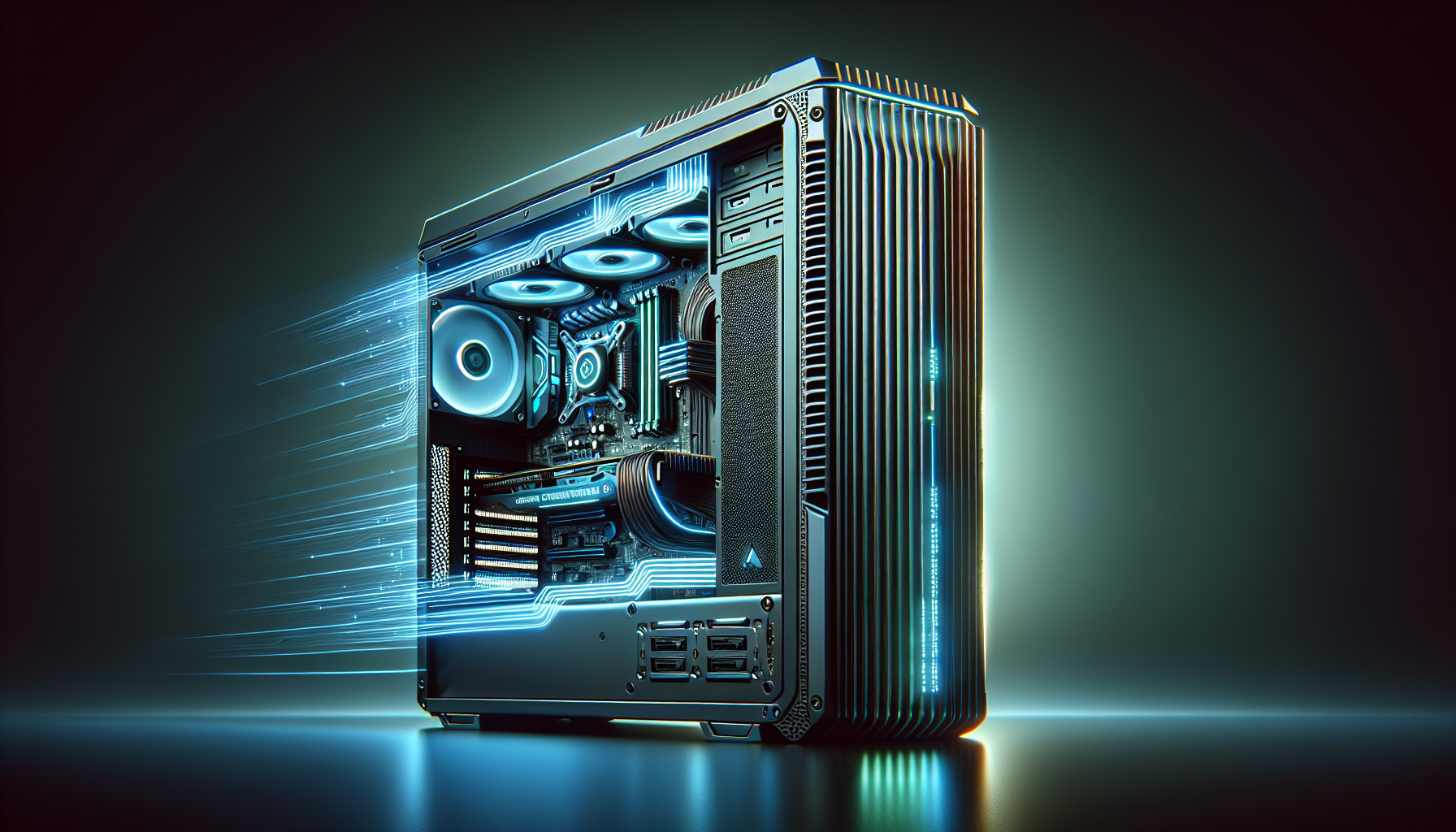
Decoding a Good Gaming PC
Understanding the Essentials
For PC gamers, understanding what constitutes a good gaming PC is essential. A good gaming PC is a system that can handle high-performance games with ease, providing a seamless and immersive gaming experience. Several key components and factors contribute to making a gaming PC stand out in terms of performance and reliability.
Processor (CPU)
The central processing unit (CPU) is the brain of the gaming PC. It handles all the instructions from your games and software. A powerful CPU ensures smooth gameplay, quick load times, and the ability to run multiple applications simultaneously.
| CPU Model | Core Count | Clock Speed (GHz) |
|---|---|---|
| Example 1 | 6 | 3.5 |
| Example 2 | 8 | 3.8 |
| Example 3 | 12 | 4.0 |
Graphics Card (GPU)
The graphics processing unit (GPU) is critical for rendering images, videos, and animations. A high-quality GPU ensures that games run smoothly at high resolutions and settings. It’s important for handling graphically intensive tasks and providing a visually stunning gaming experience.
| GPU Model | VRAM (GB) | Core Clock (MHz) |
|---|---|---|
| Example 1 | 4 | 1500 |
| Example 2 | 6 | 1700 |
| Example 3 | 8 | 1900 |
Memory (RAM)
Random Access Memory (RAM) is essential for the smooth operation of games and applications. More RAM allows for better multitasking and faster load times.
| RAM Size | Speed (MHz) |
|---|---|
| 8 GB | 2400 |
| 16 GB | 3200 |
| 32 GB | 3600 |
Storage (SSD/HDD)
Storage options include Solid State Drives (SSD) and Hard Disk Drives (HDD). SSDs are faster and improve game load times, while HDDs offer more storage space at a lower cost.
| Storage Type | Capacity (GB) | Read Speed (MB/s) |
|---|---|---|
| SSD | 256 | 500 |
| SSD | 512 | 1500 |
| HDD | 1000 | 150 |
Cooling System
Effective cooling is crucial for maintaining optimal performance and prolonging the lifespan of the components. Good cooling solutions prevent overheating, which can cause performance drops or hardware damage.
| Cooling Type | Noise Level (dB) | Efficiency Rating |
|---|---|---|
| Air Cooling | 40 | High |
| Liquid Cooling | 30 | Very High |
Power Supply
The power supply unit (PSU) provides the necessary power to all components. It’s essential to have a reliable PSU that can handle the power requirements of your system.
| PSU Wattage | Efficiency Rating |
|---|---|
| 500W | 80+ Bronze |
| 650W | 80+ Silver |
| 750W | 80+ Gold |
Understanding these essentials helps in selecting the right components. For more in-depth information on each part, check out our comprehensive guide on gaming pc components. Additionally, if you are considering building your own gaming PC, visit our article on build a gaming pc.
Components of a Good Gaming PC
A good gaming PC is built with several key components that work together to deliver an optimal gaming experience. Below, we will explore the essential parts that make up a high-performance gaming rig.
Processor (CPU)
The central processing unit (CPU) is the brain of the gaming PC. It handles all the instructions from various software and hardware components. For a good gaming PC, the CPU should have a high clock speed and multiple cores. This ensures smooth gameplay and quick load times.
| CPU Specification | Description |
|---|---|
| Clock Speed | 3.5 GHz or higher |
| Cores | 4 or more |
| Threads | 8 or more |
Graphics Card (GPU)
The graphics processing unit (GPU) is critical for rendering high-quality visuals and ensuring smooth frame rates. A powerful GPU is essential for gaming at high resolutions and detail settings.
| GPU Specification | Description |
|---|---|
| VRAM | 6 GB or more |
| Clock Speed | 1.5 GHz or higher |
| Ports | HDMI, DisplayPort |
For more details on choosing the best GPU, visit our page on gaming pc components.
Memory (RAM)
Random Access Memory (RAM) is crucial for multitasking and running games smoothly. More RAM allows for better performance, especially in modern games that demand higher memory.
| RAM Specification | Description |
|---|---|
| Capacity | 16 GB or more |
| Speed | 3200 MHz or higher |
| Type | DDR4 |
For additional information, check out our article on gaming pc ram.
Storage (SSD/HDD)
Storage solutions come in two main types: Solid State Drives (SSD) and Hard Disk Drives (HDD). SSDs are faster and improve loading times, while HDDs offer more storage at a lower cost.
| Storage Type | Capacity | Speed |
|---|---|---|
| SSD | 500 GB or more | 500 MB/s or higher |
| HDD | 1 TB or more | 7200 RPM |
For tips on expanding storage, visit add storage to gaming pc.
Cooling System
Effective cooling is vital for maintaining optimal performance and extending the lifespan of your components. A good gaming PC should have both air and liquid cooling options to prevent overheating.
| Cooling Type | Description |
|---|---|
| Air Cooling | Multiple fans for airflow |
| Liquid Cooling | Radiator with coolant |
To learn more about cooling systems, see our article on gaming pc fans.
Power Supply
The power supply unit (PSU) provides the necessary power to all the components. It should be reliable and offer sufficient wattage to support the entire system.
| PSU Specification | Description |
|---|---|
| Wattage | 650W or more |
| Efficiency | 80 Plus Bronze or higher |
| Modular | Fully or semi-modular |
For more on power requirements, check out gaming pc power usage.
By carefully selecting and balancing these components, one can build a good gaming PC tailored to their specific needs and preferences. For those interested in building their own gaming PC, visit our guide on build a gaming pc.
Factors to Consider
When selecting a good gaming PC, there are several crucial factors to consider. These include budget, gaming requirements, upgradability, and aesthetics and customization. Each element plays a significant role in determining the overall performance and satisfaction of your gaming setup.
Budget
Budget is one of the most important considerations when purchasing a gaming PC. The cost of a gaming PC can vary widely depending on the components and specifications. It's essential to set a budget that aligns with your financial capacity and gaming needs.
| Budget Range (AUD) | Description |
|---|---|
| $500 - $1,000 | Entry-level gaming PC |
| $1,000 - $2,000 | Mid-range gaming PC |
| $2,000+ | High-end gaming PC |
For more information on the cost of gaming PCs, check out our articles on gaming pc cost and average gaming pc cost.
Gaming Requirements
Understanding your gaming requirements is key to selecting the right PC. Consider the types of games you play and their system requirements. High-end games with demanding graphics will require more powerful hardware compared to casual or older games.
| Game Type | Recommended Specs |
|---|---|
| Casual/Indie | Mid-range CPU, Integrated GPU, 8GB RAM |
| AAA Titles | High-end CPU, Dedicated GPU, 16GB RAM |
| VR/4K Gaming | Top-tier CPU, High-end GPU, 32GB RAM |
For a detailed breakdown of gaming PC specifications, visit our article on good gaming pc specs.
Upgradability
Upgradability is an essential factor for gamers who plan to enhance their system over time. A gaming PC with a modular design allows you to upgrade components like the GPU, RAM, or storage without having to replace the entire system.
| Component | Upgrade Potential |
|---|---|
| CPU | Moderate |
| GPU | High |
| RAM | High |
| Storage | High |
For tips on upgrading your gaming PC, see our guides on gaming pc components and add storage to gaming pc.
Aesthetics and Customization
Aesthetics and customization options can enhance your gaming experience. Some users prefer a sleek, minimalist design, while others enjoy customizing their PC with RGB lighting, transparent cases, and unique builds.
| Feature | Description |
|---|---|
| Case Design | Various styles and sizes |
| RGB Lighting | Customizable lighting effects |
| Transparent Panels | Visible internal components |
| Custom Cooling Solutions | Aesthetic and functional improvements |
For more ideas on personalizing your setup, explore our articles on gaming pc features and set up gaming pc.
Considering these factors will help you make an informed decision when selecting a good gaming PC. Whether you're looking for an entry-level system or a high-end rig, understanding your needs and preferences will guide you to the best option for your gaming journey.
Building vs. Buying
When considering a good gaming PC, one major decision is whether to build a custom PC or buy a pre-built one. Each option has its advantages and disadvantages, which can significantly impact the overall gaming experience and satisfaction.
Pros and Cons of Building a Gaming PC
Building a gaming PC from scratch allows for complete control over the components and customization.
Pros of Building a Gaming PC:
- Customization: You can select each component, ensuring it meets your specific gaming requirements.
- Upgradability: Easier to upgrade individual components as new technology becomes available.
- Cost Efficiency: Often, building a PC can be more cost-effective, as you can shop for the best prices on individual parts.
- Quality Control: You can ensure high-quality parts are used, avoiding cheaper, less reliable components.
- Learning Experience: Building a PC can be an educational and rewarding process, enhancing your understanding of how computers work.
Cons of Building a Gaming PC:
- Complexity: Requires technical knowledge and can be daunting for beginners.
- Time-Consuming: Sourcing parts and assembling the PC takes time.
- Potential for Errors: Risk of incompatibility issues or mistakes during assembly.
- No Initial Support: Lack of immediate customer support if something goes wrong during the build.
Pros and Cons of Buying a Pre-built Gaming PC
Buying a pre-built gaming PC offers convenience and immediate use but comes with its own set of drawbacks.
Pros of Buying a Pre-built Gaming PC:
- Convenience: Ready to use out of the box, saving time and effort.
- Warranty and Support: Often comes with a warranty and customer support for troubleshooting.
- Quality Assurance: Components are tested for compatibility and performance by professionals.
- Financing Options: Retailers often offer financing plans, making it easier to afford high-end systems.
Cons of Buying a Pre-built Gaming PC:
- Limited Customization: Less control over individual components and specifications.
- Higher Cost: Typically more expensive due to assembly and markup costs.
- Proprietary Parts: Some pre-built systems use proprietary parts, making upgrades difficult.
- Potential for Lower Quality: Manufacturers may use lower-quality components to cut costs.
| Aspect | Building a Gaming PC | Buying a Pre-built Gaming PC |
|---|---|---|
| Customization | Full control, highly customizable | Limited customization options |
| Cost Efficiency | Generally cheaper, can find deals on parts | More expensive due to assembly and markup costs |
| Upgradability | Easier to upgrade individual components | May use proprietary parts, harder to upgrade |
| Convenience | Requires time and technical knowledge | Ready to use, no assembly required |
| Learning Experience | Educational, enhances understanding of PC components | No learning experience, more straightforward |
| Warranty and Support | No initial support, individual part warranties only | Comes with warranty and customer support |
Deciding between building and buying a gaming PC depends on individual preferences, technical skills, and budget. For those interested in learning more about how to build a gaming PC or looking for advice on the best gaming PC configurations, our other articles can provide valuable insights.
Popular Gaming PC Configurations
When selecting a good gaming PC, it's essential to consider the configuration that best suits your gaming needs and budget. Here, we explore three popular configurations: entry-level, mid-range, and high-end gaming PCs.
Entry-Level Gaming PC
An entry-level gaming PC is ideal for gamers who are just starting or those on a tight budget. This configuration can handle most modern games at lower settings and resolutions.
| Component | Specification |
|---|---|
| Processor (CPU) | Intel Core i3 / AMD Ryzen 3 |
| Graphics Card (GPU) | NVIDIA GTX 1050 / AMD RX 560 |
| Memory (RAM) | 8GB DDR4 |
| Storage (SSD/HDD) | 256GB SSD |
| Cooling System | Stock Cooler |
| Power Supply | 450W |
For more tips on building an entry-level gaming PC, check out our guide on build a gaming pc.
Mid-Range Gaming PC
A mid-range gaming PC offers a balance of performance and cost, suitable for gamers who want to enjoy modern games at medium to high settings.
| Component | Specification |
|---|---|
| Processor (CPU) | Intel Core i5 / AMD Ryzen 5 |
| Graphics Card (GPU) | NVIDIA GTX 1660 / AMD RX 580 |
| Memory (RAM) | 16GB DDR4 |
| Storage (SSD/HDD) | 512GB SSD + 1TB HDD |
| Cooling System | Aftermarket Air Cooler |
| Power Supply | 550W |
For insights on optimising your mid-range gaming PC, visit our article on optimise pc for gaming.
High-End Gaming PC
A high-end gaming PC is designed for enthusiasts who demand the best performance for gaming at ultra settings and high resolutions, including 4K gaming.
| Component | Specification |
|---|---|
| Processor (CPU) | Intel Core i7 / AMD Ryzen 7 |
| Graphics Card (GPU) | NVIDIA RTX 3080 / AMD RX 6800 XT |
| Memory (RAM) | 32GB DDR4 |
| Storage (SSD/HDD) | 1TB NVMe SSD |
| Cooling System | Liquid Cooling System |
| Power Supply | 750W |
For more detailed specifications and advice on building a high-end gaming PC, refer to our article on build your own gaming pc.
Each of these configurations offers different levels of gaming performance and caters to various budgets and gaming requirements. Whether you are looking to build a pc for gaming or buy a prebuilt gaming pc, understanding these configurations will help you make an informed decision.
Maintaining Your Gaming PC
Proper maintenance of a gaming PC is essential to ensure optimal performance and longevity. This section covers regular maintenance tips, software updates and optimisation, and troubleshooting common issues.
Regular Maintenance Tips
Regular maintenance helps to keep your gaming PC in top condition. Here are some essential tips:
- Cleaning: Dust and debris can accumulate inside the PC, affecting cooling and performance. Clean the interior and exterior using compressed air.
- Cable Management: Properly organise cables to improve airflow and reduce overheating risks.
- Check Connections: Regularly inspect and secure all connections, including power cables, GPU, and RAM modules.
- Monitor Temperatures: Use software to monitor CPU and GPU temperatures, ensuring they remain within safe limits.
- Update Drivers: Keep your hardware drivers updated for optimal performance and compatibility.
Software Updates and Optimisation
Keeping your software up-to-date and optimised is crucial for a good gaming PC experience. Here are some key actions:
- Operating System Updates: Regularly update your operating system to benefit from the latest features and security patches. For more on selecting the best OS, see best operating system for gaming pc.
- Driver Updates: Update your GPU, motherboard, and other hardware drivers to ensure compatibility and performance.
- Optimise Settings: Adjust game settings to match your hardware capabilities, enhancing performance without compromising visual quality.
- Disk Cleanup: Regularly perform disk cleanups to remove unnecessary files and free up storage space. For adding storage, see add storage to gaming pc.
- Defragmentation: If using an HDD, defragment regularly to improve data access speeds.
Troubleshooting Common Issues
Despite regular maintenance, gaming PCs can encounter various issues. Here are some common problems and solutions:
- Overheating: Ensure proper cooling by cleaning fans, reapplying thermal paste, and using additional cooling solutions if necessary. Refer to gaming pc fans for more details.
- Slow Performance: Check for background processes consuming resources and adjust power settings for better performance. For more optimisation tips, visit optimise pc for gaming.
- Hardware Failures: Inspect and test components such as RAM, GPU, and PSU. Replace faulty hardware to restore functionality. For building or upgrading, see build a gaming pc.
- Software Crashes: Update drivers, reinstall problematic software, and perform system scans to detect and fix errors.
By following these maintenance tips, updating software, and troubleshooting common issues, gamers can ensure a smooth and enjoyable experience with their gaming PC. For more detailed guides, browse our related articles on gaming pc components and cost of gaming pc.


