


What is a gaming pc
Introduction to Gaming PCs
Defining a Gaming PC
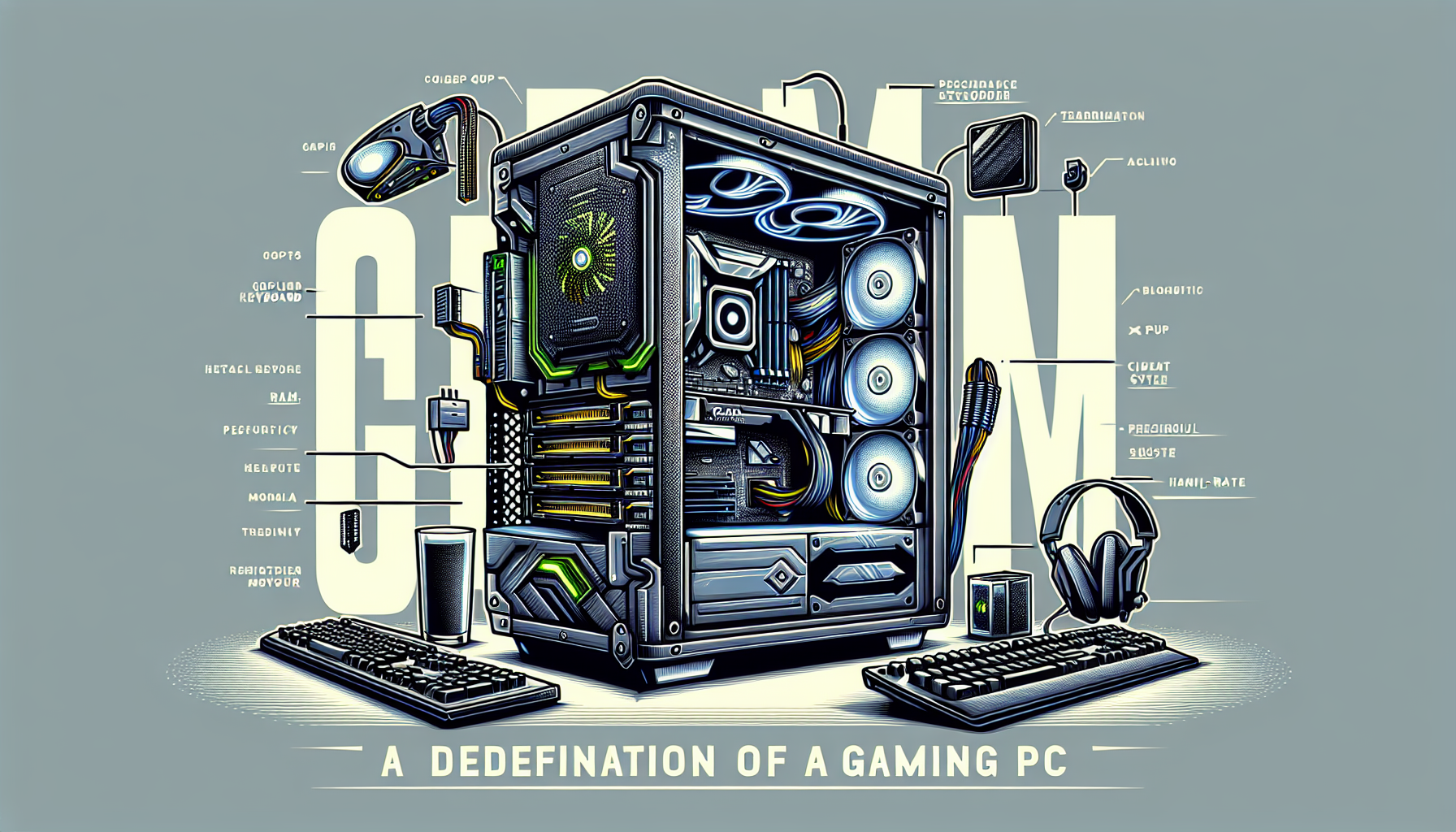
A gaming PC, or personal computer, is specifically designed to handle the demands of modern video games. Unlike standard desktop computers, gaming PCs are equipped with high-performance components that enhance the gaming experience. These components include powerful processors (CPU), advanced graphics cards (GPU), ample memory (RAM), and fast storage solutions (SSD/HDD).
A gaming PC's primary function is to deliver smooth gameplay, high frame rates, and stunning visual fidelity. This makes it an essential tool for gamers who seek an immersive and responsive experience. For more on the specific components, see our article on gaming pc components.
Importance of Gaming PCs in the Gaming Community
Gaming PCs hold a significant place in the gaming community. They offer superior performance compared to consoles, allowing for higher resolutions, faster refresh rates, and the ability to mod games. This flexibility and power make them the preferred choice for many serious gamers.
Additionally, gaming PCs are highly customisable, enabling users to upgrade components as needed. This ensures that the system can keep up with the ever-evolving requirements of new games, providing longevity and value for money. For those interested in building their own, check out our guide on build a gaming pc.
The importance of gaming PCs extends beyond just performance. They also foster a sense of community among gamers. Online multiplayer games, eSports, and streaming platforms have all flourished due to the capabilities of gaming PCs. They allow gamers to connect, compete, and share their experiences globally.
| Component | Function | Example Benefit |
|---|---|---|
| Processor (CPU) | Handles game logic and processing | Faster load times |
| Graphics Card (GPU) | Renders images and video | Higher frame rates |
| Memory (RAM) | Stores data for quick access | Smoother multitasking |
| Storage (SSD/HDD) | Saves game data and files | Quicker boot times |
For those looking to purchase a gaming PC in Australia, understanding the cost of gaming pc is essential. It helps in planning and budgeting for a system that meets specific gaming needs.
Components of a Gaming PC
Understanding the core components of a gaming PC is crucial for anyone looking to enhance their gaming experience. Each part plays a significant role in the overall performance and capability of the system.
Processor (CPU)
The Central Processing Unit (CPU) acts as the brain of the gaming PC. It handles all the instructions from your games and software, making it an essential component for performance. A powerful CPU ensures smooth gameplay and quick response times.
| Component | Function |
|---|---|
| CPU | Executes instructions from software and games |
Graphics Card (GPU)
The Graphics Processing Unit (GPU) is responsible for rendering images, videos, and animations. For gamers, a high-quality GPU is essential for achieving high frame rates and detailed graphics. The GPU directly impacts the visual performance of your gaming PC.
| Component | Function |
|---|---|
| GPU | Renders images, videos, and animations |
Memory (RAM)
Random Access Memory (RAM) is crucial for multitasking and running games smoothly. More RAM allows a gaming PC to handle more data at once, reducing lag and improving performance. For gaming, at least 8GB of RAM is recommended, though 16GB is ideal for modern games.
| Component | Function | Recommended Capacity |
|---|---|---|
| RAM | Temporary storage for quick data access | 8GB - 16GB |
Storage (SSD/HDD)
Storage devices hold all your games, files, and operating system. Solid State Drives (SSD) are faster and more reliable than Hard Disk Drives (HDD). SSDs significantly reduce loading times and improve overall system responsiveness.
| Component | Function | Type | Speed |
|---|---|---|---|
| Storage | Stores games, files, and OS | SSD | Fast |
| Storage | Stores games, files, and OS | HDD | Slower |
For information on how to add storage to a gaming PC, visit our detailed guide.
Power Supply Unit (PSU)
The Power Supply Unit (PSU) provides the necessary power to all the components of the gaming PC. A reliable PSU ensures stable power delivery, which is crucial for the longevity and performance of the system. The wattage required depends on the components used.
| Component | Function | Importance |
|---|---|---|
| PSU | Supplies power to all components | High |
Cooling System
A cooling system is essential to prevent overheating and maintain optimal performance. Gaming PCs often run demanding applications that generate significant heat. Efficient cooling solutions, such as fans and liquid cooling systems, help manage temperatures and ensure stable performance.
| Component | Function | Types |
|---|---|---|
| Cooling System | Manages temperature | Fans, Liquid Cooling |
For more information on gaming PC cooling systems, check out our comprehensive guide.
Understanding these components will help you make informed decisions when building or buying a gaming PC. For a step-by-step guide on how to build your own gaming PC, visit our detailed tutorial.
Custom vs. Pre-built Gaming PCs
When deciding on a gaming PC, gamers have two main options: building a custom PC or purchasing a pre-built one. Each choice has its own set of advantages and disadvantages, which we will explore in detail.
Pros and Cons of Custom Gaming PCs
Custom gaming PCs offer a high degree of flexibility and personalisation, making them a popular choice among enthusiasts. However, they also come with their own set of challenges.
Pros:
- Customisation: Allows for precise selection of components based on performance needs and budget.
- Upgradability: Easier to upgrade individual components over time.
- Cost-Efficiency: Potentially lower costs by choosing individual parts and avoiding unnecessary features.
- Performance Optimisation: Tailored to specific gaming requirements, offering the best possible performance.
Cons:
- Complexity: Requires technical knowledge to select compatible parts and assemble the system.
- Time-Consuming: Building a PC can take considerable time, from researching components to assembly.
- Troubleshooting: Higher likelihood of encountering issues that require technical troubleshooting.
Pros and Cons of Pre-built Gaming PCs
Pre-built gaming PCs are convenient and ready-to-use, making them suitable for those who prefer a hassle-free experience. However, they may not offer the same level of customisation as custom builds.
Pros:
- Convenience: Ready to use straight out of the box, saving time and effort.
- Warranty and Support: Typically come with manufacturer warranties and technical support.
- Reliability: Built and tested by professionals to ensure stability and performance.
- Availability: Easier to find in retail stores and online, especially during sales.
Cons:
- Limited Customisation: Fewer options to personalise components based on specific needs.
- Higher Cost: Often more expensive due to the inclusion of service fees and pre-selected components.
- Upgradability: May have limited options for future upgrades due to proprietary parts or compact designs.
- Performance: May include unnecessary features that do not contribute to gaming performance.
For more details on the cost implications, refer to our article on gaming pc cost.
When deciding between a custom and a pre-built gaming PC, consider factors such as budget, technical expertise, and personal preference. Each option has its unique benefits and drawbacks, making it essential to weigh these factors carefully. For further guidance on building your own gaming PC, check out our step-by-step guide on build a gaming pc.
Performance and Specifications
Understanding FPS (Frames Per Second)
FPS, or Frames Per Second, measures how many images your gaming PC can render and display in one second. A higher FPS results in smoother gameplay and more responsive controls, which is crucial for a better gaming experience. The standard FPS benchmarks are:
| FPS Range | Gaming Experience |
|---|---|
| 30 FPS | Playable |
| 60 FPS | Smooth |
| 120 FPS | Very Smooth |
| 240 FPS | Ultra Smooth |
Higher FPS is essential for fast-paced games where reaction time is critical. For more information on FPS and how to optimise your gaming PC, visit our guide on optimise pc for gaming.
Resolution and Refresh Rate
Resolution refers to the number of pixels displayed on the screen, impacting the clarity and detail of the game visuals. Common resolutions include:
| Resolution | Pixel Dimensions |
|---|---|
| 1080p (Full HD) | 1920 x 1080 |
| 1440p (Quad HD) | 2560 x 1440 |
| 4K (Ultra HD) | 3840 x 2160 |
Refresh rate, measured in Hertz (Hz), indicates how many times per second the screen refreshes the image. Higher refresh rates provide smoother visuals, which is particularly important for competitive gaming. Typical refresh rates are:
| Refresh Rate | Description |
|---|---|
| 60Hz | Standard |
| 120Hz | Smooth |
| 144Hz | Very Smooth |
| 240Hz | Ultra Smooth |
A combination of high resolution and refresh rate can greatly enhance the gaming experience. For more details on display specifications, check out our article on gaming pc features.
Overclocking
Overclocking involves increasing the clock speed of your CPU or GPU beyond the manufacturer’s specifications to boost performance. This can lead to significant improvements in game performance, but it also comes with risks such as increased heat output and potential hardware damage. Proper cooling and monitoring are essential when overclocking.
| Component | Standard Clock Speed | Overclocked Speed |
|---|---|---|
| CPU | 3.5 GHz | 4.2 GHz |
| GPU | 1500 MHz | 1800 MHz |
For those interested in pushing their systems to the limit, visit our guide on build a gaming pc for tips on safely overclocking and maintaining optimal performance.
Understanding these key performance metrics will help you get the most out of your gaming PC, ensuring a smooth and immersive gaming experience. For further reading, explore our resources on good gaming pc specs and gaming pc components.
Upgradability and Future-Proofing
Importance of Upgradability
Upgradability is a crucial aspect of owning a gaming PC. It allows gamers to keep their systems up-to-date with the latest technology without the need to purchase an entirely new computer. This flexibility can save money in the long run and ensure that the PC remains competitive in running modern games.
Key components that should be easily upgradable in a gaming PC include the processor (CPU), graphics card (GPU), memory (RAM), and storage (SSD/HDD). These components often see the most significant advancements and improvements in performance over time.
| Component | Average Upgrade Frequency |
|---|---|
| Processor (CPU) | 3-5 years |
| Graphics Card (GPU) | 2-3 years |
| Memory (RAM) | 4-6 years |
| Storage (SSD/HDD) | 4-6 years |
Having a case with ample space and a power supply unit (PSU) with sufficient wattage can also aid in upgradability. Gamers should consider these factors when building a gaming PC or purchasing a pre-built one.
Future-Proofing Your Gaming PC
Future-proofing involves selecting components and technologies that will remain relevant and capable of handling new advancements in gaming for several years. This can be a strategic approach to avoid frequent upgrades and ensure a longer lifespan for the gaming PC.
Some key considerations for future-proofing include:
High-Performance CPU and GPU: Investing in a powerful processor and graphics card can significantly extend the gaming PC's relevance. These components are critical for running future games at high settings.
Ample RAM: Modern games and applications are increasingly demanding more memory. Opting for at least 16GB of RAM can provide a buffer for future requirements. Learn more about gaming pc RAM requirements.
Fast Storage Solutions: SSDs offer faster read and write speeds compared to traditional HDDs, which can improve game load times and overall system responsiveness. Consider using NVMe SSDs for even better performance. Check our guide on how to add storage to a gaming PC.
Compatibility with Future Technologies: Ensure that the motherboard and other components support upcoming technologies, such as PCIe 4.0, DDR5 RAM, and new CPU socket types.
Efficient Cooling Systems: Effective cooling solutions can prolong the life of the components and maintain optimal performance. Adequate cooling is essential when considering overclocking or running the PC for extended periods. For more on this, read about gaming pc cooling systems.
Future-proofing also involves staying informed about upcoming advancements in gaming technology. By regularly updating knowledge and anticipating trends, gamers can make more informed decisions when building your own gaming PC or upgrading components.
For more detailed guidance on optimising and future-proofing your gaming PC, visit our article on optimise pc for gaming.
Building Your Own Gaming PC
Step-by-Step Guide to Building a Gaming PC
Building your own gaming PC can be a rewarding experience for any gamer. It allows you to customise your system to meet your specific needs and ensures you get the best performance for your budget. Here is a step-by-step guide to help you build your own gaming PC:
- Choose Your Components:
- Processor (CPU): Central Processing Unit is the brain of your PC.
- Graphics Card (GPU): Essential for rendering high-quality graphics.
- Memory (RAM): Random Access Memory, crucial for multitasking.
- Storage (SSD/HDD): Solid State Drive or Hard Disk Drive for data storage.
- Power Supply Unit (PSU): Provides power to your system.
- Motherboard: Connects all components.
- Cooling System: Keeps your system cool.
- Case: Houses all components.
- Assemble the Components:
- Install the CPU on the motherboard.
- Insert the RAM into the motherboard slots.
- Attach the storage devices.
- Mount the motherboard into the case.
- Install the GPU.
- Connect the PSU to the components.
- Set up the cooling system.
- Connect Peripherals:
- Attach your monitor, keyboard, and mouse.
- Connect any additional peripherals such as speakers or game controllers.
- Install the Operating System:
- Insert the OS installation media.
- Follow the on-screen instructions to install the OS.
- Install Drivers and Software:
- Download and install the necessary drivers for your components.
- Install any additional software you need for gaming.
For a more detailed guide, visit our article on build your own gaming pc.
Common Mistakes to Avoid
Building a gaming PC can be tricky, and there are several common mistakes to avoid:
- Not Checking Compatibility: Ensure all components are compatible with each other.
- Skipping the Thermal Paste: Apply thermal paste between the CPU and the cooler to prevent overheating.
- Ignoring Cable Management: Poor cable management can obstruct airflow and cause components to overheat.
- Forgetting to Update BIOS: An outdated BIOS can lead to performance issues.
- Not Using a Static Wrist Strap: Prevent static discharge from damaging your components by using a static wrist strap.
For more tips, check our guide on build a gaming pc.
Resources for Building a Gaming PC
Building a gaming PC requires research and resources. Here are some useful resources:
- Online Forums: Join online communities to get advice and support from other gamers.
- Video Tutorials: Watch step-by-step video guides on platforms like YouTube.
- Toolkits: Ensure you have the right tools, such as screwdrivers and anti-static wrist straps.
- Compatibility Checkers: Use online tools to check component compatibility.
| Resource Type | Description |
|---|---|
| Online Forums | Communities for advice and support |
| Video Tutorials | Step-by-step visual guides |
| Toolkits | Necessary tools for assembling your PC |
| Compatibility Checkers | Tools to ensure component compatibility |
For more information, visit our resources page on build a gaming pc for beginners.
By following these steps and avoiding common mistakes, you can successfully build a gaming PC tailored to your needs. Happy building!


