


What do you need for a pc gaming setup
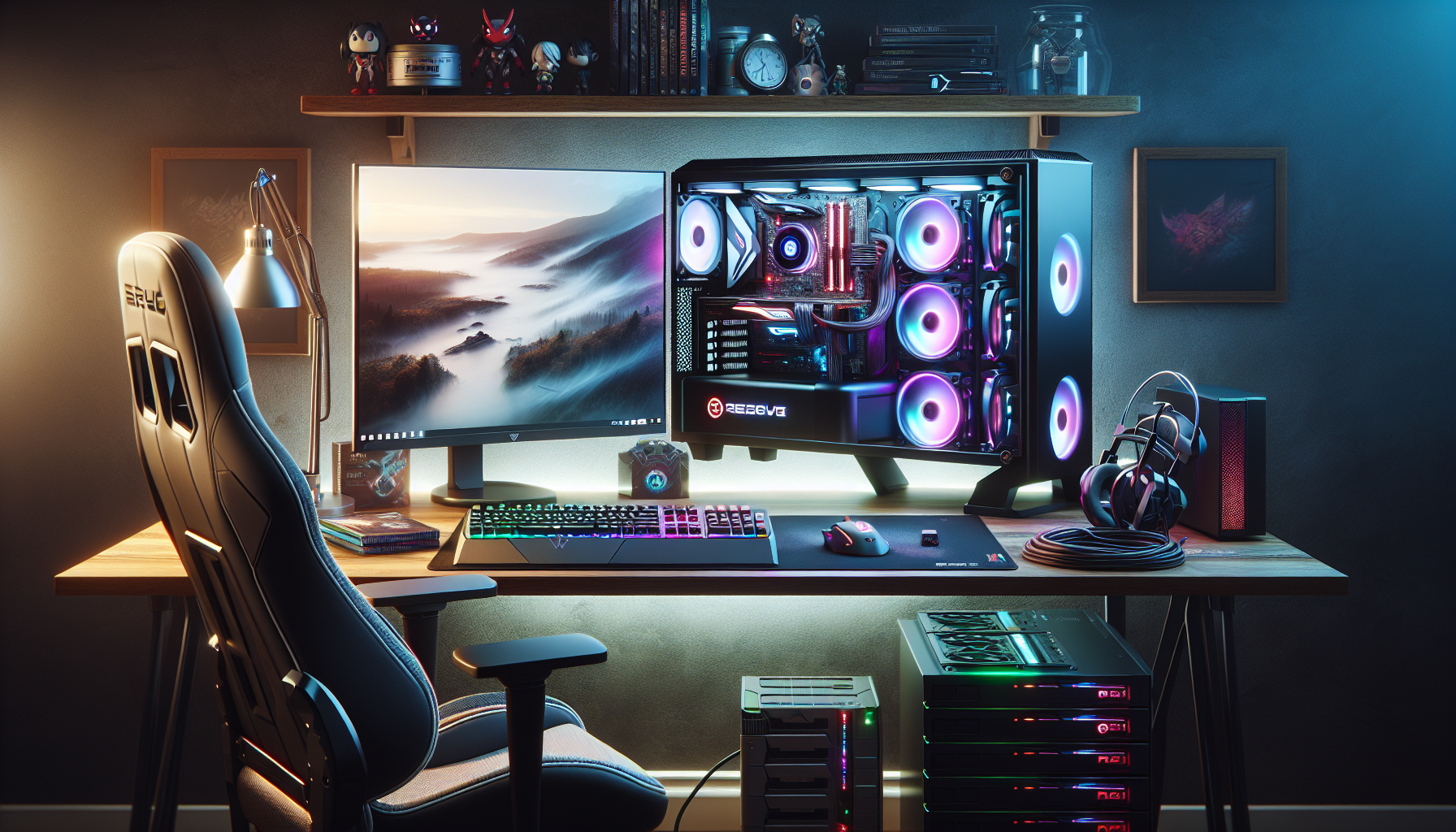
Building Your Ultimate PC Gaming Setup
Creating the ultimate PC gaming setup involves considering various essential components and factors to ensure an optimal gaming experience. This guide aims to help PC gamers in Australia understand the key requirements for their gaming rig.
Essential Components for a PC Gaming Setup
To build a high-performance gaming PC, one must focus on the core components that drive the system. Here are the essential components:
- Central Processing Unit (CPU): The brain of the PC, responsible for executing instructions and managing tasks. A powerful CPU ensures smooth gameplay and efficient multitasking.
- Graphics Processing Unit (GPU): Vital for rendering high-quality graphics and providing a seamless visual experience. The GPU determines the game's resolution and frame rates.
- Memory (RAM): Crucial for storing temporary data and enabling quick access. For gaming, a minimum of 16GB RAM is recommended.
- Storage: Solid State Drives (SSDs) offer faster load times compared to Hard Disk Drives (HDDs). Combining both SSDs and HDDs is ideal for performance and storage capacity.
- Motherboard: Connects all the components and allows communication between them. Ensure compatibility with the CPU and GPU.
- Power Supply Unit (PSU): Supplies power to the components. A reliable PSU with sufficient wattage is essential for stable performance.
- Cooling System: Keeps the PC components at optimal temperatures. Options include air cooling and liquid cooling systems.
- Case: Houses all the components and provides airflow. The size should accommodate the GPU, cooling system, and other peripherals.
Factors to Consider for a Gaming PC
When building a gaming PC, several factors must be taken into account to ensure it meets your needs and preferences.
Budget: Determine how much you are willing to spend. The cost of a gaming PC can vary widely based on the chosen components. Refer to our article on gaming pc cost for detailed insights.
Performance Requirements: Identify the types of games you intend to play and their system requirements. High-end games demand more powerful hardware. Check out our guide on good gaming pc specs for specific recommendations.
Future-Proofing: Invest in components that will remain relevant for several years. This includes choosing a motherboard with support for future CPU and GPU upgrades. Learn more about future-proofing your gaming setup.
Compatibility: Ensure all components are compatible with each other. This includes checking the motherboard's CPU socket type, RAM compatibility, and GPU size.
Cooling and Airflow: Proper cooling is essential to prevent overheating and maintain performance. Consider the case design and the placement of fans or liquid cooling systems.
Power Consumption: Calculate the total power consumption of your components and select a PSU that provides adequate wattage. Refer to our article on gaming pc power usage.
Aesthetics and Personal Preferences: Choose components that match your aesthetic preferences, such as RGB lighting and case design. Customizing your setup can enhance your gaming experience.
| Component | Minimum Requirement | Recommended Requirement |
|---|---|---|
| CPU | 4-core | 6-core or higher |
| GPU | 4GB VRAM | 8GB VRAM or higher |
| RAM | 8GB | 16GB or higher |
| Storage | 256GB SSD | 512GB SSD + 1TB HDD |
| PSU | 450W | 650W or higher |
For more detailed information on each component, visit our article on gaming pc components. By considering these essential components and factors, you can build a gaming PC that offers excellent performance and meets your gaming needs.
The Gaming PC
Understanding the Basics of a Gaming PC
A gaming PC is a computer specifically designed to handle the intensive graphics and processing requirements of modern video games. Unlike standard PCs, gaming PCs come equipped with high-performance components that allow for smooth gameplay, high-resolution graphics, and quick response times.
The primary components of a gaming PC include:
- Central Processing Unit (CPU): The brain of the computer, responsible for executing instructions and managing tasks.
- Graphics Processing Unit (GPU): Dedicated to rendering images and video, crucial for high-quality gaming visuals.
- Random Access Memory (RAM): Temporary storage that allows quick access to data for running applications and games.
- Storage: Typically a combination of Solid State Drives (SSD) and Hard Disk Drives (HDD) for fast load times and ample storage space.
- Motherboard: The main circuit board that connects all components, enabling communication between them.
- Power Supply Unit (PSU): Provides the necessary power to all components.
- Cooling System: Keeps the internal components at a safe operating temperature.
Key Specifications to Look for in a Gaming PC
When building or buying a gaming PC, certain specifications are critical to ensure optimal performance. Below are key specifications to consider:
| Component | Specification | Importance |
|---|---|---|
| CPU | 6-core or higher (e.g., Intel i5/i7, AMD Ryzen 5/7) | Affects overall speed and multitasking capabilities. |
| GPU | 4GB VRAM or higher (e.g., NVIDIA GTX/RTX, AMD Radeon RX) | Determines the quality of graphics and frame rates. |
| RAM | 16GB DDR4 | Essential for smooth multitasking and gaming. |
| Storage | 512GB SSD + 1TB HDD | SSD for faster load times; HDD for additional storage. |
| Motherboard | Compatible with CPU and GPU, supports PCIe 4.0 | Ensures all components work together efficiently. |
| PSU | 650W or higher, 80 PLUS certified | Provides stable power to all components. |
| Cooling | Air or liquid cooling system | Prevents overheating and maintains performance. |
For an in-depth guide on assembling a gaming PC, refer to our article on build a gaming pc.
CPU (Central Processing Unit)
The CPU is vital for general performance and multitasking. For gaming, a 6-core or higher CPU is recommended to handle the demands of modern games and applications.
GPU (Graphics Processing Unit)
The GPU is crucial for rendering high-quality graphics and maintaining smooth frame rates. A GPU with at least 4GB of VRAM is recommended for most gaming scenarios.
RAM (Random Access Memory)
Adequate RAM is essential for running games smoothly. 16GB of DDR4 RAM is the standard for most gaming setups, offering a balance between performance and cost.
Storage
A combination of SSD and HDD provides the best of both worlds: the SSD offers fast load times for games and the operating system, while the HDD provides ample storage for additional files and games.
Motherboard
The motherboard should be compatible with the chosen CPU and GPU and support the latest standards, such as PCIe 4.0, for future-proofing.
PSU (Power Supply Unit)
A reliable PSU with at least 650W and 80 PLUS certification ensures stable power delivery to all components, reducing the risk of power-related issues.
Cooling
Effective cooling is essential to maintain performance and prevent overheating. Air cooling is sufficient for most setups, but liquid cooling is an option for more demanding configurations.
For more detailed information on the cost and components of a gaming PC, you can read our articles on cost of gaming pc and gaming pc components.
Peripherals and Accessories
Choosing the right peripherals and accessories is crucial for an optimal PC gaming setup. These components enhance the gaming experience and ensure that players can fully enjoy their games.
Choosing the Right Monitor
A good monitor is essential for any gaming setup. The right monitor can significantly impact the gaming experience, offering clearer visuals and reducing eye strain. When selecting a monitor, gamers should consider several key specifications:
| Specification | Description |
|---|---|
| Resolution | Higher resolution provides better image clarity. Common options include Full HD (1920x1080), Quad HD (2560x1440), and 4K (3840x2160). |
| Refresh Rate | Measured in Hertz (Hz), a higher refresh rate (e.g., 144Hz, 240Hz) allows for smoother motion in fast-paced games. |
| Response Time | Lower response times (measured in milliseconds) reduce motion blur. Aim for a response time of 1ms to 5ms. |
| Panel Type | IPS panels offer better color accuracy and viewing angles, while TN panels provide faster response times. |
For more details on setting up your gaming monitor, check out our guide on plug monitor into gaming pc.
Importance of a Gaming Keyboard and Mouse
A gaming keyboard and mouse are pivotal for responsiveness and precision during gameplay. Here are some factors to consider when choosing these peripherals:
- Keyboard Type: Mechanical keyboards are preferred for gaming due to their tactile feedback and durability. Look for keyboards with customizable keys and RGB lighting for enhanced aesthetics.
- Mouse Sensitivity: Measured in DPI (dots per inch), a higher DPI allows for more precise cursor movements. Gaming mice often have adjustable DPI settings to cater to different gaming needs.
- Additional Features: Extra programmable buttons on the mouse and keyboard can provide quick access to in-game functions and macros, enhancing gameplay efficiency.
Refer to our article on gaming pc parts for more information on selecting the right peripherals.
Headsets and Audio Systems for an Immersive Experience
Audio is a critical component of the gaming experience, helping to immerse players in the game world. A high-quality headset or audio system can make a significant difference. Consider the following when choosing audio equipment:
| Feature | Description |
|---|---|
| Surround Sound | 7.1 surround sound headsets provide an immersive audio experience, allowing gamers to hear directional sounds clearly. |
| Microphone Quality | A good microphone ensures clear communication with teammates. Look for headsets with noise-cancelling microphones. |
| Comfort | Over-ear headsets with cushioned ear cups are more comfortable for extended gaming sessions. |
For additional tips on enhancing your gaming audio setup, visit our article on make pc run faster for gaming.
By carefully selecting the right monitor, keyboard, mouse, and audio systems, gamers can create a comprehensive and immersive PC gaming setup tailored to their needs. For further details on building your ultimate gaming rig, explore our article on set up gaming pc.
Setting Up Your Gaming Space
Creating the perfect gaming environment is essential for enhancing the overall gaming experience. A well-thought-out gaming space not only improves comfort but also ensures optimal performance. Let's explore key aspects to consider when setting up your gaming space.
Ergonomic Gaming Chairs
Investing in an ergonomic gaming chair is crucial for maintaining comfort during long gaming sessions. These chairs are designed to support the natural curve of your spine and provide proper lumbar support, reducing the risk of back pain and fatigue.
Key features to look for in an ergonomic gaming chair include:
- Adjustable seat height and armrests
- Lumbar support
- Reclining backrest
- Swivel base
An ergonomic chair can greatly enhance your gaming experience by providing the necessary support and comfort. For more tips on setting up your gaming space, visit our guide on set up gaming pc.
Lighting and Ambiance
Proper lighting and ambiance can significantly impact your gaming experience. It's essential to have a well-lit gaming area to reduce eye strain and create an immersive atmosphere.
Consider the following lighting options:
- Ambient Lighting: Soft, indirect lighting that illuminates the entire room without causing glare on your monitor.
- Task Lighting: Focused lighting for specific areas, such as your desk or keyboard.
- Accent Lighting: Coloured LED lights that add a dynamic and immersive feel to your gaming setup.
Proper lighting not only enhances the visual appeal of your gaming space but also contributes to a more enjoyable and immersive experience. To learn more about optimising your gaming environment, check out our article on optimise pc for gaming.
Cable Management and Organization
Effective cable management is essential for maintaining a tidy and organised gaming space. Properly managing your cables not only improves the aesthetics of your setup but also prevents potential hazards and makes it easier to troubleshoot any connectivity issues.
Tips for cable management and organisation:
- Use cable ties or clips to bundle and secure cables.
- Label cables for easy identification.
- Utilize cable sleeves or covers to conceal and protect cables.
- Arrange cables in a way that minimises clutter and allows for easy access.
By implementing these cable management techniques, you can create a clean and organised gaming space, enhancing both functionality and appearance. For more information on building and organising your gaming setup, visit our guide on build a gaming pc.
Setting up an ergonomic and well-organised gaming space is essential for an enjoyable and immersive gaming experience. By focusing on key elements such as ergonomic chairs, proper lighting, and effective cable management, you can create the ultimate gaming environment tailored to your needs.
Software and Connectivity
For a seamless gaming experience, the right software and connectivity are crucial components of a PC gaming setup. These elements ensure that your system runs efficiently and that you can enjoy your favourite games without interruptions.
Operating System and Gaming Platforms
The operating system (OS) is the backbone of your gaming PC. Most gaming PCs run on Windows due to its compatibility with a wide range of games and gaming platforms. However, some gamers prefer Linux for its open-source nature and customizability.
| Operating System | Features | Compatibility |
|---|---|---|
| Windows 10/11 | Extensive game library, DirectX support | High |
| Linux | Open-source, customizable | Moderate |
| macOS | Limited game library | Low |
In addition to the OS, gaming platforms like Steam, Epic Games Store, and Origin provide access to a vast array of games. These platforms often offer exclusive titles, regular updates, and community features to enhance your gaming experience. For more on selecting the best OS for gaming, see best operating system for gaming pc.
Internet Connection and Speed
A stable and fast internet connection is essential for online gaming, downloading games, and streaming. The minimum recommended internet speed for gaming is 3 Mbps for downloads and 1 Mbps for uploads. However, higher speeds are preferable for a smooth experience.
| Activity | Minimum Speed (Mbps) | Recommended Speed (Mbps) |
|---|---|---|
| Online Gaming | 3 | 15+ |
| Game Downloads | 5 | 25+ |
| Streaming (720p) | 3 | 5+ |
| Streaming (1080p) | 5 | 10+ |
Ensure your internet service provider (ISP) offers reliable speeds and low latency. Using a wired Ethernet connection can provide a more stable connection than Wi-Fi. For more tips on optimising your PC for gaming, visit optimise pc for gaming.
Essential Software and Drivers
Having the right software and drivers is crucial for the optimal performance of your gaming PC. Essential software includes antivirus programs to protect your system, game launchers, and system monitoring tools.
Drivers are software that allow your hardware components to communicate with your operating system. Keeping your drivers up to date ensures that your hardware functions correctly and can improve gaming performance.
| Software Type | Examples | Importance |
|---|---|---|
| Antivirus | Norton, McAfee | High |
| Game Launchers | Steam, Epic Games | High |
| System Monitoring | MSI Afterburner, HWMonitor | Medium |
For detailed steps on setting up your gaming PC, including installing essential software and drivers, explore our guide on set up gaming pc.
By ensuring that your operating system, internet connection, and essential software are up to date, you can create a robust and efficient PC gaming setup. Consider these factors carefully to enhance your gaming experience and keep your system running smoothly.
Maintenance and Upgrades
Regular maintenance and timely upgrades are essential for keeping your PC gaming setup in top condition. This section covers cleaning and maintenance tips, upgrading components, and future-proofing your gaming system.
Cleaning and Maintenance Tips
Proper cleaning and maintenance extend the lifespan of your gaming PC and ensure optimal performance. Here are some essential tips:
- Dust Removal: Regularly clean dust from your PC case, fans, and components using compressed air.
- Cable Management: Keep cables organized to improve airflow and reduce overheating risks. Refer to our guide on cable management for more details.
- Component Check: Periodically inspect components like the GPU, CPU, and RAM for any signs of wear or damage.
- Software Updates: Keep your operating system and drivers updated for smooth performance. Visit our article on essential software and drivers for more information.
| Cleaning Task | Frequency |
|---|---|
| Dusting Components | Monthly |
| Cable Management | Every 3 Months |
| Checking Components | Biannually |
| Software Updates | As Available |
Upgrading Your PC Components
Upgrading your gaming PC components can significantly enhance performance and extend its usability. Key components to consider for upgrades include:
- Graphics Card (GPU): Upgrading the GPU can provide better frame rates and graphical fidelity. See our article on gaming pc components for more insights.
- Memory (RAM): Increasing RAM can improve multitasking and overall system responsiveness. Check our guide on gaming pc RAM for recommendations.
- Storage: Adding or upgrading to SSDs can drastically reduce load times. More details are available in our article on add storage to gaming pc.
| Component | Typical Upgrade Cycle |
|---|---|
| Graphics Card | 2-3 Years |
| Memory (RAM) | 3-5 Years |
| Storage (SSD/HDD) | 4-6 Years |
Future-Proofing Your Gaming Setup
Future-proofing your gaming setup involves choosing components that can handle upcoming game releases and technological advancements. Here are some strategies:
- High-Quality PSU: Invest in a reliable power supply unit with sufficient wattage to support future upgrades. For more information, check out our article on gaming pc power usage.
- Modular Components: Opt for modular components like power supplies and cases to facilitate easy upgrades.
- Compatibility: Ensure new components are compatible with existing hardware and have room for expansion.
For those interested in building a custom gaming rig, refer to our comprehensive guide on build your own gaming pc.
By maintaining and upgrading your PC gaming setup, you can enjoy a seamless and immersive gaming experience for years to come. Regular cleaning, smart component upgrades, and future-proofing strategies are key to achieving this.


