


Upgrade Your Arsenal: Best Gaming PC Keyboards for Serious Gamers
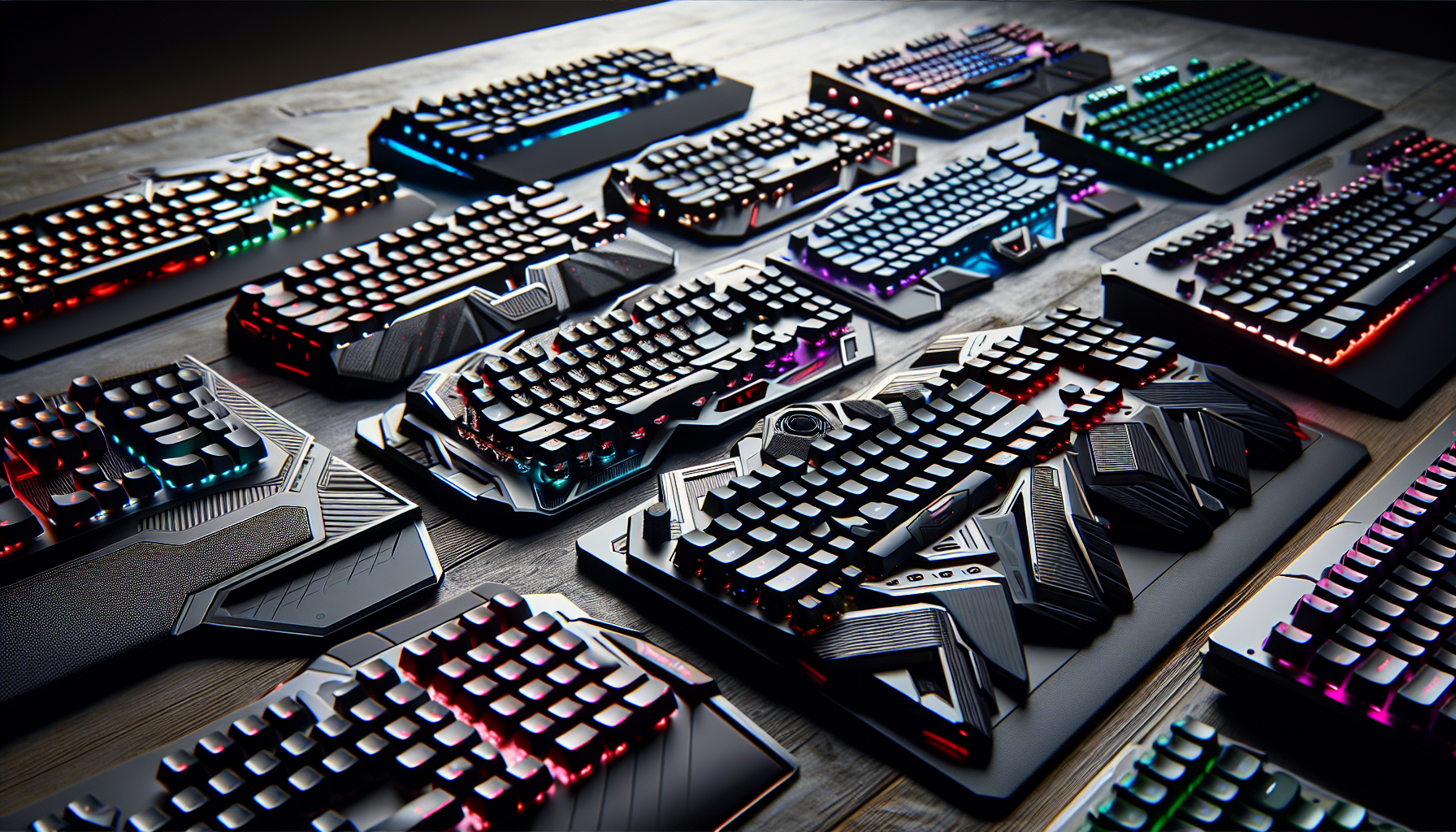
Key Features of Gaming Keyboards
For serious PC gamers, the keyboard is more than just a tool; it's an extension of their gaming persona. Understanding the key features can elevate the gaming experience significantly. Let's dive into the facets that set gaming pc keyboards apart.
Key Switches Explained
The heart of any keyboard is its switches, and gaming keyboards often utilise mechanical switches for their reliability and tactile response. Mechanical keyboards are preferred by many due to their durability and the distinct feedback they provide, enhancing the gaming experience through better precision and quicker actuation (source).
Different types of key switches, such as linear, tactile, and clicky, cater to individual preferences. Linear switches offer a smooth keystroke, tactile switches provide a noticeable bump during actuation, and clicky switches deliver a pronounced audible click. For example, the SteelSeries Apex Pro is renowned for its OmniPoint switches, which allow customization of actuation settings, setting it apart as a top-tier option for gamers (Source).
| Switch Type | Characteristic | Preferred for |
|---|---|---|
| Linear | Smooth keystroke | Fast-paced gaming |
| Tactile | Noticeable bump | Typing and gaming |
| Clicky | Audible click | Typing enthusiasts |
Importance of Key Rollover
Key rollover is a crucial feature that defines a gaming keyboard's ability to handle simultaneous key presses. In the heat of a gaming session, multiple keys may need to be pressed at once, and key rollover ensures that each key press is registered accurately. This feature prevents in-game actions from being missed or delayed, offering gamers a competitive edge (source).
High-quality gaming keyboards often come with N-Key rollover (NKRO), which allows all keystrokes to be registered simultaneously, regardless of how many keys are pressed.
Anti-Ghosting Technology
Anti-ghosting technology complements key rollover by ensuring that when multiple keys are pressed simultaneously, 'ghosting' does not occur. Ghosting is a phenomenon where additional, unintended keystrokes are sent to the computer, which could disrupt gameplay.
With anti-ghosting, each key press is distinct and accurately communicated to the gaming system, allowing for uninterrupted and precise control during intense gaming scenarios (source).
In summary, the key features of gaming keyboards—such as the type of key switches, key rollover capabilities, and anti-ghosting technology—contribute to a seamless and responsive gaming experience. These features are essential for gamers looking to perform at their best, especially when paired with other gaming peripherals, such as gaming pc monitors and gaming pc graphics cards. For those assembling their own custom rig, further guidance can be found at gaming pc builder.
Customization and Comfort
For serious PC gamers, customization and comfort are as important as the performance of the gaming PC itself. A keyboard must not only be responsive but also tailored to an individual's gaming style and ergonomic needs. Below we delve into the features that can make a gaming keyboard a perfect fit for any gamer.
Programmable Macro Keys
Programmable macro keys enable gamers to execute complex commands and sequences with a single press, enhancing gameplay efficiency. These keys are particularly useful in strategy and role-playing games where multiple keystrokes can be condensed into one. For competitive gamers, this customization can give a significant edge in speed and reaction time.
Many gaming keyboards come with dedicated software to help program these keys, allowing for a multitude of custom profiles that cater to different games or gaming scenarios. For example, a keyboard may feature keys that can be configured to cast spells or reload weapons swiftly, optimizing in-game actions and reducing the need to navigate complex in-game menus.
Adjustable Actuation Points
Adjustable actuation points refer to the distance at which a key registers a press. The ability to customize this aspect of the keys can lead to a more personalized and responsive gaming experience. The SteelSeries Apex Pro is renowned for offering highly customizable key actuation, with OmniPoint switches that allow gamers to set the actuation point anywhere between 0.4mm and 3.6mm, catering to both rapid fire taps and deliberate keystrokes.
This level of customization can be particularly beneficial for gamers who engage in different types of games, requiring varied responsiveness. A shorter actuation can be set for fast-paced action games, while a longer one might be preferred for typing or strategy games to reduce accidental key presses.
Ergonomics and Wrist Rests
Ergonomics play a crucial role in the comfort and health of gamers, especially during extended gaming sessions. A well-designed gaming keyboard should provide adequate support to prevent strain on the wrists and hands. Many high-end keyboards come with detachable or built-in wrist rests that are cushioned for comfort and positioned to maintain a natural wrist alignment.
Wrist rests not only offer comfort but also stability, ensuring that hands remain at an optimal position for both gaming and typing. This feature, combined with the overall design of the keyboard, can greatly reduce the risk of repetitive strain injuries and improve overall gaming endurance.
When considering a new gaming keyboard, it's worth exploring options that offer a combination of customizable features and ergonomic design. By doing so, gamers can enhance their performance, enjoy greater comfort, and personalize their gaming setup to suit their unique preferences. To further enhance your gaming experience, consider complementing your setup with the right gaming pc monitors, ensuring your visual experience is just as tailored as your controls.
Aesthetics and Design
The visual appeal and design of gaming PC keyboards can be just as important as their performance for many gamers. From the lighting effects to the size of the keyboard, these elements contribute to both the gaming experience and the comfort of use.
RGB Backlighting Effects
RGB backlighting has become a staple feature in gaming keyboards, allowing for a spectrum of customizable lighting effects that enhance the gaming ambiance. This feature lets gamers tailor their setup to reflect their style or match the aesthetics of their custom gaming pc. Various keyboards offer different levels of customization, from simple static lighting to dynamic effects that react to gameplay.
Some notable models with excellent RGB backlighting include:
- The Corsair K70 RGB MK.2: Known for its per-key RGB lighting and durable build, making it a top pick for gamers looking for reliability and customization. (PC Gamer)
- The Razer Huntsman Elite: Features opto-mechanical switches and customizable RGB lighting for ultra-fast response times. (PC Gamer)
- The HyperX Alloy Origins: Offers customizable RGB lighting and a sturdy aluminum frame for a premium look and feel. (PC Gamer)
| Keyboard Model | Type of RGB Customization |
|---|---|
| Corsair K70 RGB MK.2 | Per-key RGB lighting |
| Razer Huntsman Elite | Customizable RGB lighting with effects |
| HyperX Alloy Origins | Customizable RGB lighting |
Minimalist vs Full-Sized Keyboards
When it comes to the form factor, gaming PC keyboards are broadly categorized into minimalist (tenkeyless or TKL) and full-sized designs. The choice between the two often comes down to personal preference and the need for a dedicated numeric keypad.
- Minimalist Keyboards: These keyboards lack the numeric keypad, resulting in a more compact design that frees up desk space. They are ideal for gamers with limited space or those who prefer a more portable option.
- Full-Sized Keyboards: These traditional keyboards include a numeric keypad, which can be useful for games that require additional key bindings or for users who also use their gaming setup for productivity tasks.
The SteelSeries Apex Pro is an example of a full-sized keyboard with customizable actuation settings, providing both functionality and a personalized gaming experience.
Choosing the right keyboard design can complement other gaming peripherals such as gaming pc monitors and gaming pc cases, creating a cohesive and stylish gaming setup. Whether you prefer the streamlined look of a minimalist keyboard or the full array of keys that a full-sized keyboard offers, there's a gaming PC keyboard to suit your preferences and needs.
Top Picks for Gaming Keyboards
For serious gamers, the keyboard is more than just an input device; it's an essential part of the gaming arsenal. When selecting the best gaming pc keyboards, gamers should consider factors such as responsiveness, customization options, and design. Below are top recommendations across different categories.
Best Overall Gaming Keyboards
The best gaming keyboards offer a balance of responsiveness, features, and build quality. Based on reviews from PC Gamer, the following are some of the top keyboards that have garnered praise for their exceptional performance and quality.
- SteelSeries Apex Pro: Known for its adjustable actuation points, comfortable keys, and customizable RGB lighting, the Apex Pro stands out as a top-tier gaming keyboard for enthusiasts seeking the ultimate gaming experience.
- Razer Huntsman Elite: Featuring ultra-fast opto-mechanical switches and customizable RGB lighting, this keyboard is designed for gamers who demand speedy response times and vibrant aesthetics.
- Corsair K70 RGB MK.2: With its durable frame, reliable Cherry MX switches, and per-key RGB lighting, the Corsair K70 RGB MK.2 is a solid choice for gamers who value longevity and customization.
Top Wireless Options
Wireless keyboards offer the convenience of a clutter-free desk without the tangle of cables. Gamers looking for top wireless gaming pc keyboards should consider the following:
- Logitech G915 Lightspeed: This keyboard delivers low-latency performance and extended battery life, making it ideal for gamers who prefer the flexibility of a wireless setup. (PC Gamer)
- Corsair K63 Wireless Gaming Keyboard: It combines a compact design with customizable RGB lighting and a reliable 2.4GHz wireless connection for gaming without compromise.
Budget-Friendly Choices
For gamers on a budget, there are still excellent options that do not sacrifice quality for cost. The following keyboards are recognized for their affordability without compromising essential gaming features.
- Razer Cynosa Chroma: This keyboard offers a spill-resistant design and customizable RGB lighting, making it an attractive option for gamers looking for a budget-friendly yet stylish choice.
- HyperX Alloy FPS Pro: A tenkeyless mechanical keyboard, it's perfect for gamers who need a compact design and reliable performance at a lower price point.
| Keyboard Model | Type | Features | Link |
|---|---|---|---|
| SteelSeries Apex Pro | Mechanical | Adjustable actuation, RGB lighting | SteelSeries Apex Pro |
| Logitech G915 Lightspeed | Wireless Mechanical | Low-latency, long battery life | Logitech G915 |
| Razer Cynosa Chroma | Membrane | Spill-resistant, RGB lighting | Razer Cynosa Chroma |
These selections only scratch the surface of available gaming keyboards. For more detailed information on building a custom gaming pc, including peripherals like gaming pc monitors and gaming pc cases, or to get advice on gaming pc processors and gaming pc graphics cards, visit the links provided. Whether you're assembling a new setup or upgrading your current one, make sure to check out the latest gaming pc deals to enhance your gaming experience.
Maintenance and Durability
For serious PC gamers, the longevity and resilience of their gaming tools are just as important as performance. In the realm of gaming pc keyboards, maintenance and durability are key factors that contribute to a keyboard's lifespan and reliability.
Building Materials and Frame Design
The choice of building materials and frame design play a pivotal role in the durability of a gaming keyboard. Many high-quality keyboards are constructed with metal backplates, such as aluminum, which offer robustness and stability during intense gaming sessions. The Corsair K70 RGB MK.2, for instance, boasts a durable frame with Cherry MX switches, known for their longevity and consistent performance. Similarly, the HyperX Alloy Origins keyboard features a sturdy aluminum frame, ensuring it can withstand the rigors of regular gaming PC Gamer.
Additionally, the design of the frame itself can affect how well a keyboard holds up over time. Keyboards with a minimalist design, such as the Das Keyboard 4 Ultimate, tend to have fewer parts that can break or wear out, making them a popular choice for gamers looking for longevity in their peripherals PC Gamer.
Hot-Swappable Switches
Hot-swappable switches are a game-changer in keyboard maintenance and customization. This feature allows gamers to replace individual key switches without the need for soldering. It means that if a switch becomes defective or if a user wants to change the feel of their keyboard, they can do so with ease. Keyboards like the Corsair K95 RGB Platinum XT not only offer customizable RGB lighting and programmable macros but also these versatile hot-swappable switches PC Gamer.
The table below highlights some keyboards with hot-swappable switches:
| Keyboard Model | Switch Type | Hot-Swappable |
|---|---|---|
| Corsair K95 RGB Platinum XT | Cherry MX | Yes |
| SteelSeries Apex Pro | OmniPoint Adjustable | Yes |
| Razer Huntsman Elite | Razer Opto-Mechanical | No |
| Logitech G915 LIGHTSPEED | Low Profile Mechanical | No |
The ability to replace switches not only extends the life of the keyboard but also gives users the flexibility to tailor their keyboards to their specific preferences and needs. For gamers looking to build or enhance their gaming setup, considering a keyboard with hot-swappable switches can be a wise investment in ensuring both its longevity and adaptability. Find more insights on building a custom gaming PC at gaming pc builder.
Maintenance and durability are as crucial as the performance and aesthetics of gaming pc keyboards. By choosing a keyboard with robust materials, thoughtful frame design, and hot-swappable switches, gamers can ensure their investment stands the test of time and keeps pace with their gaming needs. For additional options in gaming peripherals, explore gaming pc cases and gaming pc graphics cards to complete your ultimate gaming setup.
Connectivity and Compatibility
For serious PC gamers, the connectivity of their gaming keyboard is just as crucial as the keyboard's performance. In this era of technology, the choice between wired and wireless keyboards can impact the gaming experience. Additionally, compatibility with various gaming platforms is essential to ensure a seamless integration between the gaming peripherals and the gaming system.
Wired vs Wireless Considerations
When selecting a gaming pc keyboard, one must decide between a wired or wireless connection. Wired keyboards offer the advantage of a stable connection with minimal input lag, which is vital for competitive gaming where every millisecond counts. They also don't require batteries, eliminating the concern for running out of power mid-game.
On the other hand, wireless keyboards provide greater flexibility and a cleaner setup without the clutter of cables. Advances in technology have significantly reduced the latency issues once associated with wireless keyboards. For instance, the Logitech G915 Lightspeed is a renowned wireless gaming keyboard that boasts low-latency performance and extended battery life, making it a popular choice among gamers who prefer a cable-free environment (PC Gamer).
| Connection Type | Advantages | Keyboards |
|---|---|---|
| Wired | Stable connection, No batteries required | Razer Huntsman Elite (Source) |
| Wireless | Flexibility, No cable clutter | Logitech G915 LIGHTSPEED (Source) |
Compatibility Across Gaming Platforms
Another vital aspect to consider is whether the keyboard is compatible with the gamer's choice of platform. Most gaming keyboards are designed to be compatible with Windows PCs, but it is important to check for compatibility with other platforms such as macOS, Linux, or gaming consoles if the gamer uses multiple systems.
Some gaming keyboards also offer software that enables users to customize their experience, including programming macro keys and adjusting RGB lighting. However, this software may not be available across all operating systems, which could limit the functionality for some users. For example, the SteelSeries Apex Pro TKL provides adjustable actuation and per-key RGB lighting but is typically optimized for Windows (Amazon).
Gamers should ensure that the keyboard they are interested in can work seamlessly with their gaming setup, be it a custom gaming PC or a console. It's also worth considering whether the keyboard supports plug-and-play functionality, which can be a convenient feature for gamers who frequently switch between systems.
In conclusion, when upgrading their arsenal with the best gaming pc keyboards, gamers should carefully weigh the pros and cons of wired versus wireless connectivity and ensure cross-platform compatibility to match their gaming lifestyle. Whether it's for a high-stakes tournament or a casual gaming session, the right keyboard can make all the difference.


