


Unveiling the Pros and Cons: Prebuilt vs. Custom Gaming PCs
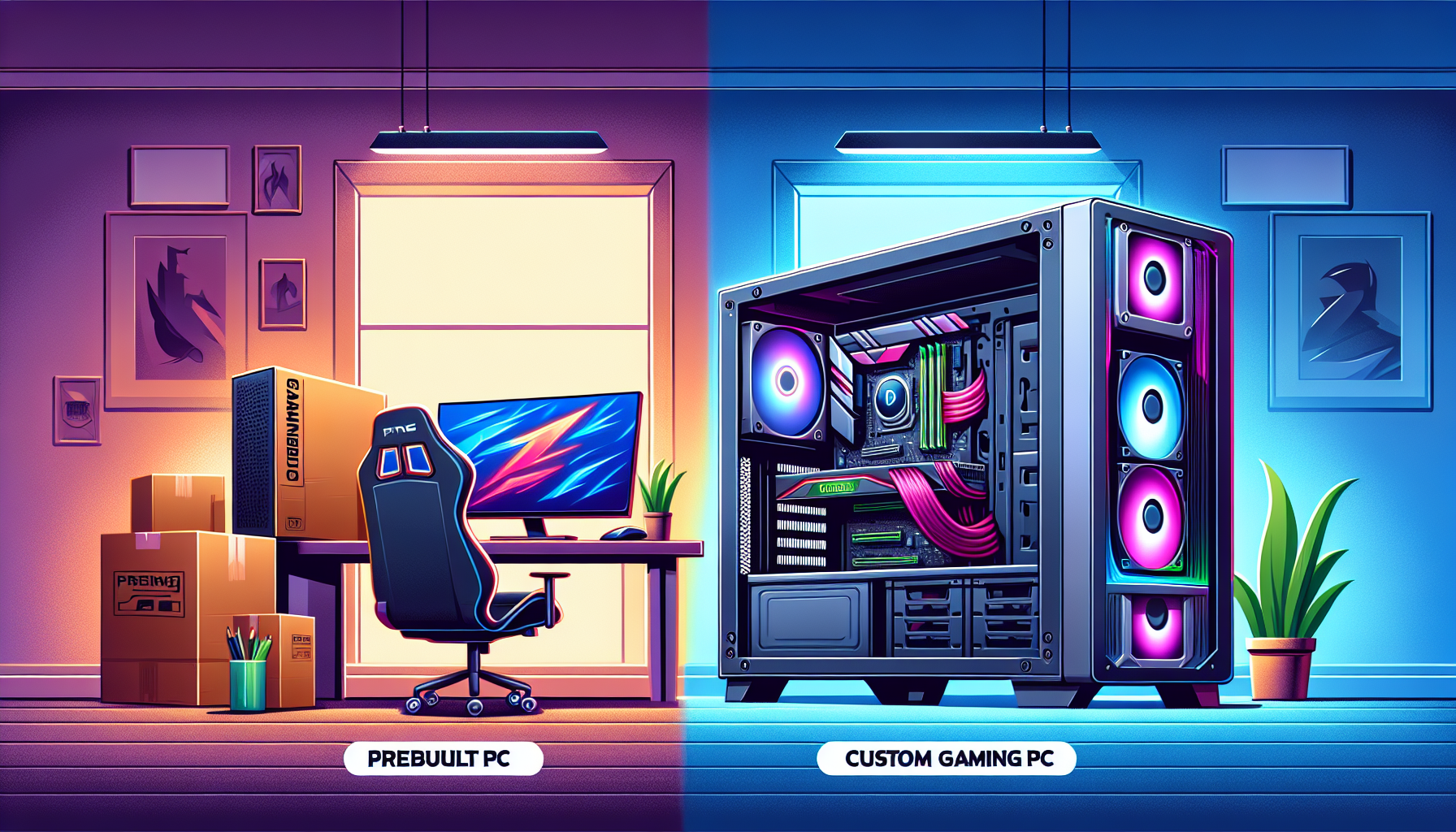
Introduction to Gaming PCs
With the gaming industry continually evolving, the demand for high-performance gaming PCs has surged. Whether one opts for a prebuilt or custom system, understanding the essentials of gaming PCs is crucial for making an informed decision.
Understanding the Basics of Gaming PCs
A gaming PC is a personal computer specifically designed to handle the demands of modern video games. Unlike standard desktops, gaming PCs are equipped with high-end components that provide superior performance, graphics, and speed. Key components include:
- Processor (CPU): The brain of the computer, responsible for executing instructions.
- Graphics Card (GPU): Essential for rendering images and animations, providing a smoother gaming experience.
- Memory (RAM): Temporary storage that allows for quick access to data, crucial for multitasking and gaming.
- Storage: SSDs (Solid State Drives) offer faster load times compared to traditional HDDs (Hard Disk Drives).
- Motherboard: The main circuit board that connects all components.
- Power Supply Unit (PSU): Provides power to the system.
- Cooling Systems: Keeps components at optimal temperatures to prevent overheating.
For more details on components, check out our guide on top graphics cards for gaming and gaming pc cooling solutions.
Importance of Choosing the Right Gaming PC
Selecting the right gaming PC can significantly impact one's gaming experience. Here are some reasons why making an informed choice is vital:
- Performance: A well-chosen gaming PC can handle the latest games at high settings, providing smoother gameplay and better graphics.
- Longevity: Investing in quality components can ensure the system remains viable for several years, even as game requirements evolve.
- Cost-Effectiveness: While initial costs may be high, a gaming PC with the right specifications can save money in the long run by reducing the need for frequent upgrades.
- Customisation: For those who prefer a tailored experience, custom gaming PCs offer the flexibility to choose components that match specific needs and preferences.
To explore the options available, you might want to look at our articles on budget gaming pcs and high-end gaming pcs.
Choosing between a prebuilt and custom gaming PC involves weighing various factors, including budget, technical knowledge, and personal preferences. Each option has its own set of advantages and disadvantages, which will be discussed in the following sections. For more insights, visit building your own gaming pc and best gaming pc brands.
Prebuilt Gaming PCs
A prebuilt gaming PC is a computer system assembled and configured by a manufacturer, ready to use right out of the box. These machines are designed to cater to various gaming needs, offering a range of specifications and performance levels.
What are Prebuilt Gaming PCs?
Prebuilt gaming PCs come fully assembled with all necessary components such as the CPU, GPU, RAM, storage, and cooling systems, already installed. They are designed for consumers who prefer a hassle-free solution to gaming, without the need to select and assemble individual parts.
Advantages of Prebuilt Gaming PCs
Convenience and Time-Saving
One of the primary benefits of prebuilt gaming PCs is the convenience they offer. The user does not need to spend time researching, purchasing, and assembling individual components. This can be particularly advantageous for those who are not tech-savvy or do not have the time to dedicate to building a custom PC.
Warranty and Support
Prebuilt gaming PCs typically come with comprehensive warranties and customer support. This means that if any component fails, the user can easily get it replaced or repaired. Additionally, technical support is often readily available, providing assistance with setup, troubleshooting, and maintenance.
Immediate Availability
Prebuilt gaming PCs are readily available for purchase and can be used immediately upon delivery. This is ideal for individuals who need a gaming system quickly and do not want to wait for parts to arrive or to spend time on assembly.
Disadvantages of Prebuilt Gaming PCs
Limited Customisation
One of the main drawbacks of prebuilt gaming PCs is the limited customisation options. Users are restricted to the components and configurations offered by the manufacturer, which may not always align with their specific needs or preferences. This can be a significant limitation for enthusiasts who have particular requirements for their gaming rig.
Potentially Higher Cost
Prebuilt gaming PCs can sometimes be more expensive compared to custom-built systems. The convenience, warranty, and support services provided by the manufacturer often come at a premium. Additionally, manufacturers may include a markup on the components, increasing the overall cost of the system.
| Component | Custom-Built Cost | Prebuilt Cost |
|---|---|---|
| CPU | $300 | $350 |
| GPU | $500 | $550 |
| RAM | $100 | $120 |
| Storage | $100 | $120 |
| Total | $1000 | $1140 |
Proprietary Components
Manufacturers of prebuilt gaming PCs may use proprietary components that are not easily replaceable or upgradable. This can limit the user's ability to modify or enhance their system in the future. For example, a proprietary motherboard or power supply unit may not be compatible with standard parts, making upgrades more challenging.
For those interested in exploring further, our articles on building your own gaming pc and budget gaming pcs provide additional insights into the gaming PC market.
Custom Gaming PCs
When it comes to gaming, custom gaming PCs provide a tailored experience that can meet specific performance needs and preferences. This section will explore what custom gaming PCs are, their advantages, and their potential drawbacks.
What are Custom Gaming PCs?
Custom gaming PCs are computers built from individually selected components to meet specific requirements. Unlike prebuilt systems, custom PCs allow for complete flexibility in choosing each part, from the processor and graphics card to the case and cooling system. Building a custom gaming PC involves selecting and assembling these components yourself or having them assembled by a professional.
Advantages of Custom Gaming PCs
Full Customisation
One of the significant advantages of custom gaming PCs is the ability to fully customise the system. Users can select each component based on performance needs, aesthetics, and budget. This level of customisation ensures that the PC meets specific gaming requirements and personal preferences.
| Component | Customisation Options |
|---|---|
| Processor | Multiple brands and models |
| Graphics Card | Wide range of options |
| RAM | Various capacities and speeds |
| Storage | SSD, HDD, or hybrid |
| Case | Different sizes and designs |
Potential Cost Savings
Building a custom gaming PC can lead to potential cost savings. By carefully selecting each component, users can avoid paying for unnecessary features and focus their budget on parts that enhance gaming performance. This approach can result in a more cost-effective system compared to some prebuilt options.
For more information on budget-friendly gaming systems, visit our article on budget gaming pcs.
Upgradability
Custom gaming PCs offer excellent upgradability. Since users choose the components, they can ensure that the system has the necessary compatibility for future upgrades. This flexibility allows for easy replacement or addition of parts, extending the PC's lifespan and keeping it up-to-date with the latest technology.
For tips on upgrading your gaming PC, check out our guide on top graphics cards for gaming.
Disadvantages of Custom Gaming PCs
Time-Consuming Build Process
Building a custom gaming PC can be time-consuming. Selecting the right components, assembling them, and troubleshooting any issues that arise requires a significant investment of time. For individuals with busy schedules, this process can be a considerable drawback.
| Task | Estimated Time (hours) |
|---|---|
| Researching Components | 5 - 10 |
| Assembling Parts | 2 - 4 |
| Installing Software | 1 - 2 |
| Troubleshooting | Varies |
Technical Knowledge Required
Constructing a custom gaming PC requires a certain level of technical knowledge. Understanding how different components interact and ensuring compatibility can be challenging for beginners. This necessity for technical expertise might deter some individuals from opting for a custom build.
For a step-by-step guide on building a PC, visit our article on building your own gaming pc.
Lack of Immediate Support
Custom gaming PCs do not come with the same level of immediate support as prebuilt systems. While prebuilt PCs often include customer service and warranty options, custom-built PCs rely on individual component warranties and self-troubleshooting. This can be a disadvantage for users who prefer having access to dedicated technical support.
For advice on maintaining your custom gaming PC, see our article on gaming pc maintenance tips.
By understanding the pros and cons of custom gaming PCs, individuals can make an informed decision that best suits their gaming needs and personal preferences. Whether opting for full customisation or considering the time and knowledge required, exploring all aspects of custom builds is essential for creating the ideal gaming setup.
Key Considerations
Choosing between prebuilt and custom gaming PCs requires careful evaluation of various factors. Here are some key considerations to help make an informed decision.
Budget Constraints
The cost is often a critical factor when deciding between prebuilt and custom gaming PCs. While prebuilt PCs offer convenience, they can sometimes come with a premium price tag due to assembly and warranty services. Conversely, custom PCs allow for flexible budgeting, as one can select individual components based on their financial limitations.
| Type | Average Cost (AUD) |
|---|---|
| Prebuilt Gaming PC | $1,500 - $2,500 |
| Custom Gaming PC | $1,200 - $2,200 |
For those on a tight budget, exploring options in budget gaming PCs might be beneficial.
Performance Needs
Performance is a paramount consideration for gamers. Prebuilt PCs are often designed to meet general gaming needs but may not offer the highest performance for specific games or tasks. Custom PCs allow for tailored performance, enabling users to select high-quality components such as the top graphics cards for gaming and gaming pc cooling solutions to meet their unique demands.
Future Proofing
Future proofing involves selecting a PC that will remain relevant and efficient for years to come. Custom gaming PCs offer a significant advantage in this area, as they can be easily upgraded. Users can swap out old components for newer, more powerful parts, ensuring the system stays current. Prebuilt PCs, on the other hand, may have limitations due to proprietary components and non-standard layouts, making upgrades more challenging.
| Aspect | Prebuilt PC | Custom PC |
|---|---|---|
| Upgradability | Limited | High |
| Component Flexibility | Low | High |
For those interested in long-term investment, exploring future trends in gaming PCs can provide additional insights.
Personal Preferences and Skills
Personal preferences and technical skills play a crucial role in the decision-making process. Prebuilt PCs are ideal for those who prefer a hassle-free experience, as they come ready-to-use with technical support. However, building a custom PC can be a rewarding project for those with the knowledge and skills to assemble and troubleshoot hardware.
If one lacks the technical expertise but is interested in learning, resources like the building your own gaming pc guide can be invaluable. Alternatively, for those who prioritize convenience, exploring the best gaming pc brands can help identify reputable prebuilt options.
By considering budget constraints, performance needs, future proofing, and personal preferences and skills, one can make a well-informed choice between prebuilt and custom gaming PCs. Each option has its unique advantages and potential drawbacks, making it essential to evaluate these factors based on individual requirements and circumstances.
Making the Decision
Choosing between a prebuilt and custom gaming PC can be a significant decision. Several factors need to be considered to make an informed choice that aligns with your needs and preferences.
Assessing Individual Needs
Before deciding, it's crucial to assess your specific requirements. Consider the following aspects:
- Budget: Determine how much you're willing to spend. Refer to our guide on budget gaming PCs for cost-effective options.
- Performance: Identify the performance levels you need based on the games you play. High-performance gaming PCs, as discussed in high-end gaming PCs, may be necessary for demanding games.
- Usage: Consider whether you need a gaming PC for other tasks, such as video editing or streaming.
- Skills and Time: Evaluate your technical skills and the time you're willing to invest in building a custom PC.
Weighing Pros and Cons
Understanding the advantages and disadvantages of both prebuilt and custom gaming PCs can help in making a well-informed decision.
| Feature | Prebuilt Gaming PCs | Custom Gaming PCs |
|---|---|---|
| Convenience | High | Low |
| Customisation | Low | High |
| Cost | Higher | Lower Potentially |
| Warranty and Support | Included | Variable |
| Upgradability | Limited | High |
| Build Time | None | High |
| Technical Knowledge | Minimal | Required |
For more detailed comparisons, see our articles on gaming desktops vs. gaming laptops and building your own gaming pc.
Seeking Expert Advice
If unsure, seeking advice from experts or experienced gamers can be beneficial. They can provide insights based on their experiences and help clarify any doubts. Online forums, gaming communities, and detailed guides can also be valuable resources. Check out best gaming pc brands for trusted manufacturers and gaming pc setup ideas for inspiration on setting up your gaming rig.
For those looking to future-proof their systems, our article on future trends in gaming pcs can provide valuable insights into upcoming technologies and advancements in the gaming PC industry.


