


Unlock the Gaming Powerhouse: The Ultimate Gaming PC Builder Guide
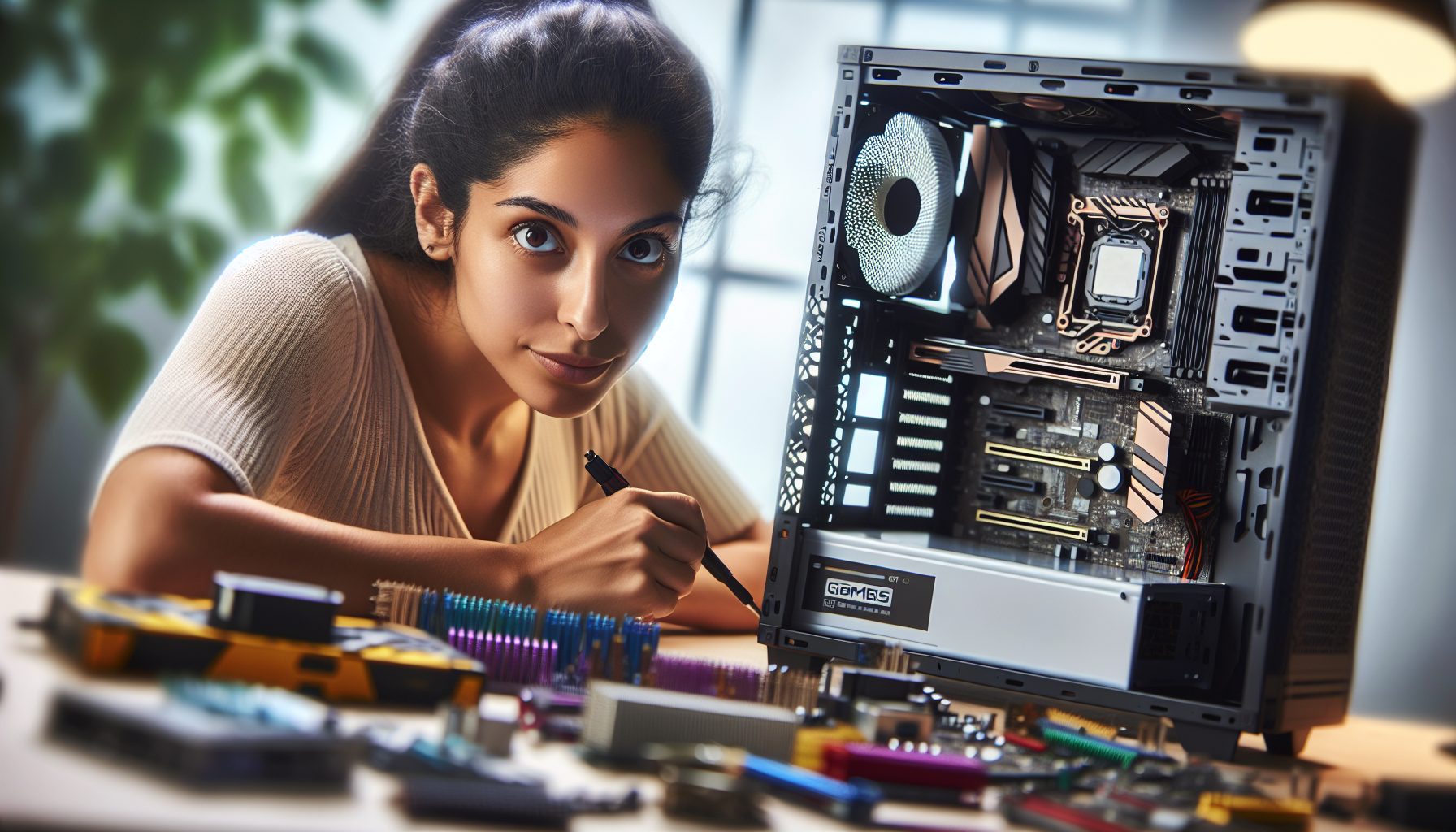
Understanding Custom Gaming PCs
Custom gaming PCs are the pinnacle of personal computing for enthusiasts who crave the ultimate in performance, design, and customization. These systems are tailor-made to deliver an exceptional gaming experience, often eclipsing off-the-shelf models in both aesthetics and functionality.
Performance and Design
The performance of a custom gaming PC is paramount, with each component selected to ensure that gamers can enjoy the latest titles at the highest settings. Unlike standard PCs, gaming PCs are equipped to handle the intensive demands of modern video games, boasting higher processing power, enhanced graphics capabilities, and expanded memory.
Dedicated graphics cards with advanced GPUs are a cornerstone of any gaming system, providing superior visual performance and fluid gameplay. These systems are also often designed with larger or multiple hard drives to store an extensive game library without compromising on speed or performance. Additionally, to counteract the heat generated during long gaming sessions, gaming PCs are fitted with more efficient cooling systems, preventing overheating and ensuring system stability.
In terms of design, gaming PCs stand out with their customizable RGB lighting and aesthetic enhancements that elevate the gaming atmosphere. From sleek, minimalist cases to bold, futuristic designs, gaming PC cases (gaming pc cases) offer something for every taste, reflecting the personality and preferences of the gamer.
Customization and Value
The true value in a custom gaming PC lies in its customization. Gamers can tailor every aspect of their system, from the gaming pc processors and gaming pc graphics cards to the gaming pc power supply and peripherals like gaming pc keyboards. This bespoke approach not only allows for a setup that is finely tuned to the user's needs but also makes it easier to upgrade parts in the future, providing a clear path for maintaining cutting-edge performance.
The table below outlines key differences between custom gaming PCs and regular PCs:
| Feature | Custom Gaming PC | Regular PC |
|---|---|---|
| Graphics | Advanced GPUs for high performance | Integrated or basic dedicated GPUs |
| Cooling | Enhanced cooling systems | Standard cooling solutions |
| Storage | Large/multiple drives for game libraries | Smaller capacity drives |
| Design | Customizable aesthetics with RGB lighting | Standardized, functional designs |
Investing in a custom gaming pc often ensures better long-term value, as the system can evolve with the gamer's requirements. It's a future-proof choice that caters to those who seek the best gaming experience possible, paired with the satisfaction of building something truly unique. Whether seeking the most immersive gaming experience or the pride of owning a visually stunning machine, the appeal of custom gaming PCs is clear. For those looking to dive into the world of custom PCs, exploring the latest gaming pc deals is an excellent starting point.
Key Components for Performance
When assembling a custom gaming PC, performance is paramount. Selecting the right components not only ensures an immersive gaming experience but also affects the longevity and efficiency of the system. Below is a detailed look at the critical components that contribute to a gaming PC's performance.
The Role of the CPU
The Central Processing Unit (CPU) acts as the brain of a gaming PC, executing instructions and managing the operations of other components. A capable CPU is essential for running complex game algorithms and handling simultaneous processes. Gamecrate recommends choosing a CPU with a high clock speed and compatibility with the motherboard to maximize gaming performance. For in-depth information on processors, visit gaming pc processors.
Importance of the GPU
The Graphics Processing Unit (GPU), or graphics card, is responsible for rendering images, videos, and animations in games. It determines the visual quality and frame rate, which are crucial for a fluid gaming experience. Selecting a GPU with sufficient Video Random Access Memory (VRAM) is vital for high-resolution gaming and should be compatible with the motherboard (Gamecrate). Explore options for enhancing your visuals with our guide on gaming pc graphics cards.
RAM and Multitasking
Random Access Memory (RAM) is the short-term memory of a PC, storing data for quick access by the CPU. Adequate RAM allows a gaming PC to multitask effectively and run games without lag or slowdowns. The amount of RAM needed can vary, but more RAM generally equates to better multitasking capabilities and smoother performance (Quora).
Storage Types and Capacity
Storage is where a gaming PC holds its operating system, games, and files. Solid State Drives (SSDs) offer faster read and write speeds compared to traditional Hard Disk Drives (HDDs), leading to quicker game load times and a more responsive system. Considering both the type of storage and capacity is crucial for a balance between performance and space for all gaming needs (Quora).
| Component | Function | Recommendation |
|---|---|---|
| CPU | Executes instructions, processes data | High clock speed, compatible with motherboard |
| GPU | Renders visuals, processes graphics | High VRAM, compatible with motherboard |
| RAM | Facilitates multitasking, stores short-term data | Higher capacity for smoother performance |
| Storage | Holds OS, games, files | SSD for speed, adequate capacity for storage needs |
For those in pursuit of the ultimate gaming setup, the journey begins with the core components. Each plays a distinct role in the overall function and performance of a gaming system. By prioritising these elements, gamers can create a machine that not only meets but exceeds their expectations. Dive into the world of custom gaming PCs and start your build journey with our comprehensive guide on custom gaming pc.
Building vs Buying
Navigating through the decision of building a custom gaming PC versus purchasing a pre-built model is a pivotal choice for avid PC gamers. This section delves into the advantages of creating a custom build, what to consider with pre-built PCs, and how to budget effectively for your gaming setup.
Pros of Custom Builds
When you opt for a custom build, you gain numerous advantages, particularly in terms of personalization and performance:
- Customization and Control: Building your own system allows for an unparalleled level of customization. You have the freedom to select each component based on your specific gaming needs and preferences. This means you can prioritize elements such as the processor, graphics card, and storage to match your gaming style.
- Cost-Effectiveness: Assembling a PC can be more economical. By choosing your own parts, you often can find better deals and avoid the premium that comes with pre-built systems.
- Upgradability: Custom PCs are typically easier to upgrade. As gaming technology evolves, having a system that you can easily modify ensures your setup remains at the cutting edge (CDW).
- Learning Experience: Building your own PC can be a rewarding learning experience, providing you with a deeper understanding of the hardware and its function within your gaming ecosystem.
When considering a custom gaming pc, it's important to recognize these pros and weigh them against your individual requirements and gaming goals.
Considerations for Pre-Built PCs
While custom builds have their merits, there are also reasons to consider pre-built gaming PCs:
- Convenience: Pre-built PCs offer out-of-the-box readiness, saving you the time and hassle of assembly.
- Warranties and Support: These systems often come with comprehensive warranties and customer support, which can be reassuring for those less familiar with PC troubleshooting (LinkedIn).
- Tested and Optimized: Manufacturers typically ensure that pre-built systems are well-tested and optimized for performance, potentially providing a more stable gaming experience.
When exploring gaming pc deals, it's important to consider these factors, especially if you are looking for a hassle-free setup with support and assurances.
Budgeting for Your Build
The cost of a gaming PC can fluctuate greatly based on the components you choose. Here are some elements to consider when budgeting:
- Component Choices: Prioritize spending on the components that have the most impact on performance, like the gaming pc processors and gaming pc graphics cards.
- Future Proofing: Allocate funds towards components that will ensure your PC remains relevant for longer, such as a high-quality gaming pc power supply and an expandable motherboard.
- Peripheral Considerations: Don't forget to factor in the cost of peripherals like gaming pc monitors and gaming pc keyboards.
In the realm of budgeting for your gaming system, it's imperative to strike a balance between current needs and future considerations, ensuring that your investment delivers both immediate satisfaction and long-term viability.
High-Performance Models Reviewed
When it comes to assembling a custom gaming PC, it's crucial to weigh the balance between performance, aesthetics, and cost. For those who prefer to skip the building process, there are several high-performance gaming PCs on the market that have been expertly crafted to deliver top-tier gaming experiences. Here, we review models renowned for their overall excellence, compact design, and budget-friendly options.
Top Overall Gaming PCs
For gamers seeking the pinnacle of gaming performance, the Alienware Aurora R10 stands out as the best overall choice. Acclaimed for its potent combination of cutting-edge performance, striking design, and value for money, the Aurora R10 doesn't disappoint (PC Gamer).
| Model | Processor | Graphics Card | RAM |
|---|---|---|---|
| Alienware Aurora R10 | AMD Ryzen Series | NVIDIA RTX Series | Up to 64GB |
Gamers who prioritize customization might turn their eyes to the Origin PC Chronos. With the freedom to select your own components and design, the Chronos offers a bespoke gaming experience tailored to individual preferences.
Compact Gaming PC Choices
Space-saving designs are increasingly in demand, and the Corsair One i160 claims the title of best compact gaming PC. Its trim and efficient design doesn't compromise on power, ensuring that even the most demanding games run smoothly (PC Gamer).
| Model | Processor | Graphics Card | RAM |
|---|---|---|---|
| Corsair One i160 | Intel Core i9 | NVIDIA GeForce RTX 2080 Ti | 32GB |
Budget-Friendly Gaming Machines
Not all high-performance gaming PCs come with a hefty price tag. The HP Omen Obelisk is the top recommendation for gamers looking for a machine under $1,000, offering commendable performance without breaking the bank (PC Gamer).
For those on a tighter budget, the CyberPowerPC Gamer Xtreme VR stands as the best budget gaming PC, providing respectable specifications at a more accessible price (PC Gamer).
| Model | Processor | Graphics Card | RAM |
|---|---|---|---|
| HP Omen Obelisk | Intel Core i5 or AMD Ryzen 5 | NVIDIA GTX or AMD Radeon RX Series | Up to 32GB |
| CyberPowerPC Gamer Xtreme VR | Intel Core i5 | NVIDIA GTX Series | 8GB |
Each of these models offers a different set of benefits, whether it's raw power, space efficiency, or value for money. For gamers looking to complement their setup, consider exploring additional accessories such as gaming pc monitors, gaming pc cases, gaming pc processors, and gaming pc graphics cards. The right combination of hardware and peripherals can elevate your gaming experience to new heights. Keep an eye out for gaming pc deals to make the most of your investment.
Designing Your Gaming PC
Designing a gaming PC is a thrilling process that combines technical savvy with personal style. It's not just about raw power; aesthetics and efficiency play significant roles in creating a machine that's both high-performing and visually stunning.
Selecting the Right Components
The heart of any gaming PC is its components. Each piece must be carefully chosen to ensure compatibility and performance:
- CPU (Central Processing Unit): Considered the brain of the PC, the CPU's speed and capabilities directly impact your gaming experience. Select a processor with a high clock speed that matches your motherboard for optimal results (Gamecrate).
- GPU (Graphics Processing Unit): For visual fidelity and smooth frame rates, a robust graphics card with ample VRAM is essential. It should align with your motherboard's specifications (Gamecrate).
- RAM (Random Access Memory): Adequate memory allows for seamless multitasking and gaming. The amount of RAM you choose should reflect the types of games you play and other uses for your PC.
- Storage: A combination of solid-state drives (SSD) and hard disk drives (HDD) offer a balance between speed and capacity. SSDs provide quick load times, while HDDs are cost-effective for mass storage.
- PSU (Power Supply Unit): Ensure your PSU can accommodate the total power consumption of your components with headroom for future upgrades.
- Case: The chassis not only houses your components but also supports cooling and defines the aesthetic of your build. Choose one that provides good airflow and fits your desired size (gaming pc cases).
Consider visiting custom gaming pc for more information on how to select the right components.
Aesthetics and Customization
Custom gaming PCs stand out with their personalized aesthetic touches:
- RGB Lighting: Customizable RGB lighting adds flair to your gaming setup and enhances the visual appeal of your PC.
- Case Design: From tempered glass panels to bold color schemes, the design of your case can reflect your personal style.
- Cable Management: Neatly managed cables not only improve airflow but also contribute to the overall clean look of your system.
For those who prioritize aesthetics, gaming pc brands offer a range of products with customization options.
Cooling and Efficiency
Maintaining an optimal temperature is critical for a gaming PC's performance and longevity:
- Air Cooling vs. Liquid Cooling: Air cooling is a reliable and cost-effective option, while liquid cooling is more efficient for heat dissipation and generally quieter.
- Cooling Fans: High-quality fans can provide excellent airflow, keeping components cool during intense gaming sessions.
- Thermal Paste: A good thermal paste application ensures efficient heat transfer between the CPU/GPU and their coolers.
For more insights into efficient cooling systems, see gaming pc power supply.
In designing your gaming PC, balancing performance with aesthetics and efficient cooling will yield a machine that not only runs your favorite games flawlessly but also stands as a testament to your gaming dedication. Dive into gaming pc monitors and gaming pc keyboards to complete your setup. And for those on a budget, keep an eye out for the best gaming pc deals.
Maintaining Your Gaming PC
A key aspect of owning a custom gaming PC is maintenance. Proper upkeep not only extends the life of the machine but also ensures it continues to perform at its peak. This includes hardware upgrades, cooling system maintenance, and aesthetic upkeep.
Upgrading Components
Upgrading components is a critical part of maintaining a high-performance gaming machine. As new games with more demanding specifications are released, upgrading ensures that your system can handle these requirements. According to Gamecrate, staying abreast of the latest technology and incorporating it into your system can significantly enhance performance.
| Component | Impact on Performance | Upgrade Frequency |
|---|---|---|
| CPU | High | Every 3-5 years |
| GPU | Very High | Every 3-5 years |
| RAM | Medium | As needed |
Regularly assessing and upgrading your gaming pc processors and gaming pc graphics cards can lead to smoother gameplay and better graphics. Furthermore, additional RAM can improve multitasking and overall system responsiveness. It's vital to consider compatibility with existing components before upgrading. For more detailed guides on building your own custom gaming pc, check our comprehensive articles.
Cooling System Maintenance
The cooling system is the heart of any gaming PC, ensuring that components stay at optimal temperatures during intense gaming sessions. Regular maintenance of the cooling system is crucial to prevent overheating and ensure optimal performance. Quora advises that neglecting this can lead to hardware damage and reduced performance.
| Maintenance Task | Frequency | Purpose |
|---|---|---|
| Cleaning Dust Filters | Monthly | Prevent airflow blockage |
| Checking Fans | Bi-Annually | Ensure proper function |
| Replacing Thermal Paste | Every 2-3 years | Maintain heat transfer efficiency |
Preventative measures include cleaning dust filters, checking and replacing fans, and replacing thermal paste to maintain efficient heat transfer. For more extensive information on maintaining your gaming pc power supply and cooling system, visit our dedicated articles.
Aesthetic Upkeep and Lighting
The visual appeal of a gaming PC can greatly enhance the gaming experience. Aesthetic upkeep and lighting not only add to the immersive environment but also reflect the gamer's personality. Quora highlights that a well-maintained setup with customized lighting can create a more enjoyable and personalized gaming space.
| Aesthetic Element | Importance | Maintenance Tips |
|---|---|---|
| Cable Management | High | Regular tidying |
| LED Lighting | Medium | Dusting and checking connections |
| Case Cleaning | High | Regular cleaning to prevent dust buildup |
For those looking to delve into various visual themes and lighting setups, exploring different gaming pc cases can offer inspiration. Additionally, maintaining peripherals like gaming pc keyboards contributes to the overall look and feel of your gaming station.
Maintaining your gaming PC is a continuous process that rewards you with better performance, longevity, and a more enjoyable gaming experience. Regular upgrades, diligent cooling maintenance, and aesthetic care are all part of the gaming pc builder's journey to unlock the full potential of their custom rig.


