


Unleashing Gaming Potential: A Deep Dive into the Kraken Power Gaming PC
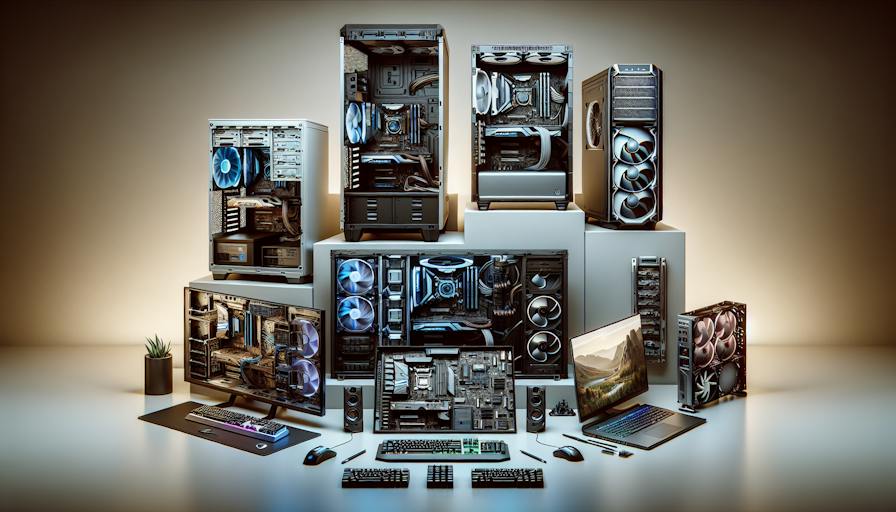
Building Custom PCs
Building custom PCs provides gamers and tech enthusiasts with a unique opportunity to create a system tailored to their specific needs and preferences. This section discusses the benefits of custom builds and the associated cost considerations.
Benefits of Custom Builds
Custom builds allow for a wealth of hardware configuration options that pre-built systems simply cannot match. Gamers can select each component according to their performance requirements and personal preferences, creating an optimised gaming experience.
| Benefit | Description |
|---|---|
| Personalisation | Users can choose specific parts for their gaming and performance needs, including CPU, GPU, and memory. |
| Performance | Custom systems can be equipped with higher-end parts, resulting in better performance compared to store-bought computers. |
| Reliability | Building a custom PC allows users to select components from reputable brands, ensuring a more dependable system. |
| Aesthetics | Some builders offer professional customisation of the PC's appearance, allowing for unique and visually appealing designs. |
Cost Considerations
Many gamers find that custom-built computers are usually cheaper than store-bought options. By selecting only the parts needed, builders can save money compared to pre-built systems that often include unnecessary software and features (ScreenWorks).
| Cost Factor | Description |
|---|---|
| Part selection | Individuals can prioritise essential components, minimising expenditure while maximising performance. |
| Long-term savings | Custom builds are often more cost-effective for high performance, especially for gamers needing powerful computers. |
| Avoiding markups | Pre-built systems frequently come with a markup due to additional features that may not be necessary for every user (ScreenWorks). |
When considering gaming PCs, it is essential for potential builders to weigh these benefits and cost factors thoroughly. Customizable PCs offer a pathway to creating the perfect machine for immersive and reliable gaming experiences. Additional topics around mini gaming PCs, high-end gaming PCs, and portable gaming PCs are worth exploring for those looking for specific custom solutions.
Custom PC vs Pre-built
When deciding between a custom PC and a pre-built one, gamers and tech enthusiasts often consider factors such as customisation options and brand preferences. Each choice presents distinct advantages that cater to different needs and preferences.
Customisation Options
Customisable PCs offer significant advantages over pre-built systems when it comes to hardware configuration. Users have the freedom to choose specific components, such as the CPU, GPU, memory, and storage, tailoring their setup to fit their gaming style and performance requirements. As noted by Intel, a DIY or custom-built PC allows for far more hardware flexibility than a pre-constructed option.
For instance, platforms like CLX provide an interactive experience where customers can utilise the AI System Builder on their website, offering a user-friendly interface for designing their ideal gaming PC (CLX Gaming). This level of customisation is particularly appealing to gamers who seek to optimise their machines for specific tasks, such as high FPS gaming or 3D rendering, as opposed to more general-purpose usage found in many pre-built systems.
Brand Preferences
Brand preferences also play a significant role in the decision-making process between custom and pre-built options. Certain brands, such as Alienware, are known for their unique designs and aesthetics, which can significantly influence a user's choice. The polished look of a pre-built machine can be more appealing to some buyers who prioritise visual appeal alongside performance.
Gamers often want a machine that expresses their personal style while still delivering high performance. While custom-built PCs provide a greater scope for individuality in component selection, the distinctive characteristics of brand name pre-built systems can sway users who value design as much as functionality.
In summary, whether opting for a customisable PC or a pre-built option, potential buyers should weigh their priorities for control over specifications versus brand aesthetics when making their decision. For more on compact options, consider looking into mini gaming PCs, or explore the performance of high-end gaming PCs and portable gaming PCs for versatile setups.
Components Selection
Selecting the right components is crucial for building powerful and efficient customizable PCs tailored for gaming. The primary elements of a gaming PC include the CPU, GPU, memory, and storage. Each component plays a significant role in ensuring an immersive, high-performance experience.
CPU and GPU Choices
The CPU (Central Processing Unit) is often referred to as the brain of the computer. Choosing a powerful CPU is essential based on the intended use, such as gaming, streaming, or content creation. Key factors to consider include the price/performance ratio, the number of cores/threads, overclocking potential, and memory access bandwidth.
The GPU (Graphics Processing Unit) is equally important, particularly for gaming enthusiasts. A robust GPU is vital for rendering high-quality graphics smoothly. Many desktop machines allow for easy swapping of GPUs, provided that the motherboard supports the prevailing architecture and it's not composed of proprietary parts (Quora).
| Component | Recommended Specs |
|---|---|
| CPU | 6-8 cores, 12-16 threads |
| GPU | Latest model with at least 4GB VRAM |
Memory and Storage Considerations
Memory (RAM) is the temporary storage that allows your system to handle multiple tasks simultaneously. For gaming, a minimum of 16 GB of RAM is recommended for a smooth experience, especially when multitasking or streaming.
Storage is also a critical consideration. There are two primary types: SSD (Solid State Drive) and HDD (Hard Disk Drive). SSDs are faster, improving load times for games and applications, while HDDs offer larger storage capacities for less cost. A combined approach is often beneficial, such as using an SSD for the operating system and frequently played games, while an HDD serves for additional storage.
| Storage Type | Capacity | Average Speed |
|---|---|---|
| SSD | 500GB - 2TB | 500 MB/s |
| HDD | 1TB - 10TB | 100 MB/s |
When selecting a power supply for a gaming PC, it should be significantly more powerful than the combined Thermal Design Power (TDP) of the CPU and GPU, with a recommendation of at least 600W for most applications.
Using a reliable thermal paste, like Arctic MX-4, is essential to prevent CPU overheating and thermal throttling while gaming (Quora). Proper component selection and configuration ensure that the Kraken Power Gaming PC delivers an exceptional gaming experience for users across all levels.
Building a Gaming PC
Building a gaming PC involves careful consideration of performance optimization and aesthetics, as well as future-proofing the system for upcoming advancements in technology and gaming requirements.
Performance Optimization
Performance is paramount for any gaming PC. To achieve high frame rates (FPS) and smooth graphics, gamers need to select the most suitable components. The CPU (Central Processing Unit) and GPU (Graphics Processing Unit) are two critical elements that impact performance significantly.
| Component | Considerations |
|---|---|
| CPU | Look for a powerful processor with a good price/performance ratio, adequate cores/threads, and overclocking ability. It's essential for high FPS gaming and tasks like 3D rendering. |
| GPU | Choose a GPU that is compatible with the motherboard and supports the latest gaming architecture. Ensure it can handle the graphic demands of modern games. |
| Thermal Paste | Using a quality thermal paste, such as Arctic MX-4, can prevent CPU overheating and thermal throttling during extended gaming sessions, ensuring optimal performance. (Quora) |
The advantage of building customizable PCs is that users can select higher-end parts compared to store-bought computers, which often come with generic components. This choice is especially beneficial for gamers requiring potent systems due to the demanding requirements of modern titles.
Aesthetics and Future-proofing
Aesthetics play an essential role in how gamers experience their setup. Customising the appearance of a gaming PC can greatly enhance the aesthetic appeal of the gaming environment. Here are important aesthetics considerations:
| Aesthetic Feature | Options |
|---|---|
| Case Design | Choose from a variety of designs, including sleek, compact cases or larger, more elaborate tower cases. |
| Lighting | RGB lighting options can add significant visual flair to the build and be customised to the user's preference. |
| Cable Management | Good cable management enhances the overall appearance and airflow, improving cooling efficiency. |
Future-proofing involves selecting components that will not be outdated too quickly. Prioritise parts that can handle anticipated upgrades, such as GPUs that can be easily swapped out, provided the motherboard supports the existing architecture (Quora).
In conclusion, building a gaming PC such as the Kraken Gaming PC provides an opportunity for gamers to create a machine that not only performs excellently but also showcases their personal style. The combination of superior components, aesthetic choices, and future-forward planning ensures a satisfying and long-lasting gaming experience. For those interested in compact options, exploring mini gaming pcs or portable gaming pcs may also be worthwhile.


