


Unleash Your Gaming Potential: The Thermaltake Computer Case Experience
Understanding Computer Cases
Significance of Case Design
The design of a computer case goes beyond mere aesthetics; it is a critical component that houses the precious hardware of a gaming setup. According to Smith in "The Importance of Case Design in Computer Performance," the design of the case can significantly impact system performance by influencing factors such as airflow, cooling efficiency, and noise reduction. Brown also highlights in "The Role of Case Design in Cooling Efficiency" that the strategic placement of vents and fans within a case's design is essential for maintaining optimal operating temperatures. The importance of case design becomes even more apparent as gamers in Australia often face warm climates, which can affect the thermal management of computer systems.
Anatomy of a Computer Case
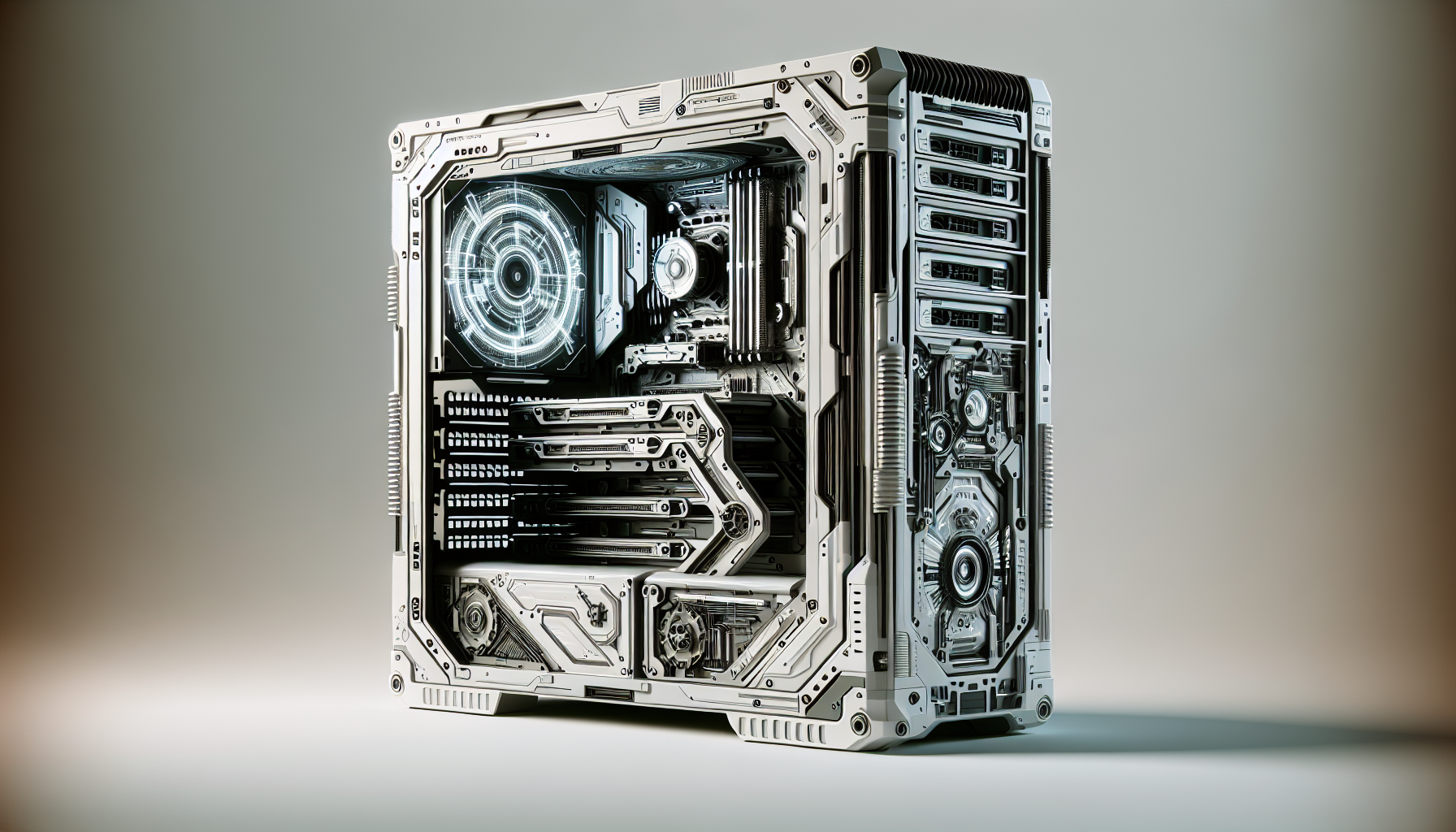
A computer case is not just a box, but a well-thought-out structure that accommodates various components. As outlined by Johnson in "Anatomy of a Computer Case: Understanding the Components," a typical computer case comprises several key parts:
- Motherboard Tray: The flat surface on which the motherboard sits.
- Drive Bays: Designated slots for hard drives and solid-state drives.
- Expansion Slots: Cut-outs for additional hardware such as graphics cards and sound cards.
- Front Panel Connectors: Include ports for USB, audio, and sometimes additional buttons or displays.
- Power Supply Unit (PSU) Bay: A space usually at the bottom or top rear of the case where the power supply is mounted.
- Cooling System: Composed of fans and venting areas designed to manage the flow of air through the case.
Each component is designed with precision to ensure compatibility and functionality of the computer system. For instance, Rodriguez in "Expansion and Compatibility: Choosing the Right Case for Future Upgrades" emphasizes the importance of selecting a case that not only fits current components but also allows for future hardware upgrades.
Understanding the anatomy of a computer case is fundamental for gamers who wish to build or upgrade their gaming systems. It is the foundation that supports and protects the hardware, while also playing a crucial role in system performance and longevity. The computer case is the first step in unleashing gaming potential, setting the stage for a Thermaltake experience that offers both form and function for the discerning gamer.
Features of Gaming Cases
When it comes to building a gaming computer, the case is more than just an aesthetic choice; it is a foundation that holds all the components together and ensures they operate at their peak. Let's delve into the essential features that gaming enthusiasts should look for in a computer case, with a focus on airflow and cooling, cable management, and expansion and compatibility — essential aspects for an optimal gaming setup.
Airflow and Cooling
The performance and longevity of gaming components are heavily influenced by temperature management. Adequate airflow within a computer case ensures that cool air is directed to hot components, while hot air is efficiently expelled.
| Feature | Importance |
|---|---|
| Fan Placement Options | More options allow for customized cooling strategies. |
| Pre-installed Fans | Determine the initial cooling capacity of the case. |
| Radiator Support | Important for water-cooling setups. |
| Air Filters | Help to keep dust from entering the system and clogging components. |
Thermaltake cases are renowned for their superior cooling capabilities, often equipped with multiple fan mounts that support both standard and liquid cooling configurations. The presence of mesh panels and ventilation slots further enhances air circulation, maintaining a cool environment for hardware components.
Cable Management
A tidy case is not just about aesthetics; it also contributes to better airflow and easier maintenance. Good cable management reduces clutter by channelling cables neatly behind the motherboard tray or designated routing spaces.
| Feature | Importance |
|---|---|
| Cable Routing Cut-outs | Allows cables to be routed neatly behind the motherboard. |
| Cable Ties | Helps secure cables and prevent them from obstructing airflow. |
| PSU Shroud | Conceals the power supply and its cables for a cleaner look. |
Cable management features in Thermaltake cases, such as grommeted holes and spacious back panels, allow gamers to achieve a clean and organized build. This not only optimizes airflow but also simplifies the process of upgrading or swapping out components.
Expansion and Compatibility
The needs of gamers evolve with time, and so should their gaming rigs. A computer case should offer room for expansion and be compatible with a variety of component sizes and types.
| Feature | Importance |
|---|---|
| Drive Bays | Determines the number and size of storage devices you can install. |
| Motherboard Support | Compatibility with different motherboard form factors. |
| Clearance | Space for larger components like CPU coolers and graphics cards. |
Thermaltake cases are designed with flexibility in mind, featuring modular drive bays and ample space for high-end graphics cards and tall CPU coolers. Support for multiple motherboard form factors, from Mini-ITX to E-ATX, ensures that gamers can build their system to meet their specific performance requirements.
In conclusion, when selecting a gaming case, it is essential to consider the features that impact the performance and functionality of the system. A computer case from Thermaltake not only provides the groundwork for an efficient and powerful gaming rig but also offers the flexibility to grow with the gamer's needs.
The Thermaltake Edge
Thermaltake is a renowned brand in the gaming community, recognized for its commitment to delivering innovative and high-quality computer cases that cater to the dynamic needs of gamers. With a focus on design, performance, and durability, Thermaltake has established itself as a leader in the market, offering a diverse range of products that enhance the gaming experience.
Brand Overview
Founded in 1999, Thermaltake has been at the forefront of creating computer cases that are not only aesthetically pleasing but also engineered to provide superior functionality. Gamers appreciate the brand's attention to detail, including features that support high-end gaming setups, such as advanced cooling systems, robust build quality, and versatile customization options.
Thermaltake is committed to innovation, constantly exploring new technologies and designs to push the boundaries of what a gaming computer case can offer. Their products are designed with the user in mind, ensuring easy installation, efficient maintenance, and the ability to upgrade components without hassle. Thermaltake's dedication to quality and user experience makes it a preferred choice for gamers in Australia and around the world.
Popular Models
Thermaltake offers a wide range of computer case models, each with its own set of features tailored to meet the needs of different gamers. Some of the most popular models include:
| Model | Form Factor | Features |
|---|---|---|
| Thermaltake View 71 | Full Tower | Tempered glass design, excellent airflow, modular drive bay system |
| Thermaltake Core P3 | Mid Tower | Open frame for easy access, wall-mount capability, panoramic viewing |
| Thermaltake Level 20 GT | Full Tower | RGB lighting, large expansion options, superior cooling |
| Thermaltake Versa H22 | Mid Tower | Budget-friendly, simple design, adequate cooling options |
Each model offers unique benefits, from the View 71's spacious interior and modular design to the Core P3's open frame concept that allows for customization and display of components. The Level 20 GT is a premium choice with advanced features like RGB lighting and extensive cooling support, while the Versa H22 caters to gamers looking for a more cost-effective solution without compromising on quality.
The popularity of these models is a testament to Thermaltake's ability to combine form and function to create computer cases that meet the evolving needs of gamers. Whether seeking a case for a high-performance setup or a more modest gaming system, Thermaltake provides options that deliver both performance and style.
Selecting Your Thermaltake Case
When it comes to building a gaming PC, selecting the right computer case is a crucial step. For gamers in Australia, Thermaltake offers a variety of cases that cater to different preferences and requirements. Understanding the size, form factor, aesthetics, and build quality of Thermaltake cases will help you choose the best housing for your gaming setup.
Case Size and Form Factor
The size of your computer case is important as it dictates what type of motherboard you can use and how much space you'll have for components and cooling solutions. Thermaltake cases come in various sizes, designed to fit standard form factors such as ATX, Micro-ATX, and Mini-ITX.
| Case Type | Compatible Motherboard Form Factors |
|---|---|
| Full Tower | ATX, Micro-ATX, Mini-ITX, E-ATX |
| Mid Tower | ATX, Micro-ATX, Mini-ITX |
| Mini Tower | Micro-ATX, Mini-ITX |
When choosing a Thermaltake case, consider the size of your current or future motherboard and the number of components you plan to install. Larger cases offer more space for expansion and cooling, which can be beneficial for high-performance gaming systems. However, if space is a concern, a smaller form factor might be more appropriate.
Aesthetics and Build Quality
Thermaltake is known for its visually appealing designs that resonate with gamers. The aesthetics of your computer case can also contribute to the overall gaming ambiance through features such as RGB lighting and transparent side panels that display your components.
The build quality of a computer case is equally important as it ensures durability and longevity. Thermaltake cases are constructed with high-quality materials such as steel, tempered glass, and high-grade plastics. They provide a sturdy frame that protects your components, while also offering design features that cater to gamers' preferences.
Here are some aspects to consider when evaluating aesthetics and build quality:
- Material: Looking for sturdy materials like steel or aluminum can provide a robust frame for your components.
- Design: From sleek and minimalist to bold and futuristic, choose a design that fits your personal style.
- RGB Lighting: If you're a fan of customizable lighting, look for cases with integrated RGB lighting systems.
- Side Panels: Tempered glass side panels not only look great but also allow you to showcase your components.
- Finishing: A well-finished case can have a significant impact on the overall look and feel of your gaming setup.
By taking into account both the functional and aesthetic aspects of a Thermaltake computer case, you can make an informed decision that complements your gaming rig's performance and style. Whether you're after a compact build or a full-fledged gaming powerhouse, Thermaltake offers a range of options to suit your gaming needs.
Installation and Setup Tips
Setting up a gaming PC requires careful planning and precision. The way components are placed and the airflow within the case can significantly affect the system's performance and longevity.
Component Placement
When installing components into a computer case by Thermaltake, it is crucial to follow a sequence that promotes ease of access and efficient use of space. The motherboard is generally the first component to be placed, ensuring it aligns with the standoffs and I/O ports fit through the cut-out at the back of the case.
| Component | Recommended Placement |
|---|---|
| Motherboard | First, aligned with standoffs |
| Power Supply | Bottom or top rear, depending on case design |
| Storage Drives | Drive bays or mounts, avoiding direct airflow paths |
| RAM | After the motherboard, before the cooler if space is tight |
| Graphics Card | PCIe slot, secured with screws, after motherboard installation |
It's important to place the power supply unit (PSU) at the designated bottom or top rear of the case, depending on the design. Storage drives should be mounted in their bays or mounts, taking care not to obstruct airflow paths directly. RAM modules should be inserted after the motherboard is in place, and space considerations should be made for the CPU cooler. Finally, the graphics card should be securely mounted in the PCIe slot after the motherboard installation.
Optimizing Airflow
Good airflow is essential to keep components cool and prevent thermal throttling. A Thermaltake computer case usually comes with strategically placed fan mounts and dust filters to help with airflow optimization. When setting up fans, it's generally best to follow the principle of having front or bottom intakes and rear or top exhausts.
| Fan Position | Airflow Direction | Purpose |
|---|---|---|
| Front/Bottom | Intake | Draw cool air into the case |
| Rear/Top | Exhaust | Expel warm air from the case |
It is recommended to have more or equal intake fans compared to exhaust fans to create positive pressure within the case. This pressure helps reduce the ingress of dust. Cable management also plays a role in airflow; by using cable ties and routing cables behind the motherboard tray, one can reduce airflow obstruction and maintain a clean setup.
By following these tips for component placement and optimizing airflow, gamers in Australia can ensure their Thermaltake computer case provides a solid foundation for their gaming rigs. Proper installation and setup are the first steps towards unleashing the full potential of their gaming systems.
Maintenance and Upkeep
For gaming aficionados who take pride in their setup, maintaining the computer case is as crucial as any other aspect of their gaming rig. Proper maintenance not only ensures optimal performance but also extends the lifespan of the components housed within. The Thermaltake computer cases are designed for ease of maintenance, and with a few regular upkeep practices, one can keep their system running smoothly.
Cleaning and Dust Management
Dust accumulation is the nemesis of computer cases, particularly within the intricate environment of a gaming setup. It can impede airflow and insulate components, leading to overheating and reduced efficiency. To tackle this, Thermaltake cases often come with features like dust filters and easy-to-remove panels.
| Cleaning Task | Frequency |
|---|---|
| Dusting off external surfaces | Weekly |
| Cleaning dust filters | Monthly |
| Deep cleaning of internal components | Bi-annually |
Steps for Cleaning:
- Power off the system and unplug all cables.
- Use compressed air to dislodge dust from the case's exterior.
- Remove dust filters and clean them with a soft brush or by rinsing them under water (ensure they are completely dry before reinstallation).
- For internal components, carefully use compressed air to remove dust. For a more thorough clean, disassemble parts as necessary.
- Use a microfiber cloth to wipe down surfaces gently.
Upgrading Components
The allure of upgrading components is well-known to gamers, and Thermaltake cases are built to accommodate this need for growth and enhancement. With features such as tool-less design and modular drive bays, upgrades can be made with relative ease.
When planning an upgrade, consider the following:
- Compatibility: Ensure that new components are compatible with the existing system, including size, power requirements, and motherboard connections.
- Airflow: Confirm that the upgrade doesn't obstruct airflow. More powerful components may require additional cooling solutions.
- Cable Management: Maintain a tidy environment with proper cable routing to improve both aesthetics and airflow.
By adhering to a consistent cleaning schedule and understanding the nuances of upgrading components, gamers can ensure that their Thermaltake computer case continues to be a reliable foundation for their gaming adventures. Regular maintenance and careful upgrading can dramatically improve the gaming experience, ensuring both performance and longevity.


