


Unleash Your Gaming Potential: The Power of NZXT Computer Cases
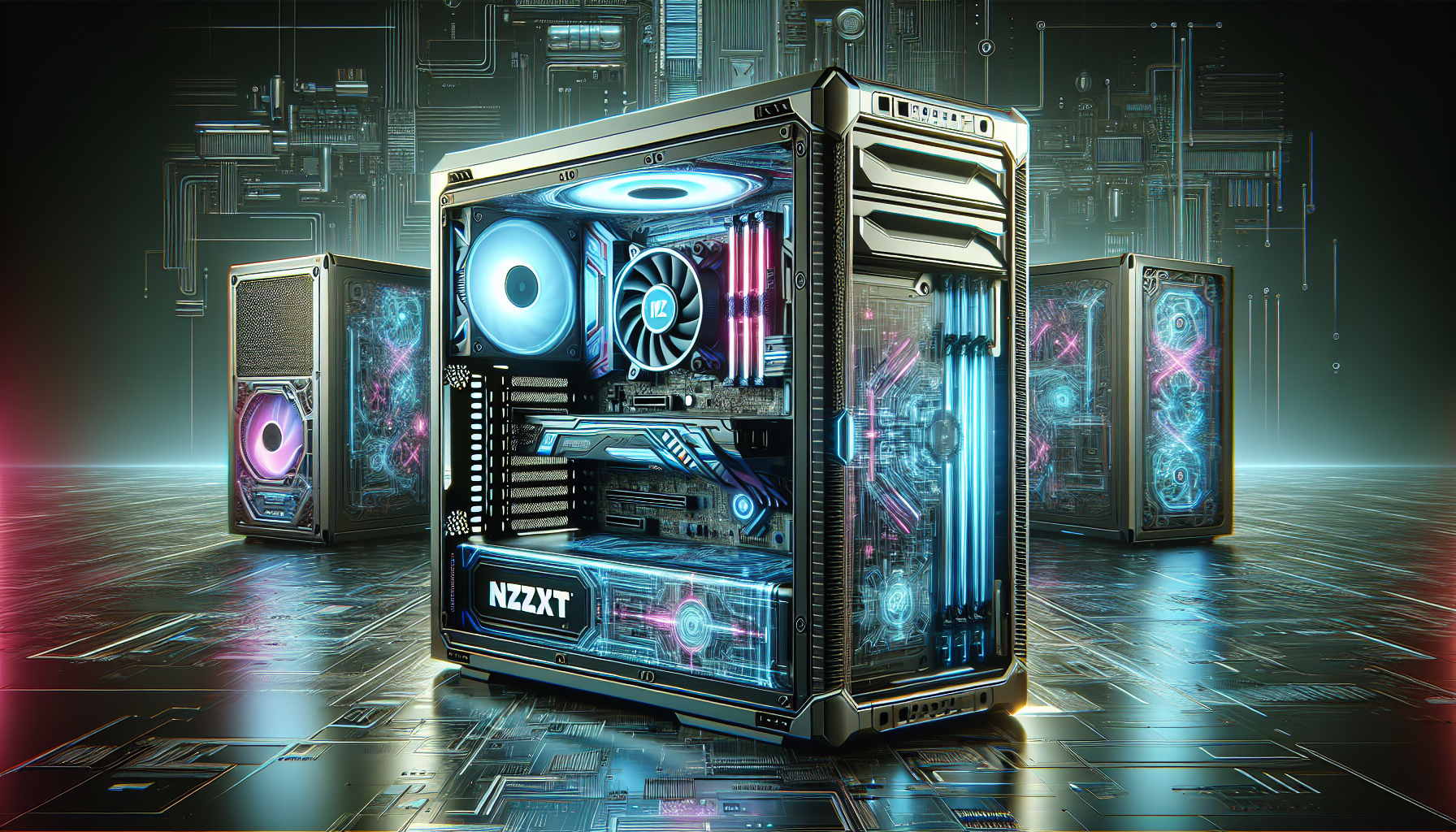
Understanding Computer Cases
The enclosure that houses the components of a desktop computer is not just about looks; it plays a critical role in the performance and longevity of the system. Let's delve into why a good case is essential and the various types available.
Importance of a Good Case
A well-designed computer case is fundamental to the overall functioning of the system. It provides the necessary physical protection for components, supports good air circulation to prevent overheating, and reduces noise from the internal fans and drives. In addition, a good case can make the installation and maintenance of hardware components much easier, with features like tool-less design and cable management systems.
For gamers in Australia, choosing the right case is particularly important. The intense workloads of modern games can generate a significant amount of heat, so a case that supports efficient cooling will help keep the system stable and extend the life of its components.
| Aspect | Benefit |
|---|---|
| Protection | Shields components from dust and physical damage |
| Cooling | Enhances airflow which is crucial for component longevity |
| Noise Reduction | Keeps acoustics low to avoid disruptions |
| Ease of Use | Simplifies component installation and maintenance |
Types of Cases
Computer cases come in a range of sizes and form factors to suit different needs and preferences. The common types include:
- Full Tower: Designed for the enthusiast, these cases are the largest available, offering ample space for multiple graphics cards, hard drives, and custom cooling solutions.
- Mid Tower: The most popular choice, mid tower cases strike a balance between size and expandability, suitable for most standard builds.
- Mini Tower: Smaller in size, these cases are designed for micro-ATX or mini-ITX motherboards, ideal for users who wish to save on space without compromising too much on performance.
- Small Form Factor (SFF): These cases are for builds where space is at a premium, such as for home theatre PCs or compact workstations.
The table below shows the general dimensions one can expect from each type of case:
| Case Type | Dimensions (H x W x D) | Motherboard Support |
|---|---|---|
| Full Tower | Above 56 cm x 20 cm x 46 cm | ATX, EATX, Micro-ATX, Mini-ITX |
| Mid Tower | 45-56 cm x 20 cm x 46 cm | ATX, Micro-ATX, Mini-ITX |
| Mini Tower | Below 45 cm x 20 cm x 46 cm | Micro-ATX, Mini-ITX |
| Small Form Factor | Varies greatly | Mini-ITX |
When choosing a case, it's important to consider not only the size of your motherboard but also the number and type of components you plan to install. Each case type offers different possibilities in terms of drive bays, expansion slots, and cooling configurations.
Spotlight on NZXT Cases
NZXT computer cases are at the forefront of the gaming industry, recognized for their innovative design and features. These cases cater to gamers who seek both aesthetics and functionality in their gaming setups. Below, we delve into the features that set NZXT cases apart and examine why gamers frequently opt for this brand.
Features of NZXT Cases
NZXT cases are celebrated for their combination of form and function. They are crafted with a focus on sleek and modern design, sporting clean lines and a minimalistic look that appeals to gamers who appreciate a refined aesthetic. The integration of tempered glass side panels not only adds to the sophistication but also provides a window to showcase the internal components and any RGB lighting.
| Feature | Description |
|---|---|
| Design | Sleek, modern with clean lines and minimalistic aesthetics |
| Side Panels | Tempered glass allowing visibility of internal components |
| Cable Management | Ample space with strategically placed routing channels |
| Airflow | Multiple fan mounting points and dust filters for optimal cooling |
| RGB Lighting | Integrated lighting with customizable effects |
The impeccable cable management in NZXT cases is a key feature, offering generous space behind the motherboard tray and strategically located routing channels to ensure a neat and uncluttered interior. This not only enhances the visual appeal but also facilitates better airflow.
Speaking of airflow, NZXT cases are engineered with cooling as a priority. They come equipped with multiple fan mounting points and include dust filters that help maintain a clean system while improving the longevity of the components by ensuring they remain cool during intensive gaming sessions.
Additionally, NZXT cases often feature integrated RGB lighting, which allows for a personalized touch. Gamers can select from a variety of customizable lighting effects to create a gaming environment that reflects their style and mood.
Why Gamers Choose NZXT
Gamers opt for NZXT computer cases for several compelling reasons. The combination of a visually appealing design, superior cooling capabilities, and the ease of component installation and cable management make NZXT a standout choice. The ability to personalize their gaming rig with RGB lighting is also a significant draw for this audience.
| Reason | Explanation |
|---|---|
| Aesthetics | Attractive design that complements a gaming setup |
| Cooling | Advanced cooling options for improved performance |
| Cable Management | Simplified organization for a clean look and better airflow |
| Customization | RGB lighting offers a personal touch to each gaming rig |
NZXT's commitment to these qualities aligns with the needs and preferences of gamers who demand both performance and style. The brand's focus on delivering a user-friendly experience, from assembly to operation, resonates well within the gaming community. It is these factors, among others, that contribute to NZXT's reputation as a top choice for gaming computer cases.
Choosing the Right Case
Selecting the right computer case is a pivotal decision for any gamer. It's not just about the visual appeal; the case is the foundation for protecting and optimizing the performance of the components housed within.
Compatibility with Components
Before falling for the design of a case, one must ensure it fits all the intended components. Compatibility is a cornerstone for building a gaming PC. Factors such as motherboard size (ATX, MicroATX, Mini-ITX), the length of GPUs, the number of drive bays, and available space for PSU should be taken into account.
| Component | Consideration |
|---|---|
| Motherboard | Case must match motherboard form factor |
| GPU | Sufficient clearance for length |
| Cooling System | Adequate space for radiators or fans |
| Storage | Number of 2.5" or 3.5" drive bays |
| PSU | Case must accommodate the PSU size |
According to "Choosing the Right PC Case" by PC Gamer, a mismatch between the case and motherboard can lead to unnecessary inconvenience and additional expense. Therefore, checking the case specifications thoroughly before purchase is essential.
Cooling and Airflow
Good airflow is critical in maintaining the longevity and performance of gaming components. Overheating can lead to throttling and even permanent damage. When selecting a case, one must consider the number and placement of fan mounts, the presence of dust filters, and the design of vents.
A well-designed case will support multiple cooling configurations, catering to both air and liquid cooling systems. The "The Importance of Good Airflow in Your PC Case" article by How-To Geek highlights the necessity of a well-ventilated case to prevent heat build-up.
Aesthetics and Design
The look and feel of a computer case are subjective yet important to many gamers. A case's design can include a tempered glass side panel to showcase internal components, customizable RGB lighting, and a sleek exterior that reflects the user's style. According to "The Best PC Cases for 2021" by Tom's Hardware, a case isn't just a box but a statement of personal taste and preference.
Design elements can also contribute to functionality, such as tool-less entry for easy access and cable management systems for a neat setup.
| Design Feature | Functionality |
|---|---|
| Tempered Glass Panel | Display internal components |
| RGB Lighting | Customizable aesthetics |
| Cable Management | Neat and unobstructed airflow |
| Tool-less Entry | Easy installation and upgrades |
Choosing the right case is a balance of compatibility, cooling, and personal style. Gamers must weigh these factors carefully to find the perfect home for their high-performance gaming hardware.
Where to Buy in Australia
Gamers in Australia looking to purchase NZXT computer cases have a variety of options, both online and in physical stores. These cases are popular for their design, functionality, and the ability to enhance the gaming experience.
Online Retailers
Online shopping provides convenience and often a wider selection of products. Several Australian online retailers stock NZXT computer cases and offer various services, including fast shipping and delivery options.
| Online Retailer | Website | Fast Shipping Option |
|---|---|---|
| Mwave | www.mwave.com.au | Yes |
| PC Case Gear | www.pccasegear.com.au | Yes |
| BPC Tech | www.bpctech.com.au | Yes |
These websites not only offer a range of NZXT cases but also provide detailed product specifications and customer reviews, which can be helpful when making a purchase decision. It is advisable for customers to check for availability and shipping times, as these can vary based on the retailer and the specific product.
Local Stores and Availability
For those who prefer to see and feel the product before buying, or who want to avoid waiting for delivery, local stores are a viable alternative. Some well-known stores that sell computer cases in Australia include:
- JB Hi-Fi
- Officeworks
The availability of NZXT computer cases in these stores may vary depending on the location and the store's inventory. Customers may want to call ahead to confirm the availability of a specific case model before making the trip.
| Local Store | Availability | Contact Store for Stock Confirmation |
|---|---|---|
| JB Hi-Fi | Varies by location | Recommended |
| Officeworks | Varies by location | Recommended |
Whether opting to buy online or in-store, gamers in Australia have multiple avenues to acquire NZXT computer cases. Each option has its own benefits, and the choice will depend on the individual's preference for convenience, immediacy, or hands-on experience.
Installation Tips
Setting up your gaming rig with NZXT computer cases can be an exciting but complex process. These installation tips will guide gamers through the assembly and setup stages, ensuring a smooth and efficient build.
Preparing for Assembly
Before diving into the assembly of NZXT computer cases, it is crucial to prepare all necessary components and tools. Here's a checklist to help you get started:
- Motherboard: This is the central hub for your computer, so ensure it's compatible with the NZXT case.
- CPU (Central Processing Unit): The processor should fit the motherboard's socket.
- RAM (Random Access Memory): Have the right type and amount for your gaming needs.
- Storage Devices: This includes both solid-state drives (SSDs) and hard disk drives (HDDs).
- Power Supply: Make sure it has the correct wattage and connectors for your components.
- Cooling System: Gather any fans or liquid cooling systems you plan to use.
- Additional Components: This may include graphics cards, sound cards, or network cards.
- Tools: Typically, a Phillips head screwdriver is essential.
Refer to the manufacturer's instructions for any specific requirements or recommendations for the NZXT case. It's also advisable to work in a clean and static-free environment to avoid damaging sensitive electronic parts.
Step-by-Step Case Setup
Assembling your gaming system within an NZXT case can be done efficiently by following these steps:
Remove Side Panels: Take off the case's side panels to access the interior. This is where you'll be working.
Install Motherboard:
- Place the motherboard inside the case, aligning it with the pre-installed standoffs.
- Secure the motherboard to the standoffs with screws.
- Install Components:
- CPU: Attach the CPU to the motherboard, locking it into place.
- RAM: Click the memory sticks into the RAM slots.
- Storage: Mount your SSDs or HDDs in the drive bays.
- Install Power Supply:
- Fit the power supply unit (PSU) into the designated space.
- Route the cables to where they will be needed, but do not connect them yet.
- Connect Cables:
- Connect the motherboard power cable from the PSU to the motherboard.
- Attach the CPU power cable.
- Connect data cables from the storage devices to the motherboard.
- Plug in the front panel connectors for power, reset, and LED indicators.
- Install Additional Cards:
- Secure any graphics cards or expansion cards into the appropriate slots on the motherboard.
- Manage Cables:
- Tidy up the cables using zip ties or the case's cable management features to optimize airflow and maintain a clean look.
- Reattach Side Panels:
- Once everything is connected and checked, reattach the side panels to the case.
- Final Check:
- Ensure that all connections are properly seated and that there is no loose hardware.
Following this step-by-step guide will help ensure that your NZXT computer case is set up correctly for optimal gaming performance. Remember to consult the user manuals for your specific components for any additional instructions or details.
Maintenance and Upgrades
For gamers, maintaining peak performance of their gaming rigs is crucial. NZXT computer cases, known for their quality and design, also require regular maintenance and occasionally, component upgrades to ensure they continue to meet the demands of modern gaming.
Cleaning Your Case
Keeping your NZXT case clean is essential for both aesthetic appeal and the longevity of your computer's components. Dust and debris can accumulate over time, leading to overheating and reduced efficiency.
Tools and Materials
- Soft brush or compressed air
- Microfiber cloths
- Isopropyl alcohol
Steps for Cleaning
- Power down your system and unplug all cables.
- Open the case by removing the side panel.
- Use a soft brush or compressed air to gently remove dust from the case's interior, fans, and air filters.
- Wipe down surfaces with a microfiber cloth. For stubborn grime, use isopropyl alcohol on the cloth.
- Clean the exterior of the case with a damp cloth, followed by a dry one to avoid any streaks.
Regular cleaning, as recommended by Source 1, Source 2, and Source 3, not only enhances performance but also ensures that your NZXT case continues to look as good as new.
Upgrading Case Components
Upgrading components within your NZXT case can breathe new life into your gaming setup. Whether it's additional fans, better cable management solutions, or installing new drives, here's what you need to know:
Considerations for Upgrades
- Compatibility with existing components
- Available space within the case
- Airflow and cooling requirements
Steps for Upgrades
- Assess your current setup and determine which components need upgrading.
- Research compatible components that fit within your NZXT case.
- Disconnect power and remove any necessary parts to access the areas you are upgrading.
- Install new components, being mindful of cable management and airflow.
- Test the system to ensure all new components are functioning correctly.
Refer to Source 4 and Source 5 for detailed guidance on upgrading your NZXT case components.
By regularly cleaning and updating your NZXT case, you ensure that your gaming PC not only runs efficiently but also stays up-to-date with the latest hardware advancements. These practices are key to unleashing the full potential of your gaming system.


