


Troubleshooting Made Easy: Professional Computer System Repair Near Me
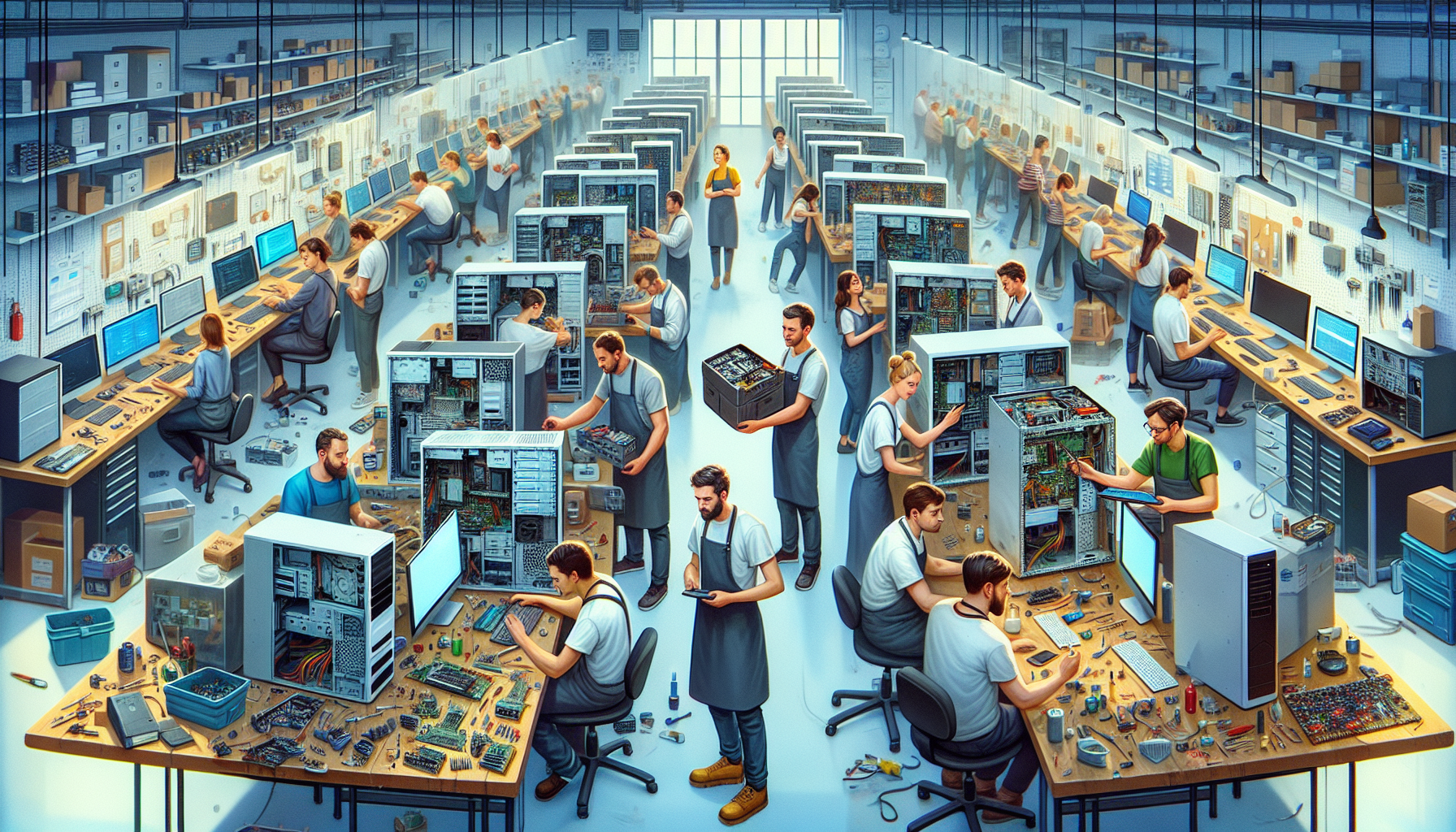
The Vital Role of Computer Systems in Modern Corporations
With the digital transformation of businesses, computer systems have become the backbone of modern corporations. They streamline operations, facilitate communication, and drive innovation. However, maintaining these systems is essential to ensure smooth and uninterrupted business operations.
The Importance of Maintaining Computer Systems
Maintaining computer systems is critical for any corporation that relies on technology for its day-to-day activities. Regular maintenance helps in preventing issues, ensures that systems are running at optimal efficiency, and can extend the life of the hardware. Here are key reasons why maintaining computer systems is important:
- Performance: Up-to-date systems run more effectively, with fewer slowdowns or crashes.
- Security: Regular updates and patches are essential for protecting against cyber threats.
- Productivity: Well-maintained systems reduce the risk of disruptions that can lead to productivity losses.
- Cost Savings: Proactive maintenance can be less expensive than reactive repairs or replacements.
Consequences of System Downtime
System downtime can have significant consequences for corporations, affecting both their operations and their bottom line. The impact of downtime includes:
- Financial Losses: Corporations may incur losses due to halted operations, which can affect revenue and incur additional costs.
- Reputation Damage: Frequent downtimes can harm a company's reputation, leading to a loss of customer trust and potentially affecting future business.
- Productivity Decline: Employees are unable to perform their duties effectively, leading to a decrease in productivity.
- Data Loss: In some cases, system failures can lead to data loss, which can be costly and time-consuming to recover.
| Consequence | Impact |
|---|---|
| Financial Losses | Direct loss of revenue, increased operational costs |
| Reputation Damage | Loss of customer trust, negative reviews |
| Productivity Decline | Reduced workforce efficiency, missed deadlines |
| Data Loss | Costly recovery process, potential permanent loss of information |
Proper care and maintenance of computer systems are thus imperative to prevent these consequences. When issues arise that cannot be resolved in-house, seeking professional computer system repair services becomes necessary. It is crucial to find a reliable service provider for 'computer system repair near me' to ensure minimal downtime and a quick return to normal operations.
Identifying Common Computer System Issues
When maintaining computer systems, it's crucial to identify and resolve issues promptly to prevent disruptions in corporate activities. Here we discuss common problems that can arise with computer systems, focusing on hardware failures, software glitches, and connectivity problems.
Hardware Failures
Hardware failures are physical problems that occur with the components of a computer system. These can range from malfunctioning hard drives to faulty memory modules. Common signs of hardware issues include unusual noises, overheating, system crashes, and the infamous 'blue screen of death'.
| Hardware Component | Common Failure Signs |
|---|---|
| Hard Drive | Clicking sounds, slow performance |
| Memory | System beeps, blue screens |
| Power Supply | Overheating, random shutdowns |
| Motherboard | Failure to boot, random freezes |
Dealing with hardware failures often requires physical inspection and replacement of the damaged components. It's advisable to consult with professionals experienced in computer systems hardware when encountering such issues.
Software Glitches
Software glitches are issues within the system's software that cause it to behave unexpectedly. These can be due to bugs in the software, compatibility issues, or improper configurations. Symptoms might include applications crashing, slow operation, or error messages during normal tasks.
When addressing software problems, it's crucial to keep systems updated and to perform regular checks for viruses and malware. In some cases, reinstalling the affected software or restoring the system to an earlier state can resolve the issue. More complex software issues may require the expertise of professionals from computer systems servicing.
Connectivity Problems
Connectivity problems pertain to the inability of a computer system to connect to a network or communicate with other devices. These issues can stem from a defective network card, incorrect network settings, or problems with the network infrastructure itself.
| Symptom | Possible Cause |
|---|---|
| Unable to connect to Wi-Fi | Network settings, Router issues |
| Slow internet speed | Bandwidth limitations, hardware limitations |
| Network drops | Faulty cables, hardware issues |
Resolving connectivity issues often involves checking the physical connections, updating network drivers, and ensuring that network settings are correctly configured. If problems persist, it might be necessary to seek out local expertise, such as computer systems technology specialists.
For corporations in Australia, where the reliance on computer systems is ever-increasing, understanding the common issues that can affect these systems is essential. Should these problems arise, locating 'computer system repair near me' becomes a priority to minimize downtime and maintain productivity. By recognising the signs of hardware failures, software glitches, and connectivity problems, IT departments can take prompt action and engage with the right computer systems servicing professionals to restore functionality swiftly.
The Essentials of Computer System Repair
Maintaining optimal functionality of computer systems is a critical task for any corporation. When issues arise, having the right knowledge and tools for computer system repair is paramount.
Diagnostic Tools and Techniques
Diagnosing computer system issues requires a systematic approach, using a variety of diagnostic tools and techniques. IT professionals employ software diagnostics, hardware testing tools, and analysis of system logs to pinpoint the root cause of a problem. These methods help to identify whether the issue lies within software configurations, hardware malfunctions, or other technical glitches.
| Diagnostic Method | Purpose |
|---|---|
| Software Diagnostics | Detect and resolve software conflicts and corrupted files |
| Hardware Testing Tools | Check the physical components for damage or failure |
| System Log Analysis | Review system logs to identify patterns and irregularities |
For more intricate system diagnostics, IT departments may use specialized software available in computer systems lab environments. These advanced systems allow for deep analysis and stress testing of computer systems hardware, ensuring all components are functioning correctly. Understanding how do computer systems work is essential in troubleshooting effectively.
When to Seek Professional Repair Services
While in-house IT teams can handle many repair tasks, certain situations necessitate seeking professional repair services. If in-house diagnostics and initial fixes do not resolve the issue, or if there is a risk of compromising sensitive data or system integrity, it is advisable to consult with experts.
Scenarios where professional services might be required include:
- Persistent software issues that resist basic troubleshooting steps
- Complex hardware failures that require specialized equipment or replacement parts
- Data recovery needs, particularly in the event of significant data loss or corruption
Corporations should establish criteria for when to transition from in-house troubleshooting to external assistance. Factors such as the severity of the issue, potential downtime, and cost implications are all critical considerations. IT purchase departments can find local experts by searching for 'computer system repair near me', leading to services like computer systems servicing that cater to the specific needs of corporate systems.
In choosing a professional service, it is important to consider their expertise in associated computer systems, responsiveness, and track record with advanced computer systems. Additionally, understanding the importance of primary storage is crucial, which is explained in our article on why do computer systems need primary storage.
The decision to seek professional help should be based on a clear assessment of the issue's impact and the potential benefits of expert intervention. This ensures that computer systems remain reliable and efficient, supporting the ongoing success of the corporation.
Finding the Right Computer System Repair Services
Securing proficient computer system repair services is integral for maintaining the operational integrity of a corporation's technological infrastructure. When systems falter, identifying a reliable service provider becomes imperative to reinstate functionality and minimize downtime.
Criteria for Choosing a Repair Service
Selecting the right computer system repair service hinges on several critical criteria:
Expertise and Experience: The service provider should have a proven track record in troubleshooting and repairing a range of computer systems, from associated computer systems to advanced computer systems.
Certifications: Look for providers with certified technicians who are up-to-date with the latest computer systems technology and repair methodologies.
Service Offerings: Ensure that the provider can cater to all aspects of computer systems servicing, including hardware, software, and connectivity issues.
Turnaround Time: Fast and efficient repair work is essential to reduce system downtime. Opt for services known for their swift response.
Customer Service: A provider that offers excellent customer service and clear communication is more likely to deliver a satisfactory repair experience.
Warranty and Support: Post-repair support and service warranty can provide peace of mind and protect your investment in the repair service.
Pricing Structure: Competitive pricing is important, but it should be balanced with the quality of service offered.
The Benefits of Local Repair Services
Local repair services can offer numerous advantages, particularly for corporations operating within Australia:
- Proximity: Nearby repair services can significantly reduce travel time for service technicians, leading to faster diagnostics and repair.
- Local Knowledge: Technicians familiar with the local business environment may offer more tailored services and advice.
- Personalised Service: A local provider may deliver more personalized attention compared to larger, impersonal companies.
- Community Support: Opting for local services helps to support the Australian IT support landscape, fostering growth within the community.
For IT Purchase Departments, understanding the nuances of how do computer systems work and recognising the importance of why computer systems need primary storage can inform better decision-making when choosing a repair service. It is beneficial to select a provider that not only addresses immediate repair needs but also understands the broader context of a corporation's technological ecosystem, including computer systems hardware and universal computer systems.
Ultimately, the decision to opt for a local repair service should align with a corporation's core operational requirements and long-term IT strategy, ensuring that systems are maintained at peak performance and reliability.
Steps to Take Before Professional Repair
Before seeking out professional repair services for computer systems, there are essential steps that corporations should undertake. These steps are crucial in safeguarding data and understanding the extent of the issue, which can ultimately save time and resources during the repair process.
Data Backup and Protection
The protection of critical data is paramount before any repair procedures begin. Corporations should ensure that all sensitive and vital data is backed up. This not only secures the data against potential loss during repair but also ensures business continuity.
A systematic approach to data backup involves:
- Identifying all critical data within the system
- Utilizing reliable backup software or services
- Storing backups in multiple locations, including off-site storage
It's advisable to perform regular backups as part of a routine maintenance schedule. For more information on how to effectively protect and backup corporate data, be sure to read about advanced computer systems and associated computer systems which can provide insights on the best practices.
Assessing the Scope of Issues
Before reaching out to a 'computer system repair near me', understanding the scope and scale of the issues at hand is essential. A thorough assessment can help in communicating the problem accurately to the service provider, leading to a more efficient repair process.
The assessment should include:
- A detailed description of any error messages or irregular system behavior
- Documentation of when the issue first occurred and its frequency
- Any troubleshooting steps already taken by the in-house IT team
By evaluating the scope of the problem, corporations can determine whether the repair requires immediate attention or if it can be scheduled to minimize disruption to daily operations. Articles such as how do computer systems work and what are computer systems could provide foundational knowledge to assist in this initial assessment process.
By following these steps before professional repair, corporations can ensure that their computer systems are handled with care, and the risk of data loss is mitigated. It also allows for a smoother transition when working with local experts who specialize in computer systems technology and computer systems servicing.
Preventative Measures and Maintenance
To ensure the longevity and efficiency of computer systems, preventative measures and proper maintenance are indispensable. It is far more cost-effective and less disruptive to prevent problems than to fix them after they occur.
Regular System Check-Ups
Regular system check-ups are essential to catch potential issues before they evolve into significant problems. These check-ups involve the auditing of both hardware and software components to ensure they are functioning optimally.
Routine diagnostics should include the following:
- Verification of system updates and patch installations.
- Scans for malware and viruses.
- Checking the integrity of hard drives and memory components.
- Cleaning of internal components to prevent overheating and dust buildup.
When issues are identified early, they can often be rectified with minimal impact on operations. For a more thorough understanding of the types of check-ups pertinent to different systems, individuals can refer to articles like associated computer systems and advanced computer systems.
Employee Training on System Care
Educating employees on the basics of system care is a crucial component of preventative maintenance. Training should cover fundamental practices such as:
- Recognising and reporting unusual system behaviour.
- Managing software updates and not disabling automatic updates.
- Understanding the importance of using secure passwords and maintaining cybersecurity practices.
By equipping employees with the knowledge of how to care for their systems properly, corporations can significantly reduce the risk of accidental damage or security breaches. Resources and training materials can be found at computer systems technology and why do computer systems need primary storage.
Investing in regular maintenance and employee education can not only extend the life of computer systems but also ensure that they continue to serve the needs of the corporation efficiently. This proactive approach to system care is critical for any corporation that relies heavily on technology for its daily operations.
Navigating Repair Services in Australia
Navigating the repair service landscape in Australia can be a crucial task for IT Purchase Departments, ensuring the seamless operation of their corporate computer systems. Understanding the IT support structure and the local expertise available is key to maintaining system integrity and functionality.
Understanding the Australian IT Support Landscape
The IT support sector in Australia is a dynamic and diverse field, featuring a wide range of service providers, from specialised boutiques to large-scale enterprises. These services cover the spectrum of IT needs, including computer systems, associated computer systems, and advanced computer systems support.
The Australian market is known for its robust service standards and compliance with international best practices, ensuring high-quality repair services for corporations. For IT departments, understanding the certifications and accreditations of local providers is of paramount importance. Providers that adhere to standards such as ISO/IEC 27001 for information security management can offer additional reassurance when it comes to handling sensitive corporate data during the repair process.
Leveraging Local Expertise for System Repairs
When searching for 'computer system repair near me', IT departments should consider leveraging the local expertise for several reasons. Local service providers are often more accessible for in-person consultations, which can speed up the diagnosis and repair process. They also tend to have a better understanding of the regional infrastructure challenges and can provide tailored support that aligns with the specific needs of the business environment.
Local technicians are also a valuable resource for insights into preventative measures and maintenance, which can be found in articles about computer systems servicing and computer systems technology. Engaging with local experts not only supports the local economy but also fosters a relationship that can be beneficial for ongoing system care and emergency support.
When considering local repair services, IT departments should also evaluate the breadth of expertise offered by providers. Services that encompass computer systems hardware, software, and connectivity issues can offer comprehensive support. Additional resources such as computer systems lab can provide advanced diagnostics and solutions for complex problems.
Choosing the right service provider can be instrumental in minimising system downtime and maintaining productivity. As such, IT departments are encouraged to develop relationships with providers who demonstrate an in-depth understanding of how computer systems work and the importance of primary storage as discussed in why do computer systems need primary storage.
By thoroughly understanding the Australian IT support landscape and leveraging local expertise, corporations can ensure their computer systems are maintained to the highest standard, reducing the risk of costly downtime and ensuring the smooth operation of their business processes.


