


The Ultimate Guide to the Best Gaming Chair for Posture
Understanding Gaming Chairs
Gaming Chairs Overview
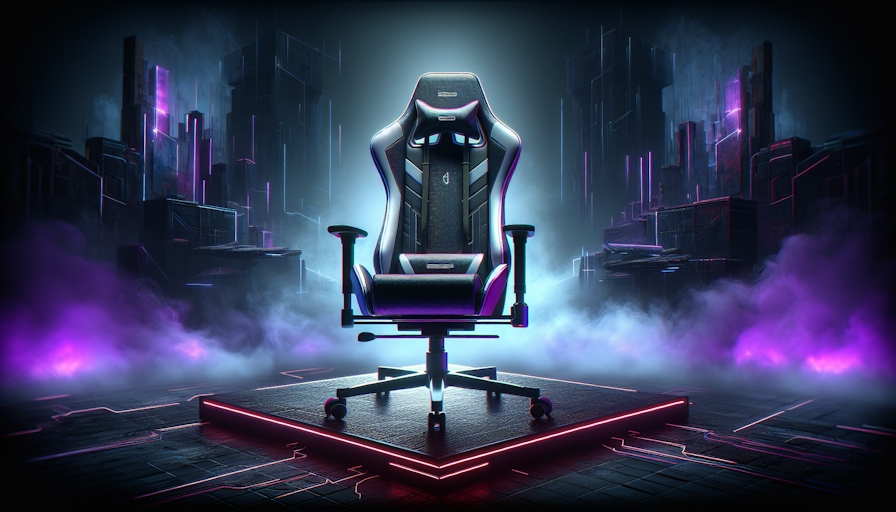
Gaming chairs have become a vital accessory for gamers, streamers, and individuals who spend extended hours at a computer. These chairs are specifically designed to provide optimal comfort and support during long gaming sessions. Unlike traditional office chairs, gaming chairs often emulate the style and features of racing car seats, combining aesthetics with functionality.
Typically, the best gaming chair for posture is equipped with a variety of ergonomic features, including adjustable height, lumbar support, and backrest tilt. These features help to maintain proper sitting posture, which is essential when sitting for long periods. Many gaming chairs also incorporate high-quality materials that enhance durability and comfort.
Features of Gaming Chairs
Gaming chairs are equipped with several key features aimed at enhancing user experience and promoting health. Below are some significant features that one may encounter:
| Feature | Description |
|---|---|
| Adjustable Height | Allows users to set the chair to an optimal height for their desk setup. |
| Lumbar Support | Offers additional support to the lower back, essential for maintaining spinal health. Options may include adjustable lumbar cushions or built-in mechanisms, such as those found in AndaSeat gaming chairs. |
| Backrest Tilt | Enables users to recline the chair for comfort and relaxation. A seat angle lock feature can also help alleviate back pain by adjusting to a reclined position. |
| High-Quality Materials | Many gaming chairs use breathable fabrics and thick padding to ensure comfort during extended use. |
| Rocking Functionality | Allows for slight movement, which can help reduce tension and promote circulation. |
Adjusting these features is crucial to ensure optimal comfort and posture. For best results, it is recommended that users adjust their chair settings according to personal preferences and specific needs. Features such as adjustable armrests, neck support, and footrests can also aid in improving overall blood circulation and comfort during long gaming sessions.
For more information on how gaming chairs compare with traditional office chairs, visit our section on gaming chair vs office chair. Understanding the benefits and features of gaming chairs can greatly enhance the overall gaming experience while supporting good posture and health.
Benefits of Gaming Chairs
Gaming chairs not only cater to the aesthetic desires of gamers but also provide multiple features aimed at enhancing comfort and support, as well as improving posture during extended usage.
Comfort and Support
One of the primary benefits of gaming chairs is their focus on comfort and support. They often include adjustable lumbar support cushions or built-in lumbar support mechanisms that are essential for maintaining the natural curvature of the spine (AndaSeat). This feature helps in reducing discomfort during long gaming sessions.
| Feature | Description |
|---|---|
| Adjustable Lumbar Support | Supports the natural curvature of the spine |
| Seat Angle Lock | Allows for a reclined position to alleviate back pain |
| Breathable Material | Keeps users cool and comfortable during extended use |
Gaming chairs are designed with various adjustable components, from height to tilt, allowing users to customize their seating position. The ability to adjust these elements helps to accommodate various body types, ensuring that all individuals can sit comfortably while gaming. This adaptability is crucial, particularly for those who may require different configurations for optimal comfort.
Posture Improvement
Proper posture is crucial for preventing long-term health issues, especially for individuals spending hours sitting at a computer. Gaming chairs are engineered to promote better posture by offering features that encourage alignment of the spine.
For instance, models like the Herman Miller Embody, created in collaboration with Logitech G, are designed specifically to improve posture during intense gaming sessions. This chair includes adjustable height, backfit adjustment, and a smooth tilt feature to support a healthy sitting position (TechRadar).
Moreover, the AndaSeat Kaiser 3 XL is recommended for bigger users, boasting excellent lumbar support and adjustability for accommodating individuals up to 395lb / 180kg and 6'8" / 210cm in height.
These features not only promote better posture but also enhance overall gaming experiences by minimizing physical strain. Learning about the differences between various seating options is important, and one can explore gaming chair vs office chair for a comprehensive comparison of ergonomic benefits. For those seeking to delve into specific ergonomic features, additional reading is available in our section on ergonomic chair features.
Ergonomic Office Chairs
Choosing the right chair for long hours of gaming or work is crucial for maintaining comfort and promoting proper posture. This section highlights the features of ergonomic office chairs and discusses the ergonomics necessary for extended use.
Office Chairs Features
Ergonomic office chairs come with a variety of features geared towards providing optimal comfort and support. These features include:
| Feature | Description |
|---|---|
| Customizable Seat Depth | Allows users to adjust the depth of the seat for better comfort. |
| Height Adjustability | Adjustable seat height ensures proper alignment with desks. |
| Tilt Tension | Users can modify the tilting resistance, adapting it to their preferences. |
| Adjustable Armrests | Armrests can be modified in height and width for added support. |
| Lumbar Support | Built-in or adjustable lumbar support to maintain the natural curve of the spine. |
| Movable Headrests | Ensures neck support can be positioned comfortably for extended periods. |
These features, along with those offered by a gaming chair, contribute to their increasing popularity among gamers, streamers, and office workers alike.
Ergonomics for Extended Use
Proper ergonomics play a significant role in promoting longevity and comfort for users who spend long periods seated. Ergonomically designed chairs reduce the risk of back and neck pain, as well as improve posture (Meetion). Key elements of ergonomics include:
- Adjustability: The ability to finely tune settings based on individual body types enhances comfort and support.
- Weight Capacity: Selecting a chair with a higher weight capacity than necessary is advisable for stability and durability during heavier use (Meetion).
- Maintenance: Following manufacturer guidelines on cleaning and care, and routinely inspecting for wear and tear, maximises the lifespan and effectiveness of the chair (Meetion).
For users looking for a balance of style and ergonomic support, exploring the features of both ergonomic chairs and gaming chairs could provide optimal solutions for their gaming and working environment.
Choosing the Right Chair
Selecting the right chair is essential for anyone investing long hours in gaming or working, especially for those prioritising ergonomic support and comfort. When considering options between gaming chairs and ergonomic office chairs, several factors can influence the decision.
Factors for Selection
Adjustability: The chair's ability to adapt to individual needs is crucial. Many gaming chairs, like AndaSeat gaming chairs, offer features such as adjustable lumbar support cushions and 4-way built-in lumbar support mechanisms designed to maintain proper posture. Ergonomic office chairs usually include extensive adjustments, including customizable seat depth, height, tilt tension, adjustable armrests, and lumbar support.
Weight Capacity: A chair's weight capacity significantly impacts its longevity. Choosing a chair with a higher weight capacity than necessary can ensure durability and stability during prolonged use (Meetion).
Recline Angle: The ability to recline can prevent discomfort and enhance relaxation during extended periods of use. High-quality gaming chairs often allow adjusting the backrest's reclining angle to help prevent back pain (FlexiSpot).
Materials and Build Quality: The materials used in the chair's construction can affect both comfort and durability. Look for chairs made from breathable fabrics or high-quality leatherette that can withstand regular use.
Maintenance: Proper maintenance, including following cleaning instructions and regular inspections for wear, is vital for prolonging a chair's lifespan.
Comparison of Top Picks
The table below presents a comparison of popular gaming and ergonomic chairs, highlighting key features to consider for posture improvement and comfort.
| Chair Type | Adjustable Lumbar Support | Weight Capacity | Recline Angle | Price Range |
|---|---|---|---|---|
| AndaSeat Gaming Chair | Yes | Up to 400 lbs | 100-110° | $300 - $450 |
| Ergonomic Office Chair | Yes | Up to 300 lbs | 90-120° | $150 - $600 |
| Other Gaming Chairs | Varies | Up to 250 lbs | 100-130° | $200 - $500 |
| Premium Office Chair | Extensive adjustments | Up to 350 lbs | 90-130° | $400 - $1,000 |
Choosing between a gaming chair and an ergonomic office chair ultimately depends on individual preferences and specific needs. For gamers, a gaming chair with lumbar support may offer the comfort and style desired, while those working long hours might prefer an ergonomic chair for home office that provides extensive adjustability and support. Exploring the gaming chair vs office chair debate can further guide this decision.


