


The Soundtrack of Gaming: Unlocking the Potential of Gaming Laptops in Music Production
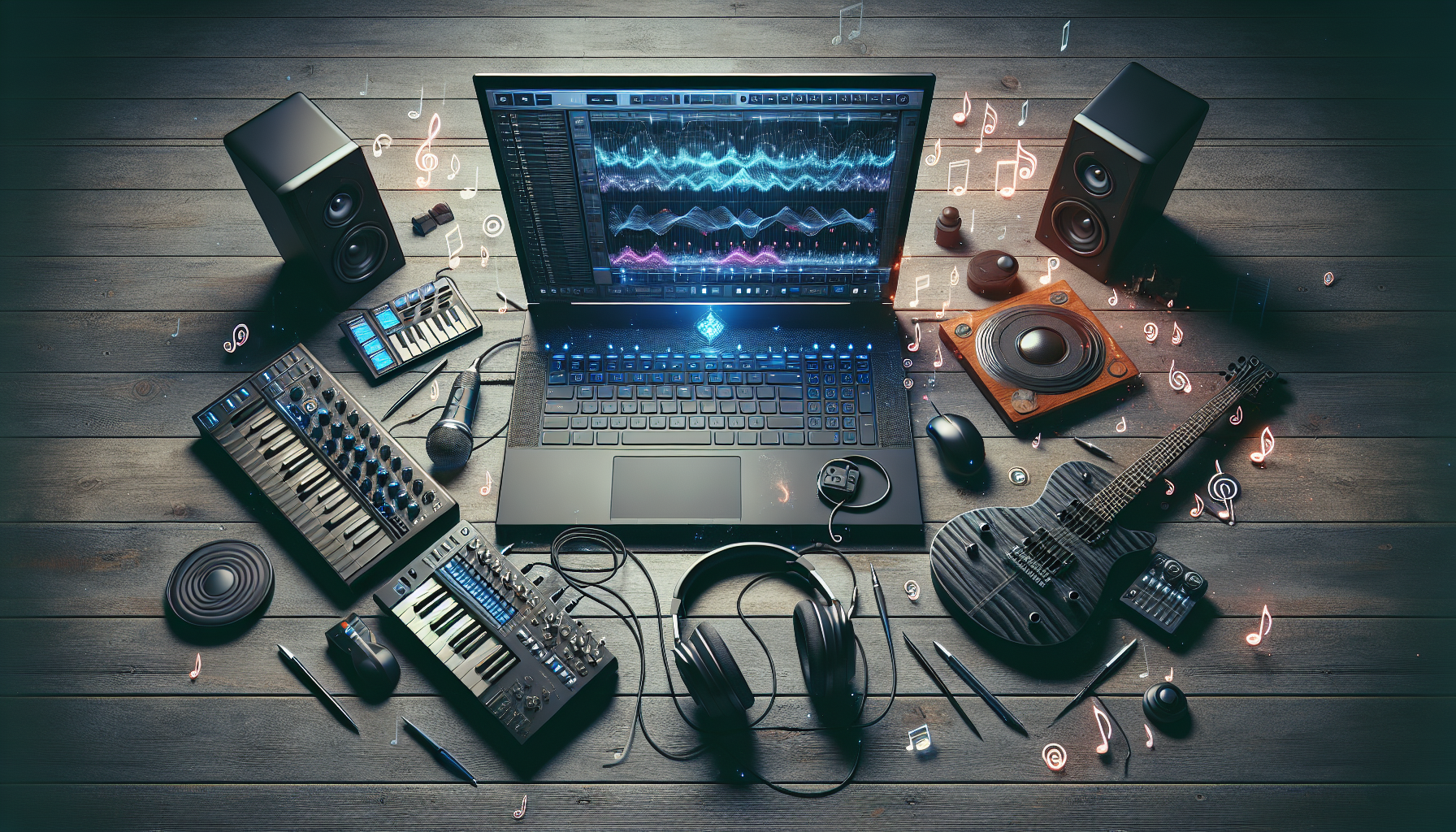
Gaming Laptops for Music Production
The gaming community has long appreciated the high-performance hardware that gaming laptops bring to the table. However, these powerful machines are not just limited to gaming; they have the potential to be excellent tools for creative endeavours such as music production. Let's delve into their capabilities.
Performance and Power
Gaming laptops are designed to handle high-performance tasks. They are equipped with powerful processors, high-speed memory, and superior graphics cards. These specifications not only make them ideal for gaming but also for music production which requires similar resources for tasks such as audio processing, synthesizing, and real-time effects rendering.
| Component | Benefit for Music Production |
|---|---|
| High-speed Processor | Allows for quick audio processing and running multiple plugins |
| Large RAM | Supports running multiple instruments and effects simultaneously |
| Dedicated GPU | Facilitates video rendering for music videos and visualizers |
It is crucial for music producers to have a system that can keep up with their creative flow without lag or interruptions. Gaming laptops, particularly those with the latest CPUs and ample RAM, provide the necessary horsepower to support complex music production workloads.
When considering a gaming laptop for music production, it's vital to factor in aspects such as thermal management and system stability. High-performance tasks can generate significant heat, and so it is worth exploring whether do gaming laptops need cooling pads to maintain optimal performance. Additionally, discussions around do gaming laptops overheat, do gaming laptops get hot, and do gaming laptops last long are pertinent to ensuring a long-lasting setup for music production.
Compatibility with Music Software
The compatibility of gaming laptops with music production software is a vital consideration. While Logic Pro is a staple in many Mac-based studios, Windows-based gaming laptops offer a broad range of compatible music software options that are equally powerful, such as Ableton Live, FL Studio, Cubase, and Pro Tools. Each of these tools provides recording, editing, mixing, and mastering capabilities to produce high-quality music.
Musicians and producers need to ensure that the gaming laptop they choose is compatible with their preferred production software, both in terms of system requirements and hardware support. The flexibility to connect various external devices and MIDI controllers is also a key feature to look for when selecting a laptop for music production. Ensuring seamless integration with these tools can greatly enhance the creative process.
In summary, gaming laptops have the potential to be formidable music production machines, thanks to their robust performance and compatibility with a wide range of music production software. Whether you are a gamer looking to venture into music production or a musician on the hunt for a powerful yet flexible workstation, gaming laptops can meet your needs. For those on a budget, it's worth exploring options like gaming laptops for under 1000 to find a balance between performance and affordability.
Key Features for Production
For individuals in Melbourne who are enthusiastic about gaming and music production, gaming laptops can be a versatile choice. The right gaming laptop can serve as a powerful music production tool, provided it has the essential features to support the demanding nature of audio tasks.
CPU and Memory
The brain and the brawn of any music production setup are the CPU (Central Processing Unit) and memory. A high-performance CPU ensures swift audio processing and the ability to handle multiple plugins and tracks without latency or crashes. Memory, or RAM, complements the CPU by allowing for the smooth running of complex sessions with plenty of headroom for large sample libraries and instruments.
| Feature | Recommended Specification |
|---|---|
| CPU | Quad-core processor (minimum), Intel i5/i7/i9 or AMD Ryzen |
| Memory | 16GB RAM (minimum), 32GB or more (preferred) |
When considering gaming laptops for under 1000, it's important to verify that the CPU and memory meet these recommended specifications to ensure they can adequately support music production software.
Audio Output Quality
The audio output quality is critical in music production. Gaming laptops often come with high-definition audio interfaces that support a wide range of frequencies, providing a clear and accurate sound for monitoring. However, serious music producers should consider using an external audio interface for even higher quality sound and additional inputs/outputs.
The inbuilt audio outputs are typically suitable for preliminary work, but for mixing and mastering, one should opt for professional studio monitors or headphones connected to an external audio interface to achieve the best sonic fidelity.
Connectivity Options
Connectivity is another key feature for a production-ready gaming laptop. A variety of ports will allow producers to connect external devices and MIDI controllers, which are indispensable for a flexible music-making experience.
| Port Type | Utility |
|---|---|
| USB 3.0/3.1/Type-C | Connecting audio interfaces, MIDI controllers, hard drives |
| HDMI/Mini DisplayPort | External displays for expanded screen real estate |
| Thunderbolt 3/4 | Fast data transfer and connection of high-end peripherals |
It's important to note that some gaming laptops might get hot or overheat, leading to throttling and reduced performance. It might be necessary to invest in cooling pads to maintain optimal temperatures during long production sessions.
In summary, the CPU and memory, audio output quality, and connectivity options are fundamental features that determine the efficacy of gaming laptops in music production. Although gaming laptops are engineered for performance, it's crucial to select a model that aligns with the specific needs of music production to ensure longevity and sustained performance without overheating issues.
Software Considerations
When it comes to music production, the software environment is as critical as the hardware. For individuals questioning whether are gaming laptops good for music production, understanding software compatibility and performance is essential.
Running Logic Pro
Logic Pro is a heavyweight in the music production software arena, renowned for its comprehensive suite of tools for recording, editing, and mixing music. It boasts an extensive collection of instruments and effects that empower creators to produce sophisticated sounds and fine-tune them to perfection. However, Logic Pro is designed for Mac OS and is a staple for many MacBook Pro users due to the system's hardware optimization, ensuring seamless performance during intensive music production tasks.
For gaming laptops, running Logic Pro isn't natively possible due to the operating system incompatibility. However, for those committed to Logic Pro, options like Boot Camp or virtual machines can be explored, but with potential trade-offs in performance. It's important to consider these intricacies before deciding on a gaming laptop for music production if Logic Pro is your software of choice.
| Software | Compatibility | Performance |
|---|---|---|
| Logic Pro | Mac OS | Optimized for Mac hardware |
| Logic Pro (via Boot Camp or VM) | Gaming Laptops (Windows) | May have performance trade-offs |
Alternative Music Production Tools
For those opting for a gaming laptop, there are numerous powerful alternatives to Logic Pro that are compatible with Windows. Ableton Live 12, for instance, is a highly regarded music production tool that offers features such as a new bi-timbral synth, Meld, and expansion packs like Granulator III and Trap Drums by Sound Oracle. Its compatibility with Windows makes it a suitable choice for gaming laptops.
Gaming laptops are often equipped with robust CPU and memory specifications, making them capable of handling demanding music production software. The use of such tools can leverage the gaming laptop's high performance, catering to tasks like live music production, synthesis, and complex sound engineering.
Here are some popular music production tools compatible with gaming laptops:
| Software | Key Features | Windows Compatibility |
|---|---|---|
| Ableton Live 12 | Bi-timbral synth, Meld, Granulator III, Trap Drums expansion packs | Yes |
| FL Studio | Pattern-based music sequencer, extensive plugins | Yes |
| Cubase | Advanced audio and MIDI tools, virtual instruments | Yes |
Musicians and producers should consider the available software options and how well they integrate with their gaming laptop's hardware capabilities. The right combination can unlock a robust music production setup that rivals traditional Mac-based systems. For more insights into gaming laptop longevity and performance considerations, explore our articles on do gaming laptops last long and do gaming laptops overheat.
Hardware Integration
Integrating hardware effectively with gaming laptops can significantly enhance the music production experience. This section explores the potential of the Touch Bar and the connectivity with external devices and MIDI controllers.
Use of Touch Bar
The Touch Bar on MacBook Pro has revolutionised control in music production, especially for users of Logic Pro. It offers intuitive access to shortcuts, key commands, and even timeline navigation, making it a valuable tool for composers and producers.
For instance, the Touch Bar can be programmed to display a variety of musical tools. Users can adjust volume sliders, trigger samples, and switch between different instruments without the need for a mouse or trackpad. This level of integration helps streamline the creative process and can enhance workflow efficiency.
Moreover, the Logic Remote, an iOS app designed for Logic Pro, extends this functionality to iPads and iPhones, offering additional control surfaces and further mobility within the production environment.
External Devices and MIDI Controllers
The expansive capability of gaming laptops, including those with specifications on par with the MacBook Pro, is evident when it comes to peripheral connectivity. Music producers can connect a wide array of external devices and MIDI controllers to their gaming laptops, opening up a world of possibilities for sound manipulation and live performance.
MIDI controllers, in particular, provide tactile control over virtual instruments and software synthesizers, making them indispensable in modern music production. Gaming laptops with multiple USB ports and MIDI interfaces allow for a seamless connection of these devices, ensuring that every nuance of a performance is captured.
Furthermore, many music software applications offer customisable settings to integrate external hardware effectively. This means that whether one is using a keyboard, drum pad, or control surface, the gaming laptop can become the central hub for all music production needs.
Here's a quick look at the types of devices typically used in conjunction with gaming laptops for music production:
| Device Type | Function |
|---|---|
| MIDI Keyboard Controllers | Playing and recording virtual instruments |
| Drum Pads | Triggering samples and beats |
| Control Surfaces | Mixing and adjusting parameters |
| Audio Interfaces | High-quality audio input and output |
For users concerned about the longevity and performance of their gaming laptops during intense music production sessions, it is advisable to consider additional cooling solutions. Articles on do gaming laptops need cooling pads and do gaming laptops overheat provide further insight into maintaining optimal conditions for hardware.
Gaming laptops have indeed become powerful allies in the realm of music production. With the right integration of touch interfaces and external devices, they offer an environment that nurtures creativity and facilitates the complex demands of audio workflows.
Workflow Enhancements
Optimizing workflow is crucial for music producers who need to manage various tasks efficiently. Gaming laptops have certain features that can significantly enhance the music production workflow, making them suitable for this creative process.
Multi-tasking Capabilities
Gaming laptops are equipped with powerful CPUs and ample memory, which are essential for handling multiple software applications simultaneously. This multi-tasking capability allows music producers to seamlessly switch between different tasks such as recording, editing, and mixing without experiencing lag or system crashes.
For instance, while using demanding music production software like Logic Pro, a producer might need to access other tools or reference materials online. Gaming laptops can handle this level of task-switching with ease, thanks to their high-performance components.
Additionally, many gaming laptops come with high-resolution displays and the option for multiple monitor setups. This allows producers to expand their digital workspace, keeping various elements of their projects visible and quickly accessible.
Mobility and Flexibility
One of the key advantages of using a gaming laptop for music production is the mobility it offers. Unlike desktop computers, a gaming laptop can be easily transported between different locations, whether it's moving from the studio to a live venue or working on projects while travelling.
This portability does not come at the expense of power. Gaming laptops are designed to deliver desktop-grade performance in a compact form. They also have robust build quality that can withstand the rigours of travel, ensuring durability over time. For insights on how gaming laptops fare over time, consider reading do gaming laptops last long.
Moreover, the flexibility of gaming laptops extends to their battery life. While they may not match the longevity of some non-gaming laptops, they offer a decent amount of unplugged usage, which is beneficial for producers who need to work on the go.
For those concerned about overheating, which can be an issue with high-performance laptops, there are cooling solutions available. It's worth exploring whether do gaming laptops need cooling pads to maintain optimal performance during lengthy music production sessions.
In conclusion, gaming laptops provide the multi-tasking prowess and mobility that modern music producers require. With the right setup and maintenance, these machines can be powerful allies in the creative process, offering a blend of performance and flexibility that can greatly enhance musical productivity.
Comparing with MacBook Pro
When considering if gaming laptops are good for music production, it's inevitable to draw comparisons with the MacBook Pro, a staple in the music industry. Let's dissect the hardware optimization and software ecosystem compatibility of gaming laptops in relation to the MacBook Pro.
Hardware Optimization
The MacBook Pro is renowned for its hardware optimization, particularly when running Logic Pro and other professional music software. It ensures smooth performance during music production tasks, which is a testament to its reliability in the industry.
| Feature | Gaming Laptops | MacBook Pro |
|---|---|---|
| CPU | High-performance multi-core processors | Apple M1 or Intel Core processors |
| GPU | High-end graphics cards | Integrated or discrete GPU |
| RAM | Up to 64GB | Up to 64GB |
| Storage | SSDs with high read/write speeds | SSDs with high read/write speeds |
| Cooling | Advanced cooling systems | Efficient thermal architecture |
Gaming laptops also boast high-performance CPUs, ample RAM, and fast storage solutions, much like the MacBook Pro. However, they often include dedicated high-end graphics cards that are not as necessary for music production. Users should be aware that these components can generate considerable heat, and may need to consider whether gaming laptops need cooling pads to maintain optimal performance.
Software Ecosystem Compatibility
The software ecosystem of the MacBook Pro is a strong suit, especially for music creators who rely on Logic Pro, a robust tool for recording, editing, and mixing music. Logic Pro offers an extensive library of instruments and effects that are finely tuned to work seamlessly with Mac hardware.
The MacBook Pro further enhances music production with innovative features like the Touch Bar, which provides immediate access to important functions and settings in Logic Pro. Additionally, Logic Remote allows users to wirelessly control Logic Pro from their iPad or iPhone, adding a layer of convenience and control to the music production process.
Gaming laptops, while compatible with a wide range of music production software, may not offer the same level of integration with specific tools like Logic Pro. Musicians and producers working on gaming laptops might need to consider alternative music production tools that are optimized for the Windows environment or investigate if dual-boot options can fulfill their requirements.
In summary, while gaming laptops offer powerful hardware that can be utilized for music production, the MacBook Pro stands out with its tailored hardware optimization and a software ecosystem that's designed to work in concert with music production software like Logic Pro. For gamers who are also music producers, these considerations are crucial when deciding between the flexibility of a gaming laptop and the targeted performance of a MacBook Pro.
For those on a budget, exploring gaming laptops for under 1000 could be a starting point, while keeping in mind the longevity and potential heating issues, as discussed in do gaming laptops last long and do gaming laptops get hot.


