


The Secret to Gaming Success: Do Gaming Laptops Really Need Cooling Pads?
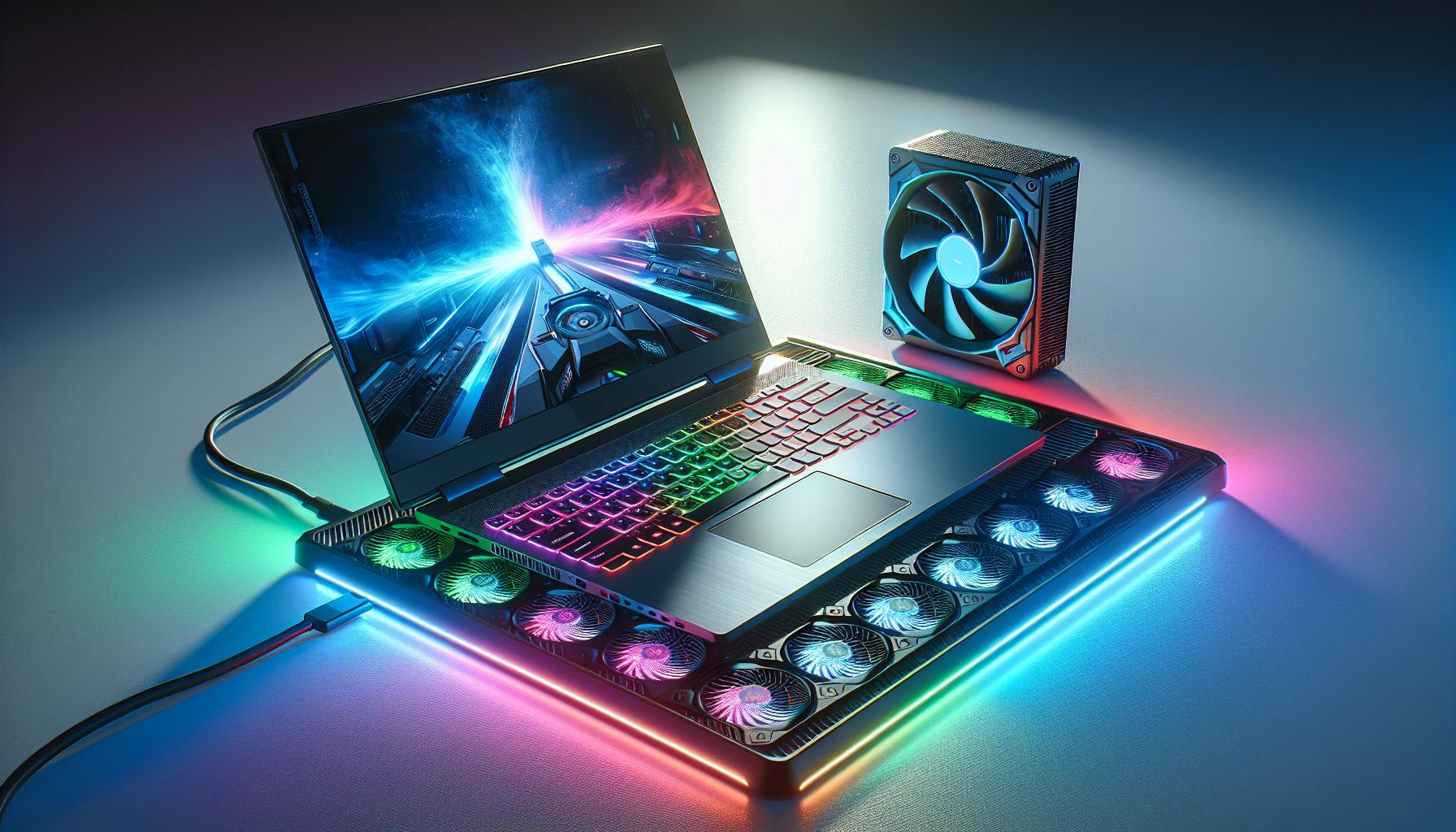
The Heat is On: Gaming Laptops and Thermal Management
The performance of gaming laptops is a crucial aspect for gamers, particularly for the audience of 18-35 in Melbourne, who demand high-speed action and graphics-intensive experiences. But with great power comes great responsibility, especially when it comes to managing the heat produced by these powerful machines.
Why High Performance Gaming Generates Heat
The primary reason gaming laptops generate a substantial amount of heat is due to their high-performance components. The central processing unit (CPU) and graphics processing unit (GPU) are the primary heat generators, working hard to process complex calculations and render detailed graphics at high frame rates.
| Component | Average Temperature Range |
|---|---|
| CPU | 75-95°C |
| GPU | 70-85°C |
As these components are pushed to their limits, they generate heat. Effective thermal management is essential to maintain performance levels, prevent throttling, and avoid hardware degradation. Gaming sessions can be intense, and without proper cooling, the heat generated can exceed the laptop's built-in cooling capacity.
The Impact of Overheating on Gaming Laptops
Overheating in gaming laptops can lead to a multitude of issues. Firstly, it can cause performance throttling, where the laptop's system automatically reduces the performance of the CPU and GPU to prevent damage. This results in lower frame rates, lag, and a less enjoyable gaming experience. In extreme cases, overheating can cause system crashes or hardware failure.
Long-term exposure to high temperatures can also shorten the lifespan of the laptop's components, leading to the question, do gaming laptops last long? Moreover, excessive heat can lead to discomfort for the user, with the laptop becoming too hot to handle or place on one's lap.
| Issue Caused by Overheating | Potential Consequences |
|---|---|
| Performance Throttling | Reduced gaming quality, lag |
| System Crashes | Loss of unsaved data, interruption in gameplay |
| Hardware Failure | Costly repairs or replacements |
| Discomfort | Physical discomfort, potential burns |
To mitigate these risks, gamers often explore additional cooling solutions, such as cooling pads, to enhance their gaming setup. Understanding whether do gaming laptops need cooling pads is a critical part of this thermal management puzzle. Addressing the heat concerns is not just about maintaining performance; it's also about ensuring the longevity and reliability of one's gaming equipment.
Cooling Pads: A Gamer's Ally?
As gaming laptops pack increasingly powerful hardware into compact frames, effective cooling solutions become essential. Cooling pads are often discussed within the gaming community, but understanding their function and effectiveness is key for any gamer considering this accessory.
Understanding How Cooling Pads Work
Cooling pads aim to assist the built-in cooling systems of gaming laptops. They typically consist of one or more fans that help direct cool air towards the laptop's intake grills, while simultaneously drawing heat away from the base of the machine. This additional airflow can lead to a cooler operating environment for the laptop's internal components.
Most cooling pads are powered through a USB connection to the laptop, ensuring easy portability and convenience. They often come with adjustable fan speeds, so users can find the optimal balance between cooling effectiveness and noise level. For those wondering 'do gaming laptops need cooling pads', it's important to consider the intensity of your gaming sessions and the ambient temperature of your environment.
The Science Behind Cooling Pads and Heat Dissipation
The primary science at work in cooling pads is the enhancement of heat transfer. By increasing airflow, cooling pads enhance the laptop's ability to dissipate heat through convection. Here's a simplified representation of the typical temperature changes observed with and without cooling pads:
| Scenario | CPU Temp without Cooling Pad | CPU Temp with Cooling Pad |
|---|---|---|
| Idle | 45°C | 42°C |
| Gaming | 85°C | 80°C |
The effectiveness of cooling pads can vary based on several factors, including the design of the laptop's cooling system and the layout of its vents. Some laptops with already efficient cooling mechanisms might see negligible benefits from a cooling pad, whereas laptops that struggle with heat dissipation might benefit more significantly. Gamers should also consider other factors related to thermal management, such as the laptop's built-in cooling system and the potential for thermal throttling, which can be explored further in articles such as 'do gaming laptops overheat' and 'do gaming laptops get hot'.
In conclusion, while cooling pads can be a helpful addition to a gaming setup, they are not a one-size-fits-all solution. Gamers should assess their individual needs, the specific model of their gaming laptop, and their typical usage patterns when deciding if a cooling pad is necessary for their system. For a deeper understanding of gaming laptops' thermal needs, consider reading 'do gaming laptops last long' and 'are gaming laptops good for music production' for insight into how thermal management can affect overall laptop performance and longevity.
Examining the Need for Cooling Pads
When Do Gaming Laptops Need Extra Cooling?
Gaming laptops, designed for high performance and extended use, are prone to generating substantial heat due to their powerful components. The demand for extra cooling arises when the built-in cooling system is unable to efficiently dissipate the heat generated during intensive gaming sessions.
Situations that may necessitate additional cooling include:
- Prolonged gaming sessions where heat accumulates over time
- Gaming at maximum settings that push the hardware to its limits
- Operating in hot environments which add to the thermal stress on the laptop
- Multitasking with resource-intensive applications running concurrently with games
- Usage on surfaces that obstruct the laptop's ventilation, such as beds or laps
In these scenarios, a cooling pad can help by providing extra airflow, enhancing the laptop's own cooling system, and preventing performance throttling due to high temperatures. Gamers might contemplate a cooling solution while considering a new purchase; for those interested, our guide on gaming laptops for under 1000 offers insights on budget-friendly options.
Signs Your Gaming Laptop Might Need a Cooling Pad
There are several indicators that may suggest the need for a cooling pad for a gaming laptop. These signs typically point to an overworked cooling system or an environment that contributes to heat build-up.
Signs to watch for include:
- Consistent overheating during gaming, indicated by hot-to-touch surfaces
- Frequent reduction in performance or lag, which may suggest thermal throttling
- Unusual fan noises, implying that the fans are operating at maximum capacity
- System crashes or blue screen errors, which can sometimes be heat-related
- Sluggish multitasking performance when gaming and running other applications
| Sign | Potential Implication |
|---|---|
| Hot surfaces | Inadequate heat dissipation |
| Performance throttling | CPU/GPU reducing speed to cool down |
| Loud fan noise | Fans straining to manage heat |
| System crashes | Overheating causing system instability |
| Slow multitasking | Heat affecting overall performance |
These symptoms can serve as a warning to gamers that their laptop might benefit from the additional cooling that a pad provides. If overheating is a concern, particularly for those wondering "do gaming laptops need cooling pads," it is advisable to take preventative measures to protect the device's longevity.
Articles related to gaming laptop performance, such as whether "do gaming laptops overheat" or "do gaming laptops get hot," provide further reading on managing heat and maintaining optimal performance. It's also worth exploring if "do gaming laptops last long" to understand how heat affects the lifespan of these devices.
Alternative Cooling Solutions
Gaming laptops, with their high-performance hardware, demand efficient cooling solutions to prevent overheating, which can lead to throttled performance or hardware damage. While cooling pads are a popular choice, various built-in systems and external practices can also help manage heat effectively.
Built-in Cooling Systems in Gaming Laptops
Manufacturers often design gaming laptops with advanced cooling systems to manage the heat generated by powerful processors and graphics cards. These systems usually include a combination of heat pipes, fans, and vents that work together to dissipate heat away from the critical components.
The effectiveness of built-in cooling systems varies by model and brand. Some gaming laptops incorporate sophisticated technologies, such as vapor chamber cooling or advanced thermal materials, to enhance heat dissipation. Others might offer custom fan control software, allowing gamers to adjust cooling intensity based on their usage.
To understand the built-in cooling capabilities of a gaming laptop, one can often refer to the manufacturer's specifications or reviews from credible sources. When assessing the need for additional cooling solutions, consider how the laptop's inherent cooling measures up during intensive tasks. For insights on the longevity and performance of gaming laptops, explore our articles on do gaming laptops last long and do gaming laptops overheat.
External Cooling Accessories and Practices
Beyond cooling pads, there are other external accessories and practices that can contribute to lowering temperatures in gaming laptops:
Laptop Stands: Elevating the laptop can enhance airflow around the device, which can help to reduce heat build-up. Stands with built-in fans offer additional cooling benefits.
External Fans and Coolers: Separate cooling units can target specific areas of the laptop, such as the underside or the side vents, to supplement the internal cooling system.
Ambient Temperature Control: Keeping the gaming environment cool can significantly impact the laptop's temperature. Gamers should consider the room temperature and avoid gaming in excessively warm conditions.
Proper Ventilation: Ensuring that the laptop's intake and exhaust vents are unobstructed is critical for maintaining optimal airflow. Avoid using the laptop on soft surfaces like beds or couches, which can block these vents.
Thermal Paste Replacement: Over time, the thermal paste that facilitates heat transfer from the CPU and GPU to the heat sinks can degrade. Reapplying high-quality thermal paste can restore and even improve heat conduction.
Regular Cleaning: Dust accumulation inside the laptop can impede airflow and insulate heat. Regularly cleaning the fans and vents can maintain cooling efficiency.
| Cooling Practice | Potential Temperature Reduction |
|---|---|
| Laptop Stand | 1-3°C |
| External Cooler | 2-5°C |
| Ambient Control | 1-4°C |
| Ventilation | 0.5-2°C |
| Thermal Paste | 2-7°C |
| Regular Cleaning | 1-3°C |
Gamers should consider these alternative cooling solutions and practices as part of a holistic approach to managing their laptop's temperature. By combining internal and external cooling strategies, one can optimise their gaming laptop's performance and extend its lifespan. For more details on whether gaming laptops require additional cooling, read our in-depth discussion on do gaming laptops need cooling pads.
Making the Choice: To Pad or Not to Pad
When it comes to ensuring the longevity and performance of gaming laptops, the question often arises: "Do gaming laptops need cooling pads?" This section will delve into the factors to consider when deciding whether to invest in a cooling pad and how to balance performance, longevity, and cost.
Factors to Consider When Deciding on a Cooling Pad
Choosing to use a cooling pad for a gaming laptop hinges on several key factors:
Laptop Design and Built-in Cooling: Some gaming laptops are designed with robust cooling systems. Gamers should assess whether their device's built-in cooling is sufficient by checking its temperature during gameplay. If the laptop consistently runs hot, a cooling pad might be necessary.
Gaming Intensity: The more graphically intensive a game is, the harder the hardware has to work, which often leads to increased heat production. Gamers who frequently play high-end games should consider additional cooling measures to prevent thermal throttling and to maintain optimal performance.
Portability vs. Stationary Play: For gamers who often travel or play in different settings, the added bulk of a cooling pad might be inconvenient. In contrast, a stationary setup can easily accommodate a cooling pad, making it a sensible addition.
Ambient Temperature: In warmer climates, like Melbourne's summers, laptops may struggle to dissipate heat efficiently, making a cooling pad a useful accessory to combat the external temperature.
Laptop Age and Warranty: As a laptop ages, its internal fans and heat sinks may become less effective due to dust accumulation or wear. A cooling pad can help extend the lifespan of an older laptop. However, gamers should check if adding a cooling pad affects their warranty terms.
Balancing Performance, Longevity, and Cost
Gamers must weigh the importance of performance, longevity, and cost when deciding on a cooling pad.
Performance: A cooling pad can prevent overheating issues, potentially leading to better gaming performance and avoiding sudden shutdowns or framerate drops.
Longevity: Regular overheating can shorten a laptop's lifespan by damaging internal components. A cooling pad can be a cost-effective way to preserve a laptop's functionality over time.
Cost: Cooling pads come in various price ranges. Gamers on a budget can find affordable options that provide a balance between cost and cooling efficiency. Conversely, high-end models offer advanced features but at a higher cost.
Gamers should consider these factors in the context of their own gaming habits and the performance of their current setup. For those still deciding, reading through the article on do gaming laptops need cooling pads can provide additional insights. Additionally, exploring gaming laptops for under 1000 might be a helpful resource for gamers considering an upgrade to a model with better built-in cooling.
Ultimately, the decision to use a cooling pad should be based on a careful assessment of one's gaming needs, the specific laptop in question, and the typical usage scenarios. Regular monitoring of the laptop's temperature, using software tools to gauge heat levels during gaming sessions, can provide practical guidance on whether additional cooling solutions are warranted. For more information on how to keep a gaming laptop cool, gamers may refer to articles on the signs that do gaming laptops overheat, do gaming laptops get hot, and best practices to maintain a cool system.
Best Practices for Keeping Your Gaming Laptop Cool
Ensuring your gaming laptop remains cool is imperative for maintaining performance and extending its lifespan. There are several practices that gamers can implement to prevent their laptops from overheating.
Environmental Considerations
The environment in which you use your gaming laptop can significantly impact its temperature. Here are some tips for creating an ideal gaming environment:
- Keep the Room Cool: Maintain a moderate room temperature to help keep laptop components cool.
- Use on a Hard, Flat Surface: Soft surfaces like beds or couches can block air vents. Instead, use a desk or a cooling pad to promote better air circulation.
- Avoid Direct Sunlight: Exposure to direct sunlight can increase the laptop's temperature; thus, it's best to game in a shaded area.
Maintenance Tips for Optimal Cooling Performance
Regular maintenance is crucial for the cooling system's efficiency. Here are some maintenance tips:
- Clean Air Vents Regularly: Dust and debris can obstruct air vents. Cleaning these vents can ensure proper airflow.
- Keep Internal Components Clean: Open up the laptop to clear out any dust from the fans and heatsink. This might require professional help if the warranty terms prohibit self-maintenance.
- Update Software: Keep the laptop's software and drivers up to date to ensure that the system is running efficiently.
Gaming Habits That Affect Laptop Temperature
Your gaming habits can also affect how hot your laptop gets. Here are some practices to consider:
- Limit Gaming Sessions: Longer gaming sessions can cause laptops to overheat. Take regular breaks to allow your laptop to cool down.
- Adjust Game Settings: Higher graphical settings demand more from the GPU and can generate more heat. Consider lowering settings for a cooler system.
- Monitor Laptop Temperature: Keep an eye on the temperature of your laptop using software tools. If you notice excessive heat, take immediate action to cool it down.
By paying attention to the environment, maintaining the laptop, and adapting gaming habits, gamers can effectively manage their laptop's temperature. For those wondering about additional cooling methods and whether do gaming laptops need cooling pads, it is a matter of personal choice and depends on the specific circumstances of each gamer and their equipment. It's also worth noting that a well-maintained laptop with efficient cooling practices may not always require a cooling pad, but in situations where laptops are prone to overheating, such an accessory could be beneficial. For further insights on this topic, explore the article do gaming laptops overheat and do gaming laptops last long for durability concerns associated with high temperatures.


