


Stay Frosty: The Best Gaming PC Cooling Solutions for Optimal Performance
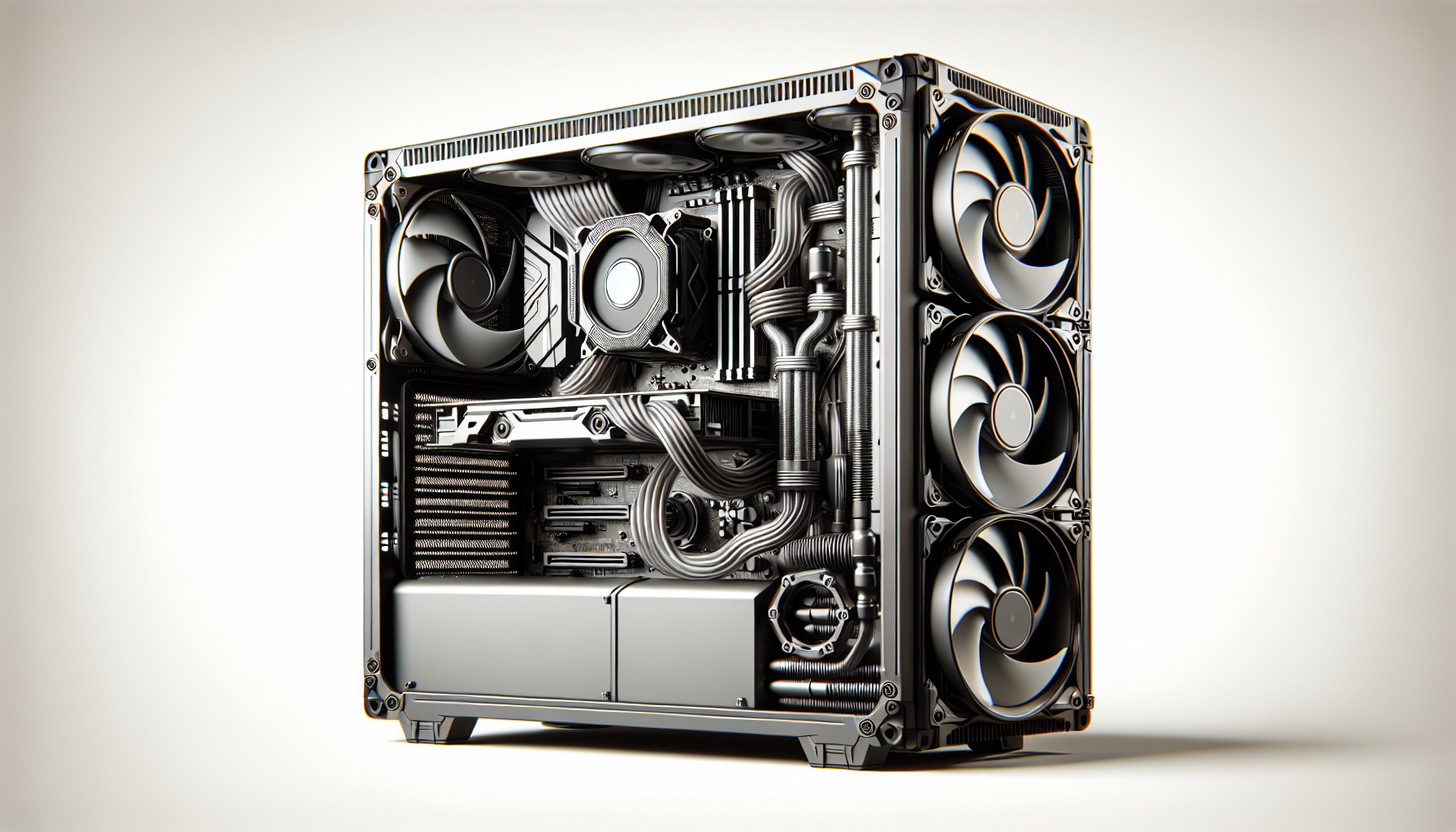
Importance of Cooling in Gaming PCs
Efficient cooling is crucial for gaming PCs as it plays a significant role in maintaining optimal performance and preventing hardware damage. Inadequate cooling can lead to overheating, which can cause system instability, reduced lifespan of components, and even permanent damage. Heat buildup in gaming PCs can result in decreased frame rates, system crashes, and potential data loss. Therefore, understanding the significance of PC cooling and the impact of overheating is essential for gamers looking to maximize their gaming experience and protect their investment.
Significance of PC Cooling
Proper cooling is crucial for gaming PCs as it helps dissipate the heat generated by high-performance components, ensuring stable operation and preventing thermal throttling. High-performance gaming components, such as CPUs and GPUs, generate a significant amount of heat during intense gaming sessions. Without adequate cooling, the heat can accumulate, leading to reduced CPU and GPU performance, negatively impacting the gaming experience. Efficient cooling is necessary to maintain consistent performance and prevent thermal-induced performance degradation.
Moreover, heat-related issues can cause components to operate at higher temperatures, shortening their lifespan and potentially voiding warranties. Gaming PCs are often equipped with expensive hardware investments, and maintaining proper cooling is essential for preserving their longevity and reliability. By ensuring optimal cooling, gamers can protect their investment and enjoy their gaming experience without the worry of hardware failures due to excessive heat.
Impact of Overheating
Overheating in gaming PCs can result in a range of issues, including decreased frame rates, system crashes, and potential data loss. When components overheat, they may throttle their performance to prevent further damage, leading to reduced frame rates and degraded gaming performance. This can be frustrating for gamers who expect smooth and uninterrupted gameplay.
Additionally, overheating can cause system instability, leading to frequent crashes and unexpected shutdowns. These interruptions can disrupt gaming sessions and potentially result in data loss if the system crashes during critical moments. To avoid these issues, it is crucial to implement effective cooling solutions to dissipate the heat efficiently and maintain stable operation throughout gaming sessions.
To summarize, cooling is of utmost importance in gaming PCs. It helps maintain optimal performance, prevents hardware damage, and ensures a smooth and enjoyable gaming experience. By understanding the significance of PC cooling and the impact of overheating, gamers can make informed decisions when choosing cooling systems and take necessary steps to maintain and upgrade their cooling solutions as needed.
Types of Cooling Systems
When it comes to keeping your gaming PC cool and performing at its best, there are two main types of cooling systems to consider: air cooling and liquid cooling. Each of these systems has its own advantages and considerations, so let's explore them further.
Air Cooling
Air cooling is the most common and widely used cooling method for gaming PCs. This type of cooling relies on fans and heat sinks to dissipate heat from the components inside the PC. The fans draw in cool air and expel hot air, creating airflow that helps to keep the temperature of the PC components within a safe range.
One of the main advantages of air cooling is its simplicity and ease of installation. Most gaming PC cases come with pre-installed fans, and additional fans can be easily added if needed. Air cooling systems are also generally more affordable compared to liquid cooling systems.
When choosing air cooling for your gaming PC, it's important to consider factors such as fan size, airflow, and noise levels. Larger fans tend to be quieter and can move more air, while smaller fans may need to run at higher speeds to achieve similar cooling performance. It's also worth exploring top-rated cooling fans to find the best options available on the market.
Liquid Cooling
Liquid cooling is a more advanced and efficient cooling solution for gaming PCs. This system uses a combination of a radiator, water blocks, pumps, and coolant to dissipate heat from the PC components. Liquid cooling offers superior cooling performance and can help to keep the temperature of the PC at lower levels than air cooling.
One of the key advantages of liquid cooling is its ability to handle high heat loads more effectively. This makes it particularly beneficial for overclocking or for gaming PCs with high-performance components that generate a lot of heat. Liquid cooling systems also tend to be quieter compared to air cooling systems, as the fans used are often larger and can run at lower speeds.
However, it's worth noting that liquid cooling systems can be more complex to install and maintain compared to air cooling systems. They require proper planning, as well as regular monitoring and maintenance to ensure optimal performance. It's also important to choose high-quality components from reputable brands to minimize the risk of leaks or other issues.
When deciding between air cooling and liquid cooling, it's essential to consider your specific needs, budget, and level of expertise. If you're new to PC building or have a limited budget, air cooling may be the more practical choice. On the other hand, if you're looking to maximize cooling performance and have the necessary knowledge and budget, liquid cooling can provide superior results. For a more detailed comparison between air and liquid cooling, check out our article on air vs liquid cooling.
By understanding the differences between air cooling and liquid cooling, you can make an informed decision on which cooling system is best suited for your gaming PC. Whether you choose the simplicity of air cooling or the efficiency of liquid cooling, maintaining optimal temperatures is essential for ensuring the longevity and performance of your gaming rig.
Factors to Consider When Choosing Cooling Systems
When it comes to choosing cooling systems for your gaming PC, several factors need to be taken into consideration. These factors include size and compatibility, noise levels, and cooling performance. By evaluating these aspects, you can ensure that you select the right cooling solution for your gaming needs.
Size and Compatibility
One of the first things to consider when choosing a cooling system for your gaming PC is the size and compatibility. Cooling systems come in various sizes, ranging from compact options to larger setups. It's crucial to check the dimensions of the cooling system and ensure that it fits within your PC case. Additionally, consider the compatibility with your motherboard and other components to ensure seamless integration.
Before purchasing a cooling system, refer to the manufacturer's specifications and compatibility lists to ensure that it will work with your PC setup. This step helps you avoid any size or compatibility issues that could hinder the installation process.
Noise Levels
Another important factor to consider is the noise level of the cooling system. While cooling is essential for optimal performance, excessive noise can be distracting and disruptive during intense gaming sessions. Look for cooling solutions that prioritize noise reduction without compromising cooling efficiency.
When assessing the noise levels, pay attention to the decibel (dB) rating provided by the manufacturer. Lower dB ratings indicate quieter operation. Additionally, consider the type of fans used in the cooling system. Some fans are designed with noise-reducing features to provide a quieter gaming experience. Check out our article on top-rated cooling fans for recommendations on quiet and efficient cooling options.
Cooling Performance
The cooling performance of a system is a crucial factor to consider when selecting a cooling solution for your gaming PC. The primary goal of cooling is to maintain optimum temperatures for your components and prevent overheating. Look for cooling systems that offer efficient heat dissipation and effective cooling capabilities.
Air cooling solutions, such as CPU cooling fans, are commonly used and offer reliable cooling performance. Liquid cooling systems, like liquid cooling systems, provide even greater cooling efficiency by utilizing a liquid coolant to dissipate heat. Consider the cooling needs of your PC components, such as the CPU and GPU, and choose a cooling system that can effectively handle the heat generated.
To monitor the temperatures of your PC components, you can utilize PC temperature monitoring software. These programs provide real-time temperature readings, allowing you to keep an eye on the performance of your cooling system and make adjustments if necessary.
By considering the size and compatibility, noise levels, and cooling performance, you can make an informed decision when choosing a cooling system for your gaming PC. Remember to explore different cooling options, such as air vs liquid cooling, and choose the one that best suits your specific gaming needs.
Popular PC Cooling Brands
When it comes to PC cooling, there are several reputable brands in the market that offer high-quality cooling solutions to keep your gaming rig running smoothly. Here are a few popular PC cooling brands that are known for their performance and reliability.
Brand A
Brand A is a well-established name in the PC cooling industry, known for its innovative and efficient cooling products. They offer a wide range of cooling solutions, including CPU cooling fans, liquid cooling systems, and GPU cooling solutions.
Their CPU cooling fans are designed to provide excellent heat dissipation, ensuring optimal performance even during intensive gaming sessions. With features like adjustable fan speeds and RGB lighting options, Brand A's cooling fans not only keep your system cool but also add a touch of style to your gaming setup.
For those looking for liquid cooling solutions, Brand A offers a variety of options to suit different needs. Their liquid cooling systems provide efficient cooling for both CPUs and GPUs, utilizing advanced technology to dissipate heat effectively. These systems are designed with performance and durability in mind, allowing gamers to push their systems to the limit without worrying about overheating.
Brand B
Brand B is another renowned name in the PC cooling industry, known for their high-performance cooling solutions. They offer a range of cooling products, including top-rated cooling fans, PC fan types, and RGB cooling fans.
Brand B's cooling fans are designed to deliver exceptional airflow and cooling performance. With features like optimized fan blades and advanced bearing technology, their fans provide efficient cooling while keeping noise levels to a minimum. Whether you're looking for a traditional fan or one with RGB lighting to enhance the aesthetics of your gaming rig, Brand B has options to suit every preference.
Brand C
Brand C is a trusted name in the PC cooling market, offering a wide range of cooling solutions that cater to the needs of gamers. They provide products such as air vs liquid cooling systems, pc temperature monitoring software, and fan speed control software.
Their air cooling solutions are designed to effectively dissipate heat from your CPU and other components, ensuring optimal performance and stability. With features like large heatsinks and multiple heat pipes, Brand C's air coolers offer excellent thermal performance.
For those seeking liquid cooling options, Brand C provides reliable and efficient cooling systems that can handle the demands of high-performance gaming. These liquid cooling solutions utilize advanced technology to keep your system cool, even under heavy loads.
By considering cooling solutions from these popular brands, you can ensure that your gaming PC remains cool and performs at its best. Whether you're looking for CPU cooling fans, liquid cooling systems, or other cooling solutions, these brands have a reputation for providing top-quality products that meet the demands of PC gamers.
Maintaining PC Cooling Systems
To ensure optimal performance and longevity of your gaming PC, it's essential to properly maintain your cooling system. Proper maintenance helps to prevent overheating and ensures that your components are running at their best. Here are two key aspects of maintaining PC cooling systems:
Cleaning and Dusting
Regular cleaning and dusting of your PC's cooling system is crucial to keep it running efficiently. Over time, dust and debris can accumulate on the fans, heatsinks, and other cooling components, impeding airflow and reducing cooling performance.
To clean your cooling system, follow these steps:
- Shut down your PC and unplug it from the power source.
- Open the computer case, ensuring that you take necessary precautions to avoid static electricity discharge.
- Use compressed air or an anti-static brush to carefully remove dust from the fans, heatsinks, and other components. Pay special attention to the areas where dust tends to accumulate, such as fan blades and heatsink fins.
- If necessary, you can also remove the fans and heatsinks for a more thorough cleaning. Refer to the manufacturer's instructions for guidance on how to safely remove and clean these components.
- Once you've removed the dust, close the computer case and plug it back in.
Regular cleaning and dusting should be performed every few months, or more frequently if you notice excessive dust buildup. This simple maintenance routine can significantly enhance the cooling efficiency of your PC.
Monitoring Temperatures
Monitoring the temperatures of your PC components is another important aspect of maintaining your cooling system. By keeping an eye on the temperatures, you can identify any potential issues and take appropriate action before they cause damage.
There are various PC temperature monitoring software available that allow you to track the temperatures of your CPU, GPU, and other components in real-time. These software programs provide you with valuable information and help you identify any temperature spikes or abnormalities.
When monitoring temperatures, it's essential to stay within the recommended temperature ranges for your specific components. Excessive heat can lead to performance issues and may even cause damage to your hardware. If you notice consistently high temperatures, it may be necessary to take additional steps to improve cooling, such as upgrading your cooling system or adjusting fan speeds using fan speed control software.
By regularly cleaning and dusting your PC's cooling system and monitoring temperatures, you can maintain optimal cooling performance and ensure that your gaming PC runs smoothly even during intense gaming sessions. Remember to consult the manufacturer's guidelines for specific maintenance instructions and consider upgrading your cooling system if necessary.
Upgrading Cooling Systems
As PC components become more powerful and demanding, it is crucial to ensure that your gaming PC stays cool to maintain optimal performance. Upgrading your cooling system can be a game-changer in keeping your system running smoothly. In this section, we will explore the signs that indicate the need for a cooling system upgrade and the considerations between DIY installation and professional assistance.
Signs for Upgrade
Knowing when it's time to upgrade your cooling system is essential to prevent potential damage to your gaming PC. Here are some signs that indicate the need for an upgrade:
Increased Temperatures: If you notice that your CPU or GPU temperatures are consistently higher than recommended levels, it may be a sign that your current cooling system is struggling to dissipate heat efficiently. High temperatures can lead to performance throttling and potential hardware damage.
Loud or Unusual Noises: Unusual noises coming from your cooling fans, such as rattling or grinding sounds, can indicate that the fans are wearing out or becoming less effective. This can impact their ability to cool your system effectively.
Frequent System Shutdowns: If your gaming PC is experiencing frequent shutdowns or crashes, it could be due to overheating. An inadequate cooling system may not be able to dissipate heat quickly enough, leading to thermal shutdowns to protect the components from damage.
Inefficient Cooling: If you have upgraded your PC components or overclocked your CPU or GPU, your current cooling system may not be able to handle the increased heat output. Upgrading to a more powerful cooling solution can help keep temperatures in check.
DIY vs Professional Installation
When it comes to upgrading your cooling system, you have the option of either a DIY installation or seeking professional assistance. Here are some factors to consider:
Technical Knowledge: Upgrading a cooling system requires technical know-how, including understanding the compatibility of components, disassembling and reassembling parts, and applying thermal paste. If you are confident in your technical skills and have experience working with PC hardware, a DIY installation may be a viable option. However, if you are unsure or uncomfortable with these tasks, it may be best to seek professional assistance.
Warranty Considerations: If your gaming PC is still under warranty, performing a DIY installation may void the warranty. It's important to review the terms and conditions of your warranty before proceeding. In some cases, seeking professional installation can ensure that your warranty remains intact.
Time and Convenience: Upgrading a cooling system can be time-consuming, especially for those with little experience. If you are short on time or prefer convenience, hiring a professional can save you the hassle of researching, troubleshooting, and installing the cooling system yourself.
Specialized Expertise: Professionals have the knowledge and experience to recommend the best cooling solution for your specific gaming PC setup. They can assess your requirements, provide expert advice, and ensure proper installation for optimal cooling performance.
Before making a decision, consider the complexity of the upgrade, your comfort level with PC hardware, and the importance of warranty coverage. Whether you choose to upgrade your cooling system on your own or seek professional help, ensuring that your gaming PC stays cool is essential for achieving the best gaming experience.
For more information on cooling systems and top-rated cooling fans, check out our article on top-rated cooling fans.


