


Revolutionize Your Rig: All About SSD NVMe M.2
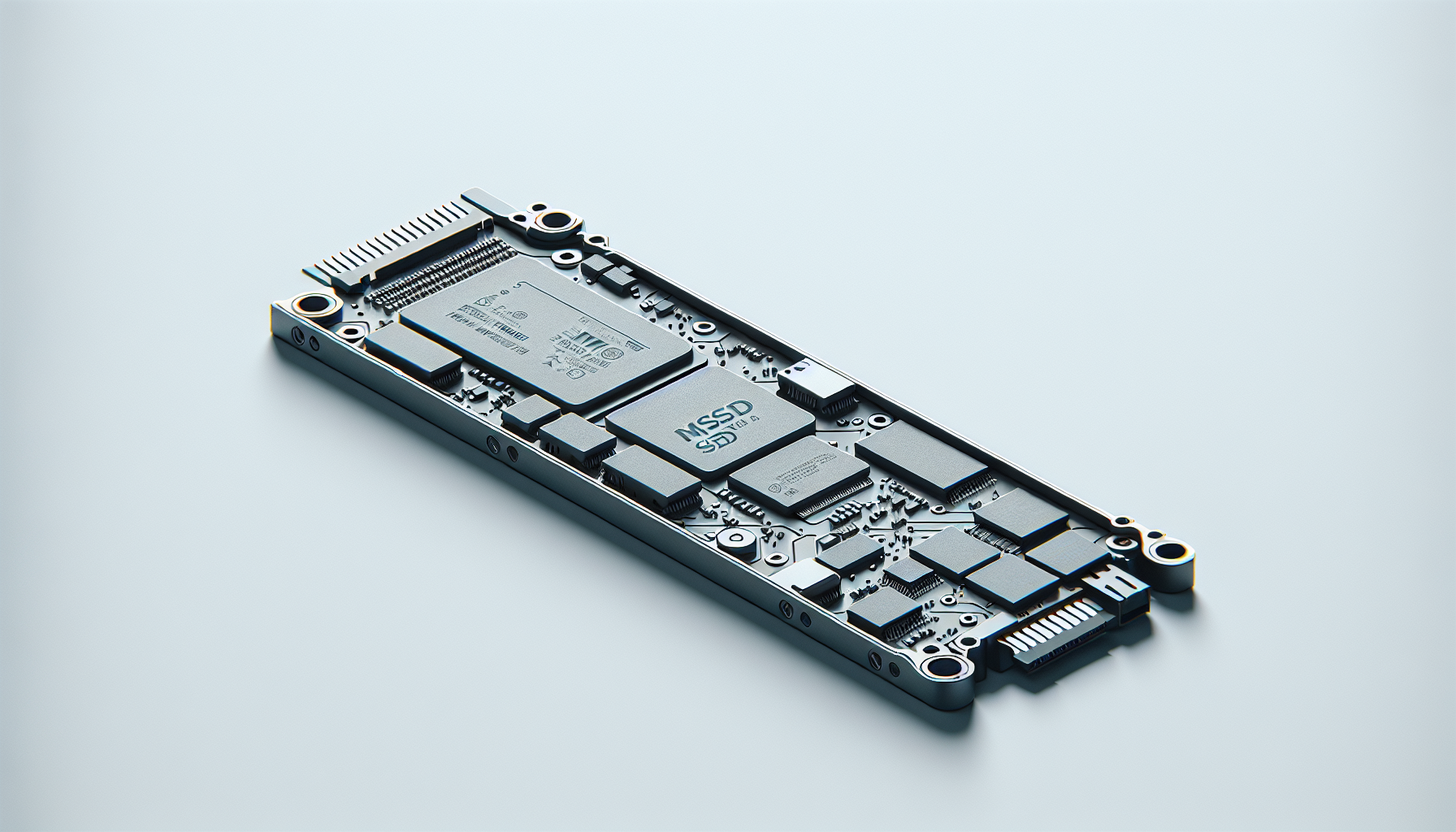
Understanding NVMe Technology
NVMe (Non-Volatile Memory Express) technology has been a significant game-changer in the realm of storage solutions. By providing a more efficient interface for data transfer between storage devices and processors, NVMe has enhanced SSD performance, allowing users to experience faster data access and improved overall system responsiveness.
Advancements in SSD Performance
The introduction of NVMe drives has brought about remarkable advancements in SSD performance. These drives were designed to directly communicate with a computer's CPU via the PCIe bus, bypassing the limitations of older SATA interfaces. The result is a substantial increase in data transfer rates. A third-generation NVMe PCIe connector 3.0 can achieve speeds of up to 3,500 MB/s, while its fourth-generation counterpart can reach up to 7,500 MB/s (Spiceworks).
The potential for even faster speeds has been further bolstered with the advent of PCIe 5.0 SSDs, which promise to transfer files at astounding speeds up to 14,000 MB/s (How-To Geek). This progression ensures that applications demanding high-speed data transfer, such as gaming and content creation, will benefit significantly from NVMe technology.
NVMe vs. Traditional SATA
When comparing NVMe to traditional SATA connections, the advantages of NVMe become apparent. SATA SSDs have a maximum transfer rate of about 600 MB/s, while NVMe SSDs offer sustained read-write speeds of 4.0 GB/s, substantially outperforming SATA technology (Backblaze). Below is a comparative table illustrating the differences between the two technologies:
| Feature | NVMe SSD | SATA SSD |
|---|---|---|
| Maximum Speed | Up to 7,500 MB/s (PCIe 4.0) | Up to 600 MB/s |
| Latency | Lower latency | Higher latency |
| Connection Type | PCIe | SATA |
| Form Factor | M.2, U.2 | 2.5-inch |
| Best For | High-performance tasks | General use |
The higher and faster transfer rates, along with improved efficiency, make NVMe the preferred choice for gamers and others looking to enhance their PC's performance. For more information on installation, check out our guide on how to install m.2 ssd.
The Evolution of M.2 SSDs
As technology progresses, M.2 SSDs have emerged as a crucial advancement in solid-state storage, particularly within gaming environments. Their design and performance capabilities make them attractive options for gamers looking to enhance their setups.
Benefits of M.2 SSDs
M.2 SSDs offer numerous advantages over traditional storage solutions. They connect directly to a computer's motherboard, eliminating the need for cumbersome cables. This compact design is not only space-efficient but also enables faster data transfer speeds, especially when utilizing the NVMe protocol.
| Benefit | Description |
|---|---|
| Size | Significantly smaller than traditional 2.5-inch SSDs, allowing for more versatility in system design. |
| Speed | Capable of achieving similar speeds to NVMe drives, enhancing overall performance. |
| Power Efficiency | More energy-efficient compared to traditional SSDs, reducing overall power consumption. |
M.2 drives can hold up to 8TB of storage, catering to users who require substantial capacity while maintaining a compact footprint. This makes them particularly appealing for gamers who often deal with large files and need quick loading times.
M.2 vs. SATA Drives
Compared to SATA drives, M.2 SSDs present several advantages. While traditional SATA drives remain popular, they are limited by the bandwidth of the SATA III interface. M.2 drives, compatible with both SATA and PCIe interfaces, can take full advantage of NVMe protocols, offering up to five times the bandwidth of SATA models.
| Feature | M.2 SSD | SATA SSD |
|---|---|---|
| Bandwidth | Up to 5x more than SATA with NVMe support | Limited by SATA III |
| Speed | High-speed data transfer | Slower read/write speeds compared to NVMe |
| Form Factor | Compact and versatile | Larger and bulkier |
M.2 SSDs have become increasingly common, especially in slim laptops and modern gaming rigs, often taking precedence over traditional 2.5-inch SSDs in new designs (Tom's Hardware). The growing preference for M.2 is evident as gaming systems continue to evolve, demanding faster and more efficient storage solutions.
For those ready to explore the world of M.2 SSDs, understanding how to properly install and manage these devices is essential. Visit our guide on how to install m.2 ssd for step-by-step instructions.
Comparing SSD Form Factors
When considering SSD options, understanding the differences in form factors, such as PCIe generations and M.2 sizes, is essential. This section will explore the distinctions between PCIe 5.0 and PCIe 4.0, as well as various M.2 lengths and capacities.
PCIe 5.0 vs. PCIe 4.0
The evolution of PCIe technology has significantly impacted SSD performance. PCIe 4.0 was a monumental advancement over its predecessor, allowing for higher data transfer speeds. On the other hand, PCIe 5.0 takes this further by enabling even faster transfer rates, perfect for gamers and creators who need efficient data access.
| PCIe Version | Maximum Speed | Theoretical Bandwidth |
|---|---|---|
| PCIe 4.0 | Up to 7,500 MB/s | 64,000 MB/s |
| PCIe 5.0 | Up to 14,000 MB/s | 128,000 MB/s |
NVMe drives with PCIe 4.0 can reach up to 7,500 MB/s, while PCIe 5.0 SSDs can transfer massive files at speeds reaching up to 14,000 MB/s (How-To Geek). This increased speed can drastically improve gaming and multitasking experiences.
M.2 Lengths and Capacities
M.2 SSDs come in various lengths and storage capacities, affecting compatibility and performance. Common M.2 lengths include 2230, 2242, 2260, 2280, and 22110, where the numbers indicate the width and length in millimetres.
| M.2 Length | Dimensions (mm) | Typical Capacity Range |
|---|---|---|
| 2230 | 22 x 30 | 128GB - 1TB |
| 2242 | 22 x 42 | 256GB - 1TB |
| 2260 | 22 x 60 | 256GB - 2TB |
| 2280 | 22 x 80 | 256GB - 8TB |
| 22110 | 22 x 110 | 512GB - 8TB |
Among these, the 2280 form factor is the most common for high-performance NVMe drives, balancing length and capacity for optimal compatibility with gaming systems (what is m.2 ssd).
Users should ensure that their motherboard supports the desired length and protocol (NVMe/SATA) before purchasing an M.2 SSD. Those interested in unboxing the full potential of their SSD should also check out detailed guides on how to install m.2 ssd and how to upgrade m.2 ssd without reinstalling windows.
Selecting the Best Gaming SSD
When choosing an SSD for gaming, particularly the preferred ssd nvme m.2, gamers should consider performance, capacity, and affordability. Below are some top recommendations for NVMe SSDs suited for gaming.
Top NVMe SSD Recommendations
| SSD Model | Read Speed (MB/s) | Write Speed (MB/s) | Capacity | Price Range |
|---|---|---|---|---|
| WD Black SN850X | 6,300 | 7,300 | 1TB - 2TB | Competitive |
| Lexar NM790 | 7,400 | 6,500 | 1TB - 2TB | Budget friendly |
| Nextorage NEM-PA | 7,300 | 6,900 | 2TB | Competitive |
| Silicon Power XS70 | 7,100 | 6,600 | 2TB | Moderate |
| Teamgroup T-Force Z540 | Up to 12,400 | Not specified | 2TB | High-end |
WD Black SN850X: This SSD is highly regarded for its blend of performance and affordability, making it a fantastic choice for gaming setups. The speeds of the 1TB model reach up to 6,300 MB/s read and 7,300 MB/s write, ensuring quick load times (PC Gamer).
Lexar NM790: Considered the best budget option, this SSD offers impressive read and write capabilities of 7,400 MB/s and 6,500 MB/s, providing top performance without breaking the bank (PC Gamer).
Nextorage NEM-PA: Excellent for gamers needing significant storage, offering competitive speeds of 7,300 MB/s read and 6,900 MB/s write, balancing performance with cost (PC Gamer).
Silicon Power XS70: Especially suited for the PS5, this drive maintains high read/write speeds while keeping cool, making it ideal for console gamers (PC Gamer).
Teamgroup T-Force Z540: For those seeking cutting-edge technology, this SSD offers remarkable speeds of up to 12,400 MB/s. However, its high price and minimal gaming performance improvements may limit its appeal for most gamers (PC Gamer).
High-Performance Gen 4 SSDs
Gen 4 SSDs are designed to handle higher bandwidth, which can enhance gaming performance. Below are some excellent Gen 4 options.
| SSD Model | Read Speed (MB/s) | Write Speed (MB/s) | Capacity |
|---|---|---|---|
| Lexar NM790 | 7,400 | 6,500 | 1TB - 2TB |
| Nextorage NEM-PA | 7,300 | 6,900 | 2TB |
| WD Black SN850X | 6,300 | 7,300 | 1TB - 2TB |
| Silicon Power XS70 | 7,100 | 6,600 | 2TB |
Gen 4 SSDs, such as the Lexar NM790 and Nextorage NEM-PA, provide exceptional read/write speeds, making them a smart choice for gamers wanting quicker load times and improved overall performance. Consider these options to ensure an upgraded and competitive gaming experience.
For installation guidance, check our detailed article on how to install m.2 ssd. If you encounter any issues, refer to our guide on why is my m.2 ssd not showing up in bios.
Factors Impacting SSD Performance
When selecting an SSD for gaming, especially an NVMe M.2 drive, several factors can influence performance. This includes the price and the efficiency of power usage along with Input/Output Operations Per Second (IOPS). Understanding these aspects is crucial for making an informed purchase.
Price Comparison
The pricing of NVMe SSDs and SATA SSDs has become notably competitive. While NVMe drives typically cost more than their SATA counterparts, the difference has diminished in recent times. For example, as of June 2023, a Samsung 1TB SATA SSD (870 EVO) retails for approximately $90, while a Samsung 1TB NVMe drive (970 EVO) is available for about $98 on sale (Backblaze).
Here’s a comparison of typical SSD prices based on their capacities:
| Storage Capacity | NVMe SSD Price Range | SATA SSD Price Range |
|---|---|---|
| 250 GB | $50 - $90 | $40 - $70 |
| 500 GB | $70 - $160 | $50 - $90 |
| 1 TB | $120 - $200 | $90 - $140 |
Prices indicate that while NVMe drives are more expensive, the gap is closing. Gamers should consider their budget versus the performance benefits an NVMe SSD can provide (Spiceworks).
Power Efficiency and IOPS
Power efficiency in SSDs is key for gamers, particularly if he or she is using a laptop or a system with limited power supply. NVMe SSDs tend to offer superior performance in terms of IOPS (Input/Output Operations Per Second), translating to faster data retrieval and improved load times during gameplay. Higher IOPS means better performance when loading games or in high-demand scenarios.
Here’s a general comparison of IOPS performance between NVMe and SATA drives:
| Drive Type | Read IOPS | Write IOPS |
|---|---|---|
| NVMe SSD | 300,000 - 600,000 | 200,000 - 300,000 |
| SATA SSD | 50,000 - 100,000 | 40,000 - 80,000 |
The significant difference in IOPS highlights why NVMe SSDs are preferred for intensive applications like gaming, where quick and efficient data access can enhance the overall gaming experience.
When considering performance and budget, selecting the right SSD is vital. For further details on installation and troubleshooting, consider exploring articles on how to install m.2 ssd and why is my m.2 ssd not showing up in bios.
Specialised SSD Recommendations
Selecting the right SSD can significantly enhance a gaming experience, especially for consoles like the PS5. Additionally, as technology progresses, the emergence of Gen 5 drives presents exciting opportunities for gamers. Below are some recommendations tailored for these needs.
Best SSD for PS5
For gamers looking to expand their PlayStation 5 storage, the Silicon Power XS70 2TB SSD is highly recommended. This SSD stands out due to its impressive read and write speeds, excellent thermal performance, and full compatibility with the PS5 system. With a resultantly enhanced gaming experience, players can enjoy faster loading times and increased storage capacity for their favourite games.
| Feature | Specification |
|---|---|
| Model | Silicon Power XS70 2TB |
| Read Speed | Up to 5,000 MB/s |
| Write Speed | Up to 4,400 MB/s |
| Interface | NVMe PCIe 3.0 |
| Capacity | 2TB |
For more information on installation, refer to our guide on how to install m.2 ssd.
Gen 5 Drive Considerations
As gaming technology evolves, Gen 5 SSDs have entered the market, offering higher performance capabilities. The Teamgroup T-Force Z540 stands out as the best available PCIe 5.0 SSD for gaming setups. With an astonishing speed of up to 12,400 MB/s for the 2TB model, it sets itself apart as a compelling choice for gamers wanting cutting-edge performance.
| Feature | Specification |
|---|---|
| Model | Teamgroup T-Force Z540 |
| Read Speed | Up to 12,400 MB/s |
| Write Speed | 10,000 MB/s |
| Interface | PCIe 5.0 |
| Capacity | 2TB |
As gamers opt for higher performance tiers, investing in a Gen 5 SSD can provide a significant advantage. For tips on managing your M.2 drive, see our guide on how to format m.2 ssd windows 11.
Whether enhancing a PS5 setup or upgrading to Gen 5 SSDs, these recommendations ensure optimal performance and compatibility for gamers in Australia looking to boost their gaming experience. For further comparisons and insights on SSDs, check our sections on best m.2 ssd and m.2 nvme ssd.


