


Revolutionize Your IT Setup: Optimizing Computer Systems Hardware
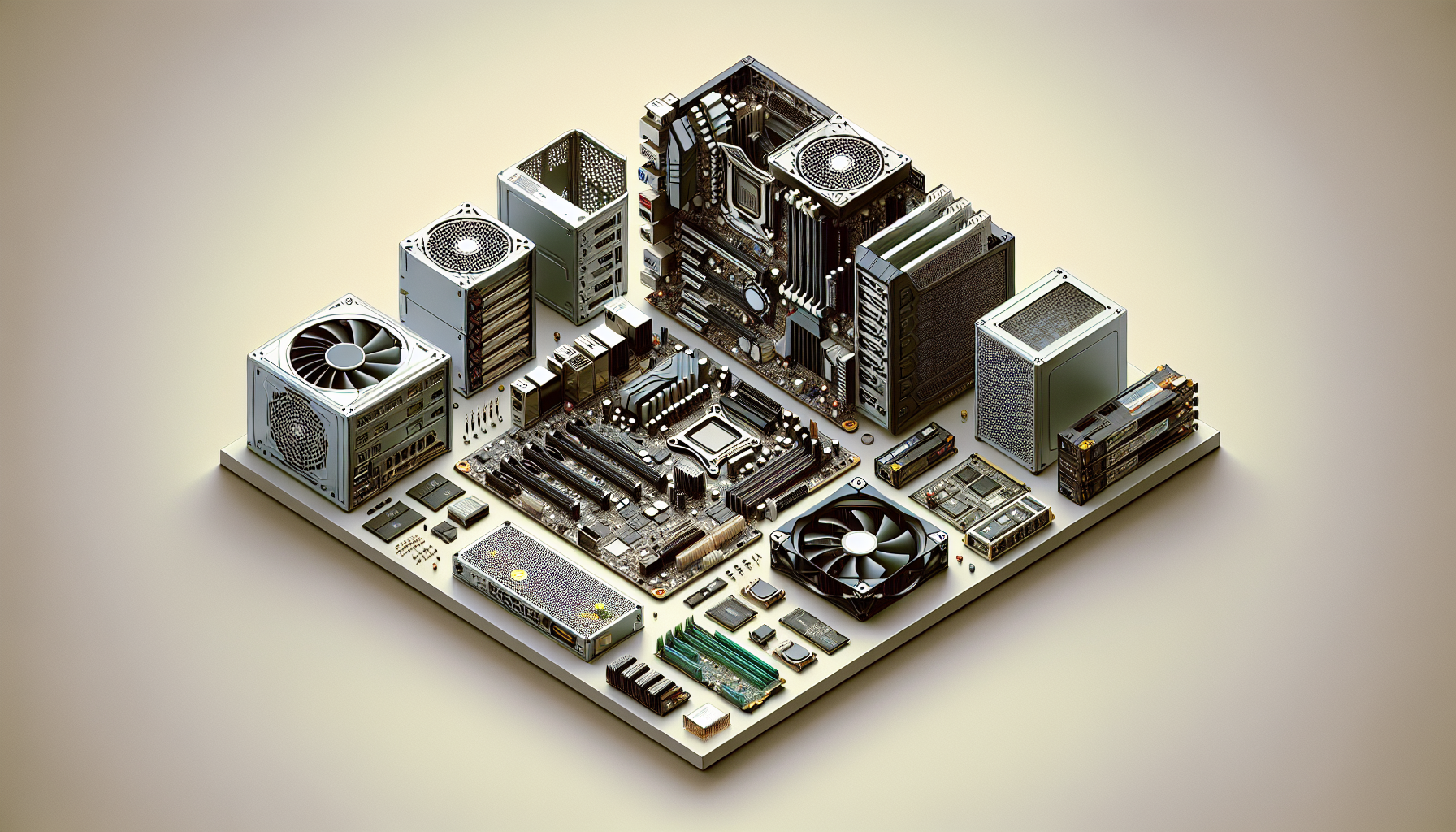
Introduction to Computer Systems Hardware
In the dynamic field of information technology, the foundation of any corporate IT setup is its computer systems hardware. Understanding and optimizing the hardware components of a computer system can lead to substantial gains in productivity and efficiency.
Importance of Optimizing Computer Hardware
Optimizing computer systems hardware is essential for corporations to ensure that their operations run smoothly and efficiently. The appropriate configuration of hardware can significantly enhance the performance of software applications, reduce processing times, and improve overall system responsiveness.
Moreover, for IT purchase departments in corporations, particularly those in Australia, optimizing hardware not only maximizes the return on investment but also reduces the total cost of ownership over the hardware's lifecycle. It is also a proactive measure against potential downtime, which can be costly in terms of both financial and productivity losses.
In the context of sustainability, optimized hardware can lead to energy savings and a reduced carbon footprint, aligning with corporate social responsibility goals. For an in-depth discussion on the benefits of optimization, readers may refer to the article on advanced computer systems.
Key Components of Computer Systems
The performance of a computer system is determined by the synergy between its various components. The key components include:
- Central Processing Unit (CPU): The 'brain' of the computer, responsible for executing instructions.
- Random Access Memory (RAM): A form of volatile memory that stores data for quick access by the CPU.
- Storage Solutions: Devices such as Hard Disk Drives (HDD) and Solid State Drives (SSD) that store data persistently.
- Graphics Processing Unit (GPU): Specialized hardware for rendering images and video.
- Motherboards: The main circuit board that connects all components and allows communication between them.
- Power Supply Units (PSU): Provide power to various components of the computer.
- Cooling Systems: Necessary to dissipate heat generated by the system to maintain optimal operating temperatures.
- Networking Hardware: Allows computers to connect and communicate over networks.
Understanding each component's role and how they interact is fundamental for IT departments when selecting and maintaining their computer systems hardware. For further insights into how these components work together, readers can explore the article on how do computer systems work.
By considering these critical elements, IT purchase departments can make informed decisions that lead to enhanced system performance and reliability, contributing to the overall success of their corporate operations. For more detailed information on the components of computer systems, the article what are computer systems provides a comprehensive overview.
Central Processing Unit (CPU)
The Central Processing Unit, or CPU, is often referred to as the brain of the computer. It is a critical component of computer systems hardware that performs the instructions of a computer program by carrying out the basic arithmetic, logical, control, and input/output operations specified by the instructions. Understanding and optimizing CPU performance is essential for IT Purchase Departments in any corporation, especially for those based in Australia, to ensure efficient and reliable computer operations.
Understanding CPU Performance
CPU performance is determined by several key factors:
- Clock Speed: Measured in gigahertz (GHz), this is the speed at which a CPU can complete a cycle of tasks. A higher clock speed indicates the ability to perform more tasks per second.
- Core Count: Modern CPUs come with multiple cores, allowing them to process several tasks simultaneously. More cores can result in better multitasking and performance.
- Cache Size: CPUs have a small amount of 'cache' memory which is used to store frequently accessed information. A larger cache can improve overall speed and efficiency.
- Thermal Design Power (TDP): This refers to the maximum amount of heat a CPU is expected to generate. A higher TDP can sometimes mean more power consumption but also potentially more performance.
A table summarizing these factors might look like this:
| Factor | Description | Impact on Performance |
|---|---|---|
| Clock Speed | Speed of task processing | Higher speed, more tasks processed |
| Core Count | Number of processing units | More cores, better multitasking |
| Cache Size | On-chip memory | Larger cache, faster data access |
| TDP | Heat generation and power use | Higher TDP, potential for more performance |
Importance of CPU in System Optimization
In the context of system optimization, the CPU plays a pivotal role in determining the overall speed and efficiency of a computer system. For corporate IT setups, where multiple applications run concurrently and complex tasks are performed daily, selecting the right CPU is imperative.
A well-chosen CPU can:
- Enhance Productivity: Boosting processing speeds can reduce the time it takes to complete tasks, thereby potentially increasing overall output.
- Support Advanced Applications: Some advanced computer systems require high-performance CPUs to run sophisticated software used in data analysis, graphics design, or engineering.
- Improve Energy Efficiency: A CPU with a good balance between performance and power consumption can reduce operational costs and contribute to sustainability goals.
IT Purchase Departments must assess the organization's needs to determine which CPU attributes align with their specific workload requirements and budget constraints. The right CPU selection can have a significant impact on the performance of associated computer systems, influencing everything from basic office productivity to the capabilities of a computer systems lab.
Through careful consideration of CPU performance factors and their impact on computer systems technology, corporations can ensure they are investing in hardware that will meet their current and future demands, while also providing the foundation for effective computer systems servicing and potential hardware upgrades.
Random Access Memory (RAM)
Role of RAM in Computer Efficiency
Random Access Memory (RAM) plays a pivotal role in the efficiency and performance of computer systems hardware. It serves as the primary workspace for the system, where active programs and processes are loaded and executed. The speed at which tasks are performed is largely dependent on the quantity and speed of RAM within the system.
RAM is a critical component that directly impacts the ability to multitask and run memory-intensive applications without lag. As RAM stores the data that the CPU requires in real time, the accessibility of this data determines how swiftly a system can respond to user commands. This dynamic relationship between RAM and CPU is essential for the seamless operation of computer systems.
| Task | Recommended RAM |
|---|---|
| Basic Office Work | 4GB |
| Advanced Multitasking | 8GB - 16GB |
| Data Analysis/Design Software | 16GB - 32GB |
| High-End Graphics Work | 32GB+ |
Determining the Right Amount of RAM
Determining the right amount of RAM for a corporate IT setup requires a thorough analysis of the business's current and future needs. Here are some factors to consider:
- Software Requirements: Each piece of software has specific RAM requirements, often listed in their system requirements section. For standard office applications, 4GB may suffice, but more sophisticated software will require additional RAM.
- Operating System: The operating system itself requires a certain amount of memory. Modern operating systems may need a minimum of 2GB of RAM to run efficiently.
- User Demands: The types of tasks employees are performing must be taken into account. Creative tasks like video editing or 3D rendering demand more RAM than standard document editing or web browsing.
- Future Scalability: It's prudent to factor in potential future needs. Purchasing slightly more RAM than currently necessary can extend the system's relevance as software requirements evolve.
- Number of Users: For server-based computing, the number of concurrent users will affect the total RAM needed.
A table to illustrate recommended RAM for various user scenarios might look like the following:
| User Scenario | Recommended RAM |
|---|---|
| Light Use (word processing, email) | 4GB - 8GB |
| Moderate Use (spreadsheets, databases) | 8GB - 16GB |
| Heavy Use (multitasking, media creation) | 16GB - 32GB |
| Intensive Use (servers, workstations) | 32GB+ |
For IT purchase departments, understanding the importance of RAM in overall system performance and determining the appropriate amount is crucial for building efficient and cost-effective computer systems technology.
By ensuring systems are equipped with the right amount of RAM, corporations in Australia can enhance productivity, extend the lifespan of their systems, and prepare for future advancements in advanced computer systems. Regular reviews of RAM usage can help maintain optimal performance, as outlined in our guide to computer systems servicing.
Storage Solutions
An integral aspect of optimizing computer systems hardware, particularly in corporate environments, revolves around selecting the appropriate storage solutions. The choice between Hard Disk Drives (HDD) and Solid State Drives (SSD) can significantly influence the system's performance, reliability, and the efficiency of business operations.
Hard Disk Drives (HDD) vs. Solid State Drives (SSD)
HDDs are the traditional storage devices that utilize magnetic storage to record data on rotating disks. They have been the backbone of computer storage for many years due to their cost-effectiveness and large storage capacities. However, HDDs have mechanical parts, which means they can be prone to wear and tear over time, potentially leading to data loss or system failure.
In contrast, SSDs are newer types of storage devices that store data on flash memory chips. SSDs are known for their fast read and write speeds, which directly contribute to quicker boot times, faster file transfers, and overall snappier system responsiveness. Unlike HDDs, SSDs have no moving parts, making them more durable and less susceptible to physical shock.
The decision between HDD and SSD often comes down to the specific needs of the corporate environment, including performance requirements, budget constraints, and anticipated workload. Here is a comparison of the two storage types:
| Feature | HDD | SSD |
|---|---|---|
| Speed | Slower read/write speeds | Faster read/write speeds |
| Durability | Susceptible to physical damage | More resistant to shock and wear |
| Noise | Can be noisy due to moving parts | Silent operation |
| Heat Generation | Higher due to mechanical movement | Lower, which can improve system longevity |
| Price | Generally cheaper per GB | More expensive per GB but prices are falling |
Evaluating Storage Needs for Corporate Environments
When assessing storage needs for corporate environments, IT purchase departments must consider several factors. These include the type of data being stored, the frequency of data access, the required data transfer speeds, and the total volume of data that will be stored.
For environments where data access speed is critical, such as in database management or high-frequency trading, SSDs may be the preferred choice. Conversely, if the primary requirement is cost-effective storage for large volumes of data that are accessed less frequently, HDDs might be more suitable.
Another consideration is the potential for future expansion. It's important to select storage solutions that can scale with the growth of the company. This might mean opting for a combination of both HDD and SSD, with SSDs handling the operating system and applications for speed, and HDDs used for archival storage.
IT departments should also factor in redundancy and back-up solutions to protect against data loss. Implementing a robust storage strategy that includes regular backups and possibly a RAID (Redundant Array of Independent Disks) setup can help safeguard critical corporate data.
For further insights into optimizing computer systems for business use, including information on associated computer systems and tips on computer systems servicing, explore our comprehensive articles that delve into the world of advanced computer systems technology. Understanding the intricacies of storage solutions is just one piece of the puzzle when it comes to building efficient and reliable computer systems for corporate use.
Graphics Processing Unit (GPU)
In the arena of corporate IT infrastructure, the Graphics Processing Unit (GPU) has evolved from a luxury to a key player in a multitude of computing tasks. Understanding its function and balancing its cost are vital for IT purchase departments.
The Function of GPU in Corporate IT Setups
The GPU is specialized hardware that accelerates the creation and rendering of images, video, and animations. It's a pivotal component in tasks that are graphically demanding, such as design, video editing, and data visualization. In corporate settings, GPUs can also be leveraged for non-graphical tasks like machine learning and complex calculations due to their parallel processing capabilities.
| Task | GPU Utilization |
|---|---|
| Video Editing | High |
| Data Visualization | Moderate to High |
| Machine Learning | High |
| General Office Tasks | Low |
In recent years, advanced computer systems have incorporated GPUs into their standard configurations to accommodate the diversified use of graphical content in the business environment. For more information on how GPUs are integrated into computer systems, visit our detailed guide.
Balancing Graphics Requirements with Cost
The selection of a GPU for a corporate IT setup must strike a balance between the graphics requirements of the organization and the allocated budget. High-performance GPUs can significantly increase the cost of a computer system, so it is crucial to assess the graphical needs against the financial constraints.
| GPU Type | Performance Level | Relative Cost |
|---|---|---|
| Integrated | Basic | Low |
| Entry-Level Dedicated | Moderate | Medium |
| High-End Dedicated | Advanced | High |
For tasks that are not graphics-intensive, integrated GPUs or entry-level dedicated GPUs might suffice, thus optimizing the cost-effectiveness of the IT expenditure. On the other hand, roles that involve advanced graphics processing, such as design or video production, may necessitate investment in high-end dedicated GPUs.
IT departments should also consider the longevity of their investment. While a high-end GPU might seem like a significant cost upfront, it may offer better longevity and adaptability to future graphics demands, as explored in our article on computer systems technology.
Ultimately, understanding the specific needs of the organization's computer systems and the tasks at hand will guide the IT purchase departments in Australia to make an informed decision. For further insights on how to assess these needs, one can delve into our resources on why do computer systems need primary storage and how do computer systems work.
Motherboards and Expansion Slots
The motherboard is the backbone of any computer system, serving as the main circuit hub that allows communication between all components. For IT purchase departments, selecting the optimal motherboard is a strategic decision that influences the performance, upgradeability, and longevity of corporate computer systems.
Selecting the Right Motherboard for Future-Proofing
When choosing a motherboard, it's crucial to consider the future path of technology and the potential need for system upgrades. Future-proofing ensures that the selected motherboard can support upcoming innovations in hardware and software.
Key factors to consider for future-proofing include:
- CPU Socket Type: The motherboard must have the correct socket type for the chosen CPU and offer potential for future CPU upgrades.
- RAM Compatibility: Ensuring the motherboard can support current and future RAM technologies with sufficient slots and maximum capacity.
- Chipset Capabilities: The chipset should be compatible with the latest interfaces and technologies to avoid obsolescence.
To assist IT departments in making an informed decision, here is a checklist for motherboard selection:
| Criteria | Detail |
|---|---|
| CPU Socket | Must match the CPU model and offer upgrade options |
| RAM Slots | Minimum of 4 slots recommended for expandability |
| Maximum RAM Support | At least 64GB to accommodate future needs |
| Storage Interface | Support for NVMe and SATA for diverse storage options |
| USB Ports | Multiple USB 3.x and future USB 4 support |
| Network Connectivity | Gigabit Ethernet and Wi-Fi 6 capabilities |
For more detailed guidance on motherboard selection, visit computer systems technology.
Expansion Slots and Compatibility with Other Hardware
Expansion slots are a critical aspect of motherboards, providing the ability to add more capabilities to computer systems through additional cards like GPUs, network cards, and storage controllers.
The primary types of expansion slots to consider are:
- PCI Express (PCIe): The current standard for expansion cards, available in various sizes such as x16 for GPUs and x1 for smaller cards.
- M.2 Slots: For adding compact, high-speed storage drives or even wireless network cards.
The table below highlights common expansion slots and their typical uses:
| Slot Type | Usage |
|---|---|
| PCIe x16 | Graphics cards, high-performance network cards |
| PCIe x8 | Secondary graphics cards, enterprise-grade storage controllers |
| PCIe x4 | NVMe storage drives, additional USB or SATA ports |
| M.2 | NVMe SSDs, Wi-Fi, and Bluetooth cards |
Compatibility with other hardware is equally essential. IT departments should verify that the motherboard's expansion slots align with existing and future peripheral requirements, ensuring a harmonious and efficient IT setup.
To understand how expansion slots contribute to overall system performance, refer to associated computer systems.
In conclusion, the right motherboard and proper utilization of expansion slots are pivotal for constructing optimized, resilient, and scalable corporate computer systems. By thoroughly evaluating these components, IT purchase departments can invest wisely, ensuring that the corporate computer systems hardware meets both current demands and future growth.
Power Supply Units (PSU)
The Power Supply Unit (PSU) is a critical component of any computer system and is essential for delivering stable and reliable power to all hardware components.
Importance of Reliable Power Supply
A dependable PSU ensures that computer systems are supplied with consistent power without fluctuations or interruptions. This stability is vital for preventing data loss, hardware damage, and ensuring that systems run efficiently. It is especially crucial in corporate environments where downtime can lead to significant productivity losses and financial costs.
Moreover, a high-quality power supply can improve the longevity of computer components by providing clean power with minimal electrical noise, which can otherwise degrade sensitive electronics over time. For IT Purchase Departments, investing in reliable PSUs can result in fewer maintenance issues and a lower total cost of ownership for their computer systems hardware.
Estimating Power Requirements
To select the appropriate PSU, IT departments must estimate the power requirements of their systems. This estimation involves considering the power consumption of the CPU, GPU, storage devices, and any additional peripherals. Below is a table illustrating typical power consumption ranges for different components:
| Component | Power Consumption Range (Watts) |
|---|---|
| CPU | 65 - 105 |
| GPU | 75 - 250+ |
| HDD | 15 - 30 |
| SSD | 2 - 5 |
| RAM | 2 - 5 per module |
| Motherboard | 25 - 80 |
To calculate the total power requirement, IT professionals can sum the higher end of the power range for each component to ensure the PSU can handle peak loads. It is also recommended to add a buffer, typically 20-30%, to accommodate future upgrades and ensure the PSU isn't operating at full capacity continuously, which can reduce its lifespan.
For example, a system with a 95W CPU, 200W GPU, 30W worth of storage, 20W for RAM and motherboard, and additional 15W for other peripherals would require:
95W + 200W + 30W + 20W + 15W = 360W
360W + (360W * 0.3 buffer) = 468W
Therefore, a PSU with a power output of at least 470W would be recommended for this setup. For comprehensive guidance on power requirements and PSU selection, IT departments can reference resources such as computer systems technology and computer systems servicing.
When optimizing a computer's hardware, the PSU should never be overlooked. It is the backbone of system stability and efficiency, ensuring that all components receive the power they need to operate effectively within the corporate environment.
Cooling Systems
Effective management of heat within computer systems hardware is essential for maintaining optimal performance and preventing long-term damage to components. Cooling systems are a crucial part of any IT setup, especially in corporate environments where computers often operate for extended periods.
Managing Heat for Optimal Performance
Heat is a byproduct of electrical energy and, when not properly managed, can lead to reduced efficiency and lifespan of computer hardware. Maintaining an optimal temperature is therefore imperative for the reliability and longevity of computer systems. IT departments should ensure that cooling solutions are in place to dissipate heat effectively, thus preventing performance bottlenecks and potential failures that can disrupt business operations.
Types of Cooling Systems
There are various cooling solutions available, each with their own benefits and applications. Selecting the appropriate type is dependent on the specific requirements of the computer system and the environment in which it operates.
Air Cooling Systems: These are the most common type of cooling systems and include a combination of heat sinks and fans. Heat sinks are designed to increase the surface area in contact with the air, while fans help to circulate air across these surfaces to remove heat.
Liquid Cooling Systems: These systems use a coolant liquid that absorbs heat from the components and transfers it to a radiator where it is dissipated. Liquid cooling is more efficient than air cooling and is beneficial for systems with high thermal loads.
Thermal Compound: A thermal paste or compound is often used to improve heat transfer between the CPU and its heat sink. This substance fills microscopic imperfections on the surfaces, facilitating better heat conduction.
| Cooling Type | Application | Efficiency |
|---|---|---|
| Air Cooling | Standard Office PCs | Moderate |
| Liquid Cooling | High-Performance Systems | High |
| Thermal Compound | CPU/GPU | Essential for All Systems |
It is important for IT purchase departments to consider the ambient temperatures and workload of their associated computer systems when choosing a cooling solution. For instance, systems used in computer systems labs or for advanced computer systems applications may require more robust cooling strategies.
Regular computer systems servicing is also crucial to ensure that cooling systems remain effective. This includes cleaning dust from fans and heat sinks, replacing thermal compound, and ensuring that the cooling system is functioning as intended. By maintaining an appropriate cooling strategy, corporations can safeguard their investments in computer systems technology and ensure that their IT infrastructure supports business continuity.
Networking Hardware
Networking hardware plays a pivotal role in the performance and connectivity of computer systems within corporate environments. Ensuring robust networking capabilities is fundamental for the smooth operation of IT infrastructures, particularly in the context of corporate settings where data transfer and system reliability are paramount.
Ensuring Robust Networking Capabilities
The network is the backbone of modern IT infrastructures, connecting various computer systems and enabling communication between devices. IT departments must ensure that networking hardware is capable of handling the high demand of corporate operations, which includes the transfer of large data volumes and the provision of uninterrupted service.
Selecting the right networking equipment involves assessing the specific needs of the corporation and considering factors such as data transfer rates, network load, redundancy, and scalability. The hardware should be able to support current traffic levels and be adaptable to future growth. This may include switches, routers, modems, and network interface cards that are specifically designed for high-performance corporate use.
For insights into the essential networking components for a corporate environment, readers can explore associated computer systems and advanced computer systems.
Wired vs. Wireless Networking Considerations
When choosing networking hardware, corporations must decide between wired and wireless solutions. Each option has its own set of benefits and limitations that can impact the overall efficiency of the computer systems.
| Consideration | Wired Networking | Wireless Networking |
|---|---|---|
| Speed | Generally faster and more stable | Speeds improving with newer standards |
| Security | More secure, as physical access is needed | Requires robust security protocols |
| Scalability | Can be limited by physical infrastructure | Easier to scale with fewer physical constraints |
| Cost | Initial setup can be expensive | Often more cost-effective in the long run |
| Flexibility | Fixed locations for devices | Devices can connect from various locations |
Wired networks tend to offer higher speeds and more stability, which is crucial for tasks that require large data transfers or low-latency connections. They are often considered more secure, as gaining access typically requires physical connectivity.
On the other hand, wireless networks provide flexibility and ease of scaling, allowing devices to connect from virtually anywhere within the network's range. With advancements in technology, wireless speeds and security protocols have improved significantly, making wireless solutions increasingly viable for corporate settings.
Corporations should weigh the pros and cons of each option, considering their specific operational needs and the physical layout of their offices. For a more detailed comparison, IT purchase departments can refer to computer systems technology which discusses the latest in networking hardware advancements.
Ultimately, the choice between wired and wireless networking will depend on the company's requirements for speed, security, cost, and flexibility. It is crucial to select the networking hardware that aligns with the corporation's goals and ensures the seamless operation of their computer systems. Regular maintenance and potential upgrades, discussed in sections like computer systems servicing, are also important factors to consider for the longevity and performance of the networking infrastructure.
Maintenance and Upgrades
Maintaining and upgrading computer systems hardware is crucial for ensuring efficiency, reliability, and longevity of IT assets within corporate environments.
Regular Maintenance for Prolonged Hardware Life
Regular maintenance of computer systems hardware is essential to sustain performance and extend the lifespan of the components. IT departments are advised to implement a routine maintenance schedule that includes:
- Dusting and cleaning: Accumulated dust can lead to overheating and reduced efficiency. Regular cleaning of internal and external components is necessary.
- Software updates: Keeping system software and drivers up to date ensures compatibility and security.
- Hardware checks: Regular inspection of hardware components for signs of wear and potential failure can prevent unexpected downtime.
It is recommended that corporations establish a maintenance log to keep track of all performed activities. This can help in identifying recurring issues and planning for necessary interventions. For insights on effective computer systems servicing, visit computer systems servicing.
Planning for Hardware Upgrades
Upgrading computer systems hardware is a strategic process that requires careful planning to align with corporate goals and budget constraints. The following considerations should guide IT purchase departments:
- Assessing current and future needs: Evaluate the performance demands of the business to determine the required hardware specifications.
- Cost-benefit analysis: Compare the costs of upgrades against the expected benefits in terms of productivity and performance improvements.
- Compatibility: Ensure new hardware is compatible with existing systems to avoid conflicts and wastage of resources.
- Disposal of old hardware: Plan for the environmentally responsible disposal or recycling of outdated hardware.
A planned approach to hardware upgrades can prevent unnecessary expenditure and ensure seamless integration with existing systems. For a deeper understanding of how to balance upgrades with corporate objectives, refer to advanced computer systems.
| Activity | Frequency | Notes |
|---|---|---|
| Cleaning of Components | Bi-annual | Prevents overheating and maintains airflow |
| Software Updates | Monthly | Security patches and performance improvements |
| Hardware Inspections | Annual | Early detection of potential failures |
When executed effectively, regular maintenance and strategic upgrades can significantly enhance the performance and reliability of computer systems hardware, ensuring that corporate IT departments in Australia remain competitive and up-to-date with technological advancements.
Optimizing for Performance and Cost
Finding the right equilibrium between performance and cost is essential for IT purchase departments, particularly in corporate settings where both factors significantly impact the bottom line.
Balancing Performance with Budget Constraints
In a corporate environment, IT Purchase Departments are tasked with the complex challenge of providing high-performing computer systems hardware that meets the company's operational demands while adhering to budget constraints. To achieve this balance, it's important to:
- Evaluate the performance requirements of various departments and align them with the appropriate hardware specifications.
- Consider the total cost of ownership, including initial purchase price, energy consumption, maintenance, and potential upgrade costs.
- Opt for hardware components that offer the best return on investment in terms of durability and scalability.
- Prioritize upgrades for components that will result in the most significant performance improvements.
It is also advisable to conduct a thorough cost-benefit analysis to determine the most cost-effective approach to hardware optimization. For example, investing in slightly more expensive, but significantly more efficient components can result in long-term savings.
The Lifecycle of Computer Hardware in Corporate Settings
Understanding the lifecycle of computer hardware is essential for effective asset management and budgeting in corporate IT environments. The typical lifecycle stages include:
- Acquisition
- Deployment
- Maintenance
- Upgrade
- Decommission
| Stage | Average Duration | Key Actions |
|---|---|---|
| Acquisition | 0-1 years | Research, selection, and purchase |
| Deployment | 1-3 years | Installation and integration |
| Maintenance | 3-5 years | Regular servicing to ensure optimal performance |
| Upgrade | 5-7 years | Adding or replacing components |
| Decommission | 7+ years | Recycling or disposing of outdated systems |
During the lifecycle, IT departments should perform regular computer systems servicing to prolong the usability of the hardware. Furthermore, planning for hardware upgrades should be a continuous process, factoring in the rapid advancements in computer systems technology.
Corporations may also establish partnerships with suppliers for computer system repair near me services, to ensure minimal downtime in case of hardware failures. Additionally, understanding how do computer systems work and why do computer systems need primary storage can aid in making informed decisions about when to upgrade or replace hardware.
By taking a strategic approach to managing the lifecycle of computer hardware, corporations can optimize their IT setups for both performance and cost-effectiveness, ensuring they remain competitive in their respective industries.


