


Redefining Speed and Storage: Best m.2 SSD 4TB for Australian Gamers
Understanding M.2 SSDs
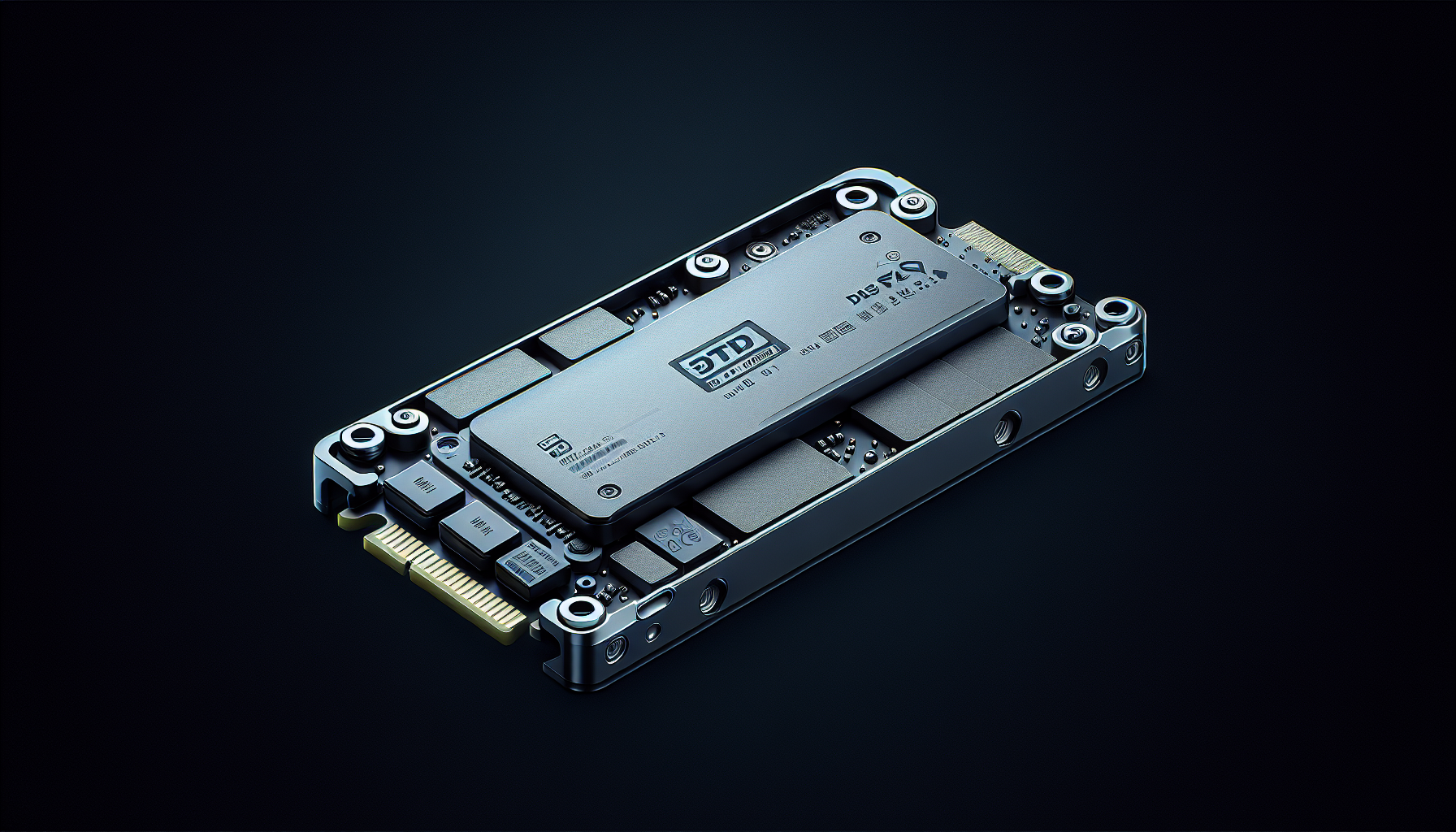
M.2 SSDs have transformed data storage solutions, particularly for gaming PCs where speed and efficiency are paramount. Understanding the form factors, capacities, and interfaces of these drives is essential for optimal performance in gaming.
Form Factors and Capacities
M.2 SSDs come in standard sizes, with the most common being 22mm wide. Lengths may vary, typically measuring 60mm (2260) or 80mm (2280). The designation of M.2 cards follows a numerical system that represents their dimensions. For example, a 2260 SSD is 22mm wide and 60mm long.
| Standard Size | Width (mm) | Length (mm) |
|---|---|---|
| 2260 | 22 | 60 |
| 2280 | 22 | 80 |
These sizes accommodate various setups, making M.2 SSDs versatile for different devices. While 4TB M.2 SSDs are available, capacity can range from 256GB up to 4TB or more, allowing gamers to select storage based on their needs.
SATA vs. NVMe Interface
One of the significant choices when selecting an M.2 SSD is understanding the difference between SATA and NVMe interfaces.
SATA M.2 SSDs utilise the SATA interface, capping data transfer rates at 6Gbps. This is markedly slower compared to NVMe M.2 SSDs, which leverage the PCIe bus to communicate directly with the system CPU, allowing for theoretical speeds of up to 20Gbps.
| Interface Type | Max Speed (GB/s) | Type of Connection |
|---|---|---|
| SATA | 0.6 | SATA interface |
| NVMe | 3.5 | PCIe interface |
The performance of SSDs, therefore, hinges significantly on their interface—gamers looking for the best performance should consider NVMe drives for faster load times and smoother experiences during gameplay.
Understanding these attributes of M.2 SSDs empowers gamers to make informed decisions when investing in their gaming setups. For further insights on M.2 SSD specifications, visit our article on what is an M.2 SSD.
Benefits of M.2 SSDs
M.2 SSDs are becoming increasingly popular among gamers in Australia, particularly those seeking high-speed storage solutions. This segment will explore two notable benefits: improved performance in gaming and energy efficiency coupled with device compatibility.
Improved Performance in Gaming
One of the standout features of M.2 SSDs, especially NVMe variants, is the significant enhancement in gaming performance they provide. Games stored on M.2 NVMe SSDs demonstrate vastly superior loading speeds and overall responsiveness compared to traditional hard drives and even SATA SSDs (Juiced Systems). Players have reported personal experiences where switching from older SSD models, like the 980 EVO, to newer 4TB options resulted in minimal increments in gaming performance. However, the majority agree that the shift to M.2 SSDs reduces load times and enhances in-game performance drastically.
| SSD Type | Average Loading Time (Seconds) |
|---|---|
| HDD | 30 - 60 |
| SATA SSD | 10 - 20 |
| M.2 NVMe SSD | 1 - 5 |
Gamers utilising M.2 NVMe SSDs benefit greatly from this performance boost, making it an attractive choice for those engaged in high-demand gaming scenarios. For more information on the advantages of M.2 technology, check our article on what is m.2 ssd.
Energy Efficiency and Device Compatibility
Energy efficiency is another compelling advantage of M.2 SSDs. They typically consume less power compared to traditional HDDs and SATA SSDs, making them more suitable for extended gaming sessions without overly taxing the system’s power resources. This efficiency can translate into lower heat generation, which allows for better thermal management in gaming rigs.
Additionally, M.2 SSDs boast a wide range of compatibility with devices. Most modern motherboards come equipped with M.2 slots, supporting both NVMe and SATA interfaces. This compatibility ensures that users can easily upgrade their systems without extensive modifications. However, it is essential to ensure that the motherboard supports the required PCIe generation to maximise the SSD's performance potential (Juiced Systems).
For further assistance with setup and installation, gamers can consult our guide on how to install m.2 ssd or troubleshoot any issues with why is my m.2 ssd not showing up in bios.
With these benefits, M.2 SSDs present an appealing option for gamers seeking to enhance their gaming experience while ensuring compatibility with current and future hardware configurations.
Choosing the Right M.2 SSD
When selecting an M.2 SSD, particularly a 4TB variant for gaming, there are several key factors to consider. Understanding the considerations for gaming PCs and how PCIe generations impact speeds is essential for making the right choice.
Considerations for Gaming PCs
Gamers looking to upgrade their storage must first assess their current setup, ensuring compatibility with M.2 drives. Compatibility primarily involves checking the motherboard specifications. It is crucial to confirm whether the motherboard supports M.2 NVMe SSDs, as some older models may only support M.2 SATA SSDs. For optimal performance, an NVMe SSD is highly recommended due to its superior speed.
Another essential consideration is the intended use of the SSD. It is advisable for gamers to install their operating system and high-performance games on the NVMe SSD to maximise load times and reduce bottlenecks. Combining an NVMe SSD with a larger SATA SSD or HDD for additional storage can provide both speed and capacity, allowing users to effectively manage their data (Juiced Systems).
PCIe Generation Impact on Speeds
PCIe generations significantly affect the performance of M.2 SSDs. Each new generation boasts increased bandwidth. For example, NVMe M.2 SSDs can offer theoretical transfer speeds of up to 20Gbps, which far exceeds the capabilities of SATA M.2 SSDs, which are limited to speeds of 6Gbps. This means NVMe drives can provide speeds up to 3,500MB/s, while SATA III is capped at 600MB/s (Kingston).
The most recent standard is PCIe 4.0, which doubles the bandwidth again compared to PCIe 3.0. Although PCIe 5.0 is still in development, it's crucial for gamers to choose an M.2 SSD compatible with PCIe 4.0 or higher to take full advantage of the speed increase (Juiced Systems).
For further information on the installation process, refer to our guide on how to install m.2 ssd.
Exploring 4TB M.2 SSD Options
For gamers in Australia searching for the best performance and value in their storage solutions, 4TB M.2 SSDs offer a balance of capacity and speed. This section will explore key factors like performance ratings, endurance levels, and cost comparisons for 4TB M.2 SSD options.
Performance and Endurance Ratings
Performance and endurance ratings help determine how well an SSD will perform during intensive tasks like gaming. Sequential throughput and endurance ratings, measured in TBW (terabytes written), play critical roles.
| SSD Model | Interface | Sequential Speed (MB/s) | Endurance (TBW) |
|---|---|---|---|
| Crucial T700 | PCIe 5.0 | Up to 12,400 | N/A |
| Samsung 990 PRO | PCIe 4.0 | Up to 7,000 | 2,400 |
| WD Black SN850X | PCIe 4.0 | Up to 7,000 | 2,400 |
| Inland Platinum | PCIe 3.0 | Up to 3,500 | N/A |
| Corsair MP600 Pro NH | PCIe 4.0 | Up to 7,000 | 6,000 |
The Crucial T700 leads in performance, especially for systems capable of PCI-Express 5.0, making it suitable for high-end gaming setups (Gaming PC Builder). The Samsung 990 PRO and WD Black SN850X are also good choices, offering robust endurance ratings, making them reliable for continuous use.
Cost Comparison and Value Proposition
When considering value for money, the price of SSDs varies significantly based on performance capabilities and endurance ratings.
| SSD Model | Approximate Price (AUD) | Value Proposition |
|---|---|---|
| Crucial T700 | ~$800 | High performance with PCIe 5.0 support |
| Samsung 990 PRO | ~$600 | Excellent speed and durability |
| WD Black SN850X | ~$580 | Competitive performance and reliability |
| Inland Platinum | ~$500 | Affordable option for great performance |
| Corsair MP600 Pro NH | ~$700 | Strong endurance for gamers |
The Inland Platinum, priced around $500, offers an appealing reference for gamers looking for an efficient balance between cost and performance. Gamers with high-performance needs may wish to invest in models like the Crucial T700 for future-proofing their setups, while budget-conscious users could find the Inland Platinum to be a prudent choice.
By understanding these performance and cost factors, gamers can make informed decisions that suit their gaming needs while maximizing their investment in SSD technology. For more detailed insights on installation, check out our articles on how to install m.2 ssd and how to format m.2 ssd.
Recommendations for Storage Setup
When configuring a gaming rig, the right storage setup is essential for optimal performance. For gamers particularly, balancing between NVMe SSDs and other storage solutions ensures faster load times and overall system efficiency.
Balancing NVMe SSD and Other Drives
Utilising an NVMe M.2 SSD in combination with additional storage is highly recommended for a balanced setup. NVMe SSDs are significantly faster than traditional hard drives or even SATA SSDs, which directly translates to improved gaming performance. By prioritising system storage, important files and resource-intensive programs should be placed on the NVMe SSD, while secondary storage drives can house less critical data such as games that are not currently in use.
| Storage Type | Speed (MB/s) | Recommended Use |
|---|---|---|
| NVMe M.2 SSD | Up to 7000 | Games, operating system, software applications |
| SATA SSD | Up to 550 | Backups, older games, more static files |
| HDD | 80 - 160 | Mass storage, media files, rarely accessed data |
The combination of a fast NVMe SSD and traditional drives can efficiently manage large amounts of data. This setup aids in quick access to frequently used applications, enhancing gaming experiences.
Optimizing System Performance
To maximise performance, it is crucial to ensure that the motherboard supports the latest PCIe generations, as this directly affects the speeds of your SSDs. Blog sources recommend installing multiple NVMe SSDs on motherboards designed for such setups (Juiced Systems). This is vital not only for enhancing data transfer speeds but also for future-proofing the system.
Additionally, it is wise to install resource-heavy applications on the NVMe SSD. This technique not only speeds up the loading times for games but also improves boot times for Windows and other critical software. Users should pay attention to how their drives are utilised to avoid bottlenecks, ensuring that each component operates at its best.
For more information on optimising M.2 SSD setups, check out our guides on how to install M.2 SSD and how to format M.2 SSD Windows 11.
Future of SSD Technology
The evolution of SSD technology, especially M.2 SSDs, is a fascinating aspect of the current tech landscape. As gaming demands increase and storage needs expand, advancements in performance and versatility are poised to shape the future of how data is stored and accessed.
Advancements in SSD Performance
M.2 SSDs have witnessed significant advancements in speed and efficiency over the past few years. High-end models like the Crucial T700 exemplify this trend, achieving remarkable sequential throughput speeds of up to 12,400 MB/s for PCI-Express 5.0-capable systems (Gaming PC Builder). This provides an incredible enhancement in performance for demanding applications and games, making them an excellent addition to any gaming rig.
The introduction of newer types of NAND technology, such as TLC (triple-level cell) and QLC (quad-level cell), has also contributed to performance improvements. These advancements not only improve speed but also affect longevity, cost, and capacity, providing more options for consumers.
| Technology | Sequential Read Speed (MB/s) | Sequential Write Speed (MB/s) | Common Use Cases |
|---|---|---|---|
| PCIe Gen 3 M.2 SSD | Up to 3,500 | Up to 2,500 | Gaming, Everyday Use |
| PCIe Gen 4 M.2 SSD | Up to 7,000 | Up to 5,000 | High-End Gaming, Content Creation |
| PCIe Gen 5 M.2 SSD | Up to 12,400 | Up to 10,000 | Future-Proofing, Ultra-High Performance |
Applications Across Different Devices
M.2 SSDs are not limited to gaming PCs; they have versatile applications across various devices. These speedy storage solutions are commonly seen in laptops, desktops, servers, smartphones, and tablets, making them a critical part of modern computing (Juiced Systems). This widespread usage reflects the growing trend of utilising high-performance storage in diverse environments, enhancing everything from gaming experiences to professional workloads.
The integration of M.2 NVMe SSDs into gaming consoles, like the PS5, further demonstrates how crucial fast storage solutions are becoming in user experiences. Gamers benefit from faster load times and smoother gameplay as more titles are optimised for SSD technology, ensuring that M.2 SSDs remain a go-to choice for anyone seeking a high-performance gaming setup.
With the rapid decline in the cost of Flash memory, it is now more affordable for consumers to invest in high-capacity solid-state drives (Gaming PC Builder). As technology continues to advance, the future looks promising for those seeking superior speed and storage solutions. For more information on M.2 technology, check out our articles on what is M.2 SSD and how to install M.2 SSD.


