


Precision and Control: The Best Gaming Mice for Unmatched Performance
The Importance of a Gaming Mouse
Why a Good Gaming Mouse Matters
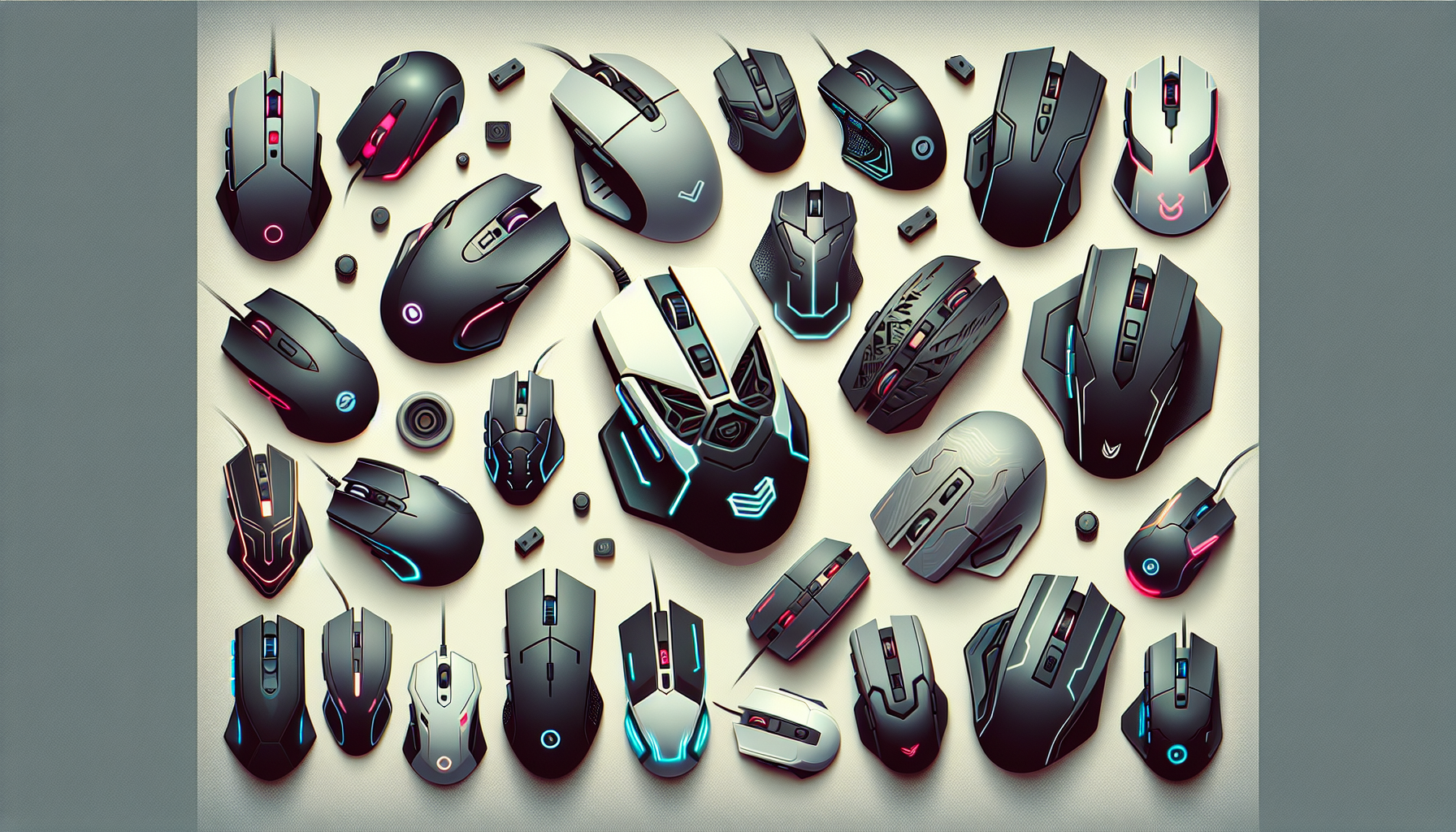
A good gaming mouse is essential for gamers who seek precision and control in their gaming experience. Unlike standard mice, gaming mice are designed with specific features that cater to the demanding needs of gaming. These features include higher sensitivity, customisable buttons, and enhanced ergonomics. A high-quality gaming mouse can significantly improve a player's performance by providing faster response times, better accuracy, and a more comfortable grip.
The importance of a gaming mouse extends beyond just performance. In competitive gaming, where every millisecond counts, having a mouse that can keep up with the speed and precision required can be the difference between winning and losing. Additionally, a gaming mouse can reduce the risk of repetitive strain injuries by providing a more ergonomic design, which is crucial for long gaming sessions.
Key Features of Gaming Mice
Understanding the key features of gaming mice can help gamers choose the best option for their needs. Here are some essential aspects to consider:
DPI (Dots Per Inch) and Sensitivity
DPI measures the sensitivity of the mouse. A higher DPI means the cursor moves farther on the screen with less physical movement of the mouse. Gaming mice often have adjustable DPI settings, allowing gamers to choose the sensitivity that best suits their playstyle.
| DPI Range | Use Case |
|---|---|
| 400-800 | Precise movements, ideal for FPS games |
| 800-1600 | Balanced performance, suitable for most game genres |
| 1600-3200+ | Fast movements, great for high-speed gameplay |
Programmable Buttons and Customisation
Programmable buttons offer gamers the ability to assign specific functions or macros to different buttons on the mouse. This feature enhances gameplay by allowing quick access to in-game commands and actions.
Weight and Balance
The weight and balance of a gaming mouse can affect its handling and overall performance. Some gaming mice come with adjustable weights, enabling players to find their preferred balance. A well-balanced mouse can provide better control and reduce fatigue during extended gaming sessions.
Build Quality and Durability
Durability is a critical factor for gaming mice, as they need to withstand intense usage. High-quality materials and robust construction ensure that the mouse remains functional and reliable over time. Gamers should look for mice with sturdy buttons and a solid build to ensure longevity.
For more information on choosing the right gaming peripherals, check out our articles on best gaming keyboards and best gaming monitors.
By understanding these key features, gamers can make an informed decision when selecting the best gaming mouse to complement their gaming setup. Whether it's for budget gaming pcs or high-end gaming pcs, the right gaming mouse can enhance the overall gaming experience.
Types of Gaming Mice
When it comes to gaming, the type of mouse you choose can significantly impact your performance. Understanding the differences between various gaming mice can help you make an informed decision. Here, we'll explore the distinctions between wired and wireless gaming mice, optical and laser sensors, and ergonomic designs.
Wired vs. Wireless Gaming Mice
The choice between wired and wireless gaming mice often comes down to personal preference and specific gaming needs. Each type has its own set of advantages and disadvantages.
| Feature | Wired Gaming Mice | Wireless Gaming Mice |
|---|---|---|
| Latency | Typically lower latency, providing quicker response times | May have slightly higher latency, though modern wireless mice have improved significantly |
| Battery Life | No need for batteries or recharging | Requires batteries or recharging, though many models offer long battery life |
| Connection Stability | Generally more stable connection | Potential for interference, but advanced wireless technology has minimized this issue |
| Portability | Less portable due to the cable | More portable, ideal for gamers on the move |
For those seeking minimal latency and stable connections, wired gaming mice can be ideal. However, wireless gaming mice offer convenience and greater freedom of movement, which can be beneficial in certain gaming situations. For more information on choosing between wired and wireless setups, check out our article on gaming desktops vs. gaming laptops.
Optical vs. Laser Sensors
The sensor type in a gaming mouse plays a crucial role in tracking accuracy and overall performance. The two main types of sensors are optical and laser.
| Feature | Optical Sensors | Laser Sensors |
|---|---|---|
| Surface Compatibility | Best on non-glossy surfaces | Can work on a variety of surfaces, including glossy ones |
| Precision | Highly accurate and precise | Generally less precise than optical sensors |
| Lift-off Distance | Typically higher, making them suitable for quick movements | Lower lift-off distance, preferred by some gamers for minimal cursor movement when lifting the mouse |
| Cost | Often more affordable | Can be more expensive due to advanced technology |
Optical sensors are renowned for their precision and consistency, making them a favourite among professional gamers. Laser sensors, while versatile and capable of working on different surfaces, may not offer the same level of accuracy. Understanding these differences can help you select the right sensor type for your gaming needs. Learn more about the best sensors in our best gaming mice guide.
Ergonomic Designs
Ergonomics is a critical factor when selecting a gaming mouse, as it directly impacts comfort and reduces the risk of strain or injury during long gaming sessions. Ergonomic designs cater to different hand sizes and grip styles.
| Grip Style | Description | Suitable for |
|---|---|---|
| Palm Grip | Entire hand rests on the mouse | Larger mice with a high profile |
| Claw Grip | Fingers arch upwards, with only fingertips and palm touching the mouse | Medium-sized mice with a moderate profile |
| Fingertip Grip | Only the fingertips touch the mouse, with the palm hovering above | Smaller mice with a low profile |
When choosing an ergonomic design, consider your hand size and preferred grip style to ensure maximum comfort. Many gaming mice also offer additional features like adjustable weights, customisable buttons, and RGB lighting to enhance the gaming experience. For further insights into ergonomic designs and how they can benefit your gaming setup, explore our article on best gaming keyboards.
Understanding the types of gaming mice and their specific features can help you make a well-informed decision that enhances your gaming performance. Whether you prefer wired or wireless, optical or laser, or a particular ergonomic design, there's a gaming mouse out there tailored to your needs.
Key Features to Look For
When selecting the best gaming mouse, several key features can significantly impact performance and user experience. Understanding these features can help in making an informed decision.
DPI (Dots Per Inch) and Sensitivity
DPI measures how sensitive a mouse is. A higher DPI means the cursor moves further with less physical movement of the mouse. This is crucial for gamers who require precision and quick reflexes. Adjustable DPI settings allow users to modify sensitivity based on their preferences and the demands of different games.
| DPI Range | Sensitivity Level |
|---|---|
| 400 - 800 | Low |
| 800 - 1600 | Medium |
| 1600 - 3200 | High |
| 3200+ | Very High |
Customisable DPI settings enable gamers to switch between different sensitivity levels quickly, offering a competitive edge in fast-paced games.
Programmable Buttons and Customisation
Programmable buttons provide gamers with the ability to assign specific functions or macros to different buttons, enhancing gameplay efficiency. This feature is particularly beneficial for complex games that require multiple commands.
Key areas to consider for customisation include:
- Number of programmable buttons
- Software support for setting macros
- On-the-fly button remapping
Having a mouse with programmable buttons can streamline in-game actions, making it easier to perform complex manoeuvres.
Weight and Balance
The weight and balance of a gaming mouse can influence comfort and control. Some gaming mice come with adjustable weights, allowing users to find the perfect balance for their hand size and grip style.
| Mouse Weight (grams) | Usage Type |
|---|---|
| < 80 | Lightweight for fast, twitchy movements |
| 80 - 100 | Balanced for general use |
| 100+ | Heavier for precision and control |
Adjustable weights can be added or removed to suit individual preferences, ensuring optimal performance during long gaming sessions.
Build Quality and Durability
Durability is essential for a gaming mouse, especially for those who game frequently. High-quality materials and robust construction can extend the lifespan of the mouse and improve overall gaming experience.
Factors to consider include:
- Material of the mouse body (plastic, metal)
- Durability of the buttons (measured in clicks)
- Quality of the cable (if wired)
A well-built gaming mouse can withstand the rigours of intense gaming and provide consistent performance over time.
For more insights on enhancing your gaming setup, check out our articles on best gaming pcs of 2024, top graphics cards for gaming, and best gaming keyboards.
Specialised Gaming Mice
In the realm of gaming, having the right mouse can make all the difference. Specialised gaming mice are designed to meet the specific needs of different game genres, ensuring optimal performance and comfort.
FPS (First-Person Shooter) Mice
FPS mice are tailored for gamers who thrive on precision and speed. These mice often feature high DPI (Dots Per Inch) settings, allowing for quick and accurate movements. They also tend to have a lightweight design to facilitate rapid flick shots and fast-paced gameplay. Additionally, FPS mice commonly include a sniper button that temporarily lowers the DPI for precise aiming.
| Feature | Description |
|---|---|
| DPI Range | 800 - 16,000 |
| Weight | 80 - 110 grams |
| Special Buttons | Sniper button, additional thumb buttons |
| Ergonomics | Ambidextrous or right-handed designs |
For more information on optimising your FPS gaming setup, explore our best gaming monitors and gaming pc setup ideas.
MMO (Massively Multiplayer Online) Mice
MMO mice are designed for gamers who need a multitude of programmable buttons to manage the complex commands and macros typical in MMO games. These mice usually feature a grid of buttons on the side, providing quick access to various in-game actions. They also tend to have a higher weight to offer better control during extended gaming sessions.
| Feature | Description |
|---|---|
| DPI Range | 200 - 12,000 |
| Weight | 100 - 150 grams |
| Special Buttons | 12+ side buttons, macro support |
| Ergonomics | Right-handed designs with ergonomic thumb rest |
To enhance your MMO gaming experience, consider our guides on gaming pc sound systems and best gaming keyboards.
MOBA (Multiplayer Online Battle Arena) Mice
MOBA mice strike a balance between FPS and MMO mice. They often feature a moderate number of programmable buttons and are designed for quick and precise movements. These mice are typically lightweight and ergonomically shaped to reduce fatigue during long gaming sessions.
| Feature | Description |
|---|---|
| DPI Range | 400 - 10,000 |
| Weight | 90 - 120 grams |
| Special Buttons | 6-8 side buttons, customisable profiles |
| Ergonomics | Ambidextrous or right-handed designs |
For more insights into improving your MOBA gaming setup, check out our articles on top graphics cards for gaming and high-end gaming pcs.
Selecting the right specialised gaming mouse can significantly enhance your gaming performance. Whether you prefer FPS, MMO, or MOBA games, understanding the unique features of each type of mouse can help you make an informed decision. For further guidance, visit our comprehensive tips for choosing the best gaming mouse.
Tips for Choosing the Best Gaming Mouse
Selecting the best gaming mouse is crucial for achieving peak performance in gaming. Several factors should be considered to ensure you make the right choice for your specific needs.
Matching Mouse to Game Genre
Different games require different types of mice for optimal performance. Understanding the specific needs of your favourite game genres can help you make a more informed decision.
| Game Genre | Recommended Mouse Features |
|---|---|
| FPS (First-Person Shooter) | High DPI, Low Latency, Lightweight |
| MMO (Massively Multiplayer Online) | Multiple Programmable Buttons, Customisation Options |
| MOBA (Multiplayer Online Battle Arena) | High Precision, Moderate Weight, Ergonomic Design |
Each genre has unique demands. For FPS games, a mouse with high DPI and low latency is essential for quick and precise movements. MMO players benefit from mice with multiple programmable buttons for various in-game commands. MOBA players often require a balance of precision and comfort.
Considering Hand Size and Grip Style
Hand size and grip style are critical factors in choosing a gaming mouse. Ensuring the mouse fits comfortably in your hand can prevent fatigue and improve overall gaming performance.
| Grip Style | Description | Recommended Mouse Features |
|---|---|---|
| Palm Grip | Entire hand rests on the mouse | Larger, Ergonomic Design |
| Claw Grip | Fingers arch up, with palm touching the back of the mouse | Medium Size, High Precision |
| Fingertip Grip | Only fingertips touch the mouse | Smaller, Lightweight Design |
Consider your hand size: larger hands may find larger mice more comfortable, whereas smaller hands may prefer compact designs. Your grip style, whether palm, claw, or fingertip, also influences the best mouse shape and size for you.
Evaluating Additional Features and Software
Additional features and software customisation options are also important when selecting the best gaming mouse. These can significantly enhance your gaming experience.
| Feature | Benefit |
|---|---|
| DPI Adjustment | Allows for quick sensitivity changes |
| RGB Lighting | Customisable aesthetics |
| Software Integration | Enables macros and button remapping |
| Weight Customisation | Adjusts the mouse weight to personal preference |
Look for mice that offer DPI adjustment for on-the-fly sensitivity changes. Customisable RGB lighting can add a personal touch to your setup. Ensure the mouse comes with software that allows for macros and button remapping, enhancing functionality. Weight customisation options can help you find the perfect balance for your gaming style.
Choosing the right gaming mouse involves considering the game genre, hand size, grip style, and additional features that suit your needs. For more insights into gaming setups, check out our articles on best gaming pcs of 2024 and gaming pc setup ideas.
Maintaining and Optimising Your Gaming Mouse
Ensuring that your gaming mouse remains in top condition is critical for maintaining peak performance. Regular cleaning and software updates can make a significant difference.
Cleaning and Maintenance Tips
To keep your gaming mouse in optimal condition, regular cleaning is essential. Dust, grime, and sweat can accumulate, affecting its precision and responsiveness. Below are some tips for cleaning and maintaining your gaming mouse:
- Surface Wipe: Use a microfiber cloth to wipe the surface of the mouse. Avoid using abrasive materials that could damage the finish.
- Compressed Air: Use a can of compressed air to blow out any debris from the crevices and the scroll wheel.
- Sensor Cleaning: Gently clean the sensor with a cotton swab dipped in isopropyl alcohol. This helps maintain accurate tracking.
- Cable Care: For wired mice, ensure the cable is free from kinks and tangles. Use cable management solutions to keep it organized.
- Button Maintenance: Check the buttons for responsiveness. If they feel sticky, clean around the edges with a toothpick or a soft brush.
| Cleaning Task | Frequency |
|---|---|
| Surface Wipe | Weekly |
| Compressed Air | Bi-weekly |
| Sensor Cleaning | Monthly |
| Cable Care | As needed |
| Button Maintenance | As needed |
For more detailed tips on maintaining your gaming setup, visit our article on gaming pc maintenance tips.
Software Updates and Customisation
Keeping the software for your gaming mouse up to date is crucial for optimal performance. Manufacturers often release firmware updates that improve functionality and compatibility with the latest games and systems.
- Driver Updates: Regularly check for driver updates from the manufacturer’s website. Updated drivers can fix bugs and introduce new features.
- Firmware Updates: Some gaming mice come with firmware that can be updated. Follow the manufacturer’s instructions to ensure your mouse is running the latest version.
- Customisation Software: Use the manufacturer’s customisation software to fine-tune settings such as DPI, button assignments, and lighting effects. This allows for a more personalised gaming experience.
- Profile Management: Create and save multiple profiles for different games. This allows you to switch settings quickly based on the game you are playing.
For additional information on customising your gaming setup, check out our article on gaming pc setup ideas.
| Software Task | Frequency |
|---|---|
| Driver Updates | Monthly |
| Firmware Updates | As needed |
| Customisation Review | Quarterly |
| Profile Management | As needed |
Maintaining and optimising your gaming mouse ensures that it performs at the highest level, enhancing your overall gaming experience. By combining regular cleaning with software updates, you can achieve unmatched precision and control in your gaming sessions. For more insights into gaming hardware, explore our articles on the best gaming keyboards and best gaming monitors.


