


Optimize Your Gaming Experience: Strategic Gaming PC Temperature Management
Understanding CPU and GPU Temperatures
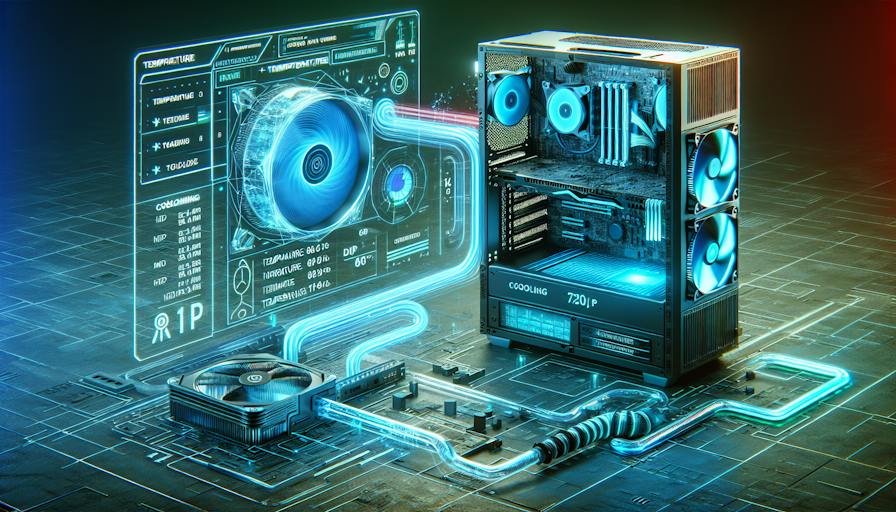
Monitoring CPU and GPU temperatures is essential for optimal gaming PC temperature management. High temperatures can negatively impact performance and potentially damage hardware components.
Impact of High Temperatures
Elevated temperatures can lead to various issues, including thermal throttling, where the CPU or GPU reduces its performance to avoid overheating. If the temperature exceeds safe thresholds consistently, long-term damage can occur. It is crucial to maintain operating temperatures within safe limits to ensure longevity and efficiency.
| Component | Normal Idle Temperature (°C) | Normal Load Temperature (°C) | Danger Threshold (°C) |
|---|---|---|---|
| CPU | 30–40 | 70–80 | >80 |
| GPU | 30–40 | 70–85 | >90 |
A CPU's typical operating temperature ranges from 40°C to 65°C (104°F to 149°F) under normal workload conditions. During demanding tasks like gaming, the CPU temperature may rise to 70°C to 80°C (158°F to 176°F). Sustained temperatures above 80°C (176°F) can pose risks to the CPU during prolonged usage (NOYAFA).
Normal Operating Temperatures
Knowing the normal operating temperatures for both the CPU and GPU is essential for gamers and enthusiasts. A CPU should generally run at 30°C (86°F) to 40°C (104°F) when idle and can reach up to 80°C (176°F) when under load. Most modern processors are designed to work effectively below this threshold (NOYAFA).
In addition, dirt and dust can accumulate in a computer's ventilation ducts over time, hindering airflow and contributing to overheating. Regular maintenance is crucial in keeping temperatures within a safe operating range.
Understanding these temperature benchmarks is vital for making informed decisions about a gaming PC cooling system. This knowledge can lead to better cooling strategies and component management, ultimately enhancing the gaming experience and system longevity.
Factors Affecting Gaming PC Temperatures
Gaming PC temperatures are influenced by several key factors that can significantly impact performance and longevity.
Proper Cooling Solutions
Effective cooling solutions are essential for maintaining optimal gaming PC temperatures. Heat is a natural byproduct of computer hardware operation, and high CPU temperatures can lead to performance reduction to avoid damage. Intel® CPUs, for instance, incorporate thermal management features that adjust operating frequencies when cooling is inadequate.
Upgrading the CPU fan is one way to keep temperatures down, as most preinstalled fans are only designed to meet minimum cooling requirements. Installing additional case fans can greatly enhance airflow, ensuring that intake and exhaust levels are balanced to prevent negative air pressure (Crucial).
A table illustrating typical CPU cooling solutions could include:
| Cooling Solution | Description | Ideal for |
|---|---|---|
| Air Coolers | Utilises fans and heat sinks to dissipate heat | Beginner gamers |
| Liquid Coolers | Circulates coolant to absorb and transfer heat | Advanced users |
| Case Fans | Additional airflow; works with CPU cooler | General PC users |
For those seeking further insights into managing temperatures in their setups, exploring gaming pc cooling tips is highly recommended.
Overclocking and Underclocking
Overclocking refers to the practice of running a CPU or GPU at a higher clock speed than the manufacturer’s specified rate. This can extract additional performance but generates increased heat that may overwhelm the system, leading to overheating. Conversely, underclocking involves reducing the clock speed to maintain lower temperatures and can sometimes be necessary to avoid thermal throttling, especially under heavy load.
Monitoring temperatures closely while overclocking is crucial. If excessive heat is detected, reverting to the default speed or implementing underclocking can help protect the components. Regular maintenance, including cleaning debris from ventilation ducts, is advised to maintain proper airflow and performance.
For a comprehensive overview of temperature management solutions, referencing gaming pc overheating solutions can provide additional strategies.
Balancing cooling solutions and managing clock speeds are vital components of effective gaming PC temperature management, ensuring stability and enhancing the gaming experience.
Managing Overheating Issues
Effective gaming PC temperature management is critical for maintaining optimal performance and longevity of gaming components. Overheating can lead to reduced performance and potential hardware failure. Understanding the common causes of overheating and implementing strategies for temperature control can help gamers achieve a stable gaming experience.
Common Causes of Overheating
Several factors contribute to overheating in gaming PCs. Some of the most prevalent causes include:
| Cause | Description |
|---|---|
| High-Performance Demands | Running demanding applications like video games or editing software can push the CPU and GPU to their limits, resulting in higher temperatures. |
| Dust Accumulation | Dust build-up can obstruct airflow and clog fans, making cooling systems less effective. Regular cleaning is necessary to avoid overheating (Crucial). |
| Inefficient Cooling Systems | A poor design in the cooling system or insufficient cooling fans can lead to inadequate heat dissipation. The setup needs to ensure proper airflow and cooling capacity. |
| Overclocking | Overclocking CPUs for enhanced performance increases heat generation, sometimes beyond what the cooling system can handle. Returning to default speeds can alleviate this issue (Avast). |
| Poor Airflow | Improper placement of components and fans can disrupt airflow within the case. Creating a balance between positive and negative air pressure optimises cooling Intel. |
Strategies for Temperature Control
To manage overheating efficiently, gamers can implement several strategies:
Regular Maintenance: Cleaning fans and reapplying thermal paste can enhance heat transfer and ensure that cooling systems work optimally. Using compressed air is recommended to dislodge dust.
Monitor Temperatures: Using software to track CPU and GPU temperatures helps in identifying cooling issues before they become serious problems. There are multiple applications available that provide real-time temperature readouts.
Optimize Airflow: Ensuring that there is ample space around the PC for airflow can significantly reduce temperatures. Adjusting fan configurations to promote better airflow throughout the case is essential.
Proper Cooling Solutions: Upgrading to more effective cooling systems, such as a gaming PC cooling system, can greatly improve temperature management. Incorporating high-quality fans or liquid cooling options can provide better results.
Adjust Overclocking Settings: If overheating is a persistent issue, reducing the overclock settings can lower the heat output. This can be done by either reverting to stock configurations or underclocking.
Invest in Additional Cooling: Utilizing tools like gaming PC cooling pads or specialized gaming PC cooling fans can provide extra airflow and enhance cooling capabilities.
By understanding the common causes of overheating and employing effective temperature control strategies, PC gamers can optimise their systems for an improved gaming experience while protecting their hardware. For more insights into managing gaming PC temperatures, explore our tips on gaming PC overheating solutions and gaming PC cooling tips.
Advanced Cooling Solutions
When managing gaming PC temperatures, choosing the right cooling solution can significantly affect performance and system longevity. This section compares air cooling and liquid cooling methods and highlights the benefits of All-In-One (AIO) coolers.
Air Cooling vs. Liquid Cooling
Air cooling systems use heatsinks and fans to dissipate heat away from components. They typically consist of a metal block attached to the CPU or GPU, with fins that increase surface area for efficient heat dissipation. Fans are then used to push air through the fins, carrying heat away from the components.
| Cooling Type | Advantages | Disadvantages |
|---|---|---|
| Air Cooling | - Simplicity and ease of installation | - Can be noisier at high speeds |
| - Generally lower cost compared to liquid cooling | - Larger heatsinks require more space | |
| Liquid Cooling | - More efficient heat dissipation | - More complex installation |
| - Can handle higher demands (e.g., overclocking) | - Potential for leaks if not installed properly |
Liquid cooling systems circulate a coolant (typically water) through a closed-loop setup, absorbing heat from the CPU or GPU and dissipating it through a radiator and fans. This method is often more effective for high-performance gaming PCs because it maintains lower temperatures, especially under heavy workloads.
AIO Coolers and Their Benefits
All-In-One (AIO) coolers are a popular choice within liquid cooling systems as they combine the pump, radiator, and coolant in a single package, making installation simpler and more user-friendly. AIO coolers operate by placing a cold plate in direct contact with the processor. The cold plate absorbs heat, and the liquid coolant circulates to carry the heat to a radiator, where it is dissipated through fans (Tom's Hardware).
The key benefits of AIO coolers include:
| Benefit | Description |
|---|---|
| Efficient Heat Dissipation | AIO coolers can dissipate more heat at lower fan speeds. |
| Reduced Noise Levels | They often maintain lower temperatures in demanding systems, leading to quieter operation. |
| Compact Design | Ideal for small form factor builds, as they free up space around the CPU socket (Tom's Hardware). |
| Enhanced Performance for Gaming | Particularly beneficial for overclocking or intensive workloads, keeping systems stable under pressure (Tom's Hardware). |
Both air cooling and liquid cooling solutions have their merits, but AIO coolers stand out for their efficiency and reduced noise output, making them a popular choice for gamers focused on performance and aesthetics. Ultimately, the choice between these cooling solutions will depend on individual needs, preferences, and specific gaming setups. More information on optimizing cooling systems can be found in our articles on gaming pc cooling system and gaming pc cooling tips.


