


Maximize Your Gameplay: Best Gaming PC Cooling Pads for Smooth Performanc
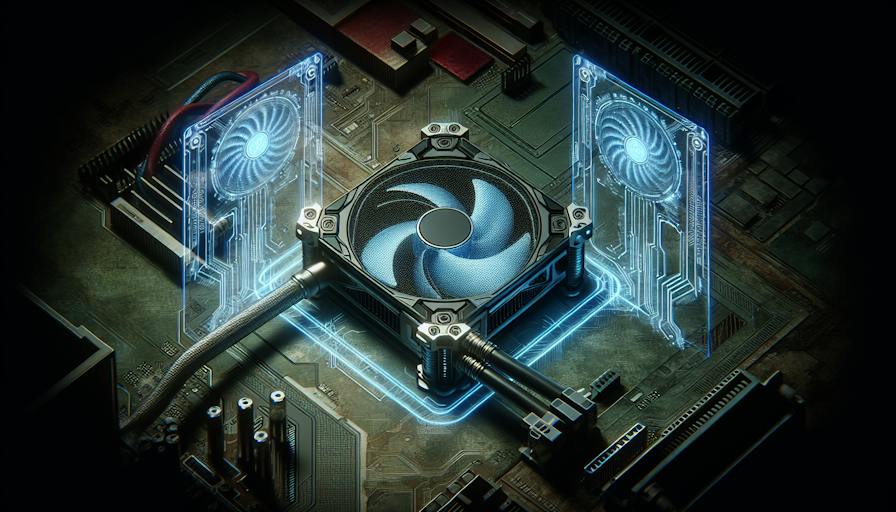
Gaming Laptop Cooling Pads
As gaming laptops can generate considerable heat during intense sessions, cooling pads are essential for maintaining optimal performance and prolonging the lifespan of the hardware. This section will provide an overview of the best gaming PC cooling pads, highlighting top options and budget-friendly choices for various gamers.
Top Cooling Pads Overview
Among the various cooling pads available, the following have emerged as standout options for their functionality and effectiveness in cooling gaming laptops:
| Cooling Pad | Fan Speed (RPM) | Features | Price Range |
|---|---|---|---|
| Llano Gaming Laptop Cooler | 2,800 | Powerful fan, RGB lighting | $$ |
| TECKNET Laptop Cooling Pad | 1,800 | Lightweight, adjustable speeds | $ |
The Llano Gaming Laptop Cooler is highly regarded as the best laptop cooling pad on the market. It features a powerful fan that spins at 2,800 RPM, efficiently reducing the temperature of even the hottest gaming laptops. Its unique design and RGB lighting add aesthetic appeal, making it a popular choice among gamers (ZDNet).
On the other hand, the TECKNET Laptop Cooling Pad is an excellent budget option. With a pair of fans spinning at 1,800 RPM, it is suitable for thin laptops while being lightweight and ergonomic. Additionally, it includes a control wheel to easily adjust the fan speeds, making it a versatile choice for those who prioritize cost-effectiveness without sacrificing performance (ZDNet).
Best Budget Cooling Pad
For gamers on a tight budget, the TECKNET Laptop Cooling Pad stands out as the best choice. Its combination of efficient cooling capabilities and affordability makes it an appealing option for beginners and enthusiasts alike.
| Features | TECKNET Laptop Cooling Pad |
|---|---|
| Weight | Lightweight |
| Fan Type | Dual Fans |
| RPM | 1,800 |
| Adjustable Fan Speed | Yes |
| Ergonomics | Ergonomic design |
This cooling pad is designed not only for functionality but also for comfort during extended gaming sessions. Investing in a suitable cooling solution, such as this affordable option, is vital for maintaining gaming PC temperature and preventing overheating issues. For further insights on managing your gaming environment and optimizing performance, explore our articles on gaming PC cooling system and gaming PC overheating solutions.
Cooling Pad Reviews
In the quest to maintain optimal gaming PC temperature, choosing the right cooling pad is essential. This section reviews three popular cooling pads that cater to different needs and budgets, ensuring gamers can find a suitable solution for their overheating issues.
Llano Gaming Laptop Cooler
The Llano Gaming Laptop Cooler is regarded as the best laptop cooling pad in the market. It features a powerful fan that spins at an impressive 2,800 RPM, enabling it to effectively reduce the temperature of even the hottest gaming laptops (ZDNet). Its unique design includes RGB lighting, adding a stylish touch to any gaming setup.
| Feature | Specification |
|---|---|
| Fan Speed | 2,800 RPM |
| Lighting | RGB |
| Design | Unique ergonomic design |
This cooling pad is a great choice for gamers seeking enhanced performance and aesthetic appeal.
TECKNET Laptop Cooling Pad
For those on a budget, the TECKNET Laptop Cooling Pad emerges as the top economical option. It is equipped with a pair of fans that spin at 1,800 RPM. Lightweight and ergonomic, this cooling pad is designed for portability. It also includes a control wheel for adjusting fan speeds, allowing users to customise airflow based on their gaming requirements (ZDNet).
| Feature | Specification |
|---|---|
| Fan Speed | 1,800 RPM |
| Weight | Lightweight |
| Speed Control | Yes, adjustable |
This is an ideal solution for gamers using thinner laptops while needing effective cooling.
ThermalTake's Massive 14-2
ThermalTake's Massive 14-2 is celebrated as the best cooling pad for larger laptops. It can support laptops up to 17 inches and is equipped with a pair of 14cm fans that spin at a maximum speed of 1,100 RPM. The ergonomic design ensures comfort during extended gaming sessions, and it offers options to adjust fan speeds and even turn off LED lights for a distraction-free environment (ZDNet).
| Feature | Specification |
|---|---|
| Maximum Laptop Size | 17 inches |
| Fan Size | 14cm |
| Fan Speed | Up to 1,100 RPM |
This cooling pad is tailored for users who need robust cooling capabilities without compromising on comfort during gameplay.
By selecting the right cooling pad, gamers can enhance their gaming experience while effectively managing their gaming PC temperature. Each of these reviewed options caters to varying needs, ensuring that every gamer can find the perfect fit for their setup.
Advanced Cooling Solutions
In the realm of gaming PC temperature management, investing in an advanced cooling solution can significantly enhance performance. Two exceptional models deserving attention are the AICHESON K1 Gaming RGB Cooling Pad and the IETS GT500 V2 (Hub+RGB).
AICHESON K1 Gaming RGB Cooling Pad
The AICHESON K1 is often regarded as the best RGB laptop cooling pad available. It is compatible with laptops up to 18 inches and features powerful fans that can spin at a maximum speed of 2,800 RPM. This provides effective cooling for high-performance gaming sessions.
Key features of the AICHESON K1 include:
- Customizable RGB lighting for a personalised setup.
- Multiple power options via USB cable or a power adapter.
- Effective cooling supported by a vacuum seal design.
| Feature | Specification |
|---|---|
| Maximum Fan Speed | 2,800 RPM |
| Laptop Size Compatibility | Up to 18 inches |
| Power Options | USB cable / power adapter |
| Dimensions | [Dimensions needed] |
This cooling pad is an excellent choice for gamers looking to create a dynamic and visually appealing gaming environment while maintaining optimal gaming PC temperature.
IETS GT500 V2 (Hub+RGB)
The IETS GT500 V2 (Hub+RGB) is recognised for having the most powerful fan on the market, capable of rotating at an impressive 5,000 RPM. This level of power makes it suitable for even the most demanding gaming laptops, ensuring efficient removal of excess heat during intensive gaming sessions.
Notable characteristics of the IETS GT500 V2 include:
- Powerful fan operation at 5,000 RPM.
- Foam surrounding the fan, which enhances cooling efficiency.
- However, it can generate noise levels up to 80 dB, which may be a consideration for some users.
| Feature | Specification |
|---|---|
| Maximum Fan Speed | 5,000 RPM |
| Noise Level | Up to 80 dB |
| Cooling Enhancement | Foam surround around fan |
| Compatibility | For heavy-duty gaming laptops |
While the IETS GT500 V2 delivers exceptional cooling performance, it is vital for users to weigh the benefits of its power against the potential noise level. This cooling pad is optimal for those who prioritise performance and can manage the associated sound.
Both the AICHESON K1 and IETS GT500 V2 provide excellent options for users looking to optimize gaming PC temperature and manage overheating effectively. Whether aesthetic appeal or powerful cooling is your priority, these pads can help support long gaming sessions. For more tips on maintaining cooling systems, refer to our guide on gaming PC cooling tips.
Specialized Cooling Pads
Specialized cooling pads are essential for gamers and PC enthusiasts looking to maintain optimal temperatures during intense sessions. The right cooling pad can not only reduce heat but also enhance comfort and performance. Among the various options available in the market, two noteworthy products stand out: the Havit HV-F2056 and the idea of customizing cooling options.
Havit HV-F2056
The Havit HV-F2056 is a prominent choice among laptop cooling pads due to its multifunctional features. This device is suitable for both gaming and office use, making it a versatile addition to any setup.
Key features of the Havit HV-F2056 include:
| Feature | Description |
|---|---|
| Fan Speed | Up to 1,100 RPM for effective cooling without excessive noise |
| Design | Ergonomic design with adjustable legs for comfortable typing |
| Lighting | Equipped with RGB lights for an enhanced aesthetic and customizable look |
| Noise Level | Operates quietly to prevent distractions during work or gaming |
This cooling pad not only helps manage gaming PC temperature but also offers user comfort, making it suitable for extended usage. Its design and features align with the needs of users who demand both style and performance.
Customizing Cooling Options
Customizing cooling options for a gaming PC can significantly influence thermal management and overall performance. Users can tailor cooling setups based on their unique requirements, considering factors such as the type of games played and the system specifications.
Key aspects to consider for customizing cooling options:
- Fan Placement: Adjust the positioning of cooling pads and fans to focus airflow on critical areas where heat builds up the most.
- Fan Speed: Many cooling pads offer adjustable fan speeds. Optimizing the speed according to the gaming session's intensity can enhance cooling effectiveness.
- Additional Cooling Solutions: Integrating external fans or upgrading existing gaming PC cooling fans can further improve thermal control.
- PC Case Configuration: Ensuring that case fans are configured for optimal airflow can complement the efforts of an external cooling pad.
- Monitor Temperature: Regularly checking temperatures using software tools can help in adjusting cooling strategies as per the gaming demands.
For more details on managing temperatures, users can explore gaming PC overheating solutions and learn effective gaming PC cooling tips to further enhance their system's performance. Understanding how to properly configure cooling systems allows gamers to not only boost performance but also prolong the lifespan of their gaming equipment.


