


Maximize Performance: Essential Gaming PC Cooling Solutions
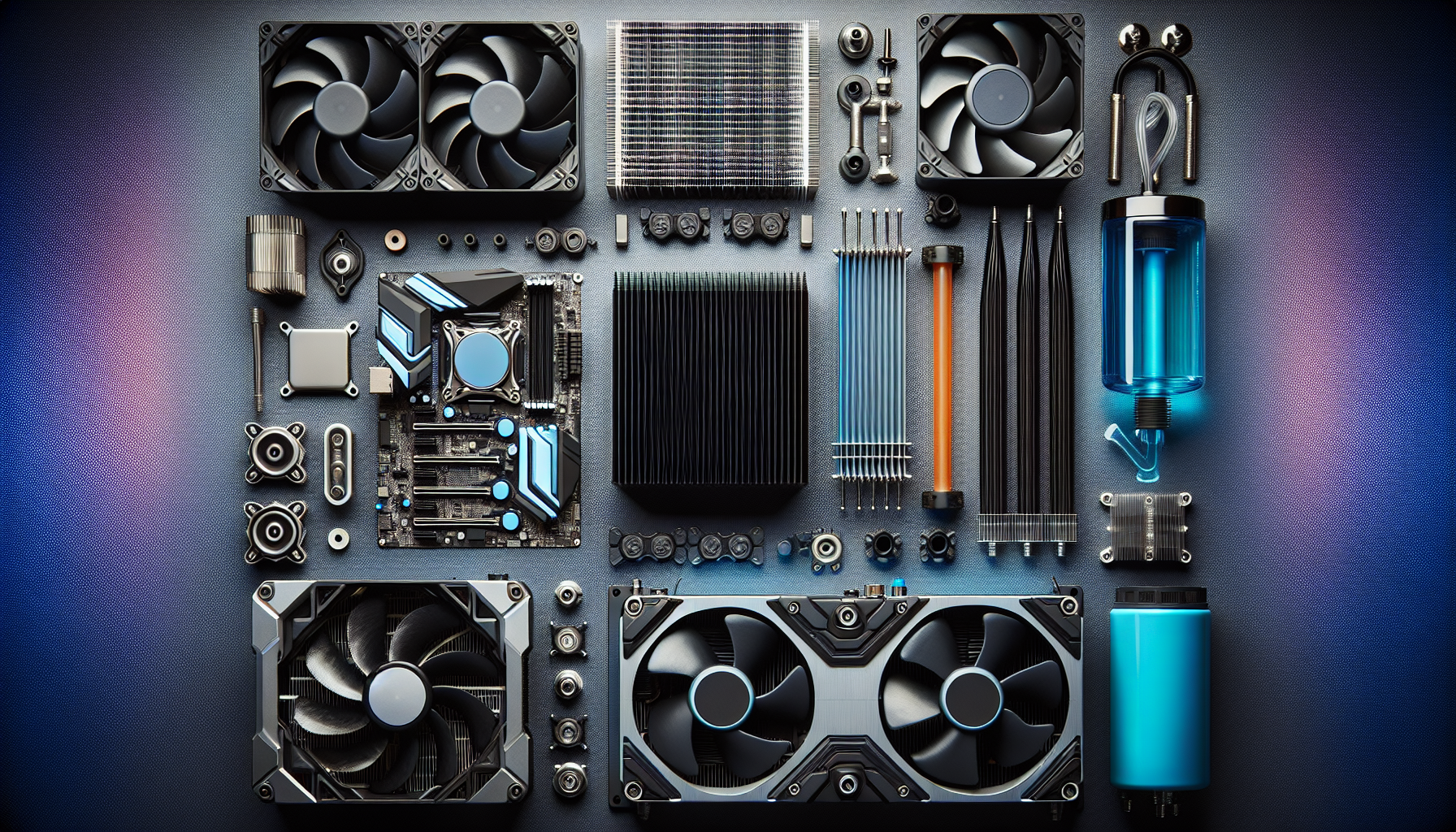
Introduction to Gaming PC Cooling
Efficient cooling is fundamental for any gaming PC to ensure optimal performance and longevity. This section delves into the importance of cooling and the common challenges faced in maintaining an adequately cooled gaming system.
Importance of Cooling for Gaming PCs
Gaming PCs are known for their high-performance components, which generate significant heat during operation. Effective cooling is essential for several reasons:
- Performance Optimization: Overheating can lead to thermal throttling, where the CPU or GPU reduces its speed to prevent damage. Proper cooling helps maintain peak performance, ensuring smooth gameplay and high frame rates.
- Component Longevity: Excessive heat can wear out components faster, reducing the lifespan of the hardware. Efficient cooling helps extend the life of critical parts such as the CPU, GPU, and power supply.
- System Stability: A well-cooled PC is less likely to experience crashes, freezes, or unexpected shutdowns, which can disrupt gaming sessions and potentially lead to data loss.
- Overclocking: For enthusiasts looking to push their systems beyond stock performance levels, robust cooling solutions are vital to handle the increased thermal output. Check out our overclocking guide for gaming pcs for more information.
Common Cooling Challenges in Gaming PCs
Several challenges can affect the cooling efficiency of a gaming PC:
- Space Constraints: Gaming PCs often have powerful components packed into relatively small cases, limiting airflow and increasing the risk of heat buildup. Choosing the right case with sufficient airflow can mitigate this issue. Explore our top gaming pc cases for some ideas.
- Dust Accumulation: Dust can clog fans and heatsinks, reducing their ability to dissipate heat effectively. Regular cleaning and dust management are crucial to maintaining optimal cooling performance. Visit our gaming pc maintenance tips for more advice.
- Inadequate Cooling Solutions: Not all cooling methods are created equal. Some setups may be insufficient for high-end gaming rigs, leading to overheating problems. Understanding the different cooling solutions available can help you make an informed choice.
- Ambient Temperature: The environment where the gaming PC is located can significantly impact its cooling efficiency. Higher ambient temperatures can reduce the effectiveness of both air and liquid cooling systems.
| Common Challenges | Impact on Cooling |
|---|---|
| Space Constraints | Limited airflow, increased heat |
| Dust Accumulation | Reduced heat dissipation |
| Inadequate Cooling Solutions | Overheating problems |
| Ambient Temperature | Reduced cooling efficiency |
Addressing these challenges involves selecting the right cooling solution for your setup and maintaining it properly. For those looking to build their own system, our guide on building your own gaming pc offers valuable insights.
In the following sections, we will explore various cooling solutions, including air, liquid, and hybrid systems, to help you find the best fit for your gaming rig.
Air Cooling Solutions
To maintain optimal performance and longevity, proper cooling is essential for gaming PCs. Air cooling is one of the primary methods used. This section will delve into how air cooling functions, the different types of air coolers available, and the pros and cons of using air cooling solutions.
How Air Cooling Works
Air cooling relies on the principles of heat dissipation. The system uses fans to draw cool air into the case and expel warm air out. Heat sinks, which are metal components attached to the CPU and GPU, absorb the heat generated by these components. The fans then blow cool air over the heat sinks, which dissipates the heat away from the components, thus maintaining a lower temperature.
How Air Cooling Works:
- Heat Absorption: Heat sinks absorb heat from the CPU and GPU.
- Air Circulation: Fans circulate air to move the heat away from the components.
- Heat Dissipation: Heat is expelled out of the case, maintaining optimal temperature.
Types of Air Coolers
There are several types of air coolers, each with its own set of features and benefits. Below are the most common types:
- Tower Coolers: These are vertical coolers with large heat sinks and fans. They are efficient at cooling but can be bulky.
- Low-Profile Coolers: Designed for smaller cases, these coolers are compact and fit into tight spaces but may not offer the same cooling efficiency as tower coolers.
- Fan Configurations: Single-fan and dual-fan configurations are available. Dual-fan setups provide better cooling but may be noisier.
| Type of Cooler | Size | Cooling Efficiency | Noise Level |
|---|---|---|---|
| Tower Coolers | Large | High | Medium |
| Low-Profile Coolers | Compact | Moderate | Low |
| Single-Fan | Varies | Moderate | Low |
| Dual-Fan | Varies | High | High |
Pros and Cons of Air Cooling
Air cooling solutions come with their own set of advantages and disadvantages.
Pros:
- Cost-Effective: Generally more affordable than liquid cooling solutions.
- Ease of Installation: Easier to install and maintain.
- Reliability: Fewer moving parts mean less risk of failure.
Cons:
- Space Requirements: Tower coolers can be bulky, requiring more space inside the case.
- Noise Levels: Fans can be noisy, especially in high-performance setups.
- Limited Cooling Capacity: May not be sufficient for overclocked or high-end gaming PCs.
For those interested in exploring more about building or upgrading their gaming PC, check out our articles on building your own gaming pc and top gaming pc cases. Additionally, to understand the differences between prebuilt and custom setups, visit prebuilt vs. custom gaming pcs.
Understanding the essentials of air cooling can help you make an informed decision about the best cooling solution for your gaming PC. For more advanced cooling options, explore our sections on liquid and hybrid cooling solutions.
Liquid Cooling Solutions
In the realm of gaming PC cooling solutions, liquid cooling stands out as a highly effective method to manage heat dissipation. This section delves into how liquid cooling works, the different types of liquid coolers available, and the pros and cons of using liquid cooling for gaming PCs.
How Liquid Cooling Works
Liquid cooling operates by circulating a liquid coolant through a system of tubes and components to transfer heat away from critical parts like the CPU and GPU. The process involves several key components:
- Water Block: Attached to the CPU and/or GPU, it's where the heat gets transferred from the component to the liquid coolant.
- Pump: Circulates the coolant through the system.
- Radiator: Dissipates the heat from the coolant into the air, typically with the help of fans.
- Reservoir: Holds excess coolant and helps in maintaining the coolant level.
The coolant absorbs the heat from the components, is pumped through the system, and releases the heat when it passes through the radiator. This efficient transfer of heat allows gaming PCs to run cooler and perform better under heavy loads.
Types of Liquid Coolers
There are primarily two types of liquid coolers used in gaming PCs:
- All-in-One (AIO) Coolers: These are pre-assembled units that come with a pump, radiator, and water block. They are easier to install and require less maintenance.
- Custom Loop Coolers: These systems are fully customizable and allow users to select each component. They offer more flexibility but require more expertise to assemble and maintain.
| Type of Liquid Cooler | Ease of Installation | Maintenance | Customizability |
|---|---|---|---|
| All-in-One (AIO) | Easy | Low | Low |
| Custom Loop | Difficult | High | High |
Pros and Cons of Liquid Cooling
Liquid cooling solutions offer several benefits but also come with some drawbacks.
Pros:
- Superior Cooling Performance: Liquid cooling is more efficient at removing heat compared to air cooling, making it ideal for high-performance gaming PCs.
- Reduced Noise Levels: Liquid cooling systems can be quieter than air cooling because they rely less on high-speed fans.
- Aesthetic Appeal: Liquid cooling setups can add a visually striking element to gaming PCs, especially custom loops with coloured coolant and RGB lighting.
Cons:
- Complex Installation: Setting up liquid cooling, especially custom loops, can be complicated and time-consuming.
- Higher Cost: Liquid cooling systems are generally more expensive than air coolers.
- Potential for Leaks: There's a risk of coolant leaks, which can damage PC components if not monitored properly.
Choosing the right cooling solution depends on various factors, including budget, desired performance, and personal preference. For more insights on optimising your gaming setup, visit our articles on best gaming pcs of 2024 and top gaming pc cases.
Hybrid Cooling Solutions
When it comes to maximising the performance of a gaming PC, hybrid cooling solutions offer a blend of air and liquid cooling technologies. This hybrid approach provides enhanced cooling efficiency and can be particularly beneficial for high-performance gaming rigs.
Understanding Hybrid Cooling Systems
Hybrid cooling systems combine the benefits of both air and liquid cooling. These systems typically use liquid cooling to transfer heat away from critical components such as the CPU and GPU, and air cooling to dissipate that heat from the liquid into the surrounding environment. This dual approach helps maintain optimal temperatures, ensuring that the gaming PC operates smoothly even during intense gaming sessions.
| Component | Cooling Method | Description |
|---|---|---|
| CPU/GPU | Liquid Cooling | Transfers heat from the components to a liquid coolant |
| Radiator | Air Cooling | Uses fans to dissipate heat from the liquid coolant to the air |
Hybrid cooling systems often feature radiators equipped with fans. The liquid coolant absorbs heat from the components and circulates it to the radiator, where the fans then expel the heat. This method combines the efficient heat transfer of liquid cooling with the effective heat dissipation of air cooling.
Benefits and Drawbacks of Hybrid Cooling
Hybrid cooling solutions offer several advantages, making them a popular choice for gaming PC enthusiasts. However, they also come with some potential drawbacks that should be considered.
Benefits:
- Enhanced Cooling Efficiency: By combining liquid and air cooling, hybrid systems can provide superior cooling performance, keeping critical components at lower temperatures.
- Reduced Noise Levels: Hybrid systems often operate more quietly than traditional air cooling solutions, as the fans do not need to work as hard to dissipate heat.
- Improved Aesthetics: Many hybrid coolers come with sleek designs and RGB lighting, adding a visually appealing element to the gaming setup.
Drawbacks:
- Complex Installation: Setting up a hybrid cooling system can be more complicated than installing traditional air cooling solutions. It may require additional time and expertise.
- Higher Cost: Hybrid cooling systems tend to be more expensive than air cooling solutions, which might be a consideration for those on a budget. For more budget-friendly options, check out our article on budget gaming pcs.
- Maintenance: Hybrid systems may require more maintenance to ensure optimal performance, including regular checks and potential coolant refills.
| Feature | Benefit | Drawback |
|---|---|---|
| Cooling Efficiency | Superior performance | Complex installation |
| Noise Levels | Quieter operation | Higher cost |
| Aesthetics | Enhanced design | Increased maintenance |
Understanding the benefits and drawbacks of hybrid cooling can help gamers make informed decisions about the best cooling solutions for their setups. For those looking to delve deeper into building and maintaining their gaming rigs, articles like building your own gaming pc and gaming pc maintenance tips provide valuable insights.
Advanced Cooling Techniques
For those seeking to push their gaming PCs to the limit, advanced cooling techniques offer superior performance and customizability. Here, we explore three cutting-edge cooling solutions: custom loop water cooling, phase change cooling, and Peltier cooling (thermoelectric cooling).
Custom Loop Water Cooling
Custom loop water cooling is a highly efficient method for keeping gaming PCs at optimal temperatures. Unlike all-in-one liquid coolers, custom loops allow for complete personalization, from the choice of radiators to the type of tubing used.
Custom loop systems work by circulating liquid coolant through a series of tubes, radiators, and blocks attached to the CPU and GPU. The heat is absorbed by the coolant and then dissipated by radiators with the help of fans.
| Component | Function |
|---|---|
| Pump | Circulates coolant through the system |
| Radiator | Dissipates heat from the coolant |
| Water Block | Transfers heat from the CPU/GPU to the coolant |
| Tubing | Connects components and carries the coolant |
Pros:
- Superior cooling performance
- Customizable aesthetics
- Efficient heat management
Cons:
- Complex installation process
- Higher cost compared to air cooling
- Requires regular maintenance
Explore more about custom loop setups in our overclocking guide for gaming pcs.
Phase Change Cooling
Phase change cooling operates similarly to a refrigerator, using a phase change process to absorb and dissipate heat. This technique involves a refrigerant that changes from liquid to gas, absorbing heat from the CPU in the process.
Phase change cooling systems are highly effective and can keep CPU temperatures below ambient. However, they are bulky, expensive, and often used in extreme overclocking scenarios.
| Component | Function |
|---|---|
| Compressor | Compresses refrigerant into a high-pressure liquid |
| Evaporator | Absorbs heat from the CPU, turning refrigerant into gas |
| Condenser | Dissipates heat from the refrigerant, turning it back into liquid |
| Expansion Valve | Regulates the flow of refrigerant into the evaporator |
Pros:
- Exceptional cooling performance
- Capable of sub-ambient temperatures
- Ideal for extreme overclocking
Cons:
- Expensive
- Bulky and noisy
- Complex installation and maintenance
For those considering this advanced technique, our article on high-end gaming pcs may provide additional insights.
Peltier Cooling (Thermoelectric Cooling)
Peltier cooling, or thermoelectric cooling, uses the Peltier effect to create a temperature differential. When an electric current passes through the Peltier device, one side becomes hot while the other becomes cold, effectively cooling the attached component.
Peltier coolers are compact and can achieve significant temperature drops. However, they are less efficient than other methods and can introduce additional heat into the system, requiring supplementary cooling.
| Component | Function |
|---|---|
| Peltier Module | Creates temperature differential |
| Heat Sink | Dissipates heat from the hot side of the Peltier module |
| Power Supply | Provides electric current to the Peltier module |
Pros:
- Compact and lightweight
- Capable of significant temperature reduction
- Quiet operation
Cons:
- Low efficiency
- Generates additional heat
- Requires secondary cooling solution
For more on integrating Peltier cooling into your setup, read our tips on building your own gaming pc.
Advanced cooling techniques like these can greatly enhance the performance and longevity of gaming PCs. Whether it's custom loop water cooling, phase change cooling, or Peltier cooling, each method offers unique benefits and challenges. To ensure your system remains in peak condition, don't forget to check out our gaming pc maintenance tips.
Key Factors in Choosing a Cooling Solution
Selecting the appropriate cooling solution for a gaming PC is crucial for optimal performance and longevity. Here are some key factors to consider when making this decision.
Assessing Your PC's Cooling Needs
Understanding the specific cooling requirements of your gaming setup is the first step. Factors to consider include the type of components, their power consumption, and the overall airflow within the case.
- CPU and GPU: High-performance CPUs and GPUs generate significant heat and require efficient cooling.
- Overclocking: If overclocking, enhanced cooling solutions are necessary to manage the additional heat.
- Case Size: Smaller cases may have limited space for larger cooling systems, impacting your choice.
For more insights on building and customising your gaming PC, visit our guide on building your own gaming pc.
Cooling Efficiency and Performance
The effectiveness of a cooling solution is measured by its ability to maintain stable temperatures under load. Consider the following metrics:
- Thermal Dissipation (Watts): The amount of heat the cooling system can dissipate.
- Fan Speed (RPM): Higher RPMs typically offer better cooling but may increase noise.
- Temperature Drop (°C): The reduction in temperature achieved by the cooling system.
| Cooling Solution | Thermal Dissipation (Watts) | Fan Speed (RPM) | Temperature Drop (°C) |
|---|---|---|---|
| Air Cooling | 150 | 2000 | 10 |
| Liquid Cooling | 300 | 1800 | 20 |
| Hybrid Cooling | 250 | 1900 | 15 |
For those interested in pushing their systems to the limit, our overclocking guide for gaming pcs can provide additional insights.
Noise Levels and Aesthetics
Balancing cooling efficiency with noise levels is essential for an enjoyable gaming experience. Additionally, the visual appeal of the cooling system might be a consideration for some users.
- Noise Levels (dB): Aim for a cooling solution that offers good performance without excessive noise.
- Aesthetics: Many gamers prefer coolers that complement their build's aesthetics, such as RGB lighting or sleek designs.
| Cooling Solution | Noise Level (dB) | Aesthetics |
|---|---|---|
| Air Cooling | 30 | Moderate |
| Liquid Cooling | 25 | High |
| Hybrid Cooling | 28 | High |
For ideas on creating a visually appealing setup, check out our article on gaming pc setup ideas.
By considering these factors, you can choose a cooling solution that meets your gaming PC's needs, ensuring performance, efficiency, and a seamless gaming experience.
Maintenance Tips for Cooling Systems
Maintaining your gaming PC's cooling system is essential for optimal performance and longevity. Here are some key tips for keeping your system in top shape.
Regular Cleaning and Dust Management
Dust accumulation is a common issue that can hinder the efficiency of your cooling system. Regular cleaning is essential to ensure unrestricted airflow and optimal cooling performance. Use compressed air to blow out dust from fans, heatsinks, and other components. A soft brush can also help to remove stubborn dust particles.
| Cleaning Frequency | Recommended Action |
|---|---|
| Weekly | Light dusting and visual inspection |
| Monthly | Thorough cleaning of fans and vents |
| Quarterly | Deep cleaning of all components |
For more detailed steps on maintaining your gaming PC, check out our article on gaming pc maintenance tips.
Monitoring Temperature and Performance
Keeping an eye on your gaming PC's temperature and performance is crucial for preventing overheating and ensuring smooth operation. Utilise software tools to monitor CPU and GPU temperatures. Consistently high temperatures may indicate that your cooling system needs attention.
| Component | Safe Temperature Range |
|---|---|
| CPU | 40°C - 70°C |
| GPU | 60°C - 85°C |
If you notice temperatures exceeding these ranges, it's time to investigate potential issues. Overclocking can also impact temperature; for more information, read our overclocking guide for gaming pcs.
Ensuring Proper Installation and Upkeep
Proper installation of your cooling components is vital for effective heat dissipation. Ensure that all fans, heatsinks, and radiators are securely mounted and positioned correctly. Check thermal paste application between the CPU and its cooler, as old or insufficient thermal paste can reduce cooling efficiency.
| Installation Checkpoints | Recommended Action |
|---|---|
| Fan Mounting | Ensure all screws are tight and fans are aligned |
| Thermal Paste | Reapply every 1-2 years or when replacing the cooler |
| Cable Management | Ensure cables do not obstruct airflow |
For those building their own gaming PCs, our guide on building your own gaming pc offers more insights into proper installation techniques.
By following these maintenance tips, you can ensure that your gaming PC's cooling system remains efficient and effective, maximising your system's performance and lifespan. For further reading on related topics, browse our articles on top gaming pc cases and future trends in gaming pcs.


