


Mastering Gaming PC Temperature Control: Expert Solutions Unveiled
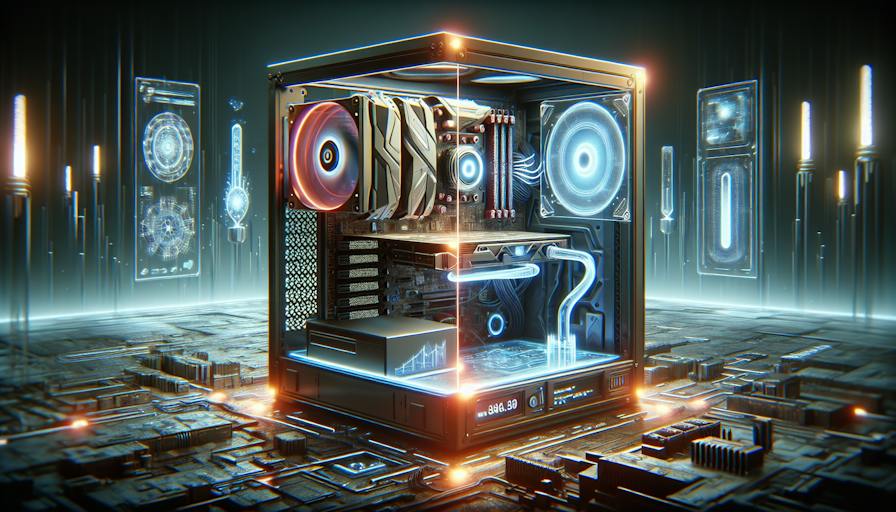
Maintaining Optimal Temperatures
Importance of Temperature Control
Maintaining optimal temperatures in a gaming PC is fundamental for both performance and longevity. Temperature control ensures that components function effectively without overheating, which can lead to thermal throttling. Thermal throttling occurs when processors reduce their speeds to avoid damage from excess heat, resulting in slower performance during gameplay. By effectively managing the thermal environment, gamers can enhance both responsiveness and stability.
Overclocking has become a popular practice among enthusiasts, allowing components to run at higher speeds. This can extend the useful life of a processor by enabling it to keep up with increasingly demanding software requirements (Intel). However, overclocking necessitates better cooling solutions, as the heat output increases significantly. Thus, understanding and implementing effective temperature control methods is paramount for those looking to push their gaming PCs to the limit.
Impact of Temperature on Performance
The temperature of a gaming PC directly affects its overall performance. Modern PC components are rated to run at higher temperatures than many users might assume. Keeping components at an optimal temperature range can prevent issues associated with overheating, such as reduced frame rates and latency during gameplay. The following table shows the recommended temperature ranges for critical components in a gaming PC:
| Component | Optimal Temperature (°C) | Maximum Temperature (°C) |
|---|---|---|
| CPU | 60 - 80 | 95 |
| GPU | 70 - 85 | 90 |
| Motherboard | 30 - 70 | 100 |
| Power Supply | 40 - 60 | 85 |
By efficiently managing the gaming PC temperature, users can mitigate potential thermal throttling, allowing for stable performance throughout demanding gaming sessions. Liquid cooling systems, for instance, can be 2-10 times more effective than air cooling due to water's high thermal conductivity (Kingston). This ensures that gameplay remains smooth and uninterrupted, even under intense conditions.
Implementing adequate cooling solutions, whether through gaming PC cooling fans, cooling pads, or other methods, is crucial for optimising gaming performance and preserving the lifespan of the hardware. For effective solutions or tips on managing temperatures, it is essential to understand the environmental factors influencing heat generation within the system.
Cooling Methods Overview
When it comes to maintaining optimal temperatures in gaming PCs, two primary cooling methods are commonly discussed: liquid cooling systems and air cooling systems. Each method has its own features, benefits, and suitability based on user needs.
Liquid Cooling Systems
Liquid cooling systems are a popular choice among gamers looking for superior temperature control. These systems typically consist of several components: water blocks, a pump, a radiator, pipes, and sometimes a reservoir. The pump circulates the liquid coolant, which absorbs heat from the components and disperses it through the radiator, allowing for efficient cooling (Kingston).
Liquid cooling can be 2-10 times more effective than air cooling due to the high thermal conductivity of water (Kingston). This method also allows for better heat distribution across a larger surface area, enabling lower fan speeds and quieter operation. It is especially beneficial for serious overclocking or CPU-intensive tasks like video rendering or streaming, making it the ideal choice for high-end users (Intel).
| Feature | Details |
|---|---|
| Cooling Efficiency | 2-10 times more effective than air cooling |
| Noise Level | Quieter operation due to lower fan speeds |
| Best For | High-end CPUs and overclocking |
For users interested in aesthetic appeal as well as performance, all-in-one liquid cooling systems offer streamlined designs and superior cooling (Asetek).
Air Cooling Systems
Air cooling systems function by using heatsinks and fans to dissipate heat away from the CPU and other components. These systems usually consist of a heatsink, which absorbs heat, and one or more fans that disperse it into the surrounding air. The simplicity and reliability of air cooling make it a popular choice for casual gamers and those looking to build a budget-friendly gaming rig.
While air cooling is generally less expensive and often easier to install, it may not provide the same level of cooling efficiency as liquid systems. However, advancements in fan technology can still yield impressive results, especially when paired with high-quality heatsinks.
| Feature | Details |
|---|---|
| Cooling Efficiency | Effective but generally less than liquid cooling |
| Noise Level | May be louder due to higher fan speeds needed |
| Best For | Budget builds and casual gaming setups |
For more on selecting the appropriate cooling system for a gaming PC, refer to our articles on gaming pc cooling system and gaming pc cooling fans. Understanding the differences between these cooling methods can significantly impact the overall performance and longevity of a gaming PC.
Liquid Cooling Systems
Liquid cooling systems are essential for maintaining optimal temperatures in gaming PCs, especially for high-performance builds. Understanding their components and functionality can provide insight into their advantages over traditional air cooling methods.
Components and Functionality
A typical liquid cooling system for PCs consists of several key components:
| Component | Description |
|---|---|
| Water Blocks | These fit directly onto CPU or GPU surfaces and absorb heat, transferring it to the coolant. |
| Pump | The pump circulates the liquid coolant throughout the system, ensuring constant flow and heat exchange. |
| Radiator | The radiator dissipates heat from the coolant, often featuring a larger surface area compared to air coolers. |
| Pipes | Flexible or rigid tubes that transport the coolant between the components. |
| Reservoir (optional) | This stores additional coolant, helping maintain a steady supply and allowing for easier maintenance and filling. |
The pump pushes the liquid coolant through the system, where it absorbs heat from components and disperses it elsewhere, providing effective temperature control. Users can choose between AIO (all-in-one) systems, which come pre-assembled, and custom loop cooling setups that allow for greater personalisation (Kingston).
Advantages of Liquid Cooling
Liquid cooling systems offer several benefits that make them ideal for gaming PCs:
Superior Cooling Performance: Due to the larger surface area of the radiator compared to air coolers, liquid cooling can extract more heat from the case, effectively managing ambient temperatures (Asetek).
Quiet Operation: Liquid cooling systems generally operate more quietly than air fans, making them suitable for gamers who prefer a less noisy environment.
Enhanced Overclocking Potential: For high-end CPUs intended for overclocking, AIO liquid cooling is recommended. It provides superior cooling performance and can accommodate high thermal outputs without overheating.
Aesthetics and Customisation: Liquid cooling setups, particularly custom loops, can be visually appealing with various colours and designs, adding a unique touch to a gaming rig.
For further insights on PC cooling options, explore more about gaming pc cooling systems and how they can optimize your system's performance.
Air Cooling Systems
Components and Operation
Air cooling systems are a popular choice for maintaining gaming PC temperature control due to their simplicity and ease of installation. These systems primarily consist of two main components: a heat sink and a fan.
Heat Sink: The heat sink absorbs heat generated by the CPU and dissipates it into the surrounding air. Its design typically includes multiple fins that increase the surface area for effective heat dissipation.
Fan: The fan plays a crucial role by directing airflow away from the CPU. It pulls in cool air from the environment, which helps to lower the temperature of the heat sink. As the air passes over the fins of the heat sink, it carries away the heat, effectively regulating temperatures.
| Component | Function |
|---|---|
| Heat Sink | Absorbs and dissipates heat from the CPU |
| Fan | Directs cool air toward the heat sink to enhance cooling efficiency |
This combination of components allows air cooling systems to effectively manage temperatures in gaming PCs, making them a practical option, especially for beginner builders and users looking for straightforward installation.
Advantages of Air Cooling
Air cooling systems offer several benefits, making them a preferred choice for many PC builders and gamers.
Simplicity and Cost-Effectiveness: Air cooling solutions are generally less complicated and more affordable than liquid cooling systems. Installation is often straightforward, requiring minimal technical expertise.
Reliability: With no liquid involved, air cooling systems eliminate the risks associated with leaks, making them a safer option for long-term use.
Effective for Moderate Loads: For many gaming tasks, air cooling provides adequate temperature regulation, especially for mid-range gaming setups.
Wide Availability: Air cooling products are widely available in various sizes and cooling capacities, allowing users to choose options that suit their specific hardware needs.
Less Maintenance: Air cooling systems generally require less maintenance than liquid cooling counterparts. Regular dusting of the heat sink and fan helps maintain performance without extensive upkeep.
For more information on improving your gaming PC's cooling capabilities, consider exploring gaming pc cooling tips or gaming pc overheating solutions.


