


Liquid Cooling vs Fan Cooling: The Pros and Cons Revealed
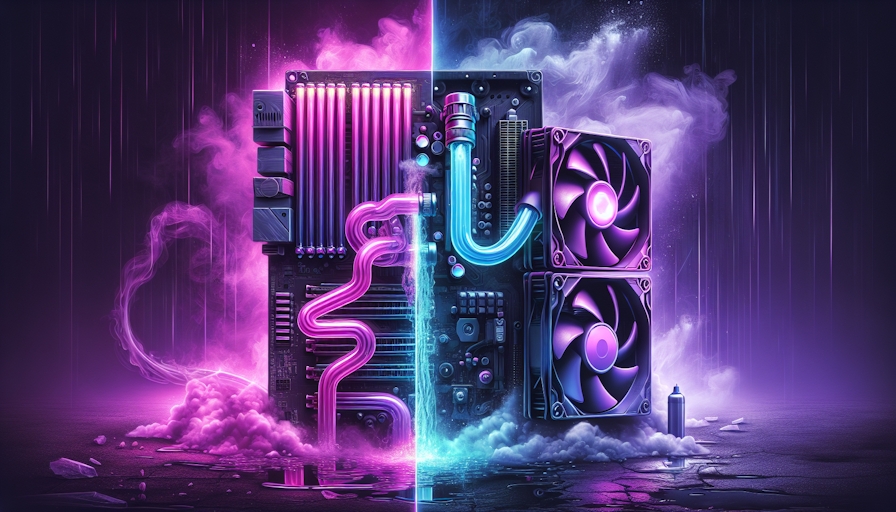
Cooling Efficiency Comparison
When it comes to keeping your computer from overheating, you've got two main players: air cooling and liquid cooling. Each has its perks and quirks, and choosing the right one can make a big difference, especially if you're a hardcore gamer, a workstation wizard, or just someone who loves tinkering with tech.
Air Cooling Basics
Air cooling is the old reliable of the cooling world. It's like having a fan blowing on your CPU to keep it chill. This setup usually involves a heat sink and a fan that work together to whisk away the heat. It's the go-to choice for most folks building PCs these days.
| Feature | Air Cooling |
|---|---|
| Installation | Piece of cake |
| Maintenance | Barely any |
| Cost | Wallet-friendly |
| Cooling Efficiency | Decent |
Air cooling systems are steady and safe, needing little upkeep. But if you're pushing your system to the max, they might not cut it when the heat is on.
Liquid Cooling Advantages
Liquid cooling is like the cool kid on the block. It's way more effective than air cooling, thanks to water's knack for soaking up heat (Kingston).
| Feature | Liquid Cooling |
|---|---|
| Installation | A bit tricky |
| Maintenance | Needs some attention |
| Cost | Pricey upfront |
| Cooling Efficiency | Top-notch |
Liquid cooling is a champ at keeping things cool, moving heat away from your gear better than air can. This means your computer runs smoother, especially when you're gaming or overclocking. Plus, it looks pretty slick, which is a bonus for tech fans (CDW).
If you're thinking about diving into the world of liquid cooling, check out liquid cooling for PC and liquid cooling solutions for the scoop on the best setups out there.
Factors Influencing Cooling Systems
When it comes to keeping your computer cool, a few things can make or break the system's efficiency. Two biggies are how well the system moves heat and how it handles being pushed to the limit.
Thermal Conductivity
Think of thermal conductivity as the speed at which a cooling system can whisk heat away from your computer's parts. Liquid cooling systems usually outshine air cooling ones because water is a heat-moving champ. It can soak up heat like a sponge without getting hot too quickly.
Here's a quick look at how different cooling mediums stack up:
| Cooling Medium | Thermal Conductivity (W/m·K) |
|---|---|
| Air | 0.025 |
| Water | 0.606 |
| Oil | 0.140 |
As you can see, water's ability to conduct heat is way better than air's, making liquid cooling a top choice for keeping things chill. In fact, liquid cooling can be up to 10 times more effective than air cooling when it comes to managing heat in a PC.
System Overload Considerations
Now, let's talk about system overload. If you've got a high-powered chip with loads of transistors or if you're into overclocking, air cooling might not cut it. That's where liquid cooling steps in, ready to tackle the extra heat like a pro.
Liquid cooling systems are built to handle hefty heat loads, making them perfect for those who like to push their PCs to the max. They offer performance and heat management that air cooling systems just can't match.
If you're curious about diving deeper into the world of liquid cooling, check out our articles on liquid cooling for PC and liquid cooling solutions.
Types of Cooling Systems
When you're picking the best way to keep your PC from overheating, you've got two main options: air cooling and liquid cooling. Each has its perks and quirks, so let's break it down.
Air Cooling Systems
Air cooling is the classic way to keep your CPU from turning into a toaster. It usually involves a heat sink and a fan that blows the hot air away from the CPU. This method is the go-to for most folks because it's reliable, won't break the bank, and is a breeze to set up. Plus, it doesn't need much babysitting once it's in place.
| Feature | Description |
|---|---|
| Installation | Easy-peasy, even for beginners |
| Cost | Cheaper than liquid cooling |
| Maintenance | Set it and forget it |
| Size | Can be bulky, so check your case size |
Before you buy, make sure to measure your case and the cooler to avoid any surprises (CDW).
Liquid Cooling Systems
Liquid cooling is like the sports car of cooling systems. It's more efficient because water can soak up and move heat better than air. This means it can cool your PC 2-10 times better than air cooling (Kingston).
A typical setup includes water blocks, a pump, a radiator, pipes, and sometimes a reservoir. The pump keeps the coolant moving through the system, pulling heat away from the CPU and into the radiator where it cools down (Kingston).
| Feature | Description |
|---|---|
| Cooling Efficiency | 2-10 times better than air cooling |
| Components | Includes water blocks, pump, radiator, pipes, and maybe a reservoir |
| Installation Complexity | A bit more involved than air cooling |
| Maintenance | Needs more attention, like changing the coolant now and then |
Liquid cooling is a hit with gamers, pros, and overclockers who want top-notch cooling, a quieter PC, and a sleek look. For more on why liquid cooling rocks, check out our article on liquid cooling solutions.
Knowing the ins and outs of air and liquid cooling helps you pick what's best for your setup and style.
Choosing the Right Cooling Solution
Picking the right cooling setup for your PC can make a world of difference in how it performs and how you experience it. This choice often boils down to what you like and how much you're willing to spend.
Personal Preferences
When it comes to cooling systems, what you fancy matters a lot. Liquid cooling is like the cool kid on the block, offering top-notch performance and a snazzy look that many folks dig. It’s great at whisking heat away from your PC parts, doing a better job than just air cooling.
Some people love how quiet liquid cooling can be, as it usually makes less racket than the usual fan setups. Plus, the flashy colours and glowing bits of liquid cooling can really jazz up a gaming rig or workstation.
In the end, whether you go for air or liquid cooling is all about what you like, how much cash you’ve got, and what your system needs. Both are solid choices for different folks (Kingston).
Budget and System Requirements
Money matters when you're choosing between liquid and air cooling. Liquid cooling might cost more upfront, but it often delivers better performance, especially if you're into overclocking. It can handle way more heat from overclocking than air cooling can.
Liquid cooling is 2-10 times more efficient than air cooling because water is great at moving heat around (Kingston). This means better performance and longer-lasting parts, making it a smart buy for hardcore gamers and pros.
| Cooling Type | Cost Range | Cooling Efficiency | Ideal Use Case |
|---|---|---|---|
| Air Cooling | $20 - $100 | Moderate | Everyday use, budget builds |
| Liquid Cooling | $50 - $300+ | High | Overclocking, high-performance setups |
Choosing the right cooling solution is all about finding the sweet spot between what you like, your budget, and what your system needs. If you're after better cooling, quieter operation, and a snazzy look, checking out liquid cooling solutions might be the way to go.


