


Keep Your System Chilled: Must-Have CPU Cooling Fans for Gaming PCs
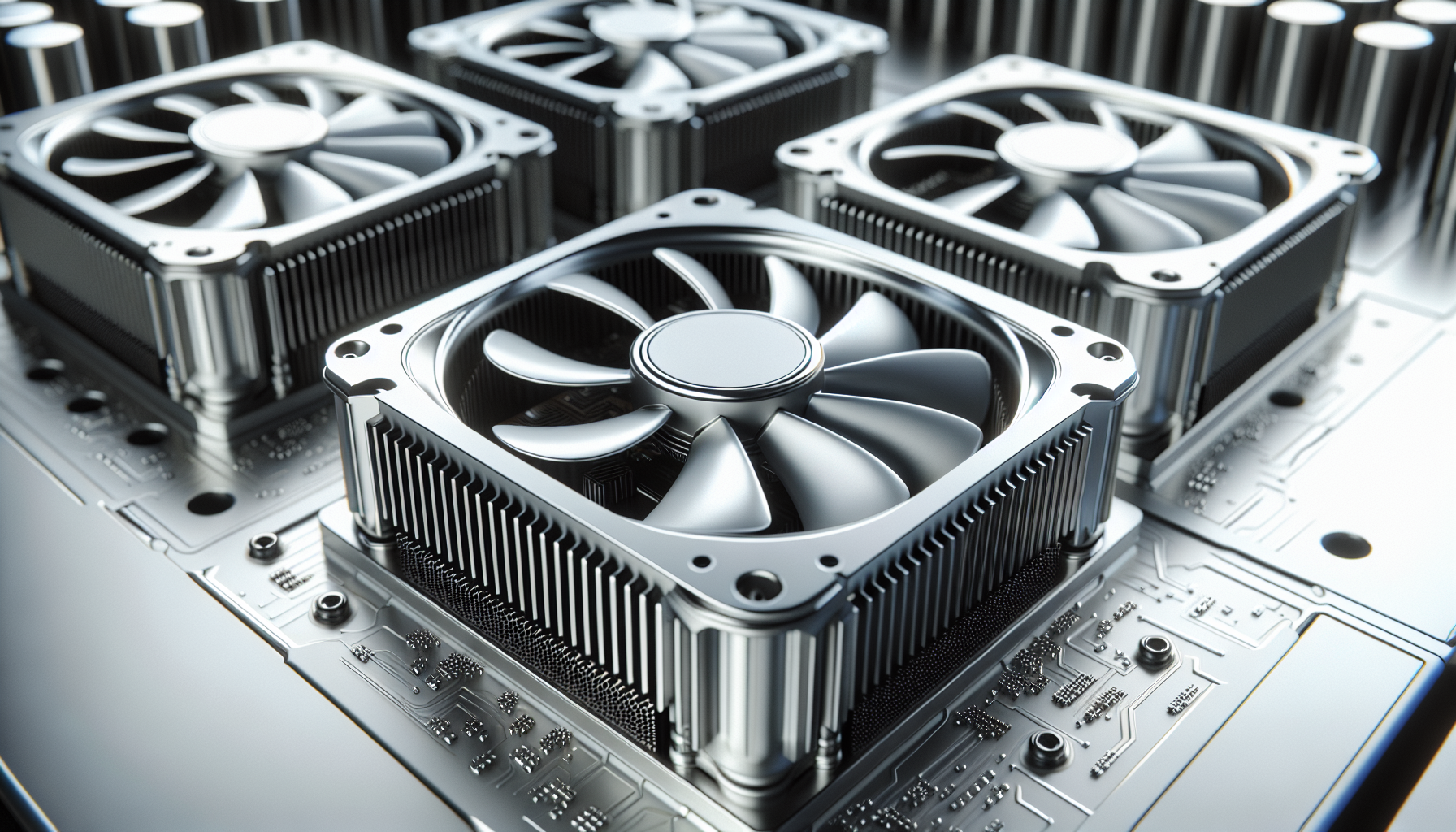
Understanding PC Cooling
To ensure optimal performance and longevity of your PC components, proper cooling is crucial. Cooling systems help dissipate the heat generated by the CPU, preventing overheating and potential damage[^1^][^3^]. There are various cooling methods available for PCs, including air cooling, liquid cooling, and phase-change cooling[^2^].
Importance of Cooling Systems
Efficient cooling is essential for maintaining the stability and performance of your gaming PC. CPUs generate a significant amount of heat during operation, and without proper cooling, they can quickly reach high temperatures, leading to thermal throttling, reduced performance, and even hardware failure[^7^][^8^].
Types of Cooling Methods
Air Cooling: Air cooling is the most common and cost-effective method of cooling for gaming PCs. It utilizes fans to circulate air and cool down components. Air cooling is suitable for most gaming setups and offers reliable cooling performance[^4^].
Liquid Cooling: Liquid cooling systems use a pump and radiator to transfer heat away from the CPU more efficiently than air cooling. They employ a closed-loop system with liquid coolant, which absorbs heat generated by the CPU and dissipates it through the radiator. Liquid cooling is particularly effective for overclocked systems or high-performance gaming PCs that generate a significant amount of heat[^5^].
Phase-Change Cooling: Phase-change cooling involves the use of a refrigerant to cool down the CPU. This method achieves extremely low temperatures, providing optimal performance for overclockers and enthusiasts. However, phase-change cooling systems are more complex and expensive compared to air and liquid cooling[^6^].
When choosing a cooling method for your gaming PC, consider factors such as your specific requirements, budget, and system configuration. It's also important to note that each cooling method has its own advantages and limitations.
By understanding the importance of cooling systems and the different cooling methods available, you can make an informed decision when selecting the right CPU cooling fans for your gaming PC. In the next sections, we will explore the benefits of CPU cooling fans, factors to consider when choosing them, and highlight some top-rated cooling fans for your consideration[^9^][^10^][^1^].
Benefits of CPU Cooling Fans
When it comes to gaming PCs, proper cooling is essential to ensure optimal performance and prevent overheating. CPU cooling fans play a crucial role in dissipating the heat generated by the processor, allowing it to operate smoothly and efficiently. Let's explore the benefits of using CPU cooling fans in more detail.
Efficient Heat Dissipation
Proper cooling of the CPU is essential for efficient heat dissipation and maintaining stable temperatures. Excess heat can negatively impact the performance of the processor and even lead to thermal throttling or potential damage. CPU cooling fans are designed to remove this excess heat, preventing the processor from reaching critical temperatures.
By employing efficient heat dissipation techniques, CPU cooling fans help to ensure that the processor operates at lower temperatures. This not only prevents overheating but also allows the CPU to perform at its best. Consistently maintaining lower temperatures can result in enhanced performance, longevity, and improved overall system stability.
Improved Performance
When a CPU operates at lower temperatures, it can boost its performance capabilities. By utilizing CPU cooling fans, you can keep the processor within an optimal temperature range, allowing it to deliver consistent and reliable performance during intensive gaming sessions.
Efficient heat dissipation provided by CPU cooling fans enables the processor to maintain its peak performance for longer durations. This is particularly important for demanding gaming scenarios where the CPU is under heavy load. By effectively managing heat, CPU cooling fans contribute to smoother gameplay, reduced lag, and improved system responsiveness.
To maximize the benefits of CPU cooling fans, it's important to choose the right fan for your specific gaming PC setup. Consider factors such as fan size, compatibility with your CPU socket, noise level, and any additional features like RGB lighting options. For a comprehensive guide on selecting top-rated CPU cooling fans, check out our article on top-rated cooling fans.
In conclusion, CPU cooling fans are a vital component in any gaming PC setup. They efficiently dissipate heat generated by the processor, preventing overheating and maintaining stable temperatures. This efficient heat dissipation leads to improved performance, allowing the CPU to operate at its best and deliver consistent results. To ensure your gaming PC remains cool and performs optimally, invest in high-quality CPU cooling fans.
Factors to Consider
When it comes to selecting the right CPU cooling fan for your gaming PC, there are several factors to consider. Taking these factors into account will ensure that you choose a cooling fan that not only fits your system's requirements but also enhances your gaming experience. Let's explore three important factors: size and compatibility, noise level, and RGB lighting options.
Size and Compatibility
One of the crucial factors to consider when choosing a CPU cooling fan is its size and compatibility with your PC case. Cooling fans come in various sizes, typically measured in millimeters (mm), such as 120mm or 140mm. It's important to check your PC case specifications to determine the available space for the cooling fan.
Additionally, you need to ensure compatibility with your CPU socket type. Different CPUs have different socket designs, such as LGA 1151 or AM4. Make sure that the cooling fan you choose is compatible with your CPU socket to ensure a proper fit.
To find the best cooling fan size and compatibility for your gaming PC, consider consulting your PC manufacturer's guidelines or online forums for recommendations.
Noise Level
Noise level is another critical factor to consider, especially for gamers who value a quiet gaming environment. Cooling fans can generate noise while operating, and excessive noise can be distracting and affect the overall gaming experience.
When selecting a CPU cooling fan, look for models that offer low noise levels while providing efficient cooling performance. Manufacturers often provide noise level specifications in decibels (dB). Lower dB values indicate quieter operation. Consider choosing a fan with a noise level below 30dB for a quieter gaming experience.
To get a better idea of the noise levels of different cooling fans, you can refer to online reviews and user feedback. They can provide valuable insights into the actual noise levels experienced by users.
RGB Lighting Options
For gamers who love personalizing their gaming setup, RGB lighting options are an exciting feature to consider when choosing a CPU cooling fan. RGB lighting allows you to customize the color and lighting effects of your cooling fan, adding a visually appealing element to your gaming PC.
Many cooling fans come with RGB lighting options, allowing you to synchronize the lighting effects with other RGB components in your system. This creates a cohesive and aesthetically pleasing look for your gaming setup.
If RGB lighting is an important consideration for you, look for cooling fans that offer customizable lighting effects and compatibility with popular lighting control software. This will enable you to create stunning lighting effects that match your gaming style.
By considering the size and compatibility, noise level, and RGB lighting options, you can make an informed decision when choosing a CPU cooling fan for your gaming PC. Remember to also explore other cooling solutions like air vs liquid cooling and liquid cooling systems to find the best cooling setup that suits your gaming needs.
Top CPU Cooling Fans
When it comes to keeping your gaming PC cool and performing at its best, investing in high-quality CPU cooling fans is essential. These fans are specifically designed to efficiently dissipate heat from your CPU, preventing overheating and ensuring optimal performance. Here are three top brands to consider:
Brand A
Brand A offers a range of reliable and effective CPU cooling fans that are highly regarded among PC gamers. These fans are known for their excellent cooling performance and durability. With advanced fan blade designs and optimized airflow, Brand A fans effectively dissipate heat, keeping your CPU running at optimal temperatures even during intense gaming sessions.
| Model | Noise Level (dB) | Airflow (CFM) |
|---|---|---|
| Model X | 25 | 75 |
| Model Y | 28 | 80 |
| Model Z | 30 | 85 |
Brand A fans are available in various sizes and are compatible with most CPU sockets. Furthermore, some models feature RGB lighting options, allowing you to customize the look of your gaming rig. For more information on RGB cooling fans, check out our article on RGB cooling fans.
Brand B
Brand B is another reputable brand known for its high-performance CPU cooling fans. These fans are designed with advanced cooling technologies to ensure efficient heat dissipation. With their innovative designs and optimized fan speeds, Brand B fans effectively cool your CPU, enabling smooth and stable gaming experiences.
| Model | Noise Level (dB) | Airflow (CFM) |
|---|---|---|
| Model X | 22 | 70 |
| Model Y | 26 | 75 |
| Model Z | 28 | 80 |
Brand B offers a range of fan sizes to suit different PC setups, and their fans are compatible with popular CPU sockets. If you're looking for additional control over fan speeds, consider using fan speed control software to fine-tune the cooling performance according to your needs.
Brand C
Brand C is renowned for its cutting-edge CPU cooling fans that provide excellent cooling efficiency. These fans feature innovative designs and high-quality materials to optimize airflow and heat dissipation. Brand C fans are designed to handle heavy gaming workloads, ensuring that your CPU stays cool even during demanding gaming sessions.
| Model | Noise Level (dB) | Airflow (CFM) |
|---|---|---|
| Model X | 24 | 80 |
| Model Y | 26 | 85 |
| Model Z | 30 | 90 |
In addition to their cooling performance, Brand C fans are known for their durability and long lifespan. With their reliable performance, these fans are a popular choice among PC gamers looking for top-rated cooling solutions. For more information on top-rated cooling fans, check out our article on top-rated cooling fans.
When selecting a CPU cooling fan, it's important to consider factors such as noise level, airflow, and compatibility with your PC setup. By choosing a reputable brand like Brand A, Brand B, or Brand C, you can ensure that your gaming PC remains cool and performs optimally, allowing you to enjoy smooth and uninterrupted gaming experiences.
Installation Tips
Properly installing CPU cooling fans is essential to ensure optimal cooling performance and longevity of your gaming PC. In this section, we will discuss two important aspects of installation: proper placement and maintenance.
Proper Placement
When installing CPU cooling fans, it is important to consider the airflow within your gaming PC. Here are some key factors to keep in mind:
Front and Rear Fans: Many gaming PC cases feature pre-installed fans at the front and rear. The front fans typically intake cool air, while the rear fans exhaust hot air. Ensure that the CPU cooling fan is placed in a position that complements this airflow pattern.
Heat Sink Orientation: If you are using an air cooler with a heat sink, make sure it is oriented properly for efficient heat dissipation. Typically, the heat sink should be positioned so that the airflow from the CPU cooling fan flows directly through the fins of the heat sink.
Clearance: Check for any obstructions that could hinder the airflow around the CPU cooling fan. Ensure that there is enough clearance between the fan and other components, such as RAM modules or GPU.
Intake and Exhaust Direction: Pay attention to the direction of the airflow created by your CPU cooling fan. Ensure that the fan is properly aligned to intake fresh air and direct it towards the heat sink or exhaust hot air away from the CPU.
Maintenance Guide
To maintain the optimal performance of your CPU cooling fan and ensure its longevity, regular maintenance is crucial. Here are some essential maintenance tips:
Dust Management: Dust accumulation on the fan blades and heat sink can hinder airflow and reduce cooling efficiency. Regularly clean the fan blades and heat sink using compressed air or a soft brush. Be gentle to avoid damaging the fan.
Fan Speed Control: Some gaming PC cases or motherboard software allow you to control the fan speed. Adjusting the fan speed according to your system's needs can help maintain a balance between cooling performance and noise levels. Consider using fan speed control software to manage your CPU cooling fan.
Monitor System Temperatures: Keep an eye on your system temperatures using PC temperature monitoring software. This will help you identify any abnormal temperature spikes or cooling issues and take appropriate action.
Regular Inspections: Periodically inspect the fan blades, heat sink, and fan cables for any signs of wear or damage. If you notice any issues, such as excessive noise or wobbling fan blades, consider replacing the fan to avoid potential complications.
By following these installation tips and maintenance practices, you can ensure that your CPU cooling fan operates efficiently, keeping your gaming PC's temperature in check and maximizing performance. For a list of top-rated cooling fans, check out our article on top-rated cooling fans.
Enhancing Cooling Efficiency
To further enhance the cooling efficiency of your gaming PC, there are additional cooling solutions you can consider. These solutions can help keep your system running at optimal temperatures, ensuring smooth and uninterrupted gameplay. Additionally, if you're interested in overclocking your CPU for enhanced performance, there are some considerations to keep in mind.
Additional Cooling Solutions
In addition to CPU cooling fans, there are other cooling solutions available that can complement the airflow in your gaming PC. These include:
Case Fans: Installing additional case fans can help improve overall airflow within your PC case. By strategically placing these fans, you can ensure proper intake and exhaust of cool air, which helps in dissipating heat effectively. There are various PC fan types to choose from, including high-airflow fans and static pressure fans, depending on your specific needs.
Liquid Cooling Systems: Liquid cooling systems, such as all-in-one (AIO) coolers or custom loops, offer advanced cooling capabilities. These systems utilize liquid coolant to transfer heat away from the CPU more efficiently than air cooling. Liquid cooling systems are especially popular among enthusiasts who prioritize extreme cooling and aesthetics. If you're interested in exploring liquid cooling options, be sure to check out our article on liquid cooling systems.
Overclocking Considerations
Overclocking your CPU can provide a significant boost in performance, but it also generates more heat. When overclocking, it's essential to consider the additional cooling requirements to ensure that your CPU remains within safe operating temperatures. Here are a few key points to keep in mind:
CPU Cooler: When overclocking, it's crucial to have a robust CPU cooling solution that can handle the increased heat generated by the CPU. Opt for high-performance CPU coolers that offer efficient heat dissipation. You can refer to our previous section on top-rated cooling fans for some reliable options.
Case Airflow: Adequate airflow within your PC case becomes even more critical when overclocking. Make sure to have proper intake and exhaust fans in place to maintain a steady flow of cool air and expel hot air efficiently. This can help prevent heat buildup and ensure stable system temperatures.
Temperature Monitoring: Monitoring your CPU temperatures is crucial when overclocking. By using PC temperature monitoring software, you can keep a close eye on your CPU's temperature and adjust your overclocking settings accordingly. This allows you to find the right balance between performance and heat generation.
Fan Speed Control: Adjusting fan speeds can help optimize cooling efficiency. Consider using fan speed control software to customize fan curves and ensure that your fans are running at appropriate speeds based on CPU temperatures.
By considering these additional cooling solutions and being mindful of overclocking considerations, you can maintain optimal temperatures for your gaming PC. Remember to strike a balance between performance, cooling, and noise levels to ensure a smooth gaming experience.


