


Is Liquid Cooling vs Air Cooling Worth the Hype?
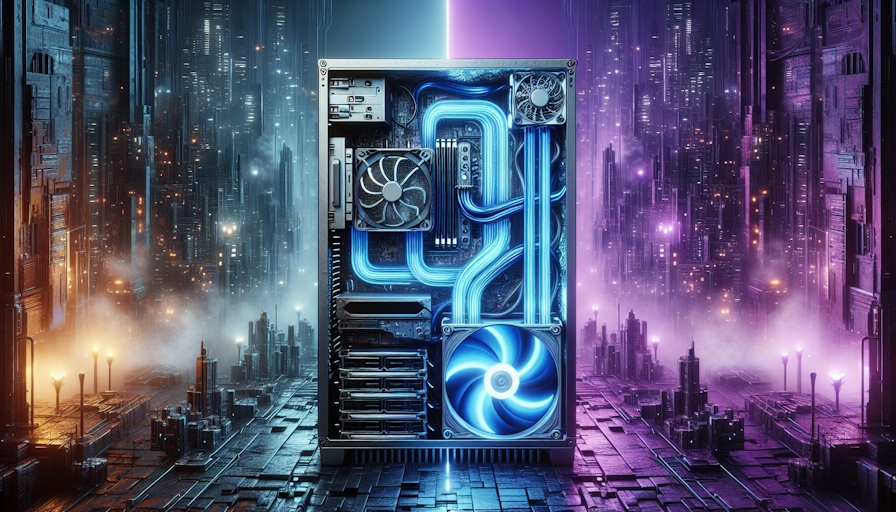
Cooling Efficiency Comparison
When it comes to keeping your PC chill, the showdown between liquid cooling and air cooling is a hot topic for gamers, workstation warriors, and tech buffs.
Liquid Cooling vs Air Cooling
Liquid cooling systems can be up to 10 times better at getting rid of heat than air cooling setups. This big difference is mostly because water is a heat-moving superstar, soaking up and shifting heat way better than air (Kingston).
| Cooling Method | Efficiency | Noise Level | Ideal Use Cases |
|---|---|---|---|
| Liquid Cooling | Up to 10 times better | Quieter | Overclocking, heavy-duty tasks, gaming |
| Air Cooling | Regular efficiency | Louder | Everyday use, budget-friendly builds |
Liquid cooling shines by spreading heat over a bigger area, like radiators, while air cooling sticks to conduction. This means fans can chill out, making your rig quieter (Intel).
Thermal Conductivity of Water
Water's ability to move heat is what makes liquid cooling so effective. It can whisk heat away from your PC parts faster and soak up more heat before things get too hot (HowStuffWorks).
This heat-handling prowess makes liquid cooling a top pick for folks who push their systems to the max, like overclockers or those doing intense tasks like video editing or streaming. Keeping things cool can also help your gear last longer and keep your system running smoothly.
In short, liquid cooling systems bring big perks over air cooling in terms of efficiency, noise, and performance, making them a go-to for those wanting top-notch cooling for their setups. For more on liquid cooling, check out our articles on liquid cooling for PC and liquid cooling solutions.
Mechanisms of Cooling
Getting a grip on how cooling systems work is key to figuring out which method does the job best, especially when you're weighing up liquid cooling vs air cooling. Let's break down what goes on in both air and liquid cooling.
Air Cooling Process
Air cooling is the go-to for keeping computers and gadgets from overheating. It works by either making the surface bigger or pushing more air over the hot bits. You can slap on some cooling fins or crank up the fans to blow air over the parts. Adding fins to a heat sink ups the surface area, making it better at cooling (Wikipedia).
For air cooling to do its thing, the air needs to be cooler than the stuff it's trying to chill. The second law of thermodynamics says heat will only move from something hot (like a heat sink) to something cold (like the air) (Wikipedia).
Here's how it goes down:
- Air Intake: Cooler air gets sucked in from the surroundings.
- Heat Dissipation: Air is blown over hot parts hooked up to heatsinks made from stuff like aluminium or copper.
- Heat Removal: Fans push the warm air away, letting cooler air swoop in.
How well air cooling works depends on a few things, like how the air flows, the temperature around it, and how the cooling parts are designed (Supermicro).
| Factor | Impact on Cooling Efficiency |
|---|---|
| Airflow Management | More airflow means better heat dissipation |
| Ambient Temperature | Cooler surroundings boost cooling power |
| Heatsink Design | Smart design ups the surface area for heat transfer |
Liquid Cooling Process
Liquid cooling takes a different route, using a liquid to soak up and move heat away from the parts. It's often more effective than air cooling, especially for high-performance setups. The system includes a pump, radiator, and water blocks.
Here's the lowdown on liquid cooling:
- Heat Absorption: Coolant flows through water blocks on hot parts, soaking up heat.
- Heat Transfer: The warmed-up coolant gets pumped to a radiator, where it dumps the heat into the air.
- Cooling Cycle: The cooled liquid heads back to the water blocks to keep the cycle going.
Liquid cooling is great at keeping temperatures down, even when things get intense. Liquids have better thermal conductivity than air, making heat transfer more efficient. Plus, liquid cooling can be quieter since it usually needs fewer fans.
| Component | Function |
|---|---|
| Pump | Moves the coolant through the system |
| Water Block | Soaks up heat from parts |
| Radiator | Releases heat into the air |
Liquid cooling is a win for PC gamers, folks with heavy-duty workstations, and overclockers who need top-notch cooling and less noise. For more on why liquid cooling rocks, check out our article on benefits of liquid cooling.
Components and Setup
Getting a grip on the bits and bobs of liquid and air cooling systems is key to picking the right one for your needs. Let's break down what makes each system tick.
Liquid Cooling System Components
Liquid cooling systems are like a well-oiled machine, with each part playing its role to keep your CPU or GPU from overheating. Here's what you'll find in a typical setup:
| Component | Description |
|---|---|
| Water Block | This is where the magic happens. It's got hollow tubes and channels made from heat-friendly metals like copper or aluminium to keep those microchips chill. A dab of thermal paste helps with heat transfer. (HowStuffWorks) |
| Pump | Think of it as the heart, pushing coolant through the system. The speed of this flow is key to keeping things cool. |
| Radiator | Acts like a heat sponge, soaking up warmth from the coolant. Sometimes it's a custom job, other times it's a car heater core doing double duty. (HowStuffWorks) |
| Reservoir | This is the backup tank, holding extra coolant and getting rid of pesky air bubbles. |
| Tubing | The highways of the system, letting coolant zip between components. |
| Coolant | Usually distilled water with a few extras to stop it from freezing, clouding, or growing anything funky. (HowStuffWorks) |
Liquid cooling is top-notch for spreading heat out, which means quieter fans and better performance, especially if you're pushing your system to the max.
Air Cooling System Components
Air cooling is more straightforward, with fewer parts to worry about. Here's what you get:
| Component | Description |
|---|---|
| Heat Sink | A metal block that soaks up heat from the CPU or GPU and lets it drift away into the air. |
| Fan | Sits on the heat sink, blowing air to help with cooling. |
| Thermal Paste | Smeared between the CPU/GPU and the heat sink to boost heat transfer. |
Air cooling uses good old convection to get rid of heat. It's not as efficient as liquid cooling for high-performance tasks, but it's a breeze to set up and keep running, making it a go-to for many folks.
If you're leaning towards liquid cooling, it's worth checking out the liquid cooling solutions on offer and getting the lowdown on the liquid cooling system installation to make sure everything runs smoothly.
Practical Considerations
When you're stuck choosing between liquid cooling and air cooling, a few practical things need to be considered, like how tricky it is to set up and how much it'll cost to keep running. Knowing these can help folks pick what's best for them.
Installation Complexity
Setting up liquid cooling systems can be a bit of a head-scratcher compared to air cooling. All-in-One (AIO) coolers are easier than custom loops but still need some careful handling to work right. A custom liquid cooling loop is a whole other beast, needing a good chunk of effort and know-how to hook up all the bits like pumps, radiators, and water blocks. This can be a bit much for those who aren't into fiddly setups.
On the flip side, air coolers are usually a breeze to install. They often come with simple mounting bits and don't need much putting together. This makes air cooling a go-to for folks who want something easy to set up.
| Cooling Type | Installation Complexity |
|---|---|
| Liquid Cooling (AIO) | Moderate |
| Liquid Cooling (Custom Loop) | High |
| Air Cooling | Low |
Maintenance and Cost Analysis
Once you've got a liquid cooling system, especially AIO coolers, up and running, they don't need much looking after, which is handy. They keep things cool without much fuss. But, if you've got a custom liquid cooling loop, you might need to check the fluid levels now and then and make sure there are no leaks.
Air cooling systems, on the other hand, are usually cheaper than liquid ones because they're simpler. They're a good pick for folks who want something affordable that works well without needing a lot of upkeep.
| Cooling Type | Initial Cost | Maintenance Needs |
|---|---|---|
| Liquid Cooling (AIO) | Higher | Low |
| Liquid Cooling (Custom Loop) | Highest | Moderate |
| Air Cooling | Lower | Low |
Liquid cooling is often the go-to for its top-notch performance in moving heat around, making it great for serious overclocking or heavy-duty CPU tasks (Intel). Folks ready to splash out on liquid cooling can look forward to better cooling and quieter running, while those who care more about cost and ease might find air cooling suits them better. For more on why liquid cooling rocks, check out our article on liquid cooling solutions.


