


How much is a pc for gaming
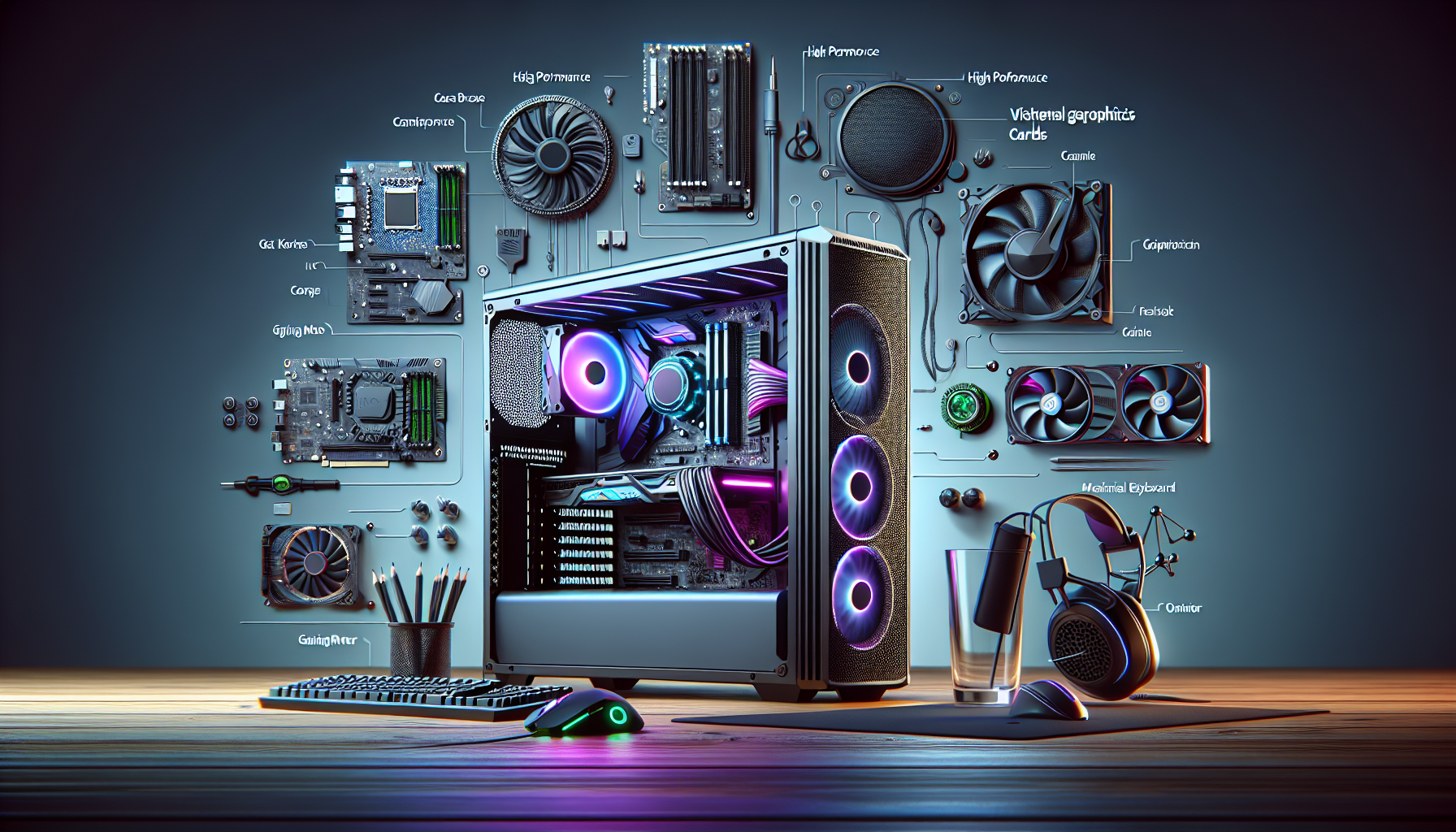
Demystifying Gaming PC Prices
Understanding the cost of a gaming PC can be complex due to various factors that influence the overall price. This section will help break down these factors and set realistic budget expectations for potential buyers.
Understanding the Cost Factors
Several elements contribute to the cost of a gaming PC. These include the quality and specifications of the components, the brand, and whether the PC is pre-built or custom-built. Here are the key factors:
- Processor (CPU): The brain of the PC, influencing the speed and performance.
- Graphics Card (GPU): Crucial for rendering high-quality graphics and smooth gameplay.
- Memory (RAM): Affects the system's ability to handle multiple tasks simultaneously.
- Storage: Includes both SSDs for fast load times and HDDs for additional storage.
- Motherboard: The backbone of the PC, connecting all components.
- Power Supply Unit (PSU): Ensures stable power delivery to components.
- Cooling System: Keeps the system running at optimal temperatures.
- Case: Houses all the components and affects airflow and aesthetics.
- Peripherals: Monitors, keyboards, and mice also add to the total cost.
Setting Realistic Budget Expectations
Setting a budget involves understanding what you can get for your money. Gamers should consider their needs and how much they are willing to spend. Below is a general guideline of what to expect in different price ranges.
| Budget (AUD) | Specifications | Performance Level |
|---|---|---|
| $800 - $1,200 | Entry-level CPU, Mid-range GPU, 8GB RAM, 256GB SSD | Capable of running most games at medium settings |
| $1,200 - $2,000 | Mid-range CPU, High-end GPU, 16GB RAM, 512GB SSD | Suitable for high settings in most games |
| $2,000 - $3,000 | High-end CPU, High-end GPU, 32GB RAM, 1TB SSD | Excellent performance for high/ultra settings and VR |
| $3,000+ | Top-tier CPU, High-end GPU, 64GB RAM, 2TB SSD | Best for ultra settings, 4K gaming, and future-proofing |
For more detailed information on the cost of gaming PCs, visit our cost of gaming pc page.
When planning your purchase, consider the long-term upgradability of the system. Investing in a slightly higher-end component now might save you money in the long run. Check out our article on gaming pc budget for more insights on managing your budget effectively.
Entry-Level Gaming PCs
Features and Performance
Entry-level gaming PCs are designed for gamers who are looking for a balance between performance and cost. These PCs are capable of running popular games at medium to high settings, providing a satisfactory gaming experience without breaking the bank. Key features typically found in entry-level gaming PCs include:
- CPU: Quad-core processors that deliver decent performance for gaming and multitasking.
- GPU: Mid-range graphics cards that can handle most modern games with good frame rates.
- RAM: 8GB to 16GB of RAM, which is sufficient for gaming and other tasks.
- Storage: Combination of SSD and HDD, where the SSD is used for faster boot times and loading speeds, and the HDD provides additional storage space.
- Cooling System: Basic air cooling to keep the components at optimal temperatures during extended gaming sessions.
These features ensure that entry-level gaming PCs can run games smoothly while keeping costs manageable. For those interested in learning more about gaming pc components, we have a detailed guide available.
Price Range and Value
Entry-level gaming PCs are an excellent option for gamers on a budget. These systems offer good value for money, providing a solid gaming experience without the need for high-end components. The price range for entry-level gaming PCs in Australia typically falls between AUD 800 to AUD 1,500.
| Component | Average Cost (AUD) |
|---|---|
| CPU | $200 - $400 |
| GPU | $300 - $500 |
| RAM (8GB - 16GB) | $80 - $150 |
| Storage (SSD + HDD) | $100 - $200 |
| Motherboard | $100 - $200 |
| Power Supply | $50 - $100 |
| Case | $50 - $100 |
This price range makes entry-level gaming PCs accessible to a wider audience, allowing more gamers to enjoy their favourite titles without significant financial investment. For those considering building their own PC, check out our guide on build a gaming pc for tips and advice.
When evaluating the value of an entry-level gaming PC, it is essential to consider the long-term benefits and potential for upgrades. Entry-level systems often have room for future improvements, such as adding more RAM or upgrading the GPU. This upgradability can extend the lifespan of the PC and enhance its performance over time. For more insights on optimising your gaming setup, visit our article on optimize pc for gaming.
By understanding the features, performance, and price range of entry-level gaming PCs, gamers can make informed decisions that align with their budget and gaming needs. For those in Australia looking to purchase a gaming PC, our comprehensive guide on buy gaming pc australia offers valuable insights and recommendations.
Mid-Range Gaming PCs
Mid-range gaming PCs strike a balance between cost and performance, offering upgraded specifications that cater to more demanding games without the hefty price tag of high-end models.
Upgraded Specifications
Mid-range gaming PCs typically feature enhanced components compared to entry-level models, providing better performance for gamers. Key upgrades often include:
- Processor (CPU): Mid-range systems usually have more powerful CPUs, such as Intel Core i5 or AMD Ryzen 5, which handle multitasking and gaming more efficiently.
- Graphics Card (GPU): A significant upgrade in the GPU department, often featuring NVIDIA GeForce GTX 1660 or AMD Radeon RX 580, enables smoother gameplay and higher graphics settings.
- RAM: Increased memory capacity, typically 16GB of DDR4 RAM, ensures faster load times and improved multitasking.
- Storage: Combination of SSD (Solid State Drive) and HDD (Hard Disk Drive) for quicker boot times and ample storage space for games and applications.
| Component | Entry-Level | Mid-Range |
|---|---|---|
| CPU | Intel Core i3 / AMD Ryzen 3 | Intel Core i5 / AMD Ryzen 5 |
| GPU | NVIDIA GeForce GTX 1050 / AMD Radeon RX 560 | NVIDIA GeForce GTX 1660 / AMD Radeon RX 580 |
| RAM | 8GB DDR4 | 16GB DDR4 |
| Storage | 256GB SSD / 1TB HDD | 512GB SSD + 1TB HDD |
Price Comparison with Entry-Level PCs
When comparing the price of mid-range gaming PCs to entry-level models, it's clear that the additional performance comes at a higher cost. However, the investment is often justified by the enhanced gaming experience and future-proofing capabilities.
| Model | Price Range (AUD) |
|---|---|
| Entry-Level | $800 - $1200 |
| Mid-Range | $1300 - $2000 |
For those looking to build a gaming PC, mid-range components offer a sweet spot in terms of cost and performance. As always, researching and comparing prices, as well as considering long-term upgradability, can help you get the best value for your money. For more information on optimising your gaming setup, visit optimise PC for gaming.
High-End Gaming PCs
Top-of-the-Line Components
High-end gaming PCs are designed for gamers who demand the best performance and visuals. These systems feature top-of-the-line components that can handle the most demanding games and applications with ease.
Processor (CPU): A high-end gaming PC typically includes a powerful multi-core processor. These CPUs are capable of handling complex calculations and multitasking, ensuring smooth gameplay and quick load times.
Graphics Card (GPU): The graphics card is arguably the most critical component in a gaming PC. High-end GPUs can render detailed graphics and support high frame rates, providing an immersive gaming experience.
Memory (RAM): High-end gaming PCs generally come with at least 16GB of RAM, though 32GB or more is often preferred for future-proofing and multitasking.
Storage: These systems often utilise fast SSDs (Solid State Drives) for quick boot times and game loading. Many also include larger HDDs (Hard Disk Drives) for additional storage.
Cooling Systems: Advanced cooling solutions, including liquid cooling, are common in high-end gaming PCs to maintain optimal performance and protect components from overheating.
Motherboard: A high-quality motherboard with enhanced features such as multiple PCIe slots, advanced BIOS, and support for overclocking is essential.
| Component | Specification Example |
|---|---|
| Processor (CPU) | Multi-core, high clock speed |
| Graphics Card (GPU) | Latest generation, high VRAM |
| Memory (RAM) | 32GB DDR4 or DDR5 |
| Storage | 1TB NVMe SSD + 2TB HDD |
| Cooling System | Liquid cooling |
| Motherboard | High-end chipset, multiple PCIe slots |
Investment Considerations
Investing in a high-end gaming PC is a significant financial commitment. However, the benefits often outweigh the costs for serious gamers.
Longevity: High-end components tend to have a longer lifespan, providing top-tier performance for several years. This reduces the need for frequent upgrades.
Performance: These systems can handle the latest games at the highest settings, offering a superior gaming experience. They are also capable of supporting VR (Virtual Reality) and 4K gaming.
Future-Proofing: Investing in high-end components ensures that the system remains relevant and capable of handling future games and applications without significant performance drops.
Customization and Upgradability: High-end gaming PCs often offer greater flexibility for upgrades. This allows users to keep their systems current without having to replace the entire setup.
Resale Value: High-end systems generally retain their value better over time, making them easier to sell or upgrade in the future.
For more information on building a high-end gaming PC, check out our guide on build a gaming pc. Additionally, understanding the gaming pc requirements can help you make informed decisions when selecting components.
By carefully considering these factors, gamers can ensure they get the best value for their investment, achieving an unparalleled gaming experience. For more tips on optimising your gaming setup, see our article on optimise pc for gaming.
Custom-Built Gaming PCs
Custom-built gaming PCs offer numerous advantages for gamers looking to tailor their systems to specific needs and preferences. Understanding these benefits and comparing the costs with pre-built options can help gamers make an informed decision.
Benefits of Custom Builds
Custom-built gaming PCs provide a level of flexibility and personalization that pre-built systems cannot match. Here are some key benefits:
- Tailored Specifications: Users can choose components that best suit their gaming requirements, such as selecting the right graphics card, CPU, and amount of RAM.
- Quality Control: Building a PC allows individuals to select high-quality components, ensuring better performance and longevity.
- Upgradability: Custom builds are often easier to upgrade, allowing gamers to keep their systems current without needing to replace the entire setup.
- Cost Efficiency: By selecting only the components needed, users can often save money compared to buying a pre-built system with unnecessary features.
- Learning Experience: Building a PC provides valuable technical knowledge and a deeper understanding of computer hardware.
For more information on building a custom gaming PC, check out our guide on build a gaming pc.
Cost Comparison with Pre-Built Options
When comparing the costs of custom-built and pre-built gaming PCs, several factors come into play. Custom builds can offer better value, but pre-built systems may provide convenience and warranty benefits. Below is a comparison of typical costs:
| Component | Custom Build Cost (AUD) | Pre-Built Cost (AUD) |
|---|---|---|
| Entry-Level Gaming PC | $800 - $1,200 | $1,000 - $1,500 |
| Mid-Range Gaming PC | $1,500 - $2,500 | $2,000 - $3,000 |
| High-End Gaming PC | $3,000 - $5,000 | $3,500 - $6,000 |
Custom Build Considerations:
- Initial Investment: Custom builds may require a larger initial time investment for research and assembly.
- Component Sourcing: Finding the best deals on individual components can reduce overall costs.
- Warranty and Support: While individual components may come with warranties, custom builds lack the single-point warranty and support that pre-built systems offer.
Pre-Built Considerations:
- Convenience: Pre-built systems are ready to use out-of-the-box, saving time and effort.
- Single Warranty: A single warranty covers the entire system, simplifying support and repairs.
- Immediate Availability: Pre-built PCs are readily available, eliminating the waiting time for parts and assembly.
To explore more about the costs associated with gaming PCs, visit our article on gaming pc cost.
By weighing the benefits and costs of custom-built versus pre-built gaming PCs, gamers can make an informed decision that aligns with their preferences and budget. For those interested in building their own system, our detailed guide on build your own gaming pc provides step-by-step instructions.
Tips for Getting the Best Value
Researching Deals and Promotions
Finding the best value for a gaming PC often involves thorough research on deals and promotions. Online retailers frequently offer discounts, especially during sales events such as Black Friday, Cyber Monday, and seasonal sales. It's beneficial to sign up for newsletters from reputable tech stores to stay informed about upcoming promotions.
Another effective strategy is to compare prices across different platforms. Websites dedicated to price comparison can help identify the best deals available. Additionally, some retailers offer bundle deals that include peripherals like monitors, keyboards, and mice, which can provide further savings.
Below is a table highlighting the potential savings during major sales events:
| Sales Event | Average Discount (%) | Potential Savings (AUD) |
|---|---|---|
| Black Friday | 20 - 40% | $200 - $800 |
| Cyber Monday | 15 - 35% | $150 - $700 |
| End of Financial Year | 10 - 30% | $100 - $600 |
For more tips on finding deals, visit our article on buy gaming pc australia.
Considering Long-Term Upgradability
When investing in a gaming PC, it's crucial to consider long-term upgradability. A system that can be easily upgraded over time can save money in the long run and ensure that the PC remains capable of handling new games and software.
Key components to focus on for future upgrades include the CPU, GPU, RAM, and storage. Choosing a motherboard with multiple RAM slots and support for the latest CPU architectures can provide flexibility for future enhancements. Similarly, ensuring there are extra PCIe slots for additional GPUs or NVMe slots for faster storage can extend the system's lifespan.
Below is a table summarising the potential upgrade paths:
| Component | Upgrade Option | Benefits |
|---|---|---|
| CPU | Newer generation | Improved performance |
| GPU | Higher-tier model | Better graphics and FPS |
| RAM | Increased capacity | Enhanced multitasking |
| Storage | Additional SSD or NVMe drive | Faster load times and storage |
For more information on component upgrades, visit our article on add storage to gaming pc.
By researching deals and considering upgradability, gamers can ensure they get the best value for their investment in a gaming PC. For additional insights, explore our articles on build a gaming pc and gaming pc requirements.


