


Game On with M.2 SSDs: Your Essential Gaming Gear
Understanding M.2 SSDs
Introduction to M.2 SSDs
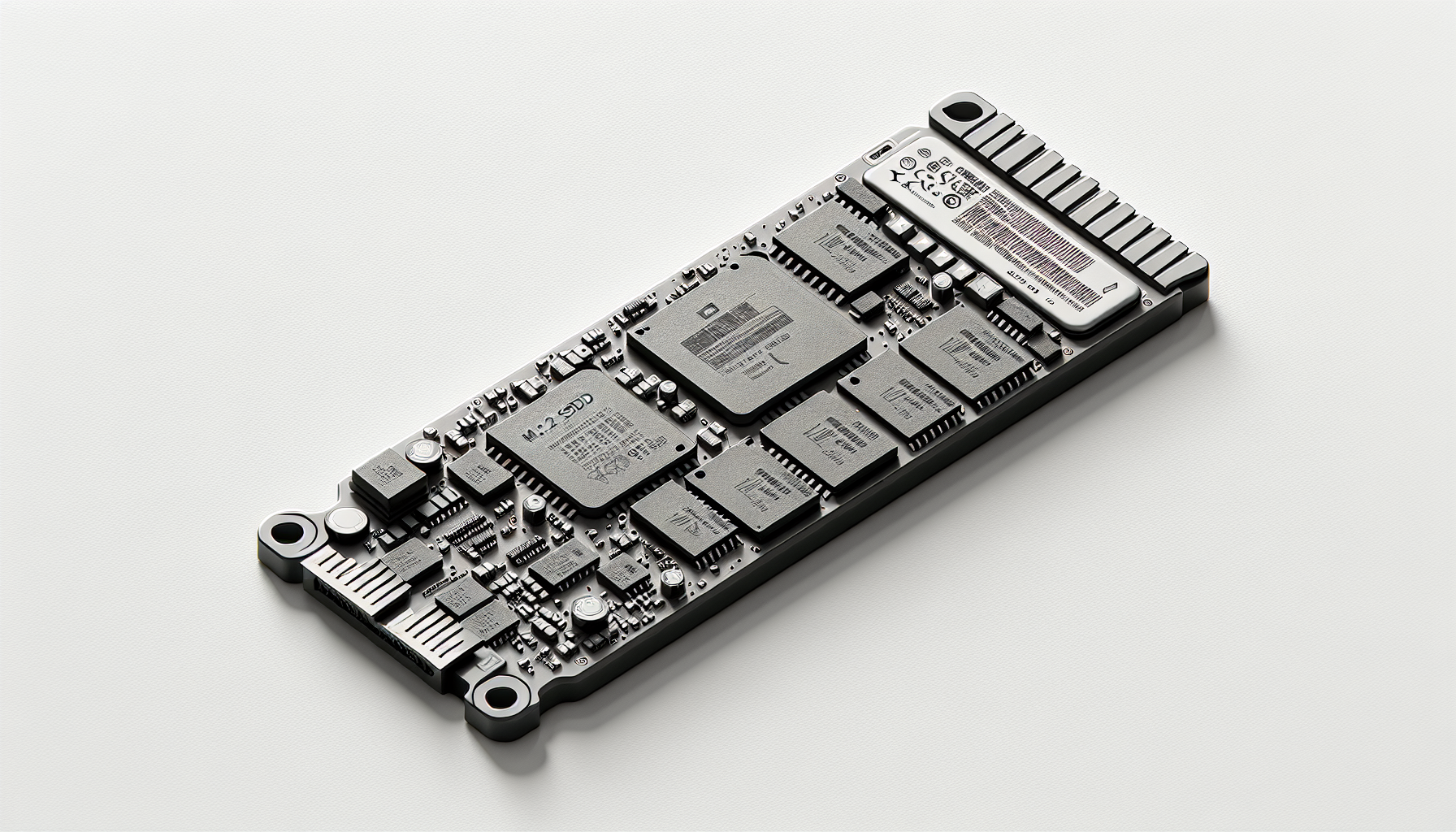
M.2 SSDs have revolutionised the storage landscape, particularly for gaming setups. They are compact, high-speed storage solutions designed to enhance performance in modern devices. M.2 connectors are commonly used for both SSDs and other expansion cards, making them versatile for various applications. The two main types of M.2 SSDs are SATA and NVMe, each offering unique characteristics that appeal to different user needs. For more detailed information on this type of storage, refer to our article on what is an M.2 SSD.
Benefits of M.2 SSDs
M.2 SSDs provide considerable advantages over traditional SATA SSDs. These benefits include:
| Benefit | Description |
|---|---|
| Speed | M.2 NVMe SSDs are significantly faster than SATA SSDs due to the use of the NVMe protocol and PCIe interface, leading to higher data transfer rates (Ars Technica). |
| Compact Design | M.2 SSDs offer a smaller form factor, which is ideal for devices with limited space, such as laptops or compact gaming PCs. |
| Improved Performance | M.2 SSDs generally perform better in real-world applications, providing quick load times and seamless multitasking (Kingston). |
| Direct Communication | NVMe M.2 SSDs communicate directly with the system’s CPU via PCIe sockets, eliminating the bottlenecks associated with traditional SATA connections (Kingston). |
The growing adoption of M.2 SSDs in gaming rigs can be attributed to these advantages, making them the preferred choice for gamers in Australia looking to upgrade their gaming gear. By choosing a suitable M.2 SSD, users can significantly boost their system's overall performance. For more guidance on installation, see our article on how to install M.2 SSD.
Types of M.2 SSDs
Understanding the different types of M.2 SSDs is essential for gamers looking to enhance their gaming rigs. This section delves into the key distinctions between SATA and NVMe M.2 SSDs as well as their performance differences.
SATA vs. NVMe M.2 SSDs
There are primarily two types of M.2 SSDs available: SATA and NVMe. Each type has its unique interface and varies in speed and performance.
| Type | Interface | Maximum Data Transfer Rate |
|---|---|---|
| SATA M.2 SSD | SATA | 6 Gbps |
| NVMe M.2 SSD | PCIe | Up to 20 Gbps |
SATA M.2 SSDs utilise the SATA interface, which limits their maximum data transfer rate to 6 Gbps. These drives are ideal for those who want to upgrade from traditional hard drives without needing extraordinary speeds.
On the other hand, NVMe M.2 SSDs leverage the NVMe protocol and connect through the PCIe bus. This allows them to achieve significantly faster data transfer speeds, with theoretical limits reaching up to 20 Gbps. This increased speed is beneficial in scenarios that demand quick data access, such as gaming and video editing. The performance benefits make NVMe SSDs particularly attractive to gamers seeking to enhance their systems' responsiveness and load times.
Performance Differences
The performance differences revolve mainly around how each type of SSD communicates with the computer's CPU.
SATA M.2 SSDs: These drives rely on older technology, which can bottleneck performance. While suitable for general computing tasks, they may not meet the demands of high-performance gaming.
NVMe M.2 SSDs: They offer direct communication with the system CPU via PCIe sockets. This direct connection allows for higher performance levels and faster read/write speeds, making them the better choice for gamers looking for competitive advantages.
For those interested in expanding their knowledge on M.2 SSDs, details can be found in our article on what is an M.2 SSD. The choice between SATA and NVMe ultimately depends on the user's specific needs and the capabilities of their gaming rig. Gamers looking to maximise performance should consider investing in NVMe technology for an unparalleled gaming experience.
Installation and Compatibility
Installing an M.2 SSD requires familiarity with both the motherboard and the specific type of M.2 SSD being used. Understanding these elements is crucial for a successful installation, ensuring compatibility and optimal performance.
M.2 Slot on Motherboards
M.2 slots are commonly found on modern motherboards and are designed to accommodate various types of M.2 devices, including SSDs and Wi-Fi cards. The standard width of the M.2 slot is 22 mm, regardless of whether the slot supports wider cards of up to 30 mm Dell.
| Slot Specification | Width (mm) | Types Supported |
|---|---|---|
| M.2 Slot | 22 | M.2 SATA, M.2 NVMe |
The slot's design is crucial for accommodating different M.2 SSD formats, such as SATA and NVMe. It is important for users to confirm that their motherboard supports the M.2 interface and check the specific type of M.2 SSD they intend to install.
Compatibility Check for Installation
Before installing an M.2 SSD, it is essential to verify its compatibility with the motherboard. Key considerations include:
- M.2 Slot Availability: Ensure the motherboard includes an M.2 slot.
- M.2 Type Support: Verify whether the motherboard supports SATA or NVMe SSDs.
- Physical Size: Check the dimensions of the M.2 SSD (commonly 2280, which measures 22 mm wide and 80 mm long) Kingston.
To conduct a compatibility check, users can consult the motherboard's manual or manufacturer website for specific information regarding supported M.2 SSDs. This will prevent issues during installation. If a user encounters problems, they may need to review solutions for common issues like why is my M.2 SSD not showing up in BIOS.
Ensuring these factors are accounted for prior to installation can lead to a smoother setup and enhanced gaming experience by taking full advantage of the M.2 SSD's speed and efficiency. For more guidance on installation, see our article on how to install M.2 SSD.
M.2 Form Factor
M.2 SSDs are crucial components for gamers looking to enhance their gaming setup. Understanding their form factor helps in making informed choices about the best storage solutions.
Differences in Sizes
The M.2 form factor comes in various sizes, and the physical dimension is crucial for compatibility with motherboards. The most common sizes are listed in the table below:
| Size | Dimensions (mm) | Common Use |
|---|---|---|
| 2230 | 22 x 30 | Tablets, ultrabooks |
| 2242 | 22 x 42 | Low-profile devices |
| 2260 | 22 x 60 | Mid-range products |
| 2280 | 22 x 80 | Standard for desktops |
| 22110 | 22 x 110 | High-performance tasks |
Individuals should ensure their motherboard supports the specific M.2 size before purchasing a drive. M.2 SSDs can be distinguished not just by size but also by functionality, which will be covered in the next section here.
Naming Convention for Cards
The naming convention for M.2 cards typically consists of a series of numbers and letters that indicate their size and capabilities. The first two digits refer to the width (usually 22mm), while the next two digits indicate the length (in mm). The suffix, such as "SATA" or "NVMe," signifies the type of protocol used.
For example, an SSD labeled as "M.2 2280 NVMe" would be 22mm wide and 80mm long, operating on the NVMe protocol which grants faster speeds compared to traditional SATA. Understanding this naming system helps users select the correct drive for their gaming rig. For further details on installation, check out our guide on how to install m.2 ssd.
In conclusion, the M.2 form factor's versatility allows gamers to select the best option suited to their needs, whether it be the size or the type of SSD being installed. With advancements in technology, choosing the right M.2 drive can enhance gaming performance significantly.
Advantages of NVMe M.2 SSDs
M.2 NVMe SSDs stand out as an essential component for gamers seeking optimal performance and speed. By utilising advanced technology, these drives provide significant benefits in both speed and the way they communicate with the CPU.
Speed and Performance
One of the most notable advantages of NVMe M.2 SSDs is their incredible speed. These drives boast high bandwidth and exceptionally fast transfer rates, exceeding 3000 MB/s (3 GB/s) in many cases. Some Generation 4 NVMe PCIe SSDs even reach speeds of up to 7500 MB/s (CDW).
The following table highlights the speed comparison between NVMe and traditional SATA SSDs:
| SSD Type | Maximum Speed |
|---|---|
| NVMe M.2 SSD | Up to 7500 MB/s |
| SATA III SSD | 600 MB/s |
Modern motherboards equipped with NVMe drives can achieve speeds of up to 3,500 MB/s, providing a performance level that is dramatically superior to traditional SATA III drives.
Direct Communication with CPU
NVMe M.2 SSDs operate using a unique interface technology that allows direct communication with the system CPU through PCIe sockets. This method circumvents the limitations associated with form factors and enables much higher performance levels compared to SATA drives (Kingston).
This direct communication means that NVMe SSDs can transfer data without the bottlenecks that typically occur with older storage technologies. It ensures lower latency and quicker access times, which are crucial for gaming and other performance-intensive applications.
In summary, M.2 NVMe SSDs provide exceptional speed and efficient communication with the CPU, making them the ideal choice for gamers looking to enhance their system performance. For more information on M.2 SSDs, visit our article on what is an M.2 SSD.
Comparison with Other SSD Types
Understanding the differences between M.2 SSDs and other SSD types can help gamers make informed choices when upgrading their gaming gear. Key comparisons include M.2 vs. 2.5" SATA SSDs and M.2 NVMe vs. U.2 SSDs.
M.2 vs. 2.5" SATA SSDs
| Feature | M.2 SATA SSDs | 2.5" SATA SSDs |
|---|---|---|
| Size | Smaller form factor | Bulkier |
| Data Transfer Speed | Faster (up to 600 MB/s) | Slower (max 500-600 MB/s) |
| Connection Type | M.2 interface | SATA connection |
| Installation | Fit in M.2 slots on motherboards | Requires 2.5" drive bay |
| Cost | Generally higher | Generally lower |
| Ease of Replacement | More complex to remove | Easier to remove and replace |
M.2 SATA SSDs are smaller than their 2.5" counterparts and provide faster data transfer speeds, although they are not as quick as NVMe SSDs. The M.2 interface allows installation in any compatible motherboard, providing more flexibility for gamers looking to upgrade their systems. On the other hand, 2.5" SATA SSDs are more traditional, connecting via SATA, and while they may be slower and bulkier, they are easier to manage CDW.
M.2 NVMe vs. U.2 SSDs
| Feature | M.2 NVMe SSDs | U.2 SSDs |
|---|---|---|
| Capacity | Usually lower than U.2 | Larger capacity available |
| Heat Dissipation | May require additional cooling | Better heat dissipation |
| Compatibility | Fits M.2 slots | Compatible with 2.5" and 3.5" PCIe slots |
| Price | Typically lower | More expensive due to SFF-8639 connector |
| Hot Plug Support | No | Yes |
M.2 NVMe SSDs are known for their rapid speeds and compact design, making them a popular choice for gamers looking for enhanced performance. In contrast, U.2 SSDs are commonly found in enterprise server environments, offering larger storage capacities and better heat management. However, U.2 SSDs come at a higher price point and are less commonly used in consumer gaming setups CDW.
Both M.2 and U.2 interfaces provide beneficial features but serve different primary functions in computing environments. For gamers aiming for the best possible performance in their gaming rig, understanding these differences is crucial. Interested readers can find out more about what an M.2 SSD is by checking our article on what is a m.2 ssd.


