


Future-Proof Your Setup: Crucial T500 2TB PCIE Gen4 NVMe M.2 SSD Breakthrough
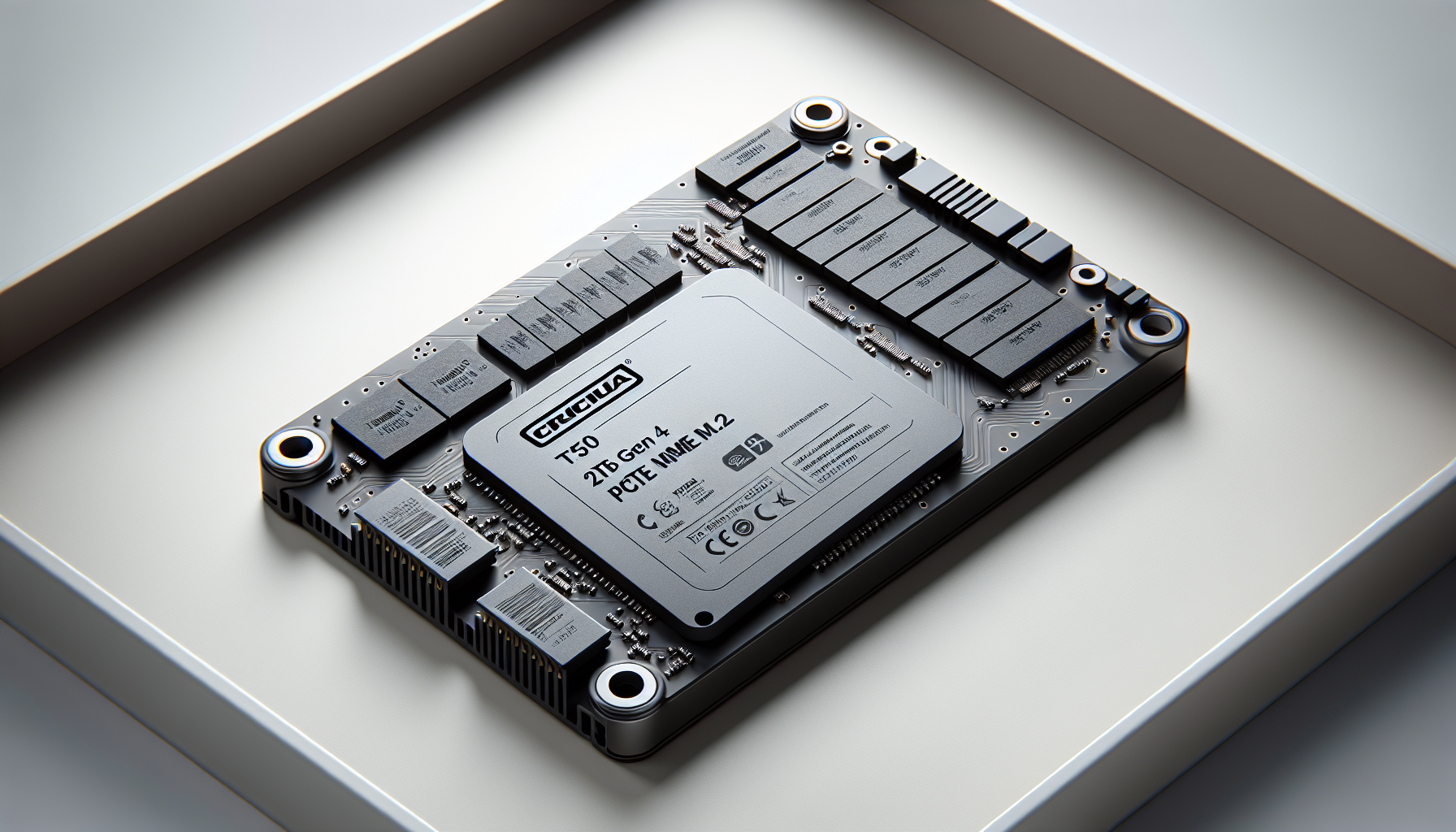
Introducing Crucial T500 2TB SSD
The Crucial T500 2TB PCIe Gen4 NVMe M.2 SSD represents a significant advancement in storage technology, designed for gamers and content creators seeking top-tier performance. With its impressive specifications and efficient design, this SSD is set to enhance any gaming setup.
Features of Crucial T500
The Crucial T500 2TB SSD boasts remarkable features aimed at delivering high performance and reliability. It offers exceptional sequential read speeds of 7400 MB/s and sequential write speeds of 7000 MB/s, pushing the limits of the PCIe Gen4 interface (ServeTheHome).
Some key features of the Crucial T500 include:
| Feature | Specification |
|---|---|
| Capacity | 2TB |
| Sequential Read Speed | 7400 MB/s |
| Sequential Write Speed | 7000 MB/s |
| Interface | PCIe Gen4 NVMe |
| Design | Non-heatsink thermal design |
This SSD is perfect for users who require fast data transfer speeds for their gaming libraries, multimedia files, and applications.
Design and Form Factor
The Crucial T500 2TB SSD features a compact M.2 form factor, which is optimised for modern laptops and desktop computers. This slim profile allows for easy installation in M.2 slots, saving space within the system.
The non-heatsink design not only focuses on sleek aesthetics but also ensures effective heat dissipation during high-performance tasks, allowing gamers to maintain optimal speeds without throttling. The design emphasizes reliability, making it an ideal choice for users who demand peak performance during extended gaming sessions (Crucial).
In summary, the Crucial T500 2TB PCIe Gen4 NVMe M.2 SSD offers an impressive combination of speed, capacity, and design, making it a worthy investment for gamers in Australia aged 20-45 looking to enhance their gaming rigs with top-notch storage solutions. For further details on installation, refer to our guide on how to install M.2 SSD.
Performance Specifications
The Crucial T500 2TB PCIe Gen4 NVMe M.2 SSD is designed to deliver exceptional performance tailored for gamers and high-demand users. This section examines the speeds, capacities, along with the controller and NAND technology that enhance its usability.
Speeds and Capacities
The Crucial T500 2TB SSD offers outstanding performance, making it an attractive choice for gamers in search of speed and efficiency. The 2TB model boasts impressive sequential read speeds of 7400 MB/s and write speeds of 7000 MB/s, pushing the interface limits for a Gen4 drive.
| Capacity | Sequential Read Speed (MB/s) | Sequential Write Speed (MB/s) |
|---|---|---|
| 500GB | 6650 | 3000 |
| 1TB | 7000 | 6000 |
| 2TB | 7400 | 7000 |
This performance enables lightning-fast load times, seamless multitasking, and accelerated game launches, making it an optimal solution for gaming rigs and high-performance PCs.
Controller and NAND Technology
The Crucial T500 2TB SSD utilises advanced controller technology to maximise its performance. It features a dual-core Cortex-R5 as the primary core and a lower-clock dual-core Cortex-R5 serving as a CoX Processor. This powerful combination ensures efficient handling of various tasks, maintaining optimal speeds during intensive operations.
The T500 also operates using NVMe 2.0, providing enhanced performance and operational standards. With PCIe 4.0 x4 speeds, this drive supports superior throughput compared to its PCIe 3.0 counterparts, which typically achieve speeds around 3500 MB/s (CrystalDiskMark).
The combination of high-speed capabilities and reliable controller performance makes the Crucial T500 SSD suitable for demanding applications, including gaming on platforms such as the PlayStation 5. For more insights on M.2 SSDs, check our article on what is an M.2 SSD.
Endurance and Durability
When considering the longevity and reliability of storage solutions, endurance and warranty information play critical roles. The Crucial T500 2TB PCIe Gen4 NVMe M.2 SSD offers noteworthy endurance ratings and robust warranty support, making it a suitable choice for gamers looking for dependable performance.
Endurance Rating
The Crucial T500 2TB SSD is equipped with an impressive endurance rating of 1200 TBW (Terabytes Written), which translates to approximately 600 TBW per 1TB of capacity. This high endurance is beneficial for gamers and heavy users who regularly write large amounts of data to their drives. Here is a summary of the endurance ratings for different capacities:
| Capacity | Endurance Rating (TBW) |
|---|---|
| 500GB | 300 TBW |
| 1TB | 600 TBW |
| 2TB | 1200 TBW |
The solid endurance rating supports the T500's potential for extensive use without worrying about premature wear or failure. This positions the T500 as a premium drive known for its strong endurance.
Warranty and Support
The Crucial T500 comes with an industry standard 5-year warranty for the 2TB model, offering peace of mind to users about the product’s longevity. For specific details regarding warranty claims, it is crucial to consider the following:
- Limited Three Year or Limited Five Year Warranty: Depending on the product purchase date, warranty claims must be filed within three years for SSDs sold before August 28, 2017, and within either three or five years for those sold afterwards.
- Warranty claims are based on the original date of purchase or when the maximum total bytes written (TBW) is reached, whichever comes first (Crucial Warranty).
The combination of a substantial endurance rating and a reliable warranty makes the Crucial T500 2TB PCIe Gen4 NVMe M.2 SSD a compelling option for gamers interested in upgrading their systems. For installation tips, refer to our guide on how to install m.2 ssd to ensure optimal setup and performance.
Comparing PCIe 4.0 and PCIe 3.0 SSDs
In the fast-evolving realm of storage technology, discerning the differences between PCIe 4.0 and PCIe 3.0 SSDs is essential for gamers seeking to elevate their performance. The crucial factor lies in the speeds they offer and their implications on gaming.
Performance Comparison
PCIe 4.0 SSDs, such as the Crucial T500 2TB PCIe Gen4 NVMe M.2 SSD, boast impressive specifications, reaching sequential read speeds of up to 7400 MB/s and write speeds of 7000 MB/s. This performance significantly surpasses PCIe 3.0 x4 SSDs, which typically max out at about 3500 MB/s.
| SSD Type | Read Speed (MB/s) | Write Speed (MB/s) | Controller Used |
|---|---|---|---|
| PCIe 4.0 | 7400 | 7000 | Phison E18 |
| PCIe 3.0 | 3500 | 3000 | Various |
The advantages of PCIe 4.0 extend beyond just speed; the technology supports a higher data rate due to its capacity of up to 16 GBit/s per lane, with theoretical maximums around 64 GBit/s (SSD Tester). However, it's crucial to point out that real-world applications often don't achieve these peak theoretical rates due to overhead and protocol inefficiencies.
Gaming Storage Considerations
For gamers, speed translates directly into performance. Faster loading times and the ability to quickly access in-game assets can enhance the overall experience, especially in graphically intensive titles or open-world games that demand high data throughput. The increased speeds of PCIe 4.0 SSDs make them particularly suitable for next-gen gaming consoles like the PlayStation 5, which benefit from the rapid data access these drives provide.
Opting for a PCIe 4.0 SSD can be a game-changing upgrade, allowing gamers to enjoy quicker boot times for games, reduced lag in data-heavy scenarios, and the ability to maintain high frame rates during intense gameplay. As PCIe Gen5 technology emerges as the next standard, it suggests future SSDs will push even these limits further, promising improvements in storage capability and performance for gaming and content creation needs (Crucial).
When upgrading or building a gaming PC, it's imperative to consider the implications of SSD technology in both current titles and future gaming developments. For more insights into installation and usage, check out our guides on how to install M.2 SSD and explore more about the advantages of M.2 NVMe SSDs.
Installing and Using M.2 SSDs
M.2 SSDs, like the Crucial T500 2TB PCIe Gen4 NVMe M.2 SSD, are becoming increasingly popular for gamers in Australia seeking high-performance storage solutions. Installing and using these drives requires understanding M.2 slot compatibility and the specifics of storage capacity and pin assignments.
M.2 Slot Compatibility
When considering an M.2 SSD, it's essential to ensure compatibility with the motherboard's M.2 slot. Most modern motherboards come equipped with at least one M.2 slot, capable of supporting high-speed NVMe SSDs. The M.2 form factor features various lengths of SSDs, commonly denoted by numbers indicating their dimensions in millimetres.
| SSD Type | Width (mm) | Length (mm) | Total Size |
|---|---|---|---|
| M.2 2230 | 22 | 30 | 22 x 30 |
| M.2 2242 | 22 | 42 | 22 x 42 |
| M.2 2260 | 22 | 60 | 22 x 60 |
| M.2 2280 | 22 | 80 | 22 x 80 |
| M.2 22110 | 22 | 110 | 22 x 110 |
The most widely used type is the M.2 2280, which is 22mm wide and 80mm long (SSD Tester). It's advisable to check the motherboard specifications to confirm which SSD sizes are supported, as several motherboards may only accommodate certain lengths.
Storage Capacity and Pin Assignments
M.2 cards feature different pin assignments, or keys, which determine their compatibility with specific interfaces. Cards with an M key support PCIe x4, unlocking their full performance potential. Conversely, B key cards only support SATA and PCIe x2, resulting in slower speeds. For optimal performance, users should select M-Key connectors or B+M keys to ensure broad compatibility (SSD Tester).
The Crucial T500 2TB SSD is a single-sided M.2 2280 form factor drive, equipped with the Phison PS5025-E25 controller and Micron-branded 232-layer TLC NAND. This configuration enables it to take full advantage of PCIe Gen4 capabilities, allowing for faster data access and enhanced gaming performance.
Understanding these elements helps gamers make informed decisions when installing and utilising M.2 SSDs. For guides on specific procedures such as how to install M.2 SSD, checks for visibility in BIOS (why is my M.2 SSD not showing up in BIOS), and data management abilities, consult the linked articles.
Customer Reviews and Satisfaction
Speed and Reliability
Users have expressed high satisfaction with the speed and reliability of the Crucial T500 2TB PCIe Gen4 NVMe M.2 SSD. Customers highlight its extremely fast performance, boasting read speeds of up to 6600MB/s. This rapid capability ensures lightning-fast load times, seamless multitasking, and accelerated game launches, making it an ideal choice for gamers. The reliability of the drive further enhances the user experience, leading to fewer errors and optimal functioning.
| Specification | Value |
|---|---|
| Read Speed | Up to 6600MB/s |
| Usage | Gaming, multitasking |
Value for Money
The value for money offered by the Crucial T500 is frequently praised by customers. Many users note that for the performance and storage capacity received, the price is considered a "no-brainer." The quality and efficiency of the drive justify the investment, presenting an excellent option for those seeking performance without breaking the bank. The consensus is that it delivers remarkable functionality at a fair cost, making it a worthwhile consideration for gamers exploring their options.
| Factor | Customer Feedback |
|---|---|
| Performance | Excellent for price |
| Quality | High-quality for the cost |
| Satisfaction | Worth the investment |
Storage Capacity Benefits
Customers appreciate the generous 2TB storage capacity of the Crucial T500. This ample space provides users with the ability to store extensive gaming libraries, multimedia files, and numerous applications without the stress of running low on storage. The combination of high speed and large capacity positions this SSD as a strong contender for gamers in need of expansive storage solutions, giving them the freedom to maintain a vast array of games and programs seamlessly.
| Storage Capacity | Benefit |
|---|---|
| 2TB | Ample space for gaming libraries and applications |
The positive feedback related to speed, value for money, and storage capacity demonstrates that the Crucial T500 2TB PCIe Gen4 NVMe M.2 SSD is a well-rounded choice for gamers looking to upgrade their setups. For further guidance on installation, check our article on how to install M.2 SSD, ensuring a smooth transition to your new storage solution.
Crucial SSD Warranty Information
Coverage Details
The warranty for the Crucial T500 PCIe Gen4 NVMe M.2 SSD provides coverage for defects in material and workmanship that affect its form, fit, and function. If a problem arises during the warranty period, Micron CPG will either repair or replace the product, or offer in-store credit or a refund if the product is determined to be defective (Crucial Warranty). This assurance adds a layer of confidence for gamers investing in reliable storage solutions.
Warranty Periods
The Crucial T500 SSD comes with either a Limited Three Year or Limited Five Year Warranty, based on the purchase date. The specifics are as follows:
| Purchase Date | Warranty Duration |
|---|---|
| On or before August 28, 2017 | 3 Years |
| After August 28, 2017 | 3 Years or 5 Years, depending on the product specifications |
Claims must be filed within the designated period from the original date of purchase or before reaching the specified total bytes written (TBW) limit, as published in the product datasheet and measured through the product's SMART data (Crucial Warranty).
Defects and Replacement
Micron CPG’s warranty policy ensures that any defective product will be addressed promptly. Should issues arise during the specified warranty period, customers can expect a resolution that includes repair, replacement, or other restitution methods. For Crucial Factory Recertified SSDs, a Limited One Year Warranty applies, where any defects must also be reported within one year from the purchase date (Crucial Warranty).
Gamers and users focusing on performance should also consider the reputation of the manufacturer and warranty coverage as critical factors when selecting products. For more information on how to enhance storage performance, refer to our articles on related topics such as how to install M.2 SSD and how to format M.2 SSD Windows 11.


