


Empower Your Business with Advanced Computer Systems
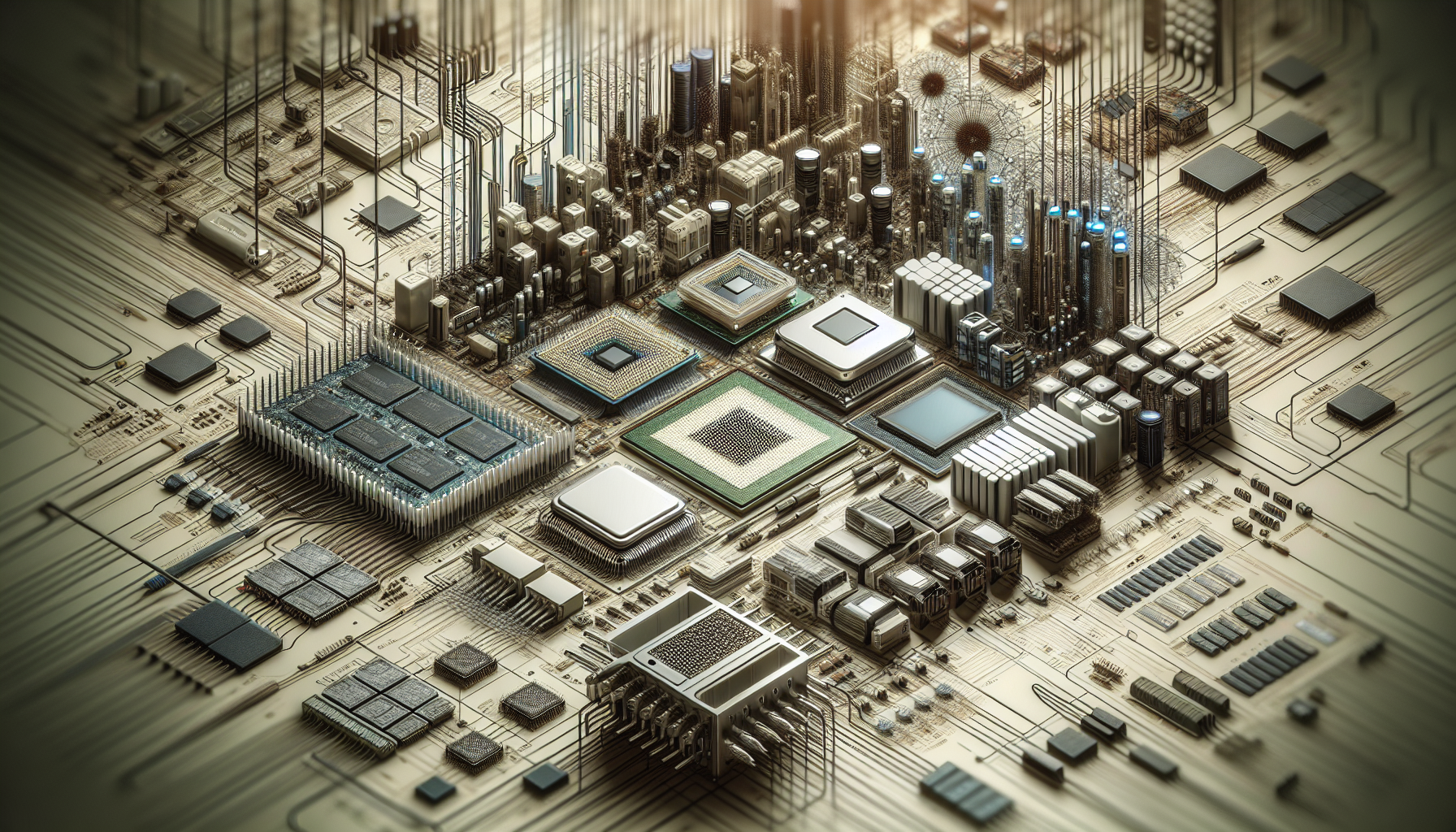
Understanding Computer Systems
In the realm of IT Solutions, understanding the various types of computer systems is crucial for making informed decisions that align with a corporation's operational requirements. This section will delineate the different categories of computer systems and elucidate the distinctions between workstations and desktop PCs.
Types of Computer Systems
Computer systems are a fundamental aspect of modern business operations. They range from simple desktops for everyday tasks to complex servers that manage vast amounts of data. Here are some types of computer systems:
- Personal Computers (PCs): Typically used by individuals or SMEs for routine tasks.
- Workstations: High-performance systems designed for professional use in engineering, architecture, and creative industries.
- Servers: Machines that provide resources, data, services, or programs to other computers, known as clients, over a network.
- Mainframes: Powerful computers used by large organisations for bulk data processing, such as census, industry and consumer statistics, and financial transaction processing.
- Supercomputers: The most powerful systems used for complex simulations, intricate calculations, and data analysis in fields like quantum physics and meteorology.
For a comprehensive overview of the various systems, readers may consider exploring what are computer systems on BPC Tech's website.
Workstations vs Desktop PCs
The choice between workstations and desktop PCs significantly impacts performance, productivity, and the ability to handle specific tasks. While both may appear similar, their capabilities and intended uses are quite distinct.
| Feature | Workstation | Desktop PC |
|---|---|---|
| Processor | More powerful, often with multiple cores for parallel tasks | Standard, suitable for everyday tasks |
| RAM | Larger amounts for handling large files and multitasking | Sufficient for general use |
| Graphics | Dedicated graphics cards for intensive graphical tasks | Integrated or entry-level dedicated cards for everyday use |
| Cost | Higher due to specialized components | More budget-friendly |
| Use Case | Resource-intensive applications like 3D rendering | General computing tasks |
Workstations, as offered in the computer systems category at www.bpctech.com.au, are engineered to manage complex tasks and demanding applications. They are ideal for professionals in fields that require high-performance computing, such as graphic design, engineering, and architecture. Workstations come equipped with more robust processors, extensive RAM, and dedicated graphics cards, which are essential for running advanced software and applications with ease.
Contrastingly, desktop PCs are geared towards general computing tasks and are commonly utilized for everyday activities. They typically have standard processors and sufficient memory to perform regular tasks without the specialized capabilities of workstations.
For IT purchase departments in corporations, particularly those stationed in Australia, recognising these differences is vital when selecting the appropriate computer systems for their specific needs. Workstations offer enhanced multitasking capabilities and can efficiently handle resource-intensive applications, whereas desktop PCs are suitable for less demanding computing environments.
For further insight into the performance and capabilities of workstations, the computer systems lab section on BPC Tech's website provides valuable information, including comparisons and benchmarks. Additionally, the computer systems technology page can shed light on the latest advancements in workstation technology and how they can empower businesses to leverage cutting-edge tools and software.
Selecting the Right Workstation
Selecting the most suitable workstation for your corporation's IT needs demands a thorough understanding of the key features that can enhance productivity and align with corporate objectives. This section will guide IT purchase departments in Australia through the critical considerations to make when choosing the right computer systems, specifically workstations, for their operations.
Key Features to Consider
When evaluating workstations, there are several fundamental features that should be given priority:
- Processor (CPU): The type and speed of the processor will dictate the performance of the workstation. A higher number of cores might be beneficial for multitasking and compute-intensive processes.
- Memory (RAM): Adequate memory is essential for smooth operation, especially when running complex software or handling large files.
- Storage: SSDs offer faster data access speeds compared to HDDs, which can dramatically improve boot times and overall system responsiveness.
- Graphics (GPU): For tasks that require graphics processing, such as video editing or CAD software, a dedicated graphics card is vital.
- Expandability: The ability to upgrade components such as memory, storage, or graphics cards ensures the workstation can evolve with your needs.
- Network capabilities: Consider the workstation's support for the latest network standards for fast and reliable connectivity.
An overview of the key features might look like this:
| Feature | Importance |
|---|---|
| Processor | Crucial for overall performance |
| Memory | Essential for multitasking |
| Storage | Impacts speed and responsiveness |
| Graphics | Important for design and video tasks |
| Expandability | Ensures future-proofing |
| Network Capabilities | Necessary for connectivity |
For in-depth insights into the available options and how they can serve your corporate needs, explore advanced computer systems and computer systems technology on BPC Tech's website.
Compatibility with Corporate Needs
The compatibility of a workstation with corporate needs depends on the nature of your business operations and the specific demands of your IT infrastructure. Consider the following factors:
- Software Requirements: Ensure the workstation can handle the specific software applications used within your company.
- Operational Environment: Some workstations are designed for robust environments, while others are more suited to office settings.
- IT Support: The ease of integrating the workstation into your existing IT support structure is vital for maintaining productivity.
- Corporate Growth: The workstation should be scalable and adaptable to the growing needs of the company.
To ensure that the workstation you select aligns with your corporate requirements, engage with associated computer systems and universal computer systems experts who can provide tailored advice.
In the Australian market, BPC Tech offers a wide range of workstations that cater to diverse corporate needs. Visit their computer systems lab for a hands-on experience or their computer systems hardware section to view their latest offerings. Keep in mind that maintenance and support, such as warranty and service agreements, are crucial for safeguarding your investment in technology and ensuring long-term reliability.
The Role of Workstations in IT
The integration of advanced computer systems, particularly workstations, is pivotal in IT environments where performance and reliability are non-negotiable. These powerful machines are engineered to meet the rigorous demands of professional applications in various fields.
Performance and Productivity
Workstations are synonymous with high performance and enhanced productivity, especially for tasks that are resource-intensive. These systems are adept at handling complex operations in engineering, design, and scientific research. With superior processing power, expansive memory capacity, and advanced graphics capabilities, workstations enable professionals to accomplish their work more efficiently and effectively.
The productivity gains provided by workstations are quantifiable, as they allow users to process larger datasets, render high-resolution graphics, and run multiple applications simultaneously without compromising speed or performance. In industries where time is of the essence, such as architecture or video production, the ability to quickly iterate and execute tasks can be a significant competitive advantage.
| Task | Workstation Performance Benefit |
|---|---|
| 3D Rendering | Faster processing and high-resolution support |
| Data Analysis | Manage larger datasets with greater speed |
| Video Editing | Real-time editing with no lag |
Reliability and Uptime
In addition to their performance capabilities, workstations are renowned for their reliability. They are constructed using high-quality components that have been meticulously tested to ensure continuous uptime. For businesses, this reliability is crucial for minimizing downtime, which can be costly and disruptive.
Workstations are optimized for stability and are built to operate seamlessly even during resource-heavy tasks. This aspect is particularly important for industries that depend on computing power, where any interruption can lead to significant setbacks.
The continuous and uninterrupted operation offered by workstations is a cornerstone of their design, as detailed in the information found on computer systems technology. The emphasis on quality and stability in their manufacture means that workstations are a dependable component in the IT infrastructure of any corporation, particularly those within Australia that require unwavering performance.
For a deeper understanding of the various computer systems and their functions, readers can explore what are computer systems or delve into the specifics of how these systems are structured and operate at how do computer systems work. For those interested in the upkeep and longevity of their IT assets, details on servicing options are available at computer systems servicing.
Factors Influencing Computer System Purchases
When it comes to equipping an organization with the necessary computer systems, several critical factors must be taken into account. These decisions are not only pivotal for the immediate needs of the business but also for its long-term success and adaptability. Let's explore two primary considerations: budget and the future-proofing of technology through longevity and scalability.
Budget Considerations
Financial constraints are often at the forefront when IT purchase departments deliberate over system acquisitions. An organization's budget plays a fundamental role in shaping the decision-making process for procuring new computer systems technology. To ensure a judicious allocation of resources, here are key points to reflect upon:
- Budgetary Limitations: Organizations must evaluate their financial limits before investing in technology. This includes considering the cost of not just the purchase but also the long-term operational expenses.
- Type and Specifications: The budget will often dictate the type and specifications of systems that a corporation can afford. It's important to balance cost with the required features to meet company demands.
- Cost-Benefit Analysis: A thorough cost-benefit analysis can help determine the return on investment and justify the expenditure on new systems.
| Consideration | Detail |
|---|---|
| Budgetary Limitations | Assess financial capacity for initial and ongoing costs |
| Type and Specifications | Align system features with available funds |
| Cost-Benefit Analysis | Evaluate long-term value versus cost |
For more insights on budget considerations, visit our associated computer systems article.
Longevity and Scalability
Investing in computer systems is not just about meeting present needs but also about anticipating future requirements. Longevity and scalability are two pivotal factors that ensure a company's technology investment remains relevant and adaptable over time.
- Future-Proofing: Opting for computer systems with the capacity to endure and remain functional over the years is essential for corporate use. It's more cost-effective in the long run to choose systems that won't become obsolete quickly.
- Scalability Considerations: As an organization grows, its technology must be able to scale accordingly. Scalable systems can accommodate increased workloads and adapt to evolving business requirements without the need for complete replacement.
- Business Growth: Scalability is particularly vital for businesses anticipating expansion. Technology infrastructure should be capable of supporting additional users, more intensive processes, and larger data volumes as the company develops.
| Factor | Importance |
|---|---|
| Future-Proofing | Invest in systems that will remain relevant |
| Scalability Considerations | Ensure systems can adapt to increased demands |
| Business Growth | Choose technology that supports organizational expansion |
For a deeper understanding of scalability and for recommendations on scalable computer systems, check out our insights on leader computer systems.
In conclusion, budgetary constraints and the need for longevity and scalability are key influencers in the procurement of advanced computer systems hardware. Organizations must carefully consider these elements to empower their operations with the right technological tools and infrastructure that align with both current and future business strategies.
Sourcing Computer Systems
For corporations in Australia, sourcing the right computer systems is a critical decision that impacts various aspects of business operations. Understanding the market and the offerings available is essential for IT purchase departments.
Australian Market Overview
The Australian market for computer systems is diverse, with options catering to businesses of all sizes. The demand for advanced computer systems has grown significantly, driven by industries that require high performance and reliability. The market is competitive, offering a range of products from entry-level desktops to high-end workstations.
Businesses must consider factors such as the total cost of ownership, including the computer systems servicing and computer systems technology support available. Additionally, the need for scalability and future-proofing investments is a key consideration, with many companies looking for systems that can grow with their evolving needs.
Local vendors and distributors play a crucial role in the supply chain, offering not only the hardware but also value-added services such as computer system repair near me and maintenance agreements. This ecosystem ensures that businesses have access to the latest innovations in computer systems hardware and can maintain their operations with minimal downtime.
BPC Tech's Offerings
BPC Tech is a prominent player in the Australian market, providing a vast selection of computer systems specifically designed for corporate needs. Their category for computer systems, particularly workstations, demonstrates their commitment to catering to the rigorous demands of professional environments.
BPC Tech's offerings include:
- Workstations optimized for various industries and applications
- A range of leader computer systems that set industry benchmarks
- Customizable solutions that align with specific corporate requirements
- Comprehensive computer systems servicing and support
The company takes pride in its ability to deliver tailored solutions that incorporate the latest computer systems technology. They understand the importance of reliability and performance, which is why their workstations are built with precision to ensure optimal productivity and uptime.
For those interested in the mechanics and principles behind their products, BPC Tech also offers resources and insights through their computer systems lab and articles explaining how do computer systems work and why do computer systems need primary storage.
In conclusion, BPC Tech's comprehensive range of computer systems and commitment to quality service position them as a leading source for businesses in Australia looking to empower their operations with reliable and advanced computing solutions.
Maintenance and Support
Maintaining and supporting advanced computer systems is essential for any corporation, especially to ensure the smooth operation of IT departments. This section covers the significance of warranty and service agreements, along with the importance of regular upgrades and updates.
Warranty and Service Agreements
A robust warranty and service agreement is the backbone of post-purchase satisfaction for computer systems. These agreements provide a safety net against manufacturing defects and malfunctions. IT purchase departments should be well-informed about the extent of coverage provided by the warranty, including parts and labor, support hours, and response times. For insights into what you need to know about warranty and service agreements, Understanding Computer Warranty and Service Agreements is a valuable resource.
When selecting a computer system, it's important to look for suppliers who offer comprehensive service agreements. These can range from onsite repairs to remote troubleshooting, ensuring minimal downtime for the business. BPC Tech, for instance, offers a variety of service agreements tailored to corporate needs, as detailed on their computer systems servicing page.
Upgrades and Updates
Keeping computer systems up to date with the latest hardware and software updates is vital for enhanced performance and security. Regular updates can significantly improve the longevity of a system, making it a cost-effective strategy in the long run. The benefits of routine updates are well-documented, including improved system security, as highlighted in "The Role of Upgrades and Updates in Maintaining Computer System Security" on CSO Online.
Upgrades, on the other hand, might involve hardware changes to ensure compatibility with new software or to meet the increasing demands of advanced applications. IT departments should schedule regular checks to assess if the current systems meet the evolving needs of the business. For more information on the importance of upgrades, readers can refer to "Why Upgrades and Updates are Essential for Computer System Performance" on TechRadar.
It's advisable for corporations to partner with reliable service providers who can offer timely upgrades and updates. BPC Tech's computer systems technology page gives an overview of the latest advancements and services available to Australian businesses.
Maintaining and supporting computer systems is a continuous process that requires attention to detail and proactive management. By understanding warranty and service agreements, and keeping systems regularly updated and upgraded, IT departments can ensure that their computer systems run efficiently, securely, and can scale with the needs of the business.


