


Elevate Your Play: Creative Laptop Gaming Setup Ideas Revealed
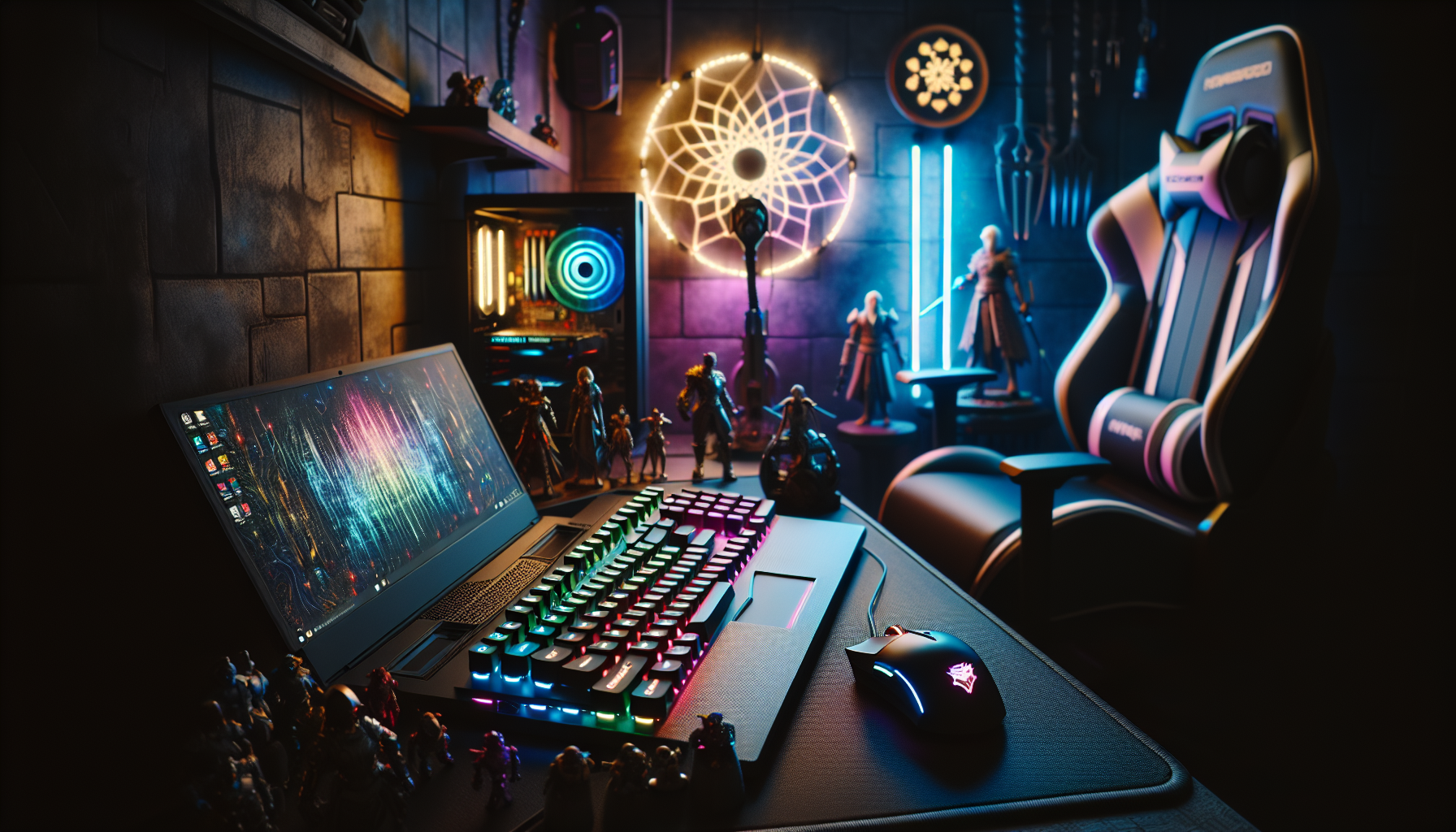
Introduction to Laptop Gaming
The realm of video gaming has expanded tremendously, with laptop gaming becoming an increasingly popular platform for both casual and hardcore gamers. The evolution of laptop technology has allowed for a seamless integration of gaming into more mobile and flexible environments.
The Rise of Laptop Gaming
Laptop gaming has seen a surge in popularity over the past decade. Advances in technology have enabled laptops to house powerful components capable of running graphically intensive games that were once exclusive to desktop PCs. As a result, the demographic of gamers has broadened, with many opting for the convenience of a portable system.
The proliferation of esports and the gaming community’s growth have contributed to the rise of gaming laptops. With the need for high-performance systems that can be used in competitive gaming environments, laptops have become a go-to solution for gamers on the move. This migration from traditional desktop setups to more versatile laptop configurations has been pivotal in the gaming industry. For an insight into the latest in high-performance gaming hardware, enthusiasts may explore recommended gaming laptops.
Advantages of Gaming on a Laptop
Gaming on a laptop comes with a multitude of benefits that cater to a diverse range of player preferences. One of the primary advantages is portability; gaming laptops allow players to take their games anywhere, from a local café to international tournaments. This mobility has enabled gamers to maintain their gaming lifestyle without the constraints of a static setup.
Another advantage is the minimal space required for a gaming laptop setup compared to a full desktop gaming rig. For those with limited room, a laptop can provide a powerful gaming experience without occupying excessive space. Additionally, many gaming laptops offer high-quality built-in displays, eliminating the need for external monitors — though the option remains for those seeking larger screens or multi-display setups. For more on how to configure your gaming space, visit gaming laptop setup ideas.
Gaming laptops also offer versatility, serving not just as gaming platforms but as tools for work, study, and creative projects. With high-end processing power and graphics capabilities, they can handle a range of tasks, making them a comprehensive solution for both leisure and productivity. This dual functionality is particularly appealing to those who require a single device for multiple purposes. For those wondering about the balance between gaming and work, find insights at are gaming laptops good for work.
Lastly, the social aspect of gaming is not lost with laptops, as they often come equipped with high-quality webcams, microphones, and networking capabilities that facilitate online multiplayer experiences and streaming. This connectivity ensures that gamers can engage with their community and stay competitive in the gaming world, no matter where they are. For more on building a social gaming environment, consider reading about networking accessories for optimal gameplay.
Essential Components of a Laptop Gaming Setup
Creating an optimal laptop gaming setup requires attention to several core components that determine the quality and performance of the experience. Gamers seeking the best laptop gaming setup ideas should consider processing power, graphics capabilities, display quality, and the balance between performance and portability.
Understanding Processing Power and Graphics
The heart of any gaming laptop is its central processing unit (CPU) and graphics processing unit (GPU). A robust CPU ensures smooth game mechanics and quick processing, while a high-performing GPU delivers the rich visual details and frame rates necessary for an immersive gaming experience.
| Component | Functionality |
|---|---|
| CPU | Manages game mechanics and overall computer operations |
| GPU | Renders game visuals and video output |
For gaming enthusiasts, it is recommended to opt for a laptop with a multi-core processor and a dedicated graphics card to handle complex gaming scenarios. These elements are critical for playing modern games that require high levels of computational power and graphic detail. More insights into processing and graphics can be found in our guide to gaming laptops.
Importance of Display Quality
A laptop's display is the window into the gaming world, and high-quality visuals are paramount for a captivating gaming experience. Key factors to consider include resolution, refresh rate, and response time.
| Feature | Impact on Gaming |
|---|---|
| Resolution | Higher resolutions offer crisper and more detailed images |
| Refresh Rate | Higher rates provide smoother motion and less motion blur |
| Response Time | Lower times result in quicker screen transitions |
Gamers should seek out laptops with high-definition (HD) or 4K displays, along with refresh rates of 60Hz or higher for fluid motion. Additionally, a quick response time will ensure that the action on screen keeps up with the gameplay. For more details on the relationship between display quality and gaming performance, visit our section on recommended gaming laptops.
Balancing Performance and Portability
The allure of a gaming laptop lies in the ability to game on the go. As such, finding the right balance between high-level performance and portability is essential. Weight, battery life, and overall form factor are considerations that cannot be overlooked.
| Aspect | Consideration |
|---|---|
| Weight | Heavier laptops may offer more features but are less portable |
| Battery Life | Longer battery life is crucial for gaming without a power source |
| Form Factor | Slimmer designs enhance portability but may impact cooling |
It is crucial to choose a laptop that provides powerful gaming performance without sacrificing the convenience of portability. Gamers may need to make trade-offs between a laptop's weight and its performance capabilities. For a deeper understanding of these trade-offs, check out our comparison of gaming laptops vs desktops and considerations for gaming laptops with good battery life.
When planning a laptop gaming setup, these core components form the foundation for a superior gaming environment. By carefully selecting a laptop with the right combination of processing power, graphics quality, display excellence, and portability, gamers can enjoy a captivating and seamless gaming experience.
Creative Laptop Gaming Setup Ideas
Transforming your gaming experience on a portable system requires inventive thinking to maximise both space and play. For enthusiasts and casual players alike, creative laptop gaming setup ideas can enhance both the functionality and enjoyment of gaming sessions.
Optimising Desk Space for Gaming
For those with limited room, optimising desk space is paramount. A clean and organised area can significantly impact gaming performance and comfort. Start by selecting a desk with ample surface area to accommodate your laptop, mouse, and other peripherals. Utilising vertical space with shelves and monitor stands can free up valuable desk real estate.
Cable management tools, such as clips and channels, can keep wires neatly tucked away, preventing tangles and clutter. For more details on creating an efficient gaming space, explore our article on gaming laptop set up.
| Desk Accessory | Purpose |
|---|---|
| Monitor Stand | Elevate screen to eye level |
| Keyboard Tray | Slide under desk to save space |
| Cable Organisers | Keep cables neatly arranged |
Using External Monitors for Enhanced Visuals
Incorporating external monitors into your laptop gaming setup can drastically improve your visual experience. The additional screen real estate allows for multitasking and can provide a broader field of view in games, offering a more immersive experience.
When considering external monitors, look for those with high refresh rates and low response times to ensure seamless gameplay. For gamers seeking a more comprehensive guide on enhancing their visual setup, consider our insights on recommended gaming laptops and compatible monitors.
Ergonomic Accessories for Comfort and Efficiency
Long gaming sessions can take a toll on one's body, making ergonomic accessories an essential part of any laptop gaming setup. Items such as adjustable chairs, supportive cushions, and ergonomic keyboards and mice can make all the difference in maintaining comfort and preventing strain.
An ergonomic chair that supports the spine and promotes good posture can be invaluable, and adjustable stands can help position the laptop at the ideal angle, reducing the risk of neck and eye strain. To further delve into how to achieve the pinnacle of comfort and efficiency, our article on gaming laptops best practices for ergonomics is an excellent resource.
By incorporating these creative laptop gaming setup ideas, individuals can create an environment that not only bolsters their gaming prowess but also ensures their comfort and health during endless hours of play. Whether it's a space-saving desk layout, immersive multi-monitor displays, or ergonomic enhancements, a well-thought-out gaming setup can elevate the entire gaming experience.
Enhancing Audio for an Immersive Experience
To fully immerse oneself in the gaming world, high-quality audio is as crucial as stunning visuals. It can transform a simple gaming session into a full-blown adventure. This section explores how to elevate auditory experiences for gamers, focusing on selecting the right sound equipment and considering the acoustics of the gaming environment.
Choosing the Right Speakers or Headphones
The choice between speakers and headphones for gaming can dramatically impact the audio experience. Gamers should consider their personal preferences, gaming environment, and the type of games they play when making this decision.
Headphones are ideal for those seeking a private and immersive experience or for gamers who are in shared spaces. They often come with features such as noise-cancellation and surround sound capabilities, which can enhance the gaming experience by providing clear and directional audio cues.
Speakers, on the other hand, may be preferred by those who enjoy the sound filling their gaming space and who might share the experience with others. The richness and depth of sound with a good set of speakers can be very satisfying.
When selecting audio equipment, consider the following aspects:
| Feature | Headphones | Speakers |
|---|---|---|
| Sound Quality | High | High |
| Directional Sound | Excellent | Good |
| Privacy | High | Low |
| Portability | High | Low |
| Immersive Experience | Excellent | Good |
For more detailed guidance on setting up audio equipment for your gaming laptop, read through our comprehensive gaming laptop set up guide.
Soundproofing and Acoustic Treatments
Soundproofing and acoustic treatments can significantly improve the quality of audio in a gaming setup. They are designed to control the sound within the environment, either by blocking external noise or by improving the internal sound dynamics.
To enhance the audio experience, gamers can consider the following acoustic treatments:
Acoustic Panels: These reduce echo and reverberation by absorbing sound waves. They can be strategically placed on walls where sound reflection is most likely to occur.
Bass Traps: Placed in the corners of the room, these devices can control low-frequency sounds and prevent the 'boomy' effect that can occur in untreated rooms.
Diffusers: These scatter sound waves, creating a more balanced audio environment, especially beneficial for larger rooms where sound may become 'lost'.
Sealing Gaps: To prevent external noise from entering the gaming space, ensure that gaps around doors and windows are sealed.
By incorporating these acoustic treatments, gamers will find that the clarity and quality of their game's audio is noticeably improved, allowing for a more engaging and enjoyable experience. For those interested in learning more about optimizing their gaming environment, explore our advice on how long do gaming laptops last to ensure your setup stays current and efficient.
Lighting and Aesthetics
The Impact of Lighting on Gaming Ambience
Lighting plays a pivotal role in creating the right atmosphere for a gaming setup. It not only enhances visual appeal but can also influence a gamer's mood and focus. Proper lighting can reduce eye strain during extended gaming sessions and improve the overall experience.
Ambient lighting with adjustable brightness is recommended to match the room's lighting conditions. Additionally, bias lighting, typically placed behind the monitor, can reduce the contrast between the screen and the surrounding area, offering a more comfortable viewing experience.
Personalising with RGB and Theme-Based Setups
RGB lighting has become synonymous with gaming setups, allowing gamers to personalise their space with a spectrum of colours and effects. RGB can be integrated into various components such as keyboards, mice, and even the backlights of monitors to create a cohesive and dynamic environment.
For gamers seeking to express their individuality, theme-based setups are an excellent choice. They can select colours and lighting effects that complement their favourite games or represent their gaming persona. This level of personalisation not only reflects the gamer's style but also makes the gaming experience more immersive and enjoyable.
Gamers can explore various laptop gaming setup ideas to find inspiration for integrating lighting and aesthetics into their own space. Whether it's subtle ambient lighting for a relaxed atmosphere or vibrant RGB setups for a more energetic vibe, the right lighting can significantly enhance the gaming experience.
Cable Management and Organisation
Maintaining a tidy and efficient gaming space is essential for an optimal laptop gaming setup. Proper cable management and organisation can not only enhance the aesthetics of your gaming area but also contribute to better functionality and ease of use.
Tips for a Tidy and Efficient Gaming Space
Cable management is a challenge that every gamer faces, but with the right approach, it can be tackled effectively. Here are some tips to keep your gaming space clutter-free:
- Use Cable Ties and Clips: These simple accessories can keep your cables neatly bundled together and out of sight. They are inexpensive and easy to apply to any gaming setup.
- Label Your Cables: Labelling each cable can save you time when you need to identify and disconnect specific components. Small labels or coloured tags can be used for this purpose.
- Cable Management Trays and Sleeves: Installing under-desk trays and using sleeves to group multiple cables can lead to a neater appearance and prevent tangling.
- Arrange Cables by Length: Keep your cables sorted by length, using the shortest ones necessary to connect your devices without excess slack.
By implementing these strategies, players can enjoy an uncluttered gaming environment, which can enhance their gaming experience and focus. For more detailed organisation tips, explore our article on creating an ideal gaming laptop set up.
Wireless Options to Reduce Clutter
Wireless technology offers a sleek alternative to traditional wired setups and can significantly reduce cable clutter. Here are some wireless peripheral options for a laptop gaming setup:
- Wireless Mouse and Keyboard: These are staple items for any laptop gamer looking to cut down on wires.
- Wireless Headset: A wireless headset can provide high-quality audio without the annoyance of a cord tethering you to the laptop.
- Wireless Gaming Controllers: For games that are better suited to a controller rather than a mouse and keyboard, wireless options are available.
While wireless peripherals can help in creating a cleaner setup, it's important to ensure that their performance meets your gaming needs. Latency, battery life, and connectivity should be considered before making the switch from wired to wireless devices.
By incorporating these cable management techniques and considering wireless alternatives, gamers can create a gaming space that is not only efficient but also aesthetically pleasing. As you build your setup, remember to consider the balance between performance and organisation to achieve the best of both worlds. For those interested in exploring the latest in laptop gaming technology, check out our selection of recommended gaming laptops.
Maximising Gaming Sessions
For gaming enthusiasts, uninterrupted play is key to a satisfying gaming experience. This section will delve into effective cooling solutions to prevent overheating and strategies to manage battery life and power during extended gaming sessions.
Cooling Solutions to Prevent Overheating
Overheating can lead to performance hiccups and, in severe cases, damage to the laptop's internal components. Therefore, implementing cooling solutions is essential, especially for high-performance gaming laptops that generate substantial heat.
- Active Cooling Pads: These are external devices with built-in fans designed to enhance airflow around the laptop. An active cooling pad can significantly reduce the operating temperature of a laptop, thus maintaining optimal performance.
- Laptop Stands with Cooling Abilities: Elevating a laptop can naturally improve air circulation. Some stands come with integrated fans or heat sinks that further dissipate heat.
- Internal Cooling Enhancements: Regular maintenance, such as cleaning the internal fans and replacing thermal paste, can improve a laptop's ability to cool efficiently.
Here is a table summarising the potential temperature reduction each cooling solution can offer:
| Cooling Solution | Estimated Temperature Reduction |
|---|---|
| Active Cooling Pad | 5-15°C |
| Laptop Stand with Cooling | 2-5°C |
| Internal Maintenance | Variable |
By exploring these options, gamers can find the most suitable cooling solution to integrate into their laptop gaming setup ideas. Keeping a laptop cool not only prolongs gaming sessions but also extends the overall lifespan of the device. For a deeper understanding of the importance of laptop maintenance, refer to our article on how long do gaming laptops last.
Battery Life and Power Management Strategies
While gaming laptops are often connected to a power source during use, managing battery life and power is still crucial for portability and when an outlet isn't readily available.
- Power Settings Optimization: Adjusting the laptop's power settings to a balanced mode can conserve energy without a significant sacrifice to performance. For those who game on the go, this adjustment is particularly beneficial.
- Battery Health Maintenance: Regularly calibrating the battery ensures accurate readings and can help maintain its health over time.
- Energy Efficient Accessories: Opting for peripherals that require less power or have their own power source can mitigate battery drain.
Gamers should also consider the battery life specifications when selecting a gaming laptop. Here's a comparison of average battery life across different usage scenarios:
| Usage Scenario | Average Battery Life |
|---|---|
| Gaming (High Performance) | 1-2 hours |
| General Use (Balanced Mode) | 3-5 hours |
| Battery Saving Mode | 5-8 hours |
For those in search of gaming laptops with impressive battery performance, exploring our list of gaming laptops with good battery life is a good starting point. Proper power management can not only extend your gaming time but also help maintain the laptop's battery health in the long term.
By implementing effective cooling solutions and power management strategies, gamers can enjoy prolonged and uninterrupted gaming sessions. These practices not only enhance the gaming experience but also contribute to the longevity and durability of the gaming device.
Community and Connectivity
Community and connectivity play pivotal roles in enhancing the gaming experience for laptop users. This section explores the essential networking accessories required for optimal gameplay and strategies for fostering a social gaming environment.
Networking Accessories for Optimal Gameplay
For gamers seeking seamless multiplayer experiences, the quality of their network connection is crucial. High-speed and low-latency connections are facilitated by premium networking accessories. Here's a rundown on essential networking gear:
- Wi-Fi Adapters: Some gaming laptops might benefit from an external Wi-Fi adapter to ensure a more reliable and faster connection.
- Ethernet Cables: For the most stable connection, a direct link via an Ethernet cable can significantly reduce lag.
- Network Extenders: To ensure coverage across larger spaces or multiple rooms, network extenders can help maintain a strong signal.
- Routers and Modems: A high-quality router or modem designed for gaming can manage high bandwidth usage and prioritize gaming traffic.
When selecting these accessories, gamers should consider their internet service provider's speed, the router's quality, and the layout of their gaming area to ensure optimal performance. Refer to our guide on recommended gaming laptops for laptops that offer the best built-in networking capabilities.
Building a Social Gaming Environment
Creating a social gaming environment is about more than just hardware; it's about cultivating a space where gamers can connect and share experiences. Here are some key elements to consider:
- Communication Software: Utilizing voice chat applications can enhance team coordination and create a more engaging multiplayer experience.
- Gaming Chairs and Desks: Comfortable seating and spacious desks allow for longer gaming sessions with friends.
- Streaming Gear: For those who wish to share their gameplay with a broader audience, streaming equipment such as cameras and microphones are vital.
- Community Platforms: Joining online forums and gaming communities can expand one's network and provide a platform for discussion and camaraderie.
By integrating these elements into their gaming setup, individuals can create an inviting and interactive atmosphere that extends beyond the screen. For additional insights on creating the perfect gaming setup, explore our comprehensive guide on gaming laptop set up.
Gamers should also consider the social features provided by different gaming platforms. These can include friend lists, messaging systems, and online matchmaking services that help players connect with others worldwide. Balancing technology with a personal touch can help create a vibrant and supportive gaming community around their preferred gaming laptops.


