


Elevate Your Gaming Experience: Smart Solutions for PC Overheating
Understanding PC Temperature
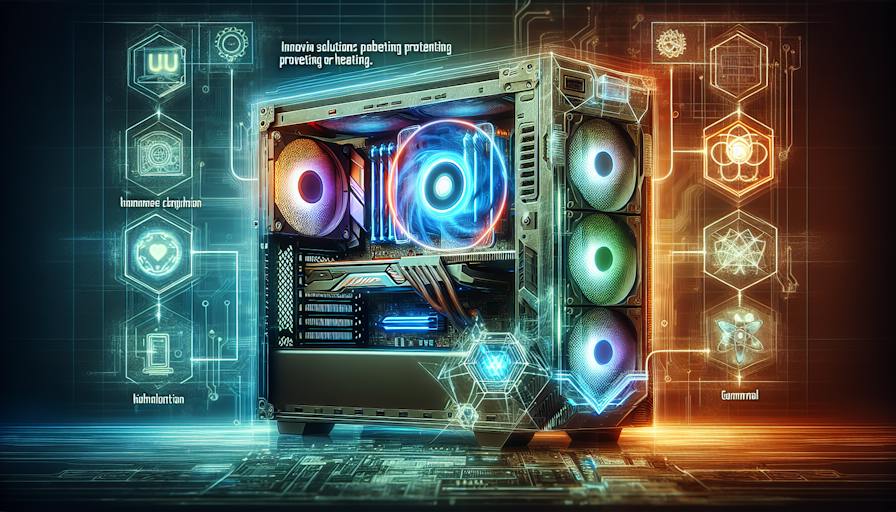
Maintaining optimal temperature levels is crucial for the performance and longevity of gaming PCs. Understanding the significance of cooling systems and the consequences of overheating helps users make informed decisions regarding their setups.
Importance of Cooling Systems
Cooling systems play a vital role in ensuring that gaming PCs function efficiently. High-performance components, particularly CPUs and GPUs, generate considerable heat during operation. If these components do not have an effective cooling solution in place, they can exceed their safe operating temperature, leading to performance throttling or permanent damage (Intel).
There are two primary types of cooling systems: air cooling and liquid cooling. Air cooling is often simpler to install and effective for average tasks, incorporating a heat sink and fan to disperse heat. Liquid cooling, on the other hand, excels at transferring heat outside of the system via a radiator, making it an excellent alternative for those seeking to prevent overheating in demanding situations.
| Cooling System Type | Description | Pros | Cons |
|---|---|---|---|
| Air Cooling | Uses a heat sink and fan | Easy to install, cost-effective | May not be sufficient for high-performance builds |
| Liquid Cooling | Moves heat via liquid to a radiator | Excellent heat dissipation, can handle overclocking | More complex installation, higher cost |
Impact of Overheating
Overheating poses multiple risks for gaming PCs. If temperatures rise beyond recommended levels, the system can automatically reduce performance to cool down, known as throttling. This behaviour can be particularly detrimental during gaming sessions, leading to reduced frame rates and an overall suboptimal experience. Persistent overheating can result in hardware failures, potentially necessitating expensive repairs or replacements.
In addition to causing performance issues, overheating may affect the longevity of components. Consistent exposure to excessive heat can significantly shorten the lifespan of sensitive parts, leading to reliability concerns (CyberPowerPC).
To avoid overheating, it's essential to implement effective gaming pc cooling solutions and regularly maintain the system. Understanding the causes of gaming pc overheating and adhering to proper gaming pc temperature management practices can lead to a better overall gaming experience.
Cooling Solutions for Gaming PCs
When dealing with gaming PC overheating solutions, selecting the right cooling solution is crucial for maintaining optimal performance. There are primarily two options available: liquid cooling and air cooling. Each approach has its own advantages and considerations that cater to different user needs.
Liquid Cooling vs Air Cooling
Liquid cooling and air cooling are the two main types of cooling systems available for gaming PCs.
| Feature | Liquid Cooling | Air Cooling |
|---|---|---|
| Cooling Efficiency | 2-10 times more effective at dissipating heat (Kingston) | Less effective than liquid cooling for high-intensity tasks |
| Noise Levels | Generally quieter due to lower RPM of radiator fans (Intel) | Typically louder due to high-speed fans |
| Installation | More complex; requires knowledge of water loops | Simpler installation process |
| Cost | Generally higher investment for the setup | Widely available at various price points |
| Maintenance | Regular maintenance required to ensure system integrity | Lower maintenance needs |
| Best For | Overclocking, CPU-intensive tasks like video rendering | General gaming and basic computing needs |
Liquid cooling involves a system that circulates coolant through various components using water blocks, pipes, a pump, and a radiator. This method efficiently distributes heat over a larger area, making it ideal for high-performance gaming PCs or tasks that demand more from the hardware.
In contrast, air coolers are typically easier to install and cost less, making them a popular choice for beginners or those looking for straightforward operation. However, for those serious about overclocking or undertaking CPU-intensive tasks, liquid cooling might offer the necessary efficiency and performance.
Factors to Consider for Cooling Solutions
When deciding on a cooling solution, several factors should be taken into account:
Budget: Consider how much one wants to invest. Air coolers usually offer competitive pricing.
Performance Needs: Users heavily involved in gaming or intense computing tasks may benefit more from the efficiency of liquid cooling.
Noise Tolerance: For those who prefer a quieter environment, liquid cooling solutions tend to operate more quietly than air coolers.
Space and Compatibility: Assess the physical space within the PC case. Liquid cooling solutions may require more room for radiators, while air coolers need to fit without obstructing other components.
Future Upgrades: Think about whether the cooling solution will accommodate future upgrades. Liquid cooling systems can support more powerful hardware while maintaining optimal temperatures.
Cooling Maintenance: Liquid cooling systems need periodic checks and maintenance, especially to prevent leaks and ensure the coolant is topped up.
Selecting the right cooling system can significantly enhance the performance of a gaming PC, keeping temperatures in check during long gaming sessions. For more tips on improving performance, refer to our gaming PC cooling tips and stay informed about gaming PC temperature management.
Preventing Overheating Issues
Overheating issues can significantly impact the performance of gaming PCs. Preventive measures can help maintain optimal operating temperatures.
Optimizing Airflow and Ventilation
Proper airflow is crucial to maintaining a cool PC. Cases with poor design or blocked vents can restrict the movement of cool air into the case and the expulsion of hot air, leading to stagnant hot spots and excessive component heating (Prime Tech Support). Here are some ways to enhance airflow and ventilation:
| Action | Description |
|---|---|
| Positioning | Place the PC on a solid surface like a wooden table to prevent obstruction of the air vents. Avoid soft or uneven surfaces that hinder airflow (CyberPowerPC). |
| Cleaning | Regularly clean components and ventilation ducts to remove dust and debris that could obstruct airflow. |
| Fan Inspection | Regularly check PC fans for functionality; silent fans might indicate a malfunction (CyberPowerPC). |
Maintenance Tips for Cooling Efficiency
Regular maintenance is vital for ensuring sustained cooling efficiency in gaming PCs. Dust can reduce performance and potentially cause damage, so maintenance is an essential part of managing temperatures. Here are some key maintenance tips:
| Task | Frequency |
|---|---|
| Dusting | Clean fans, case, heatsinks, and components (e.g., graphics card, RAM) every 3-6 months. |
| Ventilation Check | Inspect and clean ventilation ducts regularly to prevent obstruction. |
| Software Monitoring | Use software tools to monitor temperatures and fan speeds to identify potential overheating issues early. |
By optimising airflow and adhering to regular maintenance practices, users can significantly reduce the likelihood of overheating issues in their gaming PCs. Further information on staying cool can be explored in our article on gaming pc cooling tips.
Advanced Cooling Techniques
When addressing gaming PC overheating solutions, advanced cooling techniques can significantly enhance the performance and longevity of gaming systems. This section covers overclocking considerations and innovative cooling technologies.
Overclocking Considerations
Overclocking can boost a system's performance by running components like the CPU or GPU at higher speeds than their default settings. However, this increases the heat generated, potentially leading to overheating issues. Without adequate cooling, excessive overclocking can cause the CPU to throttle or fail entirely.
For gamers serious about overclocking or engaging in CPU-intensive tasks, investing in a high-quality cooling system is crucial. Liquid cooling, for example, is known to effectively distribute heat thanks to its larger convection surface area, enhancing both cooling efficiency and acoustics by allowing for reduced fan speeds (Intel).
| Overclocking Consideration | Effect on Temperature |
|---|---|
| Light Overclocking | Moderate temperature increase |
| Moderate Overclocking | Noticeable heat generation; good cooling required |
| Heavy Overclocking | Significant heat output; liquid cooling recommended |
Those undertaking overclocking should aim for adequate cooling solutions to manage the extra heat efficiently.
Innovative Cooling Technologies
Emerging technologies in the cooling domain are transforming how temperatures are managed within gaming PCs. Among these, liquid cooling stands out for its efficiency in relocating heat away from critical components. According to research, liquid cooling can be 2-10 times more effective than traditional air cooling in dissipating heat from a CPU (Kingston). This level of effectiveness is particularly beneficial in systems where performance is pushed to the limits, thanks to overclocking or heavy graphical workloads.
Liquid cooling systems generally consist of a pump, radiator, and water block. This setup allows for superior heat exchange and can result in better overall thermal management compared to air cooling systems (Intel).
Innovations in fans also contribute significantly to cooling advancements. Advanced designs can increase airflow and enhance cooling efficiency, minimizing hotspots in the PC. Furthermore, the integration of smart technologies allows for real-time monitoring and adjustment of fan speeds based on the internal temperatures of the gaming PC.
For gamers seeking to optimize system performance, understanding these advanced cooling techniques is essential. For additional tips on managing temperatures effectively, explore our resources on gaming pc temperature management and gaming pc cooling tips.


