


Elevate Your Gaming Experience: Explore the Best Gaming PC Cases
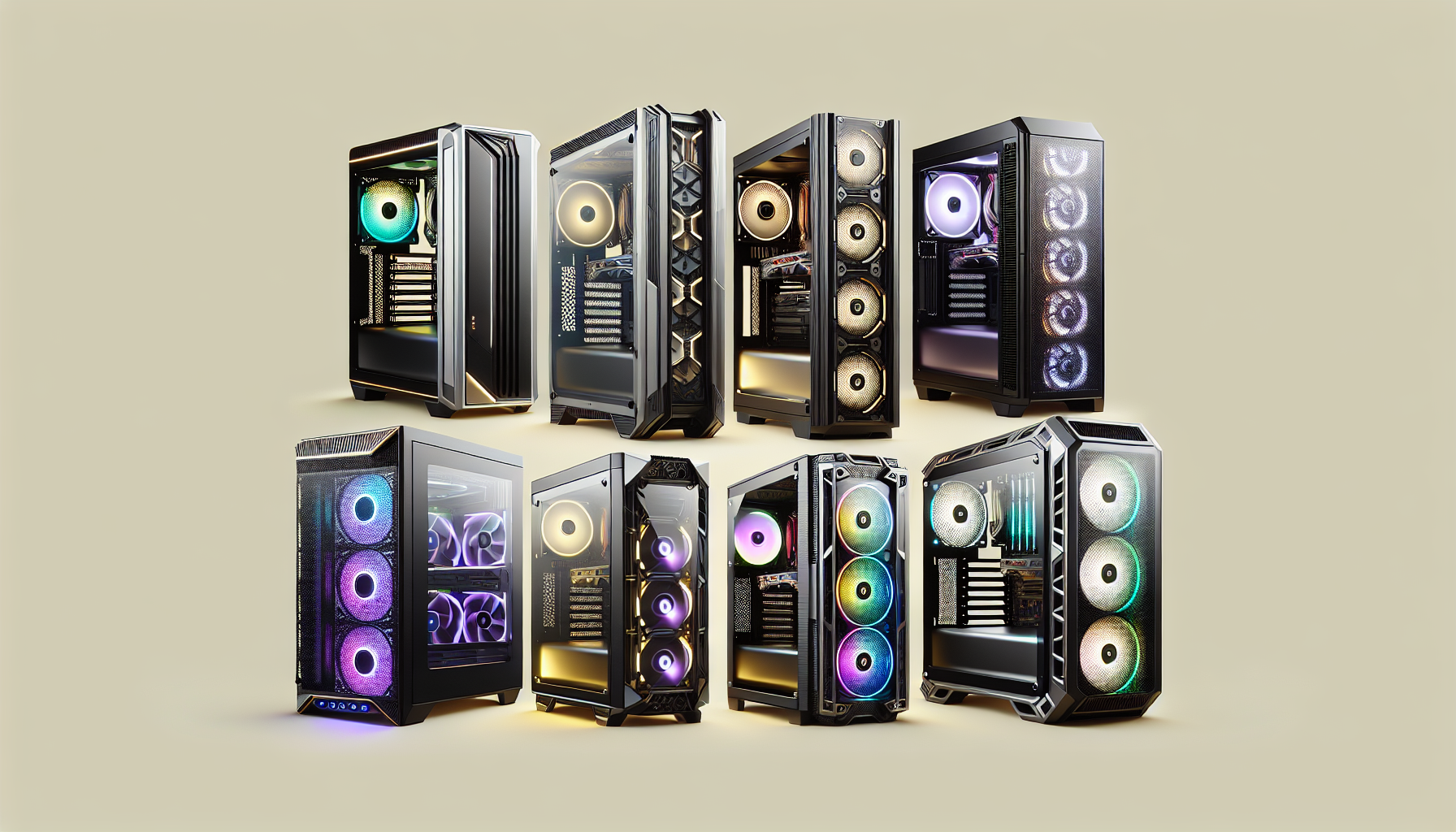
Understanding Gaming PC Cases
What is a Gaming PC Case?
A gaming PC case, often referred to as a chassis, is the enclosure that houses all the essential components of a gaming computer. This includes the motherboard, CPU, GPU, power supply, storage devices, and cooling systems. The design and structure of the case play a significant role in ensuring that these components are securely mounted and adequately cooled.
Gaming PC cases vary widely in size, form factor, and design. They can range from compact mini-tower cases to large full-tower cases, each offering different levels of expandability and cooling options. Selecting the right case for your gaming setup is crucial as it affects not only the aesthetics but also the functionality and performance of your gaming system. To further explore the types of gaming PCs available, check out our article on best gaming pcs of 2024.
Importance of Choosing the Right Case
Choosing the right gaming PC case is essential for several reasons:
Cooling Efficiency: A well-designed case provides optimal airflow, which is crucial for cooling high-performance components. Overheating can lead to reduced performance and potential damage to hardware. For more on cooling options, visit our article on gaming pc cooling solutions.
Component Compatibility: Different cases support various motherboard sizes and GPU lengths. Ensuring compatibility prevents issues during assembly and allows for future upgrades. Learn more about building compatible systems in our guide on building your own gaming pc.
Aesthetic Appeal: The case contributes significantly to the overall look of your gaming setup. From sleek, minimalist designs to cases with vibrant RGB lighting, the right case reflects personal style. For inspiration, see gaming pc setup ideas.
Noise Reduction: Quality cases often come with sound-dampening features, reducing the noise generated by internal components and cooling systems, ensuring a quieter gaming environment.
Cable Management: Good cases provide ample space and features for effective cable management, which not only improves airflow but also makes the interior look clean and organised. For tips on maintaining a tidy setup, check our gaming pc maintenance tips.
| Feature | Importance |
|---|---|
| Cooling Efficiency | Prevents overheating and maintains performance |
| Component Compatibility | Ensures all parts fit and function properly |
| Aesthetic Appeal | Enhances the visual aspect of the setup |
| Noise Reduction | Creates a quieter gaming environment |
| Cable Management | Improves airflow and aesthetics |
Understanding these factors helps in making an informed decision when selecting a gaming PC case. For those interested in learning more about balancing performance and aesthetics, our article on prebuilt vs. custom gaming pcs offers additional insights.
Key Features to Consider
Choosing the right gaming PC case is crucial for both performance and aesthetics. Here are the key features to consider when selecting the top gaming PC cases.
Size and Form Factor
The size and form factor of a gaming PC case determine the types of components it can accommodate and the overall footprint of the system. The three main form factors are:
- Full Tower: These cases offer ample space for multiple graphics cards, extensive cooling solutions, and numerous storage drives. Ideal for enthusiasts who want to build high-end gaming rigs.
- Mid Tower: The most popular choice, providing a balance between size and expandability. Suitable for most gamers, offering enough room for standard ATX motherboards and good cooling options.
- Mini Tower: Compact and space-saving, these cases fit micro-ATX or mini-ITX motherboards. Perfect for those who need a small yet powerful gaming setup.
| Form Factor | Dimensions (cm) | Motherboard Compatibility | Typical Use |
|---|---|---|---|
| Full Tower | 56 x 23 x 56 | ATX, E-ATX | High-end gaming rigs |
| Mid Tower | 46 x 21 x 45 | ATX, Micro-ATX | Standard gaming setups |
| Mini Tower | 36 x 18 x 36 | Micro-ATX, Mini-ITX | Compact builds |
Cooling Options
Effective cooling is essential to maintain optimal performance and prolong the lifespan of your components. Gaming PC cases offer various cooling solutions:
- Air Cooling: Utilises fans to move air through the case, cooling the components. Look for cases with multiple fan mounts and good airflow design.
- Liquid Cooling: Uses liquid to transfer heat away from components. Cases with support for radiators and reservoirs are necessary for custom liquid cooling setups. For more information on cooling solutions, visit our article on gaming pc cooling solutions.
Build Quality and Materials
The build quality and materials of a gaming PC case affect its durability, weight, and overall feel:
- Steel: Commonly used for its strength and durability, though it can be heavier.
- Aluminium: Lightweight and stylish, often found in premium cases.
- Plastic: Used in budget cases, typically for external features.
High-quality cases often feature tempered glass panels, which provide a sleek look and allow for visibility of internal components.
Aesthetic and Design
The aesthetic and design of a gaming PC case can greatly influence the overall look of your setup. Consider the following aspects:
- RGB Lighting: Many cases come with built-in RGB lighting that can be customised to match your gaming setup. For more on customisation, read about RGB lighting and customisation.
- Windowed Panels: Cases with transparent panels allow you to showcase your build, especially if you have RGB components or a neat cable management setup.
- Design: From minimalist to aggressive gaming aesthetics, choose a design that reflects your personal style.
When selecting the best gaming PC case, it's important to weigh these features based on your specific needs and preferences. Whether prioritising functionality, aesthetics, or future-proofing, the right case can significantly enhance your gaming experience. For more insights on building a gaming rig, check out our guide on building your own gaming pc.
Case Types
When selecting the top gaming PC cases, understanding the different types available is essential. This section delves into the three main categories: full tower cases, mid tower cases, and mini tower cases.
Full Tower Cases
Full tower cases are the largest type, offering ample space for multiple components, extensive cooling solutions, and future upgrades. Ideal for gamers who require high-end performance, these cases can accommodate larger motherboards, multiple graphics cards, and extensive storage options.
| Feature | Specification |
|---|---|
| Dimensions | 22 - 27 inches (height) |
| Motherboard Compatibility | ATX, EATX, Micro-ATX |
| GPU Support | Up to 15 inches |
| Drive Bays | 8+ |
Full tower cases are suitable for those looking to build high-end gaming PCs with advanced cooling systems, such as custom liquid cooling. They also provide excellent cable management options, ensuring a clean and efficient setup.
Mid Tower Cases
Mid tower cases are the most popular choice among gamers due to their balance between size and functionality. These cases offer sufficient space for standard gaming components while being more manageable in terms of size and weight compared to full tower cases.
| Feature | Specification |
|---|---|
| Dimensions | 18 - 22 inches (height) |
| Motherboard Compatibility | ATX, Micro-ATX, Mini-ITX |
| GPU Support | Up to 12 inches |
| Drive Bays | 5 - 8 |
Mid tower cases cater to a wide range of users, from those building budget gaming PCs to enthusiasts seeking a powerful yet compact build. They support various cooling solutions and provide decent expansion options for future upgrades.
Mini Tower Cases
Mini tower cases are the smallest of the three, designed for compact and portable gaming setups. These cases are perfect for gamers with limited space or those who frequently attend LAN parties. Despite their size, mini tower cases can still house powerful components, although with some limitations.
| Feature | Specification |
|---|---|
| Dimensions | 14 - 18 inches (height) |
| Motherboard Compatibility | Mini-ITX, Micro-ATX |
| GPU Support | Up to 10 inches |
| Drive Bays | 2 - 5 |
Mini tower cases are ideal for those who prioritise portability and space-saving without compromising on performance. They often require more efficient gaming pc cooling solutions due to the confined space, making proper airflow and cooling management crucial.
Choosing the right type of gaming PC case depends on individual needs and preferences. Whether one opts for a full tower, mid tower, or mini tower case, understanding the key features and specifications can help make an informed decision. For more insights on building your gaming setup, visit our articles on building your own gaming pc and gaming pc setup ideas.
Cooling Solutions
Effective cooling solutions are crucial for maintaining optimal performance and longevity of gaming PCs. There are two primary cooling methods: air cooling and liquid cooling.
Air Cooling
Air cooling is the most common method used in gaming PCs. It involves the use of fans to dissipate heat from the components. The fans are typically attached to heatsinks, which are made of materials like aluminium or copper to enhance heat dissipation.
Key Components of Air Cooling:
- Heatsinks: Metal structures that absorb and disperse heat.
- Fans: Devices that move air across the heatsinks to cool them down.
Advantages of Air Cooling:
- Cost-Effective: Generally cheaper than liquid cooling solutions.
- Ease of Installation: Simple to install and maintain.
- Reliability: Fewer points of failure compared to liquid cooling.
Disadvantages of Air Cooling:
- Noise Levels: Fans can be noisy, especially under heavy load.
- Limited Cooling Capacity: May not be sufficient for high-end gaming rigs or overclocked systems.
| Component | Average Temperature Reduction (°C) | Noise Level (dB) |
|---|---|---|
| CPU | 10-20 | 30-40 |
| GPU | 15-25 | 35-45 |
For more detailed information on cooling solutions, refer to our article on gaming pc cooling solutions.
Liquid Cooling
Liquid cooling is a more advanced method that uses a liquid coolant to transfer heat away from the components. This type of cooling is often used in high-performance gaming PCs due to its superior cooling capabilities.
Key Components of Liquid Cooling:
- Radiator: A component that disperses heat from the liquid coolant.
- Pump: Circulates the coolant through the system.
- Water Block: Attached to the CPU or GPU to absorb heat.
- Coolant: The liquid that circulates through the system to transfer heat.
Advantages of Liquid Cooling:
- Superior Cooling: More efficient at dissipating heat, ideal for overclocking.
- Quieter Operation: Generally quieter than air cooling solutions.
- Aesthetic Appeal: Often considered more visually appealing.
Disadvantages of Liquid Cooling:
- Cost: More expensive than air cooling systems.
- Complexity: More complicated to install and maintain.
- Risk of Leaks: Potential for coolant leaks, which can damage components.
| Component | Average Temperature Reduction (°C) | Noise Level (dB) |
|---|---|---|
| CPU | 20-30 | 20-30 |
| GPU | 25-35 | 20-30 |
For a comprehensive guide on liquid cooling and its benefits, visit our article on overclocking guide for gaming pcs.
Both cooling methods have their own advantages and limitations. The choice between air and liquid cooling should be based on your specific needs, budget, and system requirements. For more tips on maintaining your gaming PC, check out our article on gaming pc maintenance tips.
Additional Features
Exploring the additional features of gaming PC cases can significantly enhance your gaming setup. Here’s a closer look at some key aspects to consider.
Cable Management
Effective cable management is crucial for both aesthetics and functionality. A well-organised system not only looks clean but also promotes better airflow, which is essential for maintaining optimal temperatures within your case. Many gaming PC cases come with built-in cable management features, such as:
- Cable Routing Holes: Pre-cut holes to route cables through.
- Velcro Straps and Cable Ties: To secure cables in place.
- Shrouds and Covers: To hide bulkier cables.
For more on maintaining your gaming PC, visit our article on gaming pc maintenance tips.
| Feature | Description |
|---|---|
| Cable Routing Holes | Pre-cut holes for cleaner routing |
| Velcro Straps | Secure cables in place |
| Shrouds and Covers | Hide bulkier cables |
Expansion Options
Expansion options are vital for future-proofing your gaming setup. When selecting a gaming PC case, consider the following:
- Drive Bays: Number and type of bays for SSDs and HDDs.
- PCIe Slots: Availability for adding extra graphics cards or other components.
- USB Ports: Front and rear USB ports for peripherals.
It’s wise to choose a case with ample expansion options to accommodate future upgrades. For insights on upgrading, see our guide on building your own gaming pc.
| Expansion Feature | Details |
|---|---|
| Drive Bays | SSD and HDD compatibility |
| PCIe Slots | Additional slots for GPUs and other add-ons |
| USB Ports | Front and rear ports for peripherals |
RGB Lighting and Customisation
RGB lighting and customisation options can dramatically elevate the visual appeal of your gaming rig. Many modern gaming PC cases offer:
- Integrated RGB Lighting: Built-in lighting strips and fans.
- Syncing Capabilities: Compatibility with popular RGB software for synchronised effects.
- Customisation Options: Changeable lighting modes and colours.
RGB lighting not only enhances aesthetics but can also provide practical benefits, like indicating system temperatures through colour changes. For more on setting up your gaming space, check out our article on gaming pc setup ideas.
| RGB Feature | Description |
|---|---|
| Integrated RGB | Built-in lighting strips and fans |
| Syncing Capabilities | Compatibility with RGB software |
| Customisation Options | Changeable lighting modes and colours |
These additional features can significantly impact the overall performance and appearance of your gaming PC. Remember to assess your needs and consider future upgrades when selecting the top gaming PC cases. For more guidance on choosing the best components, explore our article on best gaming pcs of 2024.
Tips for Selecting the Best Gaming PC Case
Choosing the right gaming PC case is crucial for both performance and aesthetics. Here are some tips to help you select the best gaming PC case that suits your needs.
Assessing Your Needs
Before diving into the specifics, it's essential to assess your unique requirements. Consider the following factors:
- Gaming Preferences: Are you a casual gamer or a hardcore enthusiast?
- Component Compatibility: Ensure the case can accommodate your motherboard, GPU, and other components.
- Cooling Requirements: Determine if you need advanced cooling solutions such as liquid cooling or if air cooling will suffice.
- Budget: Define your budget range to narrow down your options.
| Factor | Considerations |
|---|---|
| Gaming Preferences | Casual, Enthusiast, Professional |
| Component Compatibility | Motherboard size, GPU length, Number of drives |
| Cooling Requirements | Air cooling, Liquid cooling |
| Budget | Low, Medium, High |
Considering Future Upgrades
Future-proofing your gaming rig is essential. Here are some points to consider:
- Expansion Slots: Look for cases with multiple expansion slots for future upgrades.
- Drive Bays: Ensure there are enough drive bays for additional HDDs or SSDs.
- Cooling Options: Choose a case with ample space for additional fans or radiators.
- Modular Design: Modular cases allow for easy upgrades and customisation.
For more detailed information on upgrading your gaming PC, refer to our budget gaming pcs and high-end gaming pcs articles.
Balancing Functionality and Style
Balancing functionality and style is key to selecting the best gaming PC case. Consider the following:
- Aesthetic Appeal: Choose a design that matches your gaming setup, whether it's a sleek, minimalist look or a bold, RGB-lit case.
- Cable Management: Proper cable management ensures a clean and organised build, improving airflow and aesthetics.
- Build Quality: High-quality materials like tempered glass and metal provide durability and a premium feel.
- Additional Features: Look for cases with features like dust filters, tool-less design, and soundproofing.
| Feature | Importance |
|---|---|
| Aesthetic Appeal | Matches setup style |
| Cable Management | Improves airflow, looks |
| Build Quality | Durability, premium feel |
| Additional Features | Dust filters, tool-less design, soundproofing |
For further insights on building and customising your gaming PC, check out our articles on building your own gaming pc and gaming pc setup ideas.
By considering your specific needs, planning for future upgrades, and balancing functionality with style, you can find the best gaming PC case to elevate your gaming experience.


