


Elevate Your Gameplay: Inspiring Gaming PC Setup Ideas
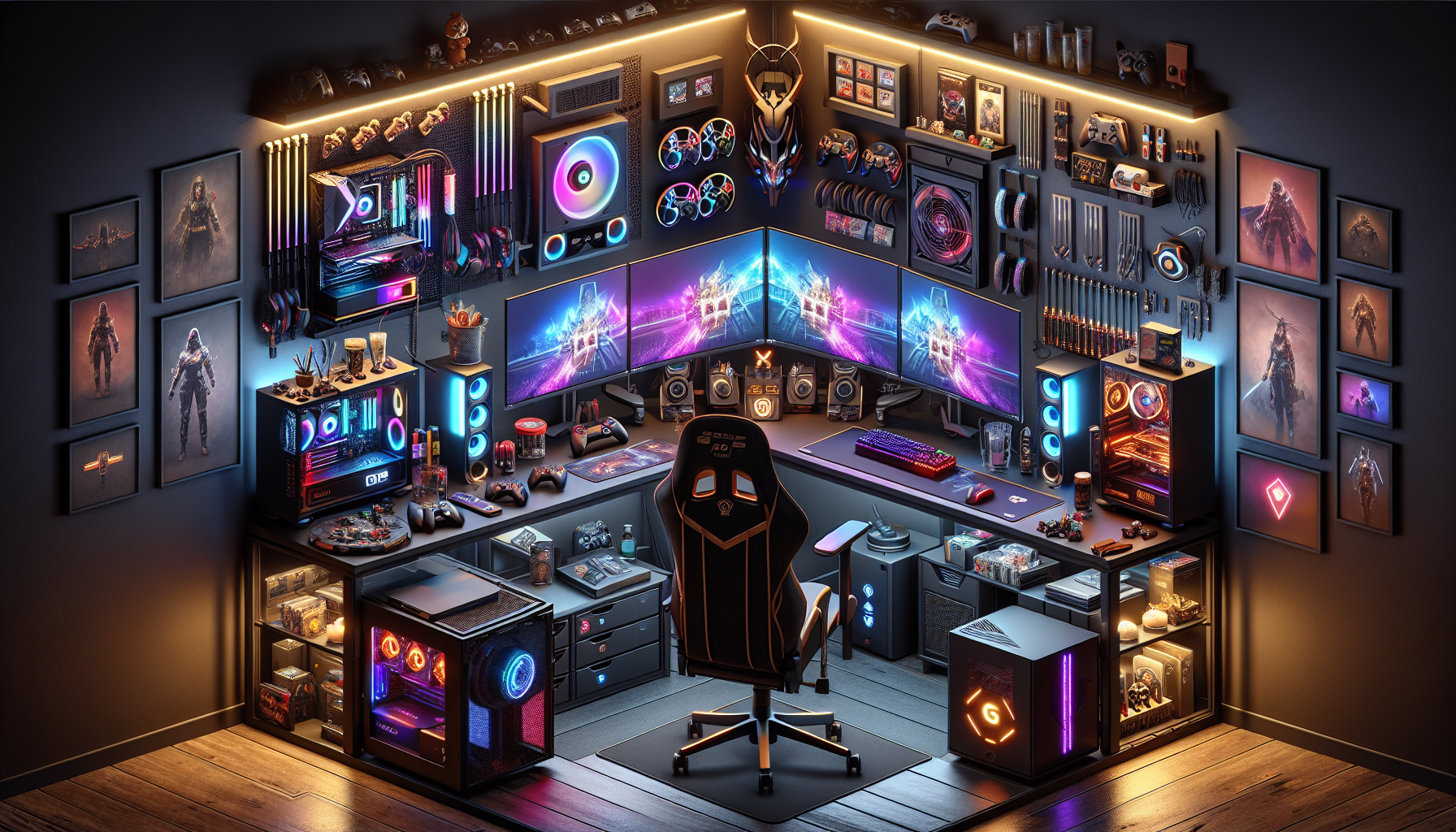
Introduction to Gaming PC Setups
Why a Good Setup Matters
A well-designed gaming PC setup is essential for any serious gamer. It impacts not only the performance but also the overall gaming experience. A good setup ensures that gamers can play comfortably for extended periods, reducing the risk of strain and injury. Additionally, it can significantly enhance the game's visual and audio quality, making the experience more immersive and enjoyable.
A good gaming setup also allows for better organisation and efficiency. With the right equipment and layout, gamers can quickly access their peripherals, adjust settings, and monitor performance without hassle. This optimised environment can lead to improved reaction times and overall better gameplay.
For those interested in building their own gaming setup, it's crucial to start with a robust gaming PC as the heart of the setup. From there, adding high-quality peripherals and accessories can transform a basic gaming station into a high-performing gaming hub.
Benefits of an Optimised Gaming Environment
An optimised gaming environment offers numerous benefits that can enhance both the gaming experience and the player's well-being. Here are some key advantages:
Improved Performance: A well-optimised setup can lead to better in-game performance. With high-quality components like top-tier graphics cards and efficient cooling solutions, gamers can enjoy smoother gameplay with higher frame rates.
Comfort and Ergonomics: Choosing the right gaming chair and desk setup can reduce physical strain. Ergonomic furniture supports good posture and prevents issues like back pain and carpal tunnel syndrome.
Enhanced Immersion: High-quality gaming monitors and sound systems can create a more immersive experience. Monitors with high refresh rates and low response times ensure that visuals are crisp and fluid. Superior sound systems provide rich audio that can make games feel more realistic.
Organisation and Efficiency: A tidy and well-organised setup can make gaming more enjoyable. Proper cable management and desk organisation prevent clutter, allowing gamers to focus solely on their gameplay.
Personalisation: An optimised setup allows for personal touches that reflect the gamer's personality. Custom lighting, decorations, and accessories can make the gaming area unique and inspiring.
Having a well-thought-out gaming setup is essential for anyone serious about gaming. Whether they're using a budget gaming PC or a high-end gaming rig, the right setup can make a significant difference in their gaming experience. For more ideas on creating the perfect gaming environment, check out our article on advanced setup ideas.
Essential Components
When building a gaming PC setup, the essential components play a critical role in defining the overall gaming experience. This section covers the core elements necessary for an optimal gaming environment.
The Heart of the Setup: The PC
The central component of any gaming setup is the PC itself. A powerful gaming PC ensures smooth gameplay and the ability to run the latest games at high settings. Key factors to consider include the CPU, GPU, RAM, and storage. For those looking to dive deeper into options, check out our articles on best gaming pcs of 2024 and high-end gaming pcs.
| Component | Importance | Recommended Specs |
|---|---|---|
| CPU | Processes game data | Quad-core or higher |
| GPU | Renders graphics | 6GB VRAM or higher |
| RAM | Multitasking | 16GB or higher |
| Storage | Game load times | SSD 500GB or higher |
For those new to building PCs, our guide on building your own gaming pc provides step-by-step instructions.
Monitors for Immersive Gameplay
A high-quality monitor can significantly enhance the gaming experience. Monitors with high refresh rates and low response times are ideal for gaming, providing smooth and responsive visuals. The size and resolution of the monitor also play a crucial role in delivering immersive gameplay. For a comprehensive guide, visit our article on best gaming monitors.
| Feature | Importance | Recommended Specs |
|---|---|---|
| Refresh Rate | Smooth visuals | 144Hz or higher |
| Response Time | Reduces lag | 1ms or lower |
| Resolution | Clarity and detail | 1080p or higher |
| Screen Size | Field of view | 24 inches or larger |
For those interested in more advanced setups, our section on multi-monitor configurations offers various ideas.
Keyboards and Mice for Precision
Precision and responsiveness are vital in gaming, making the choice of keyboard and mouse crucial. Mechanical keyboards are preferred for their tactile feedback and durability, while gaming mice with adjustable DPI settings provide accuracy and control. Explore more about the best gaming keyboards and best gaming mice in our detailed articles.
| Device | Feature | Importance |
|---|---|---|
| Keyboard | Mechanical switches | Fast response and durability |
| Mouse | Adjustable DPI | Precision and customisation |
| Mouse | Ergonomic design | Comfort during long sessions |
An optimised gaming environment is not complete without addressing ergonomics and comfort. For tips on setting up your desk and chair, check out our section on choosing the right chair.
By focusing on these essential components, gamers can create a setup that enhances performance and delivers an immersive gaming experience.
Enhancing Comfort and Ergonomics
Creating a comfortable and ergonomic gaming PC setup is essential for prolonged gaming sessions. This section covers how to choose the right chair, organise your desk, and manage cables effectively.
Choosing the Right Chair
Selecting an appropriate chair is crucial for maintaining comfort and reducing strain during long gaming sessions. An ergonomic chair offers adjustable features, such as lumbar support, armrests, and seat height, which help in maintaining good posture and preventing back pain.
| Chair Feature | Benefits |
|---|---|
| Lumbar Support | Reduces lower back strain |
| Adjustable Armrests | Supports arms and reduces shoulder tension |
| Seat Height Adjustment | Aligns knees and hips properly |
| Recline Function | Allows for varied seating positions |
For more on gaming chairs, visit our article on best gaming chairs.
Desk Setup and Organisation
An organised desk setup enhances both comfort and efficiency. Ensure that your desk has enough space to accommodate your gaming PC, monitors, keyboard, mouse, and other accessories. A clutter-free desk helps in focusing better and prevents distractions.
| Desk Setup Tips | Description |
|---|---|
| Monitor Height | Top of the screen at eye level to reduce neck strain |
| Keyboard and Mouse Placement | Easily accessible to avoid overreaching |
| Ample Desk Space | Room for all peripherals and accessories |
| Adjustable Desk | Option to switch between sitting and standing |
For a detailed guide on choosing monitors, check out best gaming monitors.
Cable Management Tips
Effective cable management not only improves the aesthetics of your gaming setup but also prevents accidents and cable damage. Here are some tips to manage your cables efficiently:
- Cable Ties and Clips: Use these to bundle and secure cables together.
- Cable Sleeves: Encase multiple cables in a single sleeve for a cleaner look.
- Under-Desk Cable Trays: Install trays to keep cables off the floor and out of sight.
- Label Cables: Label each cable for easy identification and troubleshooting.
| Cable Management Tools | Function |
|---|---|
| Cable Ties | Bundles cables together |
| Cable Clips | Secures cables to surfaces |
| Cable Sleeves | Encloses multiple cables |
| Cable Trays | Keeps cables organised under the desk |
A well-organised setup with proper cable management enhances both the functionality and appearance of your gaming environment. For more tips on maintaining your gaming PC, visit gaming pc maintenance tips.
By paying attention to these aspects, enthusiasts can transform their gaming space into a comfortable and efficient environment.
Personalising Your Setup
Creating a unique and personalised gaming setup not only enhances the visual appeal but also improves the overall gaming experience. Here are some ideas to help you elevate your gaming PC setup.
Lighting and Ambiance
Lighting plays a crucial role in setting the mood for your gaming environment. RGB lighting is a popular choice among gamers as it allows for customisation and creativity. You can use LED strips, RGB fans, and backlit keyboards to create a captivating atmosphere.
| Lighting Element | Features |
|---|---|
| LED Strips | Customisable colours, remote control |
| RGB Fans | Adjustable brightness, synchronised effects |
| Backlit Keyboards | Multiple lighting zones, programmable patterns |
Adjusting the lighting based on the game being played can also enhance immersion. For example, using cooler tones for sci-fi games and warmer tones for fantasy games can create a more engaging experience. For more ideas on enhancing your setup, check out our article on best gaming keyboards.
Customising with Decorations and Accessories
Personalising your gaming area with decorations and accessories adds a unique touch and reflects your personality. Consider adding posters, figurines, and themed mouse pads to your setup. Organisers and stands can also help keep your desk tidy and clutter-free.
| Decoration | Purpose |
|---|---|
| Posters | Visual appeal, thematic consistency |
| Figurines | Personal touch, collectible |
| Themed Mouse Pads | Improved aesthetics, enhanced functionality |
Accessories such as wrist rests and monitor stands not only add to the visual appeal but also enhance comfort during long gaming sessions. For more on setting up your desk, visit our article on desk setup and organisation.
Incorporating Sound Systems
Sound is a vital part of the gaming experience. A good sound system can significantly enhance immersion and provide a competitive edge. Consider integrating high-quality speakers or a surround sound system into your setup.
| Sound System | Features |
|---|---|
| Stereo Speakers | Balanced sound, easy setup |
| Surround Sound | Immersive experience, spatial awareness |
| Gaming Headsets | Clear communication, noise cancellation |
Positioning your speakers correctly is essential for optimal sound quality. Place them at ear level and ensure they are equidistant from your sitting position. For more insights on sound systems, check out our article on gaming pc sound systems.
By personalising your gaming setup, you can create a space that is not only functional but also visually appealing and reflective of your style. For additional tips and ideas, explore our other articles on best gaming pcs of 2024 and gaming pc maintenance tips.
Advanced Setup Ideas
For those seeking to elevate their gameplay experience, exploring advanced gaming PC setup ideas can provide substantial benefits. This section delves into multi-monitor configurations, integrating virtual reality gear, and streaming and recording equipment, offering insights on how to enhance your gaming station.
Multi-Monitor Configurations
Multi-monitor setups can significantly enhance your gaming experience by providing a wider field of view and enabling multitasking. Whether you're playing an immersive RPG, managing multiple windows, or streaming your gameplay, multiple screens can make a profound difference.
| Configuration | Description | Ideal Use |
|---|---|---|
| Dual Monitor | Two monitors side by side | General multitasking, moderate gaming |
| Triple Monitor | Three monitors in a panoramic setup | Immersive gaming, flight simulators |
| Ultrawide Monitor | One large, wide-screen monitor | Combining the benefits of multi-monitor without bezels |
For gamers looking to build a multi-monitor setup, it's crucial to consider the graphics card's capabilities. Ensure that your GPU can support the desired number of displays without compromising performance. For more information on choosing the right GPU, visit our top graphics cards for gaming article.
Integrating Virtual Reality Gear
Virtual reality (VR) offers a unique and immersive gaming experience that transports players directly into the game world. Integrating VR gear into your gaming setup requires specific hardware and adequate space.
| VR Gear | Requirements | Benefits |
|---|---|---|
| VR Headset | High-end GPU, ample space | Immersive experience, interactive gameplay |
| VR Controllers | Compatible with headset, tracking sensors | Enhanced control, realistic interaction |
| Tracking Sensors | Placed around the room | Accurate movement tracking, reduces lag |
Before investing in VR gear, ensure your PC meets the necessary specifications. For those considering a VR-ready system, check out our vr-ready gaming pcs guide.
Streaming and Recording Equipment
For gamers interested in streaming gameplay or creating content, having the right equipment is essential. Setting up a dedicated streaming and recording station can help deliver high-quality content to your audience.
| Equipment | Description | Purpose |
|---|---|---|
| Webcam | High-resolution camera | Facecam during streams, recording reactions |
| Microphone | Quality audio input | Clear commentary, reduces background noise |
| Capture Card | External or internal device | Recording console gameplay, streaming at high quality |
| Lighting | Softbox or ring light | Enhances video quality, eliminates shadows |
Investing in good streaming equipment not only improves the quality of your content but also makes the production process smoother. For more tips on setting up a streaming station, visit our tips for streaming and recording setup article.
By exploring these advanced gaming PC setup ideas, gamers can create an optimal environment for immersive and enjoyable gameplay. Whether you're expanding your screen real estate, diving into virtual reality, or broadcasting your skills to the world, the right setup can make all the difference.
Maintenance and Upkeep
Proper maintenance and upkeep of a gaming PC are essential to ensure optimal performance and longevity. This section covers the key areas for maintaining your gaming rig: regular cleaning and dust management, updating software and drivers, and monitoring performance and upgrades.
Regular Cleaning and Dust Management
Dust can significantly impact the performance and lifespan of a gaming PC. Regular cleaning helps to maintain airflow and prevent overheating. Here are some tips for effective dust management:
- Clean the interior: Use compressed air to blow dust off components and prevent buildup.
- Filter maintenance: Regularly clean or replace air filters to maintain efficient airflow.
- Cable management: Organise cables to reduce dust accumulation and improve airflow.
| Component | Cleaning Frequency |
|---|---|
| Interior (Motherboard, GPU, etc.) | Every 3-6 months |
| Air Filters | Monthly |
| Fans | Every 3-6 months |
For more detailed tips on maintaining your gaming PC, check out our comprehensive gaming pc maintenance tips.
Updating Software and Drivers
Keeping software and drivers up to date is crucial for ensuring that your gaming PC runs efficiently and can handle the latest games. Regular updates can also fix bugs and improve system stability. Key areas to focus on include:
- Operating System: Ensure your OS is up-to-date with the latest patches and security updates.
- Graphics Drivers: Regularly update your GPU drivers to get the best performance in games. Refer to our guide on top graphics cards for gaming for more details.
- Game Updates: Keep your games updated to benefit from performance improvements and bug fixes.
Monitoring Performance and Upgrades
Monitoring your gaming PC's performance helps you identify potential issues and areas that may require upgrades. Keeping an eye on your system's health can lead to better gameplay experiences. Key aspects to monitor include:
- Temperature: Use software to monitor CPU and GPU temperatures to prevent overheating. For more on cooling solutions, see our article on gaming pc cooling solutions.
- Resource Usage: Track CPU, GPU, and RAM usage to ensure your system is not being overworked.
- Performance Metrics: Use benchmarking tools to measure performance and compare against standard benchmarks.
| Metric | Ideal Range |
|---|---|
| CPU Temperature | 60-80°C |
| GPU Temperature | 65-85°C |
| RAM Usage | Below 80% during gameplay |
For more insights on potential upgrades, explore our articles on building your own gaming pc and the best gaming pcs of 2024.
By following these maintenance and upkeep practices, you can ensure that your gaming PC remains in top condition, providing you with the best possible gaming experience.


