


Elevate Your Gameplay: Essential Components for a Gaming Laptop Set Up
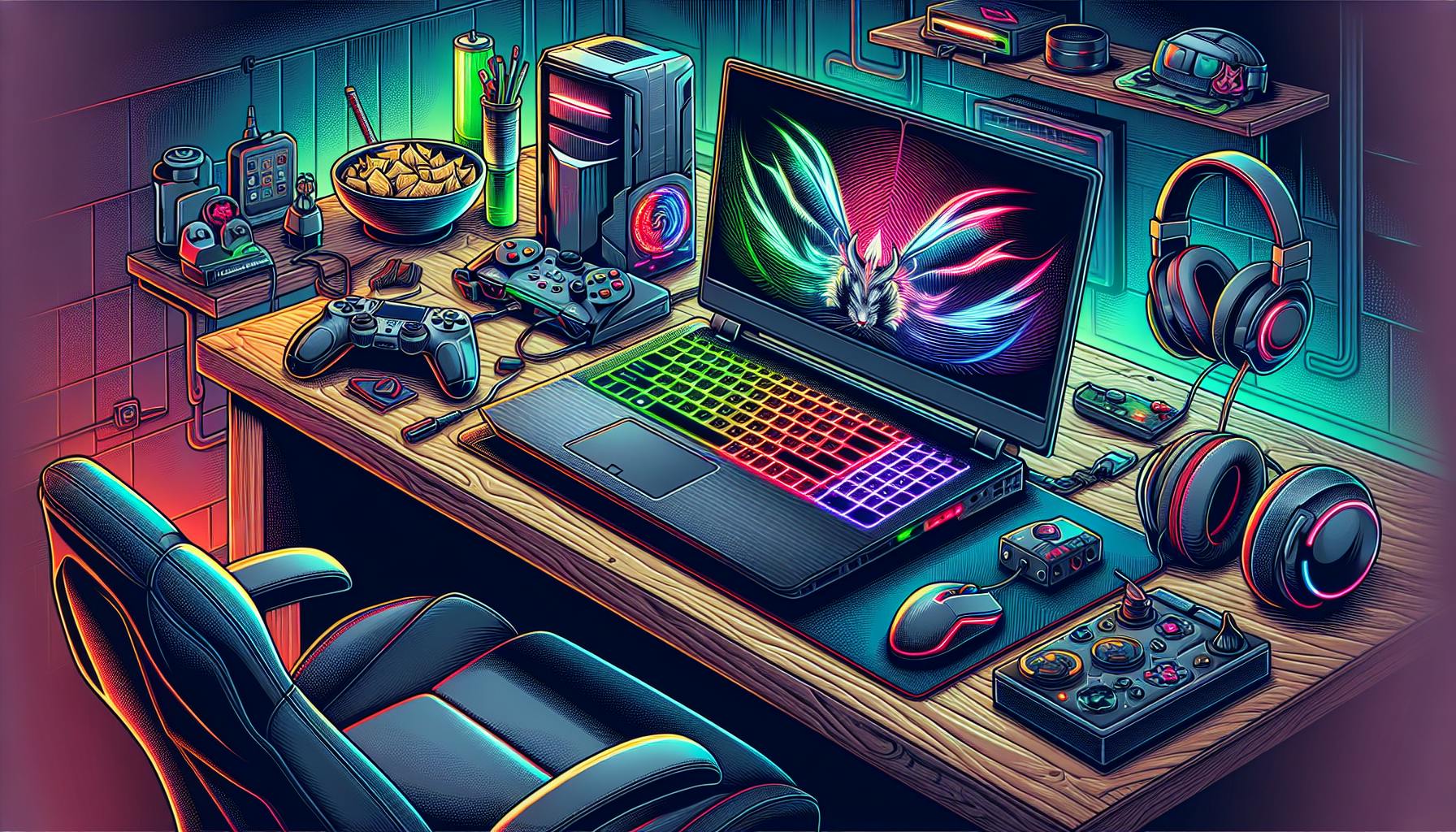
Introduction to Gaming Laptop Setups
For individuals passionate about their digital entertainment, the right gaming laptop setup can significantly enhance their gaming experience. It's not just about the games one plays; it's about how seamlessly and immersively they can be played. A well-thought-out setup can make the difference between an average and an extraordinary gaming session.
The Importance of the Right Setup for Gaming
The gaming industry has evolved, and with it, so have the demands on gaming systems. Today's games boast high-resolution graphics, complex mechanics, and expansive worlds, requiring powerful hardware to run effectively. A gaming laptop setup that meets these demands ensures that gamers can experience their favorite games at peak performance without frustrating lags or graphical glitches. An optimal setup also contributes to a more engaging and immersive gaming experience, helping players to lose themselves in virtual worlds for hours on end.
Key Components of a Gaming Laptop Setup
When considering a gaming laptop setup, several components are critical to achieving high performance and an immersive gaming experience. These components work in concert to produce the speed, graphics quality, and responsiveness that gamers crave.
- Processor (CPU): Often referred to as the brain of the computer, the processor's speed and number of cores can significantly impact gaming performance.
- Graphics Card (GPU): This is responsible for rendering images and is essential for delivering high-quality visuals in games.
- Random Access Memory (RAM): Sufficient RAM allows for smooth multitasking and gameplay, especially in games with large open worlds or complex mechanics.
- Storage Solutions: The choice between Solid State Drives (SSD) and Hard Disk Drives (HDD) can affect game loading times and overall system responsiveness.
- Display: Screen size, resolution, refresh rates, and panel types are all important for a visually stunning gaming experience.
- Input Devices: A responsive keyboard and mouse are crucial for precise control and input during gameplay.
- Audio Components: High-quality audio is vital for an immersive gaming environment, whether through onboard solutions or external devices like headsets and speakers.
- Connectivity: Reliable Wi-Fi and Ethernet connections, along with ample USB and Thunderbolt ports, are necessary for seamless gaming, especially for online multiplayer experiences.
- Cooling Systems: Effective cooling solutions help maintain optimal performance and extend the lifespan of the laptop.
- Battery Life: For gaming on the go, battery life is a key consideration to ensure uninterrupted gameplay.
- Ergonomics and Comfort: Comfortable seating and laptop positioning can make long gaming sessions more enjoyable and reduce the risk of strain or injury.
Each of these components plays a vital role in the overall gaming experience. For a deeper dive into the specific aspects of gaming laptops, such as recommended models and setup ideas, explore our extensive guides and articles tailored to every level of gaming enthusiast, from gaming laptops for beginners to advanced users looking for the best gaming laptops.
Core Components for Peak Performance
For individuals seeking the ultimate gaming laptop set up, understanding the core components that drive performance is paramount. A well-equipped gaming laptop can provide the power needed for the latest games, ensuring an engaging and fluid gaming experience.
Processor: The Heart of Gaming Speed
The processor, or CPU, is the central hub of a gaming laptop, dictating the speed at which games and applications run. A high-performance CPU ensures that games load quickly and run smoothly, without lag or stuttering.
| Processor Model | Cores | Base Clock Speed (GHz) | Boost Clock Speed (GHz) |
|---|---|---|---|
| Entry-Level | 4 | 2.5 | 3.5 |
| Mid-Range | 6 | 3.0 | 4.0 |
| High-End | 8+ | 3.5 | 5.0 |
When selecting a processor for a gaming laptop, it's crucial to consider the type of games you intend to play. More demanding titles will benefit from a processor with a higher core count and faster clock speeds. For more information on the importance of processors in gaming laptops, check out our guide on gaming laptops best.
Graphics Card: Rendering Your Games Beautifully
The graphics card, or GPU, is responsible for rendering the visuals of your games. It works in tandem with the CPU to deliver high-resolution graphics and fluid animation, contributing to an immersive gaming experience.
A robust GPU will enable gamers to enjoy their favourite titles at higher resolutions and with more detailed textures. It's also instrumental in supporting advanced features like ray tracing, which adds realistic lighting effects to games.
| Graphics Card Tier | VRAM (GB) | Resolution Support |
|---|---|---|
| Entry-Level | 2 - 4 | 1080p |
| Mid-Range | 4 - 8 | 1440p |
| High-End | 8+ | 4K |
For those looking to delve deeper into the capabilities of graphics cards, our comprehensive review of recommended gaming laptops provides valuable insights.
RAM: Ensuring Smooth Gameplay
Random Access Memory (RAM) plays a critical role in how quickly a gaming laptop can access and process data. Adequate RAM allows for multitasking and ensures that games can run smoothly without performance hitches.
| RAM Size | Recommended Use |
|---|---|
| 8GB | Entry-level gaming and basic tasks |
| 16GB | Standard for modern gaming |
| 32GB | High-end gaming and multitasking |
Gamers should aim for at least 16GB of RAM to ensure a seamless gaming experience. Learn more about the impact of RAM on gaming by exploring our selection of gaming laptops for beginners.
Storage Solutions: SSDs vs HDDs
The type of storage solution in a gaming laptop affects the speed at which games and applications load. Solid State Drives (SSDs) offer faster data retrieval times compared to Hard Disk Drives (HDDs), leading to quicker game load times and a more responsive system overall.
| Storage Type | Speed | Durability | Price |
|---|---|---|---|
| SSD | Fast | High | Higher |
| HDD | Slower | Moderate | Lower |
For the best gaming performance, it's recommended to opt for an SSD or a combination of both SSD and HDD to balance speed with storage capacity. Additional insights on storage solutions for gaming can be found in our guide to gaming laptops with good battery life.
Investing in the right core components can significantly elevate a gaming laptop's performance. It's essential to consider the processor, graphics card, RAM, and storage options to create a gaming laptop set up that meets or exceeds your expectations.
Display Considerations for Gaming Laptops
The display of a gaming laptop is a vital component that directly impacts the gaming experience. It determines not only how the game looks but also how it feels to play. This section will explore the crucial aspects of screen size and resolution, refresh rates and response times, and the differences between IPS, TN, and OLED panels.
Screen Size and Resolution
The screen size and resolution of a gaming laptop are significant factors in the visual clarity and immersion of gameplay. A larger screen can provide a more immersive experience, but it also needs to be balanced with portability considerations.
| Screen Size | Typical Resolution |
|---|---|
| 13-14 inches | 1920 x 1080 (Full HD) |
| 15-16 inches | 1920 x 1080 (Full HD) or 2560 x 1440 (QHD) |
| 17 inches or larger | 2560 x 1440 (QHD) or 3840 x 2160 (4K/UHD) |
Higher resolutions such as QHD or UHD offer sharper images but can also demand more from the laptop's graphics card and processor. Gamers must, therefore, consider the trade-off between visual fidelity and system performance. For more on the balance between screen size and system performance, see our guide on gaming laptops best.
Refresh Rates and Response Times
Refresh rate and response time are critical to how smoothly the game's graphics are displayed. The refresh rate, measured in hertz (Hz), indicates how many times the screen updates per second, while response time measures how quickly a pixel can change from black to white or from one shade of grey to another, measured in milliseconds (ms).
| Refresh Rate | Ideal for |
|---|---|
| 60Hz | Casual gaming |
| 120Hz+ | Competitive and high-level gaming |
A higher refresh rate can make gameplay feel more fluid and less blurry, particularly in fast-paced games. Response times, on the other hand, should generally be lower to avoid ghosting effects. For those interested in competitive gaming, we recommend exploring options with both high refresh rates and low response times in our article on gaming laptops razer.
Panel Types: IPS vs TN vs OLED
Different panel technologies offer various advantages for gaming. In-Plane Switching (IPS) panels are known for their excellent color reproduction and viewing angles, Twisted Nematic (TN) panels offer faster response times and are typically more affordable, and Organic Light-Emitting Diode (OLED) panels provide superior contrast ratios and true blacks.
| Panel Type | Pros | Cons |
|---|---|---|
| IPS | Better color accuracy and viewing angles | Slower response times |
| TN | Faster response times; cost-effective | Poorer color accuracy and viewing angles |
| OLED | High contrast and true blacks | Potential for burn-in; often pricier |
Choosing the right panel type is a matter of preference and intended use. IPS panels are great for gamers who value color accuracy and do a lot of graphics work, TN panels are ideal for fast-paced gaming where response time is critical, and OLED panels offer a premium experience with their contrast and color range. Further insights into the benefits of each panel type can be found in our comparison of gaming laptops vs desktops.
Selecting the appropriate display features is crucial to enhancing one's gaming experience. Gamers should carefully weigh these considerations to find the most suitable gaming laptop set up for their individual needs.
Input Devices for Enhanced Control
A superior gaming laptop setup is incomplete without the right input devices. These peripherals are the main touchpoints between the gamer and the game, making them essential for precision, speed, and overall gaming success.
The Role of a Quality Keyboard
Keyboards play a pivotal role in any gaming laptop set up. They must offer quick response times, durability, and comfort for extended gaming sessions. For gamers, mechanical keyboards are often preferred due to their tactile feedback and faster actuation. Features such as anti-ghosting, where multiple keystrokes are registered simultaneously, and programmable keys for customised commands, are also highly sought after.
When considering a keyboard for gaming purposes, one should look at:
- Key Switch Type: Mechanical, Membrane, or Hybrid
- Backlighting: For low-light environments
- Key Rollover and Anti-Ghosting: Ensures every keypress is registered
For further insights into how keyboards can enhance your gaming experience, explore our articles on gaming laptops and laptop gaming setup ideas.
The Importance of a Responsive Mouse
A responsive mouse is equally crucial for precision and responsiveness in gaming. The mouse should offer high sensitivity, measured in dots per inch (DPI), and a comfortable grip to prevent fatigue during long gaming sessions. Additional buttons can provide easy access to in-game functions, and adjustable weights can tailor the mouse to the user's preference.
Considerations for a gaming mouse include:
- Sensitivity: Higher DPI for precise movements
- Ergonomics: Design that fits comfortably in your hand
- Customisability: Programmable buttons and adjustable weights
To understand how a mouse integrates into a high-performance gaming setup, check out our comprehensive guides on recommended gaming laptops and gaming laptops best.
Alternative Input Options
While keyboards and mice are the traditional input devices for gaming, there are alternative options available that can provide different experiences or accommodate specific gaming needs.
These alternatives might include:
- Gamepads: Offer a more console-like experience
- Joysticks: Ideal for flight simulators
- Steering Wheels: Enhance the realism in racing games
- Touchpads: Integrated into laptops, useful for casual gaming or when on the go
Each of these input devices can cater to different gaming genres and personal preferences, offering various ways to engage with your favourite games. For gamers interested in exploring these options, our articles on gaming laptops with touch screen and alternative gaming input devices (link not provided) can provide valuable information.
Selecting the appropriate input devices is a key step in optimising your gaming laptop setup. It's not only about choosing products with the best specifications but also about finding the ones that fit your individual gaming style and comfort requirements. With the right keyboard and mouse, combined with alternative input options as needed, gamers can elevate their gameplay to new heights.
Audio Components for an Immersive Experience
Audio plays a pivotal role in creating an immersive gaming environment. The soundscape of a game can greatly enhance the experience, making it crucial to consider the audio components of a gaming laptop set up.
Onboard vs External Audio Solutions
Most gaming laptops come equipped with onboard audio systems that are designed to provide a satisfactory sound experience for the average user. However, for those seeking a more immersive audio experience, external audio solutions might be the preferred choice.
Onboard audio typically consists of built-in speakers and a headphone jack, while external solutions can range from dedicated sound cards to external speakers and amplifiers. The primary advantage of external audio is the superior sound quality and the ability to produce a more dynamic range of sounds, which can be particularly noticeable in games with rich soundtracks and detailed sound effects.
| Audio Type | Benefits |
|---|---|
| Onboard | Convenient, no additional cost |
| External | Higher quality, more immersive audio |
For gamers looking to upgrade their audio experience, several articles provide insights into the best external solutions, such as gaming laptops with good sound and gaming laptop vs desktop audio comparison.
Headsets vs Speakers
Choosing between headsets and speakers is another critical decision when it comes to gaming audio. Headsets offer a personal and immersive experience with the added benefit of a microphone for in-game communication. They are particularly useful for gamers who play in shared spaces and need to keep noise levels down.
Speakers, on the other hand, allow for a more open and room-filling sound. This can be advantageous for single-player games or for those who want to share the gaming experience with others in the room. However, speakers can be less practical in noise-sensitive environments.
| Audio Device | Benefits |
|---|---|
| Headsets | Personal immersion, built-in microphone |
| Speakers | Room-filling sound, shared experience |
For those considering a headset, it might be beneficial to explore articles about recommended gaming laptops that detail which machines pair well with high-quality headsets. Alternatively, for speaker recommendations, articles such as gaming laptops for beginners may offer valuable guidance.
When assembling a gaming laptop set up, the audio components can significantly enhance the overall experience. It's important to weigh the pros and cons of onboard versus external audio solutions and decide between the intimacy of a headset or the ambiance of speakers. With the right audio setup, gamers can achieve a deeply engaging gaming environment that heightens every in-game moment.
Connectivity for Seamless Gaming
Connectivity options are pivotal in any gaming laptop set up, determining not only how a gamer interacts with the internet but also with peripheral devices. Here's why robust connectivity is indispensable.
Importance of Wi-Fi and Ethernet
The choice between Wi-Fi and Ethernet can significantly impact the gaming experience. While Wi-Fi offers the convenience of wireless connectivity, an Ethernet connection provides a more stable and faster internet connection, which is crucial for online gaming where every millisecond counts.
| Connection Type | Advantages |
|---|---|
| Wi-Fi | Wireless convenience, mobility |
| Ethernet | Stability, lower latency |
Most gaming laptops come equipped with Wi-Fi capabilities, but it's essential to look for models that support the latest Wi-Fi standards to ensure faster speeds and better performance. For competitive gaming, however, an Ethernet port is a must-have for the reliability it offers. When setting up a gaming laptop, one should consider their internet requirements and choose accordingly. More details on connectivity options can be found in our article on the recommended gaming laptops.
USB and Thunderbolt Ports
USB and Thunderbolt ports are the lifelines for peripheral connectivity in a gaming laptop set up. They allow for the connection of a wide range of devices, from gaming mice and keyboards to external storage and VR headsets.
The types of USB ports and the presence of Thunderbolt ports can vary greatly between laptops. Here’s a basic rundown of what to expect:
| Port Type | Data Transfer Speed | Peripheral Compatibility |
|---|---|---|
| USB 2.0 | Up to 480 Mbps | Basic peripherals like mice and keyboards |
| USB 3.0/3.1 | Up to 5 Gbps | External drives, gaming controllers |
| USB 3.2/Type-C | Up to 20 Gbps | Monitors, fast storage devices |
| Thunderbolt 3/4 | Up to 40 Gbps | eGPUs, multiple 4K displays |
The inclusion of Thunderbolt ports, particularly, can transform a gaming laptop into a versatile gaming station capable of supporting external graphics cards for enhanced performance. It is advisable to ensure a gaming setup includes a mix of these ports to cater for both current and future peripheral devices. For more insights into the importance of these ports in gaming, see our guide on gaming laptops best practices.
In conclusion, the right connectivity options in a gaming laptop setup are fundamental to ensure a smooth and responsive gaming experience. Wi-Fi and Ethernet address the internet connectivity, while USB and Thunderbolt ports cater to peripheral device connections. When choosing a gaming laptop, one must carefully consider these features to maintain a competitive edge and a seamless gaming session.
Cooling Systems to Keep Performance High
To maintain optimal performance and prevent overheating, an efficient cooling system is an integral part of any gaming laptop set up. Overheating can lead to throttling, where a laptop's CPU and GPU slow down to reduce heat generation, adversely affecting gaming performance.
Types of Cooling Solutions
There are several cooling solutions employed in gaming laptops to manage heat. These include:
- Active Cooling: This typically involves the use of fans to move hot air away from the laptop's components. Most gaming laptops are equipped with multiple fans that target specific hotspots like the CPU and GPU.
- Passive Cooling: This method relies on heat sinks and cooling pipes that conduct heat away from critical components and dissipate it without the use of fans.
- Hybrid Cooling: Some of the more advanced laptops might use a combination of active and passive cooling to efficiently manage temperature.
Manufacturers may implement proprietary cooling technologies to enhance thermal management in their devices. It's vital to research and compare the cooling capabilities when selecting a gaming laptop.
The Impact of Cooling on Longevity and Performance
Effective cooling systems extend the lifespan of laptops and maintain high levels of performance during extended gaming sessions. The table below outlines the potential impact of cooling on a gaming laptop's performance and longevity:
| Aspect | Without Effective Cooling | With Effective Cooling |
|---|---|---|
| Performance | Decreased due to thermal throttling | Consistent, optimal performance |
| Longevity | Reduced component life due to heat stress | Extended hardware lifespan |
| Comfort | Uncomfortable heat during use | Comfortable user experience |
It's clear that maintaining a cool environment for laptop internals is not just about immediate performance—it's also about safeguarding the future usability of the device. Regularly cleaning out fans and ensuring adequate ventilation can further enhance the effectiveness of a laptop's cooling system. For more information on how to maintain and optimize your gaming laptop's performance, consider reading about how long do gaming laptops last.
Selecting a gaming laptop with an efficient cooling system ensures that you can enjoy uninterrupted gaming and get the most out of your investment. Whether you are a beginner looking at gaming laptops for beginners or a seasoned gamer considering the latest models on the market, understanding the importance of cooling is key to a satisfactory gaming laptop set up.
Battery Life for Uninterrupted Gaming
For gamers who prefer mobility without sacrificing performance, understanding the battery life of a gaming laptop is vital. This section will delve into the power consumption needs of gaming laptops and strategies to balance performance with battery longevity.
Power Consumption Needs
Gaming laptops are equipped with high-performance components that demand a significant amount of power. The processor, graphics card, cooling systems, and display are the primary consumers of battery power. Here's a table that outlines the approximate power consumption of various components during gaming:
| Component | Power Consumption (Watts) |
|---|---|
| Processor | 45 - 100 |
| Graphics Card | 60 - 200 |
| Display | 20 - 50 |
| Cooling System | 5 - 20 |
To maximize gaming sessions on battery power, individuals may need to adjust the laptop's power settings, which can affect the device's performance. Gamers should consider the type of games they play, as more graphically-intense games will require more power and, thus, drain the battery quicker.
For a comprehensive list of gaming laptops with good battery life, visit our dedicated article that compares various models and their power efficiency.
Balancing Performance with Battery Life
Balancing the high demands of gaming with battery life is a challenge that gamers often face. Here are some tips to extend battery longevity without compromising too much on performance:
- Lowering Screen Brightness: Reducing the display brightness can significantly save power.
- Adjusting Graphics Settings: Opt for lower graphics settings in games to reduce the load on the graphics card.
- Power Saving Mode: Use the laptop's built-in power saving mode to limit background processes and reduce power consumption.
- Upgrading Components: Consider upgrading to more energy-efficient components if possible.
It's important to note that gaming laptops are not typically known for their long battery life when gaming; they are often designed to deliver their best performance while plugged in. However, manufacturers are continually improving technology to extend battery life without sacrificing game quality. For insights on the latest advancements, check out our article on how long do gaming laptops last.
By understanding the power needs and learning how to manage them effectively, gamers can enjoy extended playtime on their gaming laptop set up. It's a delicate balance, but with the right knowledge and adjustments, one can make the most out of their gaming experience even when away from a power outlet.
Ergonomics and Comfort for Long Gaming Sessions
For avid gamers, comfort and ergonomics are as critical as the hardware inside a gaming laptop. Long hours of gameplay can lead to discomfort or even injury if proper attention isn't paid to the physical setup of the gaming environment.
Adjustable Stands and Cooling Pads
Adjustable stands and cooling pads serve dual purposes in a gaming setup. Not only do they help in maintaining an optimal operating temperature, but they also allow gamers to adjust the angle and height of their laptop for better posture.
| Product Type | Benefit |
|---|---|
| Adjustable Stands | Improves viewing angles and posture |
| Cooling Pads | Enhances laptop cooling and ergonomics |
When selecting an adjustable stand, it's important to choose one that can securely hold the laptop while providing the flexibility to adjust to various angles and heights. Cooling pads, on the other hand, should be efficient in dissipating heat while being quiet enough not to distract from the gaming experience. Both accessories are pivotal for a comfortable gaming session.
The Importance of a Comfortable Seating Position
The seating position is paramount when it comes to long gaming sessions. An inadequate chair can lead to back pain, neck strain, and other musculoskeletal issues. Thus, investing in a chair that supports the natural curve of the spine is crucial. Features to look for include adjustable lumbar support, armrests, and a seat that can tilt and swivel.
A well-designed chair should promote good posture, which not only prevents discomfort but can also enhance gameplay performance. It's the foundation of a gaming setup that helps players stay focused and comfortable, even during marathon sessions.
For gamers who spend hours in front of their gaming laptops, incorporating these ergonomic solutions can make a significant difference in their overall gaming experience and well-being. Whether it's through adjustable stands, cooling pads, or ergonomic chairs, maintaining comfort during gameplay is an investment that pays off in both health and gaming achievements.
Enhancing Your Gaming Experience
To truly immerse oneself in the gaming world, enhancing the gaming setup beyond the core components of a gaming laptop is essential. This can be achieved by incorporating external monitors for a wider visual field, preparing for virtual reality (VR) gaming, and ensuring optimal network connectivity for multiplayer experiences.
The Benefits of External Monitors
External monitors can drastically improve the gaming experience by offering larger screen sizes, higher resolutions, and better refresh rates compared to the built-in displays of most gaming laptops. Here are key advantages offered by external monitors:
- Extended Visual Area: Provides a wider field of vision, which can be particularly beneficial in competitive gaming scenarios.
- Enhanced Resolution: Higher resolution monitors deliver crisper and more detailed graphics.
- Improved Refresh Rates: Monitors with high refresh rates can display more frames per second, resulting in smoother gameplay.
| Monitor Type | Benefits |
|---|---|
| Ultrawide | Expansive field of view |
| 4K | Superior image quality |
| 144Hz+ | Smooth motion |
For those interested in building a multi-monitor setup, or simply wanting to know more about the best gaming practices, laptop gaming setup ideas can provide further insights.
Virtual Reality Ready Systems
Virtual reality brings a new dimension to gaming, offering immersive, 360-degree experiences. For a laptop to be VR-ready, it must meet certain hardware requirements, such as powerful graphics capabilities and adequate USB ports for VR peripherals. Key considerations include:
- Graphics Processing: A VR-capable GPU to handle the demanding visual output.
- Connectivity: Sufficient USB 3.0 ports for VR headset and accessories.
- Performance: A balance of processor speed, RAM, and storage for seamless VR gameplay.
Those considering venturing into virtual reality gaming can explore the range of recommended gaming laptops that are VR-ready.
Network Accessories for Multiplayer Gaming
A robust network connection is vital for online multiplayer gaming. Ensuring minimal latency and uninterrupted connectivity can make the difference between victory and defeat. Network accessories to consider include:
- High-Speed Ethernet Cable: For a stable, wired internet connection.
- Wi-Fi Extender or Mesh Network: To enhance wireless signal strength and reliability.
- Network Adapter: For laptops without built-in Ethernet ports.
| Accessory | Function |
|---|---|
| Ethernet Cable | Direct, stable connection |
| Wi-Fi Extender | Improved wireless coverage |
| Network Adapter | Enables wired connectivity |
For gamers looking to optimize their online play, understanding the importance of network accessories is crucial. Insights on creating the best possible multiplayer setup can be found in articles discussing gaming laptops and their connectivity features.
Incorporating these enhancements into a gaming setup can significantly elevate the overall gaming experience, from solo playthroughs to competitive online matches. Whether through visual, immersive, or connectivity improvements, tailoring a gaming environment to one's preferences is key to enjoying the vast world of gaming to its fullest.


