


Elevate Your Battlestation: Power up with White Computer Cases
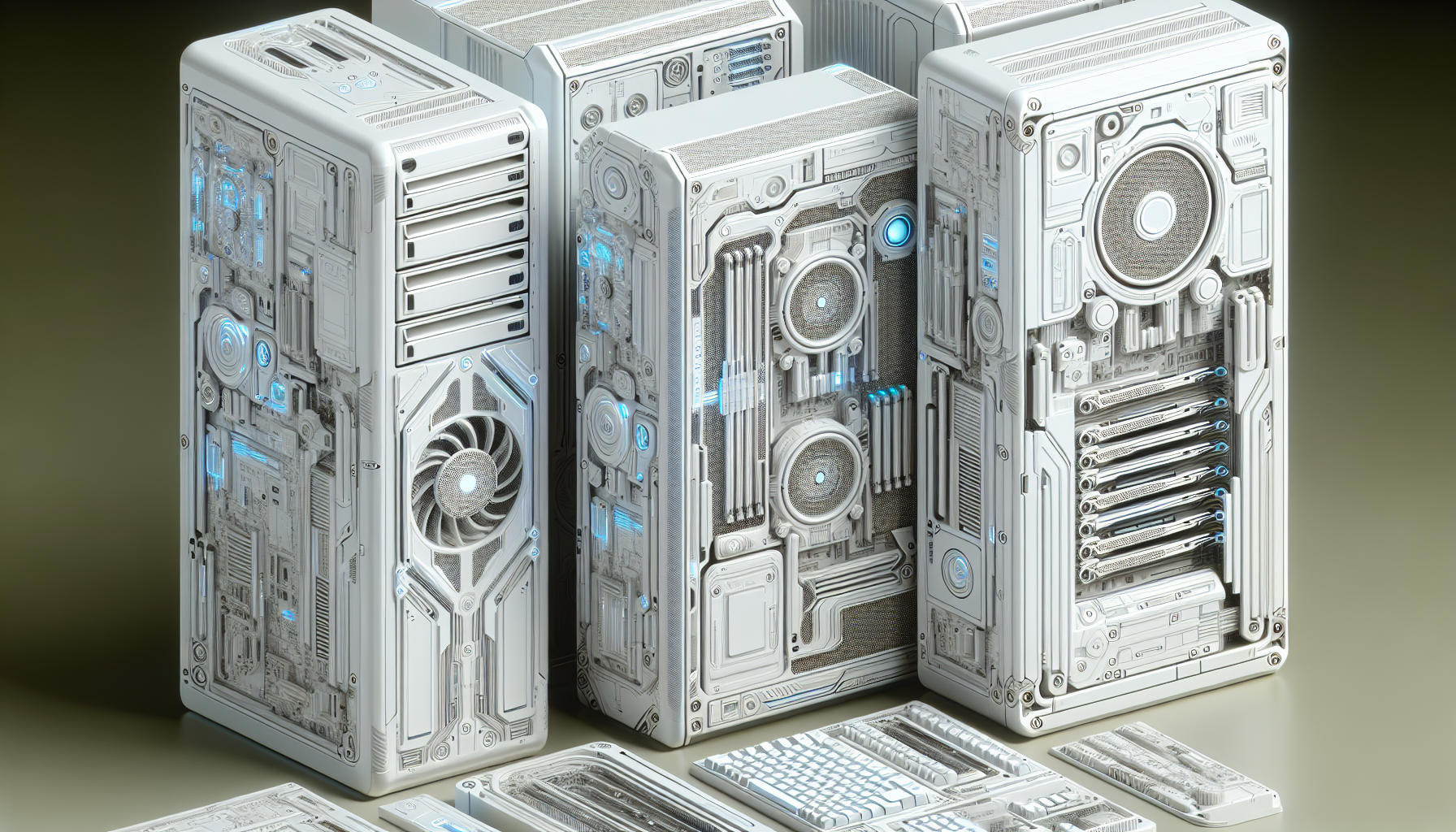
Choosing the Right Case
The foundation of a top-notch gaming setup is the computer case, an essential yet often overlooked element that serves as the protective shell for all the valuable components within.
Importance of Computer Cases
According to www.gamingscan.com, the significance of the computer case extends beyond mere aesthetics; it is the safeguard for the internals of the gaming rig. A well-chosen case not only houses the components but also ensures they operate within safe temperatures and remain dust-free, contributing to the longevity and reliability of the system.
Factors to Consider
When it comes to selecting the perfect computer case, several factors come into play, as outlined by expert sources like www.tomshardware.com and www.pcworld.com. Here's a concise guide to help gamers in Australia make an informed decision:
| Factor | Description |
|---|---|
| Size | Match the case size with motherboard form factor and component dimensions. |
| Airflow | Opt for cases with good ventilation to enhance cooling performance. |
| Cable Management | Seek out cases with built-in features for neat cable routing. |
| Expansion Options | Ensure enough drive bays and slots for future upgrades. |
| Compatibility | Confirm the case supports the motherboard size, whether ATX, Micro-ATX, or Mini-ITX. |
| Installation & Maintenance | Choose a case that allows for simple assembly and upkeep. |
| Additional Features | Consider cases with dust filters, tool-less design, and sound-dampening. |
| Design & Aesthetics | Select a style that fits personal taste and complements the gaming setup's theme. |
Incorporating these considerations, gamers can pinpoint the right case that not only looks impressive but also provides a stable and efficient environment for their high-end gaming components. Whether opting for one of the sleek white computer cases or a different style, the priority should always be on protection, functionality, and ease of use.
The Appeal of White Cases
The trend towards white computer cases has been on the rise among the gaming community, offering a distinct look that stands out from the traditional black or gray. This section delves into why white computer cases have become a sought-after choice for gamers.
Aesthetic and Design
White computer cases have gained popularity, according to www.gamingscan.com, due to their sleek and modern aesthetic, providing a clean and minimalist look to gaming setups. The white color not only offers a refreshing alternative to the conventional case colors but also lends a sense of elegance and sophistication that enhances the overall visual appeal of gaming rigs, as noted by www.hardwarecanucks.com.
The versatility of white cases allows them to easily match a variety of gaming setups and room aesthetics. This neutral design adapts well to any color scheme, enabling gamers to incorporate them into a wide range of personal styles and preferences. The www.techradar.com source emphasizes that white cases offer a visually appealing gaming environment, contributing to a more immersive and enjoyable gaming experience, as suggested by www.techspot.com.
| Feature | Benefit |
|---|---|
| Sleek, Modern Aesthetic | Enhances visual appeal of gaming setups |
| Neutral Design | Compatible with various setups and room aesthetics |
| Sense of Elegance | Adds sophistication to gaming rigs |
Visibility and Maintenance
One practical advantage of white computer cases is their ability to reflect light, creating a brighter and more spacious feel within the gaming environment, as mentioned by www.tomshardware.com. This enhanced visibility is particularly beneficial for gamers who take pride in showcasing their high-end hardware and custom RGB lighting setups, with the white backdrop providing an excellent contrast for the internal components, as per www.guru3d.com.
Moreover, white cases are less prone to showing dust and fingerprints, making maintenance and cleaning more manageable. The ease of upkeep is a significant factor for gamers, as highlighted by www.pcgamer.com, who appreciate the lower maintenance requirements of white cases.
The high-quality materials and finishes often used in white cases ensure durability and longevity, making them a reliable choice for gamers who value a long-lasting PC case, as stated by www.digitaltrends.com. Additionally, the white color can contribute to a sense of purity and cleanliness in the gaming area, enhancing the overall user experience.
| Visibility Aspect | Maintenance Benefit |
|---|---|
| Reflects Light | Brighter gaming environment |
| Showcases Internal Components | Enhances display of hardware and lighting |
| Less Prone to Dust and Fingerprints | Easier cleaning and upkeep |
| High-Quality Materials | Durability and longevity |
White computer cases not only elevate the aesthetic and design of gaming setups but also offer practical benefits in terms of visibility and maintenance. Their popularity among gamers is a testament to their ability to combine form and function in a stylish and user-friendly package.
Popular White Cases for Gamers
Gamers seeking to build or upgrade their gaming setup often consider the computer case as a foundational component. White computer cases have gained popularity for their sleek appearance and the way they stand out in a gaming setup. Below, we explore popular white case options tailored to various sizes and gaming needs.
Mid-Tower Options
Mid-tower white cases are a versatile choice for gamers who need a balance between size and functionality. They typically support ATX, Micro-ATX, and Mini-ITX motherboards, offering a good amount of space for components and cooling solutions without taking up too much room.
| Mid-Tower Case Model | Dimensions (HxWxD) | Motherboard Support | Cooling (Fan Slots) |
|---|---|---|---|
| NZXT H510 | 460mm x 210mm x 428mm | ATX, Micro-ATX, Mini-ITX | Front: 2x 120/140mm, Top: 1x 120/140mm, Rear: 1x 120mm |
| Corsair iCUE 4000X RGB | 453mm x 230mm x 466mm | ATX, Micro-ATX, Mini-ITX | Front: 3x 120mm, Top: 2x 120/140mm, Rear: 1x 120mm |
Gamers can choose from a range of mid-tower options that offer a blend of aesthetics and performance.
Full-Tower Options
For those who require more space for high-end components and advanced cooling systems, full-tower white cases are an excellent option. They are ideal for enthusiasts and professional gamers who demand the best performance and have the room to accommodate larger cases.
| Full-Tower Case Model | Dimensions (HxWxD) | Motherboard Support | Cooling (Fan Slots) |
|---|---|---|---|
| Thermaltake View 71 RGB | 592mm x 274mm x 577mm | E-ATX, ATX, Micro-ATX, Mini-ITX | Front: 3x 120mm, Top: 3x 120mm, Rear: 1x 120mm |
| Be Quiet! Dark Base Pro 900 | 577mm x 243mm x 586mm | E-ATX, ATX, Micro-ATX, Mini-ITX | Front: 2x 140mm, Top: 3x 140mm, Rear: 1x 140mm |
Full-tower cases provide ample room for customization, making them a suitable choice for gamers who want to push the limits of their gaming rigs.
Mini-ITX Options
Mini-ITX white cases cater to gamers who are limited on space or prefer a more compact build. Despite their small size, these cases are designed to maximize space efficiency and can still house powerful gaming setups.
| Mini-ITX Case Model | Dimensions (HxWxD) | Motherboard Support | Cooling (Fan Slots) |
|---|---|---|---|
| NZXT H210i | 349mm x 210mm x 372mm | Mini-ITX | Front: 2x 120/140mm, Top: 1x 120/140mm, Rear: 1x 120mm |
| Fractal Design Node 304 | 210mm x 250mm x 374mm | Mini-ITX | Front: 2x 92mm, Rear: 1x 140mm |
These Mini-ITX options are perfect for gamers who want a minimalistic setup without sacrificing performance.
As the gaming community continues to grow, white computer cases remain a sought-after choice for their modern look and the way they enhance LED lighting effects. Gamers can select from mid-tower, full-tower, or Mini-ITX options based on their space requirements and component preferences. Each option provides a clean canvas for gamers to showcase their individual style and the power of their battlestations.
Features and Compatibility
Selecting the right white computer case involves more than just its external appeal; it's also about ensuring it has the necessary features for a gamer's hardware requirements and preferences. Compatibility with components and support for various systems are paramount.
Cooling System Support
The efficacy of a computer's cooling system is vital for gamers, who require their systems to perform at high levels for extended periods. A case must support a robust cooling system, which includes room for multiple fans and radiators. Here's an overview of cooling support for different case sizes:
| Case Size | Fan Mounts | Radiator Support |
|---|---|---|
| Mid-Tower | 2-3 front, 1-2 top, 1 rear | Up to 360mm front, 240mm top |
| Full-Tower | 3-4 front, 2-3 top, 1-2 rear | Up to 420mm front, 360mm top |
| Mini-ITX | 1-2 side, 1 rear | Up to 240mm side or rear |
Deciding on a case with adequate cooling support ensures that the gaming setup can handle heat dissipation effectively, maintaining optimal performance.
Motherboard Compatibility
The motherboard is the backbone of a computer, and ensuring that the case can house the motherboard size is crucial. Cases come in various sizes, and each supports different motherboard form factors. Here's a compatibility chart to help gamers choose:
| Case Size | Motherboard Form Factor Support |
|---|---|
| Mid-Tower | ATX, Micro-ATX, Mini-ITX |
| Full-Tower | E-ATX, ATX, Micro-ATX, Mini-ITX |
| Mini-ITX | Mini-ITX |
Gamers should verify motherboard compatibility before investing in a case to prevent any issues with fit and connectivity.
Expansion Slots and Drive Bays
The number of expansion slots and drive bays determines how much a gamer can upgrade and expand their system in the future. Gamers need to consider the number of GPUs they plan to install, the need for sound cards, and storage requirements. Here's a breakdown of what to expect across different case types:
| Case Size | Expansion Slots | Drive Bays (2.5" / 3.5") |
|---|---|---|
| Mid-Tower | 7-8 | 2-3 / 2-3 |
| Full-Tower | 8-10+ | 4+ / 6+ |
| Mini-ITX | 2 | 1-2 / 1 |
When selecting white computer cases, gamers should assess the case's features to ensure it meets their current and future gaming setup needs. Compatibility with cooling systems, motherboards, and expansion requirements are fundamental considerations that will influence the overall gaming experience.
Case Reviews and Recommendations
Selecting the right computer case is a critical decision for gamers who want to build a high-performance setup. This section provides an overview of top-rated white computer cases, budget-friendly picks, and premium selections, helping gamers in Australia find the perfect match for their battlestation.
Top-Rated White Cases
The top-rated white computer cases are renowned for their excellent balance of quality, features, and design. These cases offer robust build quality, good cooling options, and are often preferred by gamers for their sleek aesthetics and durability.
| Model | Type | Price Range (AUD) | Notable Features |
|---|---|---|---|
| NZXT H510 | Mid-Tower | $100 - $150 | Tempered glass side panel, cable management system |
| Corsair iCUE 4000X | Mid-Tower | $150 - $200 | RGB lighting, excellent airflow design |
| Fractal Design Meshify C | Mid-Tower | $150 - $200 | High airflow, modular design |
Budget-Friendly Picks
For gamers on a budget, there are several white computer cases that offer great value without compromising on the essentials. These options are ideal for those who want a functional and attractive setup at a more accessible price point.
| Model | Type | Price Range (AUD) | Notable Features |
|---|---|---|---|
| Thermaltake Versa H18 | Micro-ATX | $50 - $70 | Mesh front panel, good ventilation |
| Cooler Master MasterBox Q300L | Mini-ITX | $60 - $80 | Magnetic dust filters, adjustable I/O panel |
| Deepcool MATREXX 30 | Mini-ITX | $40 - $60 | Tempered glass side panel, compact design |
Premium Selections
For those who seek the ultimate gaming experience and have a higher budget, premium white computer cases offer the best in class for aesthetics, functionality, and performance. These cases are often equipped with advanced features such as RGB lighting, superior cooling systems, and extensive customization options.
| Model | Type | Price Range (AUD) | Notable Features |
|---|---|---|---|
| Lian Li PC-O11 Dynamic | Mid-Tower | $200 - $300 | Dual-chamber layout, multiple radiator support |
| ASUS ROG Strix Helios GX601 | Mid-Tower | $400 - $500 | RGB lighting, multifunction cover |
| Corsair Crystal Series 680X | Mid-Tower | $300 - $400 | Dual-chamber design, three included LL120 RGB fans |
When choosing a white computer case, gamers should consider how each model aligns with their individual needs and preferences. Whether they are looking for a cost-effective solution or a high-end enclosure, there is a white computer case to suit every requirement and budget. It's important to balance aesthetic preferences with practical considerations such as cooling efficiency, expandability, and build quality to ensure the best gaming experience.
Enhancing Gaming Setups
For gamers in Australia and beyond, a gaming setup is not just about powerful hardware; it's also a statement of personal style and preferences. White computer cases offer a sleek and modern canvas for gamers to express their individuality through lighting, customization, and an array of accessories.
Lighting and Customization
Lighting plays a pivotal role in the aesthetic appeal of a gaming setup. White computer cases reflect LED lights beautifully, making them a prime choice for gamers looking to showcase their battlestations.
Options for lighting customization include:
- RGB LED strips: For a dynamic and colourful display.
- Pre-installed case fans with LEDs: Enhancing airflow while adding visual flair.
- Standalone RGB controllers: Offering complete control over lighting schemes.
Gamers can synchronize their lighting with other peripherals such as keyboards, mice, and monitors to create a cohesive look. With the right lighting, a white computer case can transform from a simple enclosure to a centrepiece of a gaming setup.
Cable Management Solutions
A clean and organized setup is as functional as it is attractive. Effective cable management solutions are essential for both aesthetics and airflow within the case. White computer cases often feature design considerations that aid in cable management, such as:
- Velcro straps
- Rubber grommets
- Behind-the-motherboard trays
- Cable routing channels
By utilising these features, gamers can ensure their setup looks neat and their components receive adequate ventilation.
Accessories and Add-ons
Accessories and add-ons can further enhance the functionality and appearance of a gaming setup. Some popular choices for those using white computer cases are:
- Tempered glass side panels: For displaying internal components.
- Additional cooling solutions: Like custom water cooling loops for optimal performance.
- Dust filters: To maintain a clean system.
- Sound dampening materials: To reduce noise for a more immersive gaming experience.
The right accessories can elevate a standard gaming rig into a personalized gaming haven. Whether it's through improved performance or added visual appeal, these enhancements contribute to the overall gaming experience.
By focusing on lighting, cable management, and the right accessories, gamers can create a setup that not only looks impressive but also offers a comfortable and efficient gaming environment. White computer cases serve as the perfect backdrop for these customizations, allowing for a setup that stands out and reflects the gamer's personality.


