


Dominate the Gaming World: High-End Gaming PCs Unveiled
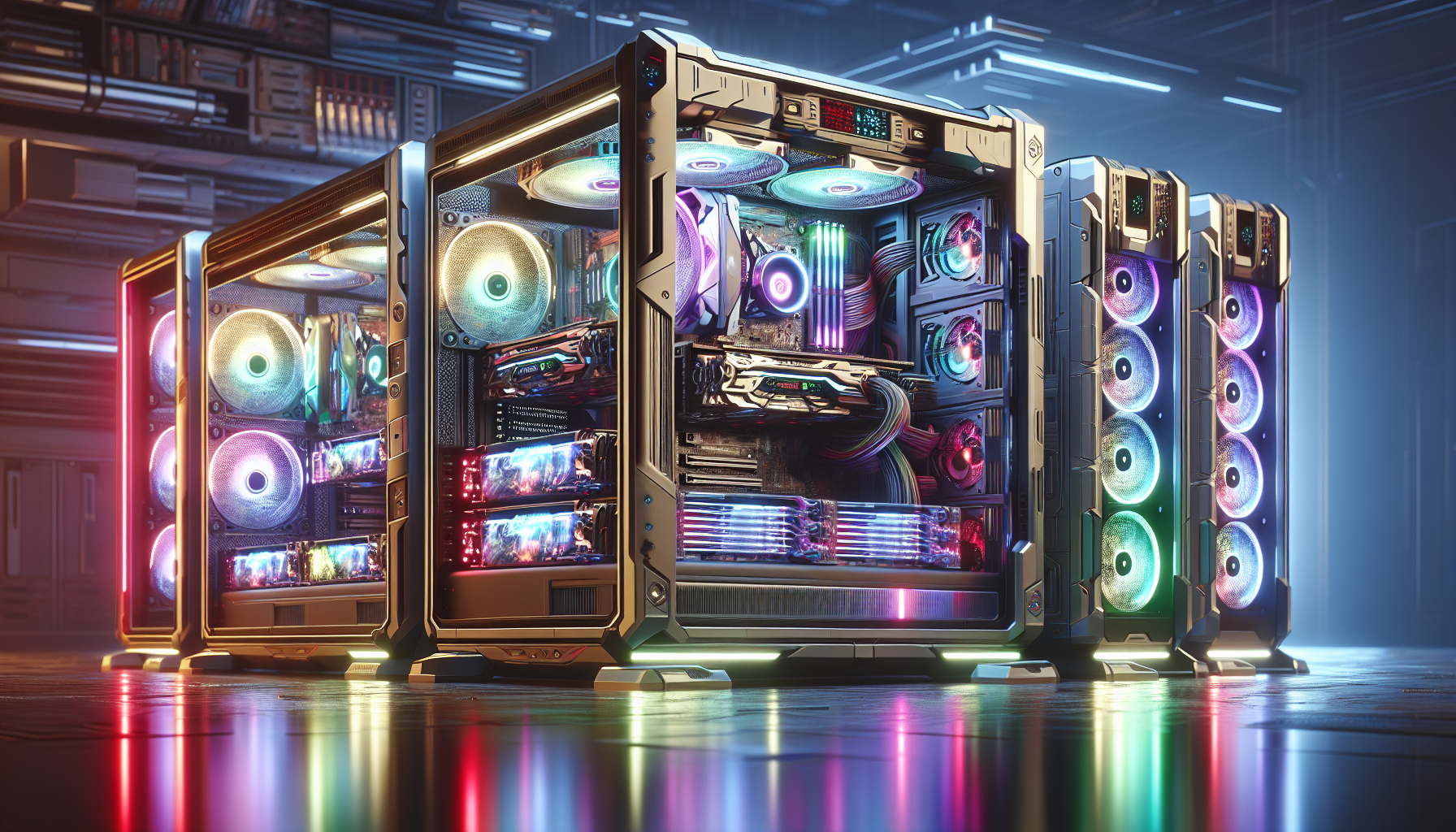
The Allure of High-End Gaming PCs
The world of high-end gaming PCs holds a special allure for gamers who crave superior performance, cutting-edge technology, and an immersive gaming experience. Understanding why investing in a high-end gaming PC is worthwhile and exploring the evolution of these powerful machines can shed light on their growing popularity.
Why Invest in a High-End Gaming PC?
High-end gaming PCs offer unparalleled performance, enabling gamers to enjoy the latest titles at the highest settings. These machines are equipped with top-tier components that ensure smooth gameplay, stunning graphics, and fast load times. Investing in a high-end gaming PC provides numerous benefits:
- Superior Performance: High-end gaming PCs feature powerful CPUs and GPUs, which handle demanding games effortlessly. This results in higher frame rates and better visual quality.
- Future-Proofing: High-end components ensure that the system remains capable of running new games for years. For more on future-proofing, visit future trends in gaming pcs.
- Enhanced Immersion: Advanced graphics and faster processing make the gaming experience more immersive and realistic.
- Customisation: High-end PCs allow for extensive customisation, from overclocking capabilities to aesthetic enhancements like RGB lighting. Learn more about this in our overclocking guide for gaming pcs.
- Multitasking: These systems are not just for gaming; they can handle other intensive tasks like video editing, streaming, and 3D rendering with ease.
The Evolution of Gaming PCs
Gaming PCs have come a long way from their humble beginnings. The evolution of these machines reflects advancements in technology and the growing demands of the gaming community.
| Era | Key Developments | Impact on Gaming |
|---|---|---|
| 1980s | Introduction of personal computers | Basic graphics, limited game complexity |
| 1990s | Emergence of dedicated graphics cards | Improved graphics, more complex games |
| 2000s | Dual-core processors, DirectX technology | Enhanced gameplay, rise of online gaming |
| 2010s | Multi-core processors, SSDs, VR technology | Faster load times, immersive VR experiences |
| 2020s | Ray tracing, AI-driven graphics, 4K gaming | Realistic visuals, seamless performance |
The journey from the early days of basic gaming PCs to the sophisticated systems of today showcases the rapid advancements in hardware and software. Modern high-end gaming PCs are a testament to how far technology has come, offering gamers an experience that was once thought impossible.
For those considering the leap to a high-end gaming PC, understanding these elements can help make an informed decision. Whether you're building your own system or opting for a pre-built one, the allure of high-end gaming PCs lies in their ability to deliver an unmatched gaming experience. For more information on building or buying, visit our article on prebuilt vs. custom gaming pcs.
Key Components of High-End Gaming PCs
Understanding the key components of high-end gaming PCs is essential for anyone looking to get the most out of their gaming experience. Each component plays a critical role in ensuring optimal performance, speed, and reliability.
Central Processing Unit (CPU)
The CPU is the brain of the gaming PC, responsible for executing instructions and processing data. A high-performance CPU ensures smooth gameplay and quick response times. When choosing a CPU for a high-end gaming PC, consider the number of cores and threads, clock speed, and compatibility with other components.
| CPU Specification | Description |
|---|---|
| Cores | 8 - 16 |
| Threads | 16 - 32 |
| Base Clock Speed | 3.5 - 4.0 GHz |
| Boost Clock Speed | 4.5 - 5.0 GHz |
For more information on building a gaming PC, refer to our building your own gaming pc guide.
Graphics Processing Unit (GPU)
The GPU is arguably the most critical component of a high-end gaming PC. It handles rendering images, video, and animations, ensuring high frame rates and exceptional visual quality. Look for GPUs with high VRAM, advanced cooling solutions, and support for the latest graphics technologies.
| GPU Specification | Description |
|---|---|
| VRAM | 8 - 24 GB |
| Core Clock | 1.5 - 2.0 GHz |
| Memory Type | GDDR6 |
| Ports | HDMI, DisplayPort |
Check out our list of top graphics cards for gaming for more details.
Memory (RAM)
RAM is essential for multitasking and ensuring that games run smoothly without lag. High-end gaming PCs typically require at least 16GB of RAM, with 32GB being ideal for more demanding games and applications.
| RAM Specification | Description |
|---|---|
| Capacity | 16 - 32 GB |
| Type | DDR4 or DDR5 |
| Speed | 3000 - 4000 MHz |
| Channels | Dual or Quad |
For advice on how much RAM you need, visit our budget gaming pcs article.
Storage Solutions
Storage solutions impact load times and the overall responsiveness of the gaming PC. High-end gaming PCs often use a combination of SSDs (Solid State Drives) and HDDs (Hard Disk Drives) to balance speed and capacity.
| Storage Type | Capacity | Speed |
|---|---|---|
| SSD (NVMe) | 500 GB - 2 TB | 3000 - 7000 MB/s |
| SSD (SATA) | 500 GB - 2 TB | 500 - 600 MB/s |
| HDD | 1 TB - 4 TB | 100 - 200 MB/s |
For tips on maintaining your gaming PC's storage, read our gaming pc maintenance tips.
Each of these components contributes significantly to the performance of high-end gaming PCs. For those interested in the best setups and configurations, check out our articles on best gaming pcs of 2024 and best gaming pc brands.
Advanced Features and Technologies
High-end gaming PCs come equipped with advanced features and technologies that enhance performance, aesthetics, and user experience. These features are crucial for gamers who demand the best from their systems.
Cooling Systems
Effective cooling systems are vital for maintaining optimal performance and prolonging the lifespan of high-end gaming PCs. These systems help dissipate heat generated by the CPU and GPU during intense gaming sessions. There are several types of cooling solutions available:
- Air Cooling: Utilises fans to circulate air and dissipate heat from the components.
- Liquid Cooling: Uses a liquid coolant to absorb heat and transport it away from the hardware.
- Hybrid Cooling: Combines both air and liquid cooling methods for enhanced efficiency.
| Cooling Type | Noise Level (dB) | Efficiency | Maintenance |
|---|---|---|---|
| Air Cooling | 30-50 | Moderate | Low |
| Liquid Cooling | 20-40 | High | Moderate |
| Hybrid Cooling | 25-45 | Very High | High |
For more details on cooling solutions, visit gaming pc cooling solutions.
Customisable Lighting and Aesthetics
Customisable lighting and aesthetics play a significant role in personalising high-end gaming PCs. RGB lighting allows gamers to tailor the look of their systems with a variety of colours and effects. This feature not only enhances the visual appeal but also creates an immersive gaming environment.
- RGB Lighting: Provides a spectrum of colours and dynamic effects.
- Case Design: Unique and stylish cases that house the components.
- Cable Management: Organised wiring for a clean and efficient setup.
| Feature | Benefits | Popularity |
|---|---|---|
| RGB Lighting | Personalisation, Immersive Experience | High |
| Case Design | Aesthetic Appeal, Functionality | High |
| Cable Management | Improved Airflow, Neat Appearance | Moderate |
Explore more setup ideas in gaming pc setup ideas.
Overclocking Capabilities
Overclocking involves pushing the CPU and GPU beyond their factory-set limits to achieve higher performance. High-end gaming PCs often come with overclocking capabilities that allow users to fine-tune their systems for maximum output. However, overclocking requires careful management to avoid overheating and potential damage.
- CPU Overclocking: Enhances processing power for better performance.
- GPU Overclocking: Boosts graphical rendering for smoother gameplay.
- RAM Overclocking: Increases memory speed for faster data processing.
| Component | Typical Overclocking Range | Potential Gain |
|---|---|---|
| CPU | 10-20% | Improved Processing Speed |
| GPU | 5-15% | Enhanced Graphics Performance |
| RAM | 10-25% | Faster Data Access |
For a detailed guide, visit overclocking guide for gaming pcs.
High-end gaming PCs are designed to deliver unparalleled performance, and these advanced features contribute significantly to that goal. Whether it's efficient cooling, customisable aesthetics, or overclocking capabilities, these technologies ensure that gamers get the most out of their investments.
Peripherals That Complement High-End Gaming PCs
High-end gaming PCs offer exceptional performance, but the gaming experience can be significantly enhanced with the right peripherals. In this section, we explore the importance of monitors, keyboards and mice, and audio equipment in creating an immersive gaming setup.
Monitors
Monitors are crucial for high-end gaming PCs, providing the visual interface between the player and the game. Key factors to consider when selecting a monitor include resolution, refresh rate, and response time. A higher resolution offers more detailed images, while a higher refresh rate ensures smoother gameplay. A lower response time reduces motion blur, which is essential for fast-paced gaming.
| Feature | Description |
|---|---|
| Resolution | 1080p (Full HD), 1440p (Quad HD), 2160p (4K) |
| Refresh Rate | 60Hz, 120Hz, 144Hz, 240Hz |
| Response Time | 1ms, 2ms, 5ms |
For more insights into choosing the best monitor for your gaming setup, visit our article on best gaming monitors.
Keyboards and Mice
The right keyboard and mouse can greatly enhance a gamer's control and comfort. Mechanical keyboards are popular among gamers for their tactile feedback and durability. Key features to look for include customizable key bindings, backlighting, and ergonomic design. Gaming mice should offer high DPI (dots per inch) for precision, adjustable weights, and programmable buttons.
| Peripheral | Key Features |
|---|---|
| Keyboard | Mechanical switches, RGB backlighting, ergonomic design |
| Mouse | High DPI, adjustable weights, programmable buttons |
For detailed recommendations, check out our articles on the best gaming keyboards and best gaming mice.
Audio Equipment
High-quality audio equipment is essential for an immersive gaming experience. This includes headsets, speakers, and sound systems. Headsets with surround sound capabilities allow gamers to pinpoint in-game sounds accurately, giving them a competitive edge. Comfortable ear cushions and a reliable microphone are also important for long gaming sessions and clear communication.
| Audio Equipment | Key Features |
|---|---|
| Headset | Surround sound, noise cancellation, microphone quality |
| Speakers | Subwoofer, clear mids and highs, easy connectivity |
| Sound System | Multi-channel audio, bass management, sound clarity |
Explore our article on gaming pc sound systems for more information on enhancing your gaming audio setup.
By carefully selecting the right peripherals, gamers can fully unlock the potential of their high-end gaming PCs, ensuring an immersive and enjoyable gaming experience. For more tips on setting up your gaming environment, visit our article on gaming pc setup ideas.
Building vs. Buying
When deciding on high-end gaming PCs, one important consideration is whether to build your own system or purchase a pre-built one. Each option has its own set of advantages and disadvantages.
Pros and Cons of Building Your Own PC
Building your own gaming PC can be a rewarding experience, offering several benefits and a few drawbacks.
Pros
- Customisation: Building your own PC allows for complete customisation, from choosing the top graphics cards for gaming to selecting the best gaming pc cooling solutions.
- Cost Efficiency: Often, building your own system can be more cost-effective as you can shop for deals on individual components.
- Upgradability: A custom-built PC is generally easier to upgrade, allowing you to swap out parts as needed.
- Performance Optimisation: You can optimise your system for specific needs, whether it’s for VR, high-refresh-rate gaming, or overclocking.
Cons
- Complexity: Building a PC requires technical knowledge and can be time-consuming.
- Troubleshooting: Identifying and fixing issues can be more challenging without the support that comes with pre-built systems.
- Initial Cost: While potentially cheaper in the long run, the initial cost can be higher due to the need to purchase all components upfront.
Pros and Cons of Purchasing a Pre-Built System
Opting for a pre-built gaming PC also has its set of benefits and disadvantages.
Pros
- Convenience: Pre-built systems are ready to use out of the box, saving time and effort.
- Support and Warranty: These systems often come with comprehensive warranties and customer support, making troubleshooting easier.
- Optimised Builds: Pre-built PCs are usually tested for compatibility and performance, ensuring a stable and efficient gaming experience.
- Financing Options: Some providers offer financing options, making it easier to manage the cost.
Cons
- Limited Customisation: Pre-built PCs may not offer the same level of customisation as building your own.
- Higher Cost: These systems can be more expensive due to assembly and branding.
- Upgradability: Some pre-built PCs use proprietary components, which can limit upgrade options.
Comparison Table
| Aspect | Building Your Own PC | Purchasing a Pre-Built System |
|---|---|---|
| Customisation | High | Medium |
| Cost Efficiency | High (Long-term) | Low (Upfront) |
| Convenience | Low | High |
| Support | Low | High |
| Upgradability | High | Medium |
| Initial Cost | High | Medium |
Both building your own gaming PC and purchasing a pre-built system have their merits. Whether you prefer the customisation and cost efficiency of a DIY approach or the convenience and support of a pre-built system, it’s important to consider your specific needs and preferences. For more insights on the differences, visit our detailed article on prebuilt vs. custom gaming pcs.
Future-Proofing Your Investment
Investing in a high-end gaming PC is not just about immediate performance but also about ensuring that the system remains capable of handling future advancements in gaming technology. Future-proofing your investment involves careful consideration of upgradability and anticipating technological advancements.
Upgradability
One of the key aspects of future-proofing a high-end gaming PC is its upgradability. Ensuring that the system can be easily upgraded allows it to remain relevant and powerful as new components are released. Here are some critical components to consider for upgradability:
- Motherboard: Choose a motherboard that supports future CPU and RAM upgrades. Look for compatibility with the latest socket types and future-proof features like PCIe 4.0 or 5.0.
- CPU Socket: Opt for a CPU socket with a long support lifespan. This will allow for future processor upgrades without needing to replace the motherboard.
- RAM Slots: Ensure there are extra RAM slots available for memory expansion. Higher memory capacities will be beneficial for future games and applications.
- Storage Bays: Select a case with multiple storage bays and M.2 slots to accommodate additional SSDs and HDDs as needed.
- Power Supply Unit (PSU): Invest in a high-wattage PSU with extra connectors to support future GPU upgrades that may require more power.
| Component | Future-Proof Feature | Description |
|---|---|---|
| Motherboard | PCIe 4.0/5.0 | Supports next-gen GPUs and SSDs |
| CPU Socket | Latest Socket Type | Compatibility with future CPUs |
| RAM Slots | Extra Slots | Allows for increased memory capacity |
| Storage Bays | Multiple Bays | Additional SSD/HDD expansion |
| PSU | High Wattage | Supports power-hungry future components |
For more guidance on building a future-proof system, visit our article on building your own gaming pc.
Anticipating Technological Advancements
Anticipating technological advancements is crucial for ensuring that your high-end gaming PC remains competitive in the long run. Here are some trends and innovations to watch out for:
- Ray Tracing and AI: Modern GPUs are increasingly incorporating ray tracing and AI capabilities. Ensure your GPU supports these features to stay ahead in graphics technology.
- Virtual Reality (VR): VR gaming is gaining popularity. A VR-ready PC with high-end GPUs and sufficient RAM will ensure smooth performance.
- Next-Gen Connectivity: Look for motherboards with support for Wi-Fi 6, USB 4.0, and Thunderbolt 4 to ensure fast and versatile connectivity options.
- Cooling Solutions: Advanced cooling systems like liquid cooling and custom loops will help maintain optimal temperatures for high-performance components. For more information, check our article on gaming pc cooling solutions.
- Overclocking: Future-proof systems should have overclocking capabilities to push performance limits. Learn more in our overclocking guide for gaming pcs.
| Technology | Feature | Benefit |
|---|---|---|
| Ray Tracing | Enhanced Graphics | Realistic lighting and reflections |
| VR | VR-Ready | Immersive gaming experiences |
| Connectivity | Wi-Fi 6, USB 4.0 | Fast and versatile connections |
| Cooling | Liquid Cooling | Maintains optimal temperatures |
| Overclocking | Performance Boost | Maximises system capabilities |
By considering these aspects, you can ensure that your high-end gaming PC remains a powerful and efficient investment for years to come. Stay updated with the latest trends and innovations in gaming technology by visiting our article on future trends in gaming pcs.


