


Dominate the Game: Best m.2 SSD Options for Your PS5 Setup
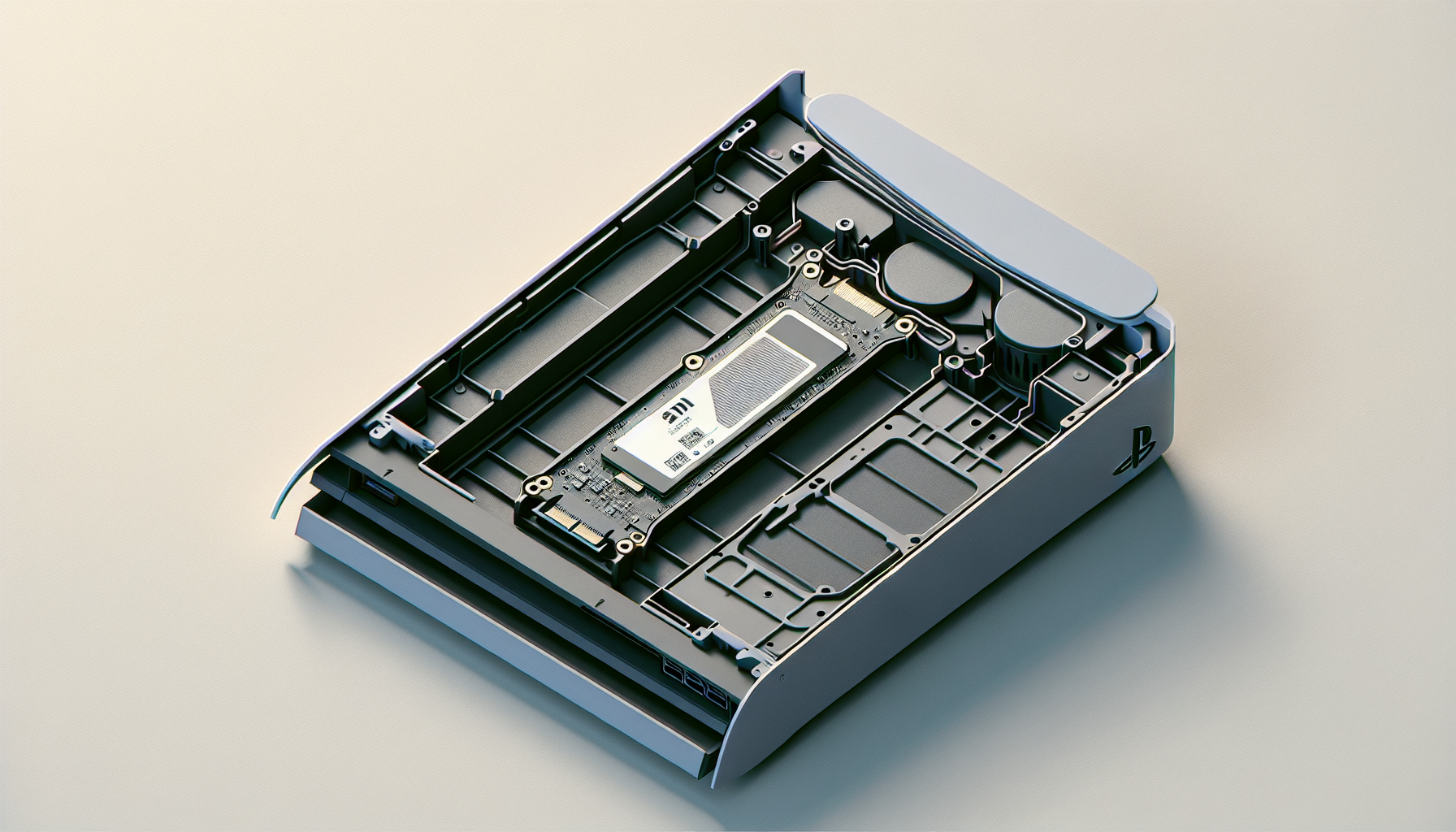
M.2 SSD Options for PS5
When looking for the best M.2 SSD for a PS5 setup, several options stand out due to their performance, value, and compatibility. Here are three top contenders for gamers seeking to enhance their gaming experience.
Lexar NM790
The Lexar NM790 is noted as the best value M.2 SSD for PS5 in 2024, providing an impressive 4TB of storage for under $300. Its performance is competitive with other leading choices, making it a smart selection for gamers who need ample storage without breaking the bank.
| Specification | Value |
|---|---|
| Capacity | 4TB |
| Read Speed | Up to 4,500MB/s |
| Write Speed | Up to 4,000MB/s |
| Price | Less than $300 |
For more details, check CNET.
Samsung 990 Pro with Heat Sink
The Samsung 990 Pro with Heat Sink is a powerful option that offers exceptional performance. It boasts read speeds of up to 7,400MB/s and write speeds of 6,500MB/s, making it suitable for both PC and console gamers. The heat sink is crucial for maintaining optimal temperatures during intense gaming sessions.
| Specification | Value |
|---|---|
| Capacity | 1TB / 2TB / 4TB |
| Read Speed | Up to 7,400MB/s |
| Write Speed | Up to 6,500MB/s |
| Cooling | Yes (Heat Sink Included) |
More information can be found on CNET.
Seagate FireCuda 530 NVMe PCIe Gen4 x4
The Seagate FireCuda 530 NVMe PCIe Gen4 x4 is available in multiple capacities, including 1TB, 2TB, and 4TB. This SSD is highlighted for its built-in heat sink, making it essential for use as an internal drive for the PS5. It combines high performance with essential cooling technology.
| Specification | Value |
|---|---|
| Capacity | 1TB / 2TB / 4TB |
| Read Speed | Up to 7,300MB/s |
| Write Speed | Up to 6,900MB/s |
| Cooling | Yes (Heat Sink Included) |
Visit CNET for further details.
These M.2 SSD options are outstanding choices for enhancing the PS5 gaming experience. Each model has its advantages, catering to various needs regarding size, speed, and budget. For those interested in more information about installing an M.2 SSD, see our guide on how to install m.2 ssd.
Top Gaming SSD Choices
For gamers looking to enhance their PS5 experience, selecting the best M.2 SSD is crucial. Here are three top contenders that offer a combination of speed, storage capacity, and performance that is ideal for gaming.
Corsair MP600 PRO LPX
The Corsair MP600 PRO LPX is a popular choice amongst gamers due to its PS5 compatibility and its included heat sink, which helps in managing temperatures during intense gaming sessions. This SSD provides exceptional performance and reliability for those seeking to boost their storage capabilities.
| Specification | Detail |
|---|---|
| Read Speed | Up to 7,000 MB/s |
| Write Speed | 6,850 MB/s |
| Capacity Options | 1TB, 2TB |
| Heat Sink | Yes |
For more information on installation, refer to our guide on how to install m.2 ssd.
WD Black SN850 Gen4 x4 NVMe PCIe
The WD Black SN850 is officially licensed by Sony and is renowned as one of the best overall SSDs for PS5 in 2024. It offers impressive read speeds, making it an ideal choice for gamers who want quick load times and enhanced performance.
| Specification | Detail |
|---|---|
| Read Speed | Up to 6,550 MB/s |
| Write Speed | 5,300 MB/s |
| Capacity Options | 1TB, 2TB |
| Heat Sink | Optional |
Pricing for the WD Black SN850 starts at around $150 for the 1TB variant and can go under $200 for the 2TB configuration (TechRadar).
Adata XPG Gammix S70 Blade
For those on a budget, the Adata XPG Gammix S70 Blade offers excellent performance at a competitive price. Its sequential read speed competes well with higher-end models, delivering substantial performance for gaming enthusiasts.
| Specification | Detail |
|---|---|
| Read Speed | Up to 6,384 MB/s |
| Write Speed | N/A |
| Capacity Options | 1TB, 2TB |
| Heat Sink | Yes |
The pricing for the Adata XPG Gammix S70 Blade is quite appealing, with the 1TB version available for $84.99 and the 2TB version for $169.99 (TechRadar).
Selecting the right M.2 SSD can significantly impact the gaming experience on PS5, enhancing load times and performance. For further assistance on issues such as why an SSD may not be recognized, check our article on why is my m.2 ssd not showing up in bios or explore the detailed explanations of what an M.2 SSD is.
Benefits of M.2 SSDs
M.2 SSDs are becoming increasingly popular among gamers due to their numerous advantages over traditional storage options. This section outlines the key benefits of using M.2 SSDs for gaming, particularly for setups like the PS5.
Performance Acceleration
M.2 SSDs provide significantly faster speeds compared to traditional hard disk drives (HDDs). Users can experience shorter boot times, more immediate data transfer, and higher bandwidth. This is essential for running programs that require quick access to large amounts of data (Kingston).
| Feature | M.2 SSDs | HDDs |
|---|---|---|
| Boot Times | < 10 seconds | 30+ seconds |
| Data Transfer Speeds | Up to 7000 MB/s | 100-200 MB/s |
| Bandwidth | High | Low |
Furthermore, installing M.2 drives is straightforward, as they fit directly into the M.2 slot on most modern motherboards. If a motherboard lacks an M.2 slot, an adapter card can still allow the use of an M.2 drive (Backblaze).
Energy Efficiency
Another benefit of M.2 SSDs is their energy efficiency. Unlike traditional HDDs, M.2 SSDs contain no moving parts, resulting in lower power consumption. This efficiency is particularly crucial in mobile devices and gaming laptops where battery longevity is a priority (Kingston).
| Storage Type | Average Power Consumption |
|---|---|
| M.2 SSDs | 2-3 W |
| HDDs | 6-7 W |
Compact Design and Quiet Operation
M.2 SSDs have a compact design, making them much lighter and smaller than traditional HDDs. This advantage allows them to fit into tighter spaces in laptops, tablets, and other portable devices. Furthermore, since M.2 SSDs have no moving parts, they operate quietly, eliminating the noise and vibrations that can be prevalent with HDDs (Kingston).
| Feature | M.2 SSDs | HDDs |
|---|---|---|
| Size | Smaller (22x80 mm) | Larger (3.5" or 2.5") |
| Weight | Light (around 10-15 grams) | Heavy (around 600-800 grams) |
| Noise | Silent | Noisy |
The numerous benefits of M.2 SSDs make them a compelling choice for gamers, particularly those looking to enhance their PS5 experience. For additional information on how to install M.2 SSDs, visit our guide on how to install m.2 ssd.
Considerations for PS5 SSD Selection
Selecting the right M.2 SSD for the PS5 is essential for optimising gaming performance. Several factors should be considered when making this decision, including speed and storage capacity, compatibility and installation, as well as pricing and overall value.
Speed and Storage Capacity
When it comes to speed, M.2 SSDs generally outperform traditional HDDs by providing faster boot times and improved data transfer rates, making them ideal for gaming applications. The bandwidth offered by M.2 SSDs is particularly beneficial for games that require quick access to large datasets.
Here is a table summarising the typical read and write speeds for common M.2 SSDs suitable for PS5 setups:
| SSD Model | Read Speed (MB/s) | Write Speed (MB/s) | Storage Capacity Options |
|---|---|---|---|
| Lexar NM790 | Up to 3500 | Up to 3000 | 1TB, 2TB |
| Samsung 990 Pro with Heat Sink | Up to 7000 | Up to 5000 | 1TB, 2TB, 4TB |
| Seagate FireCuda 530 | Up to 7300 | Up to 6900 | 1TB, 2TB, 4TB |
These specifications highlight the importance of speed in enhancing the gaming experience. For detailed installation instructions, check our guide on how to install m.2 ssd.
Compatibility and Installation
Compatibility is crucial when choosing an M.2 SSD for the PS5. Not all SSDs will fit or function correctly with the console. The PS5 requires SSDs that support PCIe Gen4 and have a minimum sequential read speed of 5500 MB/s for optimal performance.
Installation of the M.2 SSD can vary by model, but generally requires the removal of a panel on the PS5. Gamers should follow guides from reliable sources if they are unfamiliar with hardware installation. For potential troubleshooting, consult our article on why is my m.2 ssd not showing up in bios.
Pricing and Value
Price is a significant factor when selecting an M.2 SSD. The cost for M.2 SSDs is rapidly decreasing, narrowing the gap with traditional HDDs. Upgrading to an SSD can yield significant performance benefits, including faster loading times and quicker application launches, which is essential for an optimal gaming experience (Kingston).
The table below shows a general price range for commonly chosen M.2 SSDs suitable for the PS5:
| SSD Model | Estimated Price (AUD) |
|---|---|
| Lexar NM790 | $150 - $200 |
| Samsung 990 Pro with Heat Sink | $250 - $350 |
| Seagate FireCuda 530 | $220 - $320 |
When evaluating value, gamers should consider not only the price per gigabyte but also the performance benefits that an M.2 SSD can bring. For those interested in expanding their gaming storage without the need to reinstall the system, information can be found in our guide on how to upgrade m.2 ssd without reinstalling windows.
These considerations will help ensure that gamers select the best M.2 SSD for their PS5 setup, leading to a more enjoyable gaming experience.
Internal vs. External SSDs for PS5
Choosing between internal and external SSDs for a PS5 setup involves understanding the performance, storage capacity, and cost-effectiveness of each option. Both types significantly enhance gaming experiences but differ in application.
Performance Comparison
The performance of internal and external SSDs varies significantly. Internal SSDs are always faster compared to external drives connected via USB. This speed translates to quicker loading screens and reduced wait times for game transfers and loading (TechRadar). In contrast, external SSDs, while still offering improvements over traditional hard drives, cannot achieve the same speed as their internal counterparts.
| SSD Type | Average Read Speed | Loading Speed | Recommended for |
|---|---|---|---|
| Internal SSD | Up to 7,000 MB/s | Very Fast | New games and media |
| External SSD | 500 - 5,000 MB/s | Fast | Older console games/media |
Storage Capacity and Usage
The PS5 originally comes with an 825GB SSD, leaving approximately 667GB available for storage—this can quickly fill up after installing a few large games. Therefore, expanding storage is crucial for avid gamers. Internal SSDs can expand capacity from 256GB up to 8TB, allowing users to store more games and applications seamlessly. External SSDs are compatible with capacities ranging between 256GB and 8TB but are better suited for older titles or media storage (Kingston).
| SSD Type | Capacity Range | Best Use |
|---|---|---|
| Internal SSD | 256GB - 8TB | Current-gen PS5 titles |
| External SSD | 256GB - 8TB | Older games/media storage |
Cost-Effectiveness and Recommendations
Cost is a crucial factor when considering SSD upgrades. Internal SSDs generally have a higher upfront cost but provide better performance and longer-term value due to increased speed and storage capabilities. External SSDs might be more affordable to purchase initially, making them a good option for those looking to expand storage without significant investment.
For those prioritising performance and modern gaming experiences, investing in an internal SSD may be worthwhile. However, for storing older games or media, an external SSD offers a practical solution. Gamers can check for detailed information on how to install m.2 ssd or consider m.2 SSD ps5 for further enhancements.
Each gaming setup is different; understanding the benefits and limitations of internal versus external SSDs can guide users in making the best choice for their PS5 gaming experience.
Enhancing PS5 Gaming Experience
Expanding the storage options on a PS5 can significantly enhance the gaming experience. Gamers can choose between installing an internal SSD or utilising external SSDs, each offering distinct benefits.
Installing an Internal SSD
An internal SSD provides the best performance for a PS5. It allows direct attachment to the console's innards and facilitates the storage and play of both PS5 and PS4 games directly from the SSD, offering faster loading times and improved reliability. The recommended internal SSD speed should be at least 5,500MB/s to ensure smooth operation of games. Installing an internal SSD is straightforward and typically requires only a Phillips screwdriver and around 15 minutes of time.
| Storage Option | Speed (MB/s) | Playable Games | Estimated Cost |
|---|---|---|---|
| Internal SSD | ≥ 5,500 | PS5 & PS4 | $100 - $150 for 1TB |
| External Drive | Variable | PS4 only | $50 - $100 for 2TB |
For guidance on the installation process, refer to how to install m.2 ssd.
Benefits of External SSDs
While internal SSDs are the superior option for performance, external SSDs offer portability and flexibility. Users can easily connect an external SSD via USB and use it to store PS4 games. However, PS5 games cannot be played directly from an external hard drive, which differentiates it from an internal solution (TechRadar).
External SSDs are often more budget-friendly and convenient for gamers who may not need immediate access to an extensive library of PS5 games. They are an excellent choice for players who are looking to store a variety of games without needing top-tier performance. For more information on the pros and cons of external SSDs, see our article about PS5 external hard drives.
Transferring and Storing Games
Transferring games between the internal SSD and an external SSD can help manage storage space efficiently. The internal solution allows quicker loading and seamless gameplay, while external drives serve as a backup option for games that might not be played as frequently.
Game transfer is typically straightforward, allowing users to move titles to manage their library effectively. Strategies for transferring data can enhance overall storage flexibility. For detailed steps on how to transfer data, check how to transfer data from one m.2 ssd to another.
In summary, whether choosing an internal or external SSD, careful consideration of personal gaming needs will significantly improve the overall PS5 experience.


