


Cracking the Code: Deciphering if Gaming Laptops Really Need Cooling Pads
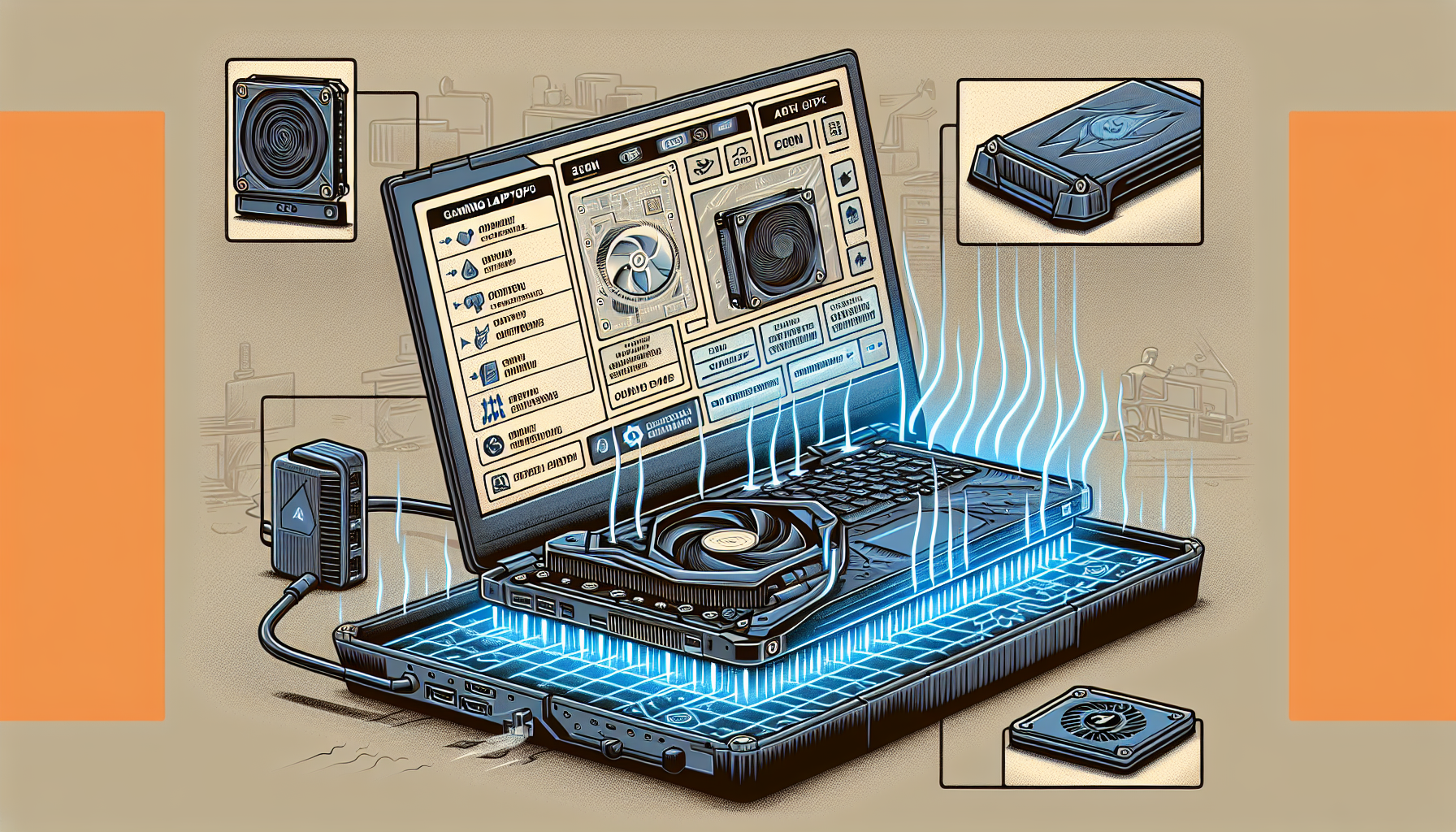
The Heat is On: Gaming Laptops and Thermal Management
In the realm of high-performance computing, gaming laptops are notorious for their heat generation. This section explores how these portable powerhouses manage heat and the repercussions that overheating can have on their performance and lifespan.
How Gaming Laptops Generate Heat
Gaming laptops pack powerful components into compact frames, leading to significant heat production. The primary heat sources are the central processing unit (CPU) and the graphics processing card (GPU), which are under considerable stress during gaming.
As gamers in Melbourne push their laptops to the limits with the latest titles, heat accumulates rapidly. It's not just the intensity of the tasks but also the prolonged duration of gaming sessions that contribute to the thermal load. The following table illustrates typical temperature ranges for gaming laptop CPUs and GPUs during heavy use:
| Component | Idle Temperature (°C) | Load Temperature (°C) |
|---|---|---|
| CPU | 30 - 50 | 70 - 100 |
| GPU | 30 - 50 | 60 - 90 |
The Impact of Overheating on Performance and Longevity
When laptops overheat, they may throttle performance to cool down, leading to frame rate drops and lag, which can be a gamer's worst nightmare. Consistent overheating not only affects in-game performance but can also shorten the lifespan of the laptop. High temperatures can degrade components over time, leading to potential hardware failure.
There's a myriad of anecdotes and queries online, from do gaming laptops overheat to do gaming laptops last long, highlighting the concerns within the community. Gamers often wonder do gaming laptops need cooling pads as a solution to this persistent issue. It's clear that efficient thermal management is not just a luxury but a necessity for maintaining the health and performance of gaming laptops. For those considering a purchase, it's worth looking at options like gaming laptops for under 1000 and assessing their cooling capabilities.
In the next sections, we'll delve deeper into the built-in cooling systems of gaming laptops, the additional role cooling pads may play, and whether your gaming setup could benefit from this accessory.
Cooling Systems in Gaming Laptops
Gaming laptops are designed to deliver high performance in a portable package, but this performance comes with the challenge of managing heat. Effective thermal management is critical to ensure that gaming laptops can run demanding applications without overheating.
Built-in Cooling Mechanisms
Manufacturers equip gaming laptops with various built-in cooling mechanisms to handle the heat generated by powerful processors and graphics cards. These typically include a combination of heat sinks, fans, and vents to dissipate heat away from key components effectively. Some models may also use liquid cooling solutions or advanced thermal compounds to enhance heat transfer.
The efficiency of these cooling systems often depends on several factors, including the design of the laptop, the quality of the thermal management components, and the workload placed on the system. For gamers who are interested in understanding how their laptop's performance can be maximized without breaking the bank, exploring options like gaming laptops for under 1000 can provide valuable insights.
| Component | Function |
|---|---|
| Heat sink | Absorbs and redistributes heat away from the CPU and GPU |
| Cooling fan | Draws cooler air in and pushes hot air out |
| Vents | Provide an outlet for hot air to escape |
| Thermal compound | Improves heat transfer between components and heat sinks |
| Liquid cooling (select models) | Circulates coolant to lower temperatures |
When Built-in Cooling Isn't Enough
Despite the presence of these cooling mechanisms, gaming laptops may still struggle with heat management during prolonged gaming sessions or when running resource-intensive tasks. Signs that a laptop's built-in cooling system might not be sufficient include frequent thermal throttling, where the system automatically reduces performance to lower temperatures, and uncomfortable levels of heat on the laptop's surfaces.
Factors contributing to inadequate cooling can include a build-up of dust blocking vents, a failing fan, or simply the limitations of the laptop's design. Users might notice that their devices do gaming laptops get hot more frequently or wonder do gaming laptops overheat with extended use. This is where the question arises: do gaming laptops need cooling pads?
In these scenarios, additional cooling solutions, such as cooling pads, can be considered to provide extra airflow and improve heat dissipation. Cooling pads are especially beneficial for users who push their laptops to the limit with gaming or other high-performance applications like music production, where stable operating temperatures are crucial for both immediate performance and the overall longevity of the laptop.
The Role of Cooling Pads
Gaming laptops are powerful machines designed to deliver high-performance gaming experiences. However, with great power comes the generation of significant heat. Cooling pads serve as an additional accessory to assist in heat dissipation. This section discusses the functionality of cooling pads and the reasoning behind their use with gaming laptops.
How Cooling Pads Work
Cooling pads are designed to alleviate the thermal load on gaming laptops. They typically operate using a combination of fans and a conductive metal framework that work together to enhance airflow around the laptop. By increasing the rate at which warm air is moved away from the laptop’s surface, cooling pads help to lower the overall temperature of the device.
| Feature | Description | Benefit |
|---|---|---|
| Fans | Propel air towards the laptop's base | Improve heat dissipation |
| Metal Mesh | Conducts heat away from the laptop | Aids in cooling the chassis |
| Ergonomic Design | Elevates the laptop | Optimizes the angle for airflow and user comfort |
The Argument for Using Cooling Pads with Gaming Laptops
The debate on 'do gaming laptops need cooling pads' revolves around the intense heat generated during prolonged gaming sessions. Gaming laptops pack high-performance components in a compact space, which can often result in less than ideal cooling compared to desktops. This heat buildup can lead to thermal throttling, where the laptop reduces its performance to prevent damage, consequently affecting gameplay and the lifespan of components.
Cooling pads address this issue by providing an extra layer of heat management. They can be particularly beneficial in scenarios where the laptop's built-in cooling solutions are pushed to their limits, such as during extended gaming sessions or when running intensive software applications. For gamers in Melbourne and similar climates, where ambient temperatures can be high, cooling pads may offer a significant advantage.
For insights on the longevity and performance of gaming laptops, including the impact of heat, readers may refer to articles on do gaming laptops last long and do gaming laptops overheat. Additionally, for those considering a gaming laptop for other uses, such as music production, it's worth exploring are gaming laptops good for music production.
The use of cooling pads can be seen as a preventive measure, ensuring that gaming laptops maintain optimal temperatures and potentially extending their service life. While not every gaming scenario may require a cooling pad, having one can provide peace of mind knowing that the risk of overheating is reduced. Further discussion on this topic can be found in the detailed article on do gaming laptops need cooling pads.
Do Gaming Laptops Need Cooling Pads?
In the heated debates of gaming hardware, the question of whether gaming laptops require cooling pads is a hot topic. This section will explore various scenarios where additional cooling might be necessary and the potential advantages cooling pads offer to gamers.
Scenarios That Demand Extra Cooling
Gaming laptops are engineered to handle higher temperatures due to their powerful components. However, certain circumstances might necessitate extra cooling measures:
- Extended Gaming Sessions: Prolonged periods of gameplay can cause laptops to reach high temperatures, potentially leading to thermal throttling.
- High-Performance Games: Resource-intensive games that push hardware to its limits can generate more heat than casual games.
- Ambient Temperature: Gamers in warmer climates or poorly ventilated rooms might find their laptops overheating more quickly.
- Multitasking Workload: Running multiple applications simultaneously, such as gaming while streaming, can increase thermal stress.
- Aged Hardware: Over time, laptops might lose their efficiency in heat dissipation due to wear and thermal compound degradation.
For a deeper understanding of how heat affects gaming laptops, readers can explore do gaming laptops overheat and do gaming laptops get hot.
Potential Benefits of Cooling Pads for Gamers
Cooling pads can offer several benefits to enhance the gaming experience on laptops:
- Improved Performance: By preventing overheating, cooling pads can help maintain optimal performance levels, reducing the likelihood of thermal throttling.
- Extended Hardware Longevity: Lower operating temperatures can contribute to the longevity of the laptop's components.
- Comfort: A cooler laptop provides a more comfortable experience, especially during long sessions.
- Noise Reduction: External cooling may allow the laptop's built-in fans to run at lower speeds, resulting in quieter operation.
| Benefit | Description |
|---|---|
| Performance | Maintains consistent frame rates |
| Longevity | Preserves internal components |
| Comfort | Reduces heat exposure to the user |
| Noise | Minimizes fan noise during use |
For further insight into the lifespan of gaming hardware, the article do gaming laptops last long is an excellent resource.
In conclusion, while not all gaming laptops may require cooling pads, there are scenarios where they can significantly benefit users. The decision to use a cooling pad should be based on the specific usage patterns and environmental factors each gamer faces. To delve deeper into this topic, readers can reference the dedicated article do gaming laptops need cooling pads.
Selecting a Cooling Solution
When it comes to maintaining optimal performance in gaming laptops, managing heat is a critical factor. Selecting the right cooling solution can enhance the gaming experience and extend the lifespan of your device.
Factors to Consider When Choosing a Cooling Pad
When exploring whether do gaming laptops need cooling pads, several factors should be taken into account to ensure that you select a cooling pad that meets your needs:
Cooling Efficiency: Look for a cooling pad that provides a significant drop in temperature. This can usually be gauged by the number of fans and the CFM (cubic feet per minute) rating, which measures the volume of air the fans can move.
Noise Level: Fans can be noisy. Consider the decibel level of the cooling pad to ensure that it won't be disruptive during use.
Size and Compatibility: The cooling pad should accommodate the size of your gaming laptop. It should also provide a stable surface for your device.
Portability: If you travel frequently with your laptop, you'll want a cooling pad that's lightweight and easy to carry.
Power Source: Most cooling pads are USB-powered, meaning they draw power from the laptop itself. Consider if this will impact your laptop's battery life or if you would prefer a pad with an independent power source.
Additional Features: Some cooling pads come with extra USB ports, adjustable height settings, and LED lights. Determine which additional features, if any, are important to you.
| Feature | Importance |
|---|---|
| Cooling Efficiency | High |
| Noise Level | Medium |
| Size & Compatibility | High |
| Portability | Medium |
| Power Source | Medium |
| Additional Features | Low |
Balancing Performance and Portability
For gamers in Melbourne and beyond, finding the right balance between cooling performance and the ease of transporting your setup is key. If you frequently game on the go, a lighter, more compact cooling pad may be preferable, even if it means sacrificing some cooling power. Conversely, for a more permanent gaming setup, a larger pad with higher cooling efficiency could be more suitable.
It's important to weigh the cooling requirements of your gaming laptop against your lifestyle needs. High-performance gaming laptops often generate significant heat, especially when running demanding games or software like those used in music production. In these instances, a more robust cooling solution with multiple fans and higher airflow might be necessary.
Ultimately, the aim is to find a cooling solution that maintains the temperature of your gaming laptop within safe operating limits without sacrificing convenience. Regularly monitoring your laptop's temperature can help determine how effective your cooling solution is and whether an upgrade is needed. For more information on the signs of overheating, visit our article on do gaming laptops get hot.
By considering these factors, gamers can make informed decisions about their cooling solutions, ensuring that their gaming laptops can handle the heat of intense gaming sessions and maintain optimal performance over time.
Best Practices for Keeping Your Gaming Laptop Cool
Maintaining an optimal temperature for gaming laptops is essential to ensure performance and longevity. Here are some best practices to keep your gaming laptop cool, which can help avoid the need for additional cooling solutions like cooling pads.
Environment and Usage Patterns
The environment where you use your gaming laptop can significantly affect its cooling efficiency. Here are some tips to ensure your gaming environment is conducive to keeping your laptop cool:
- Ventilation: Make sure the laptop's air vents are not blocked. Using your laptop on a flat, hard surface can promote better airflow than placing it on soft surfaces like beds or couches.
- Ambient Temperature: Keep the room temperature cool; gaming laptops tend to heat up quicker in warm environments.
- Usage: Intense gaming sessions can heat your laptop quickly. Taking breaks can help manage the temperature.
Consider the following table for managing your gaming environment:
| Factor | Recommendation |
|---|---|
| Surface | Use on hard, flat surfaces |
| Room Temperature | Keep below 25°C (77°F) |
| Breaks | Every 2 hours of gaming |
For more on the optimal use of gaming laptops, you might want to read about gaming laptops for under 1000 and are gaming laptops good for music production.
Regular Maintenance and Care
Regular maintenance is key to ensuring your gaming laptop remains cool and performs at its best. Here are some maintenance tips:
- Cleaning: Dust and debris can clog the laptop's vents and internal cooling system. Regular cleaning can prevent this.
- Software Updates: Keep your system updated. Software updates often include improvements to system efficiency, which can reduce heat generation.
- Background Processes: Close unnecessary background applications to reduce CPU and GPU workload, which, in turn, reduces heat.
Here's a simple checklist for regular maintenance:
- Dusting vents and fans: Monthly
- Updating system and drivers: As updates become available
- Monitoring background processes: During every use
Understanding the necessity of cooling pads can also be part of good maintenance. For insights, explore articles on do gaming laptops need cooling pads and do gaming laptops overheat.
By adhering to these best practices, gamers can effectively manage the temperature of their gaming laptops, potentially diminishing the need for cooling pads. However, in scenarios where laptops are prone to overheating, additional cooling solutions may be beneficial. For more information, read about whether do gaming laptops get hot and do gaming laptops last long.


