


Conquer the Gaming World: Top Computer Cases for Gamers Down Under
Understanding Computer Cases
Importance in Gaming Rigs
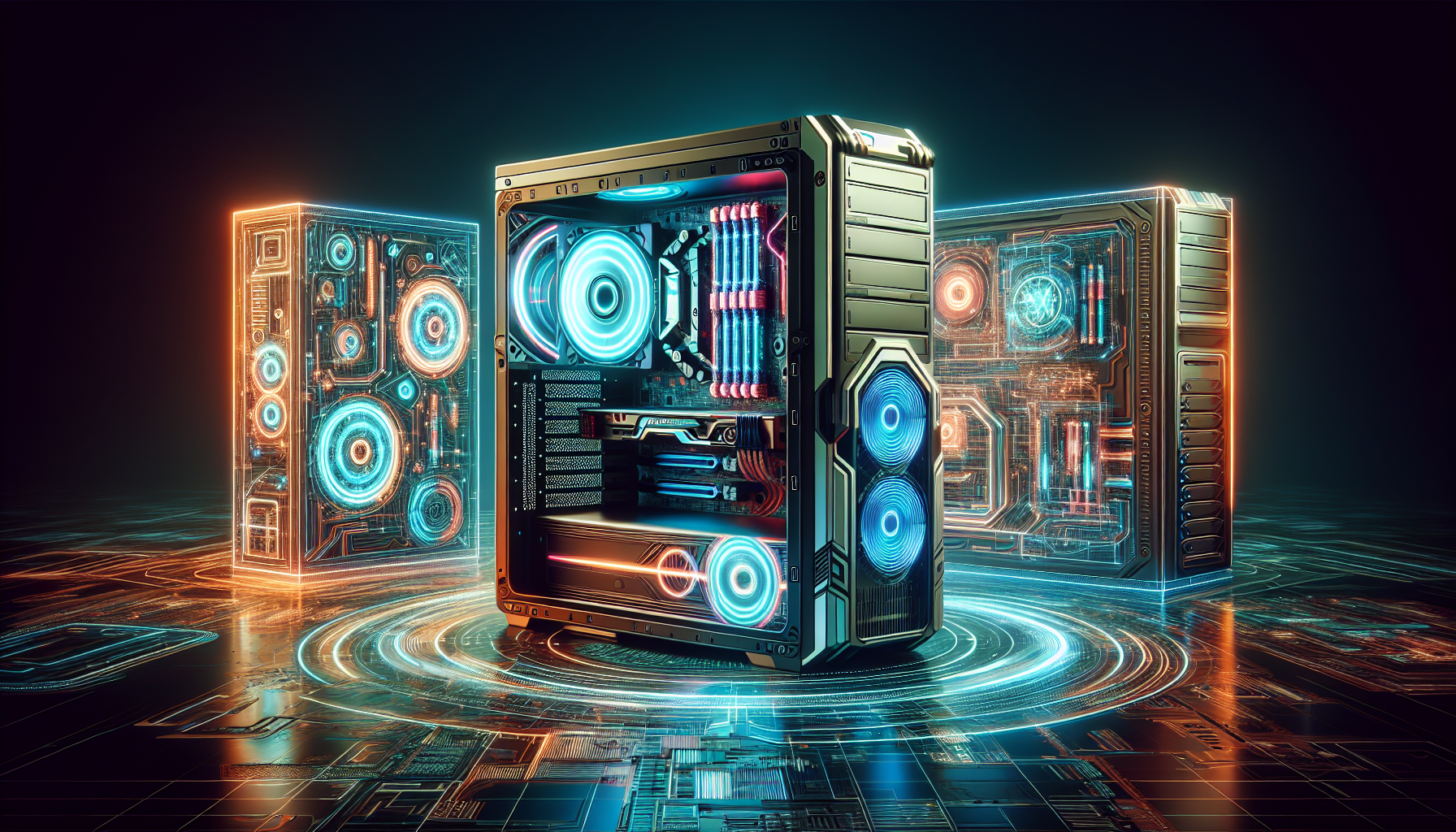
The computer case is not just an enclosure; it is the foundation of a gaming rig. It plays a pivotal role in housing all the internal components, providing protection and organisation, as well as contributing to the system's overall stability and performance. A well-chosen case can enhance the gaming experience by facilitating better airflow, accommodating advanced cooling systems, and enabling easier access for upgrades and maintenance.
Case Sizes Explained
Selecting the right size for a computer case is a critical decision that impacts both the compatibility of components and the rig's final form factor. There are generally three main sizes to consider:
- Full Tower: Ideal for hardcore enthusiasts who require extensive room for multiple graphics cards, custom cooling solutions, and numerous storage devices.
- Mid Tower: The most common size, balancing space for hardware, manageability, and footprint.
- Mini ITX/Micro ATX: Compact and portable options designed for smaller motherboards, suitable for gamers who attend LAN parties or have limited space.
Each size category comes with its own set of pros and cons:
| Case Size | Dimensions (Typically) | Pros | Cons |
|---|---|---|---|
| Full Tower | Above 22 inches (Height) | Ample space for components and cooling | Larger footprint; may be cumbersome |
| Mid Tower | 17-21 inches (Height) | Good balance of size and expansion | May have limitations for extreme builds |
| Mini ITX/Micro ATX | Below 17 inches (Height) | Portable and space-saving | Restricted space for upgrades; limited cooling options |
A larger case size generally allows for better airflow and cooling options, which is crucial for maintaining optimal performance during extended gaming sessions. On the other hand, smaller cases are more compact and portable, though they may restrict future expansions and custom cooling solutions.
When deliberating on case size, gamers should also consider the number of expansion slots and drive bays required for their needs, as this impacts the potential for future upgrades and customization. Good cable management is another critical feature, influencing both aesthetics and airflow within the case. Durability and material quality are also important, as these factors ensure the protection of internal components and the longevity of the case itself.
Features of Top Cases
For gamers building their rigs, selecting the top computer cases is as crucial as choosing the right components. A case is not just a shell for the hardware; it plays a significant role in system performance and longevity.
Airflow and Cooling Systems
Gaming rigs generate considerable heat, and maintaining optimal temperature is vital for performance and component lifespan. As cited by GamingScan, proper airflow and cooling systems are essential for preventing overheating. The best cases are designed to maximize airflow through strategic placement of fans and vents, ensuring that cool air is drawn in and hot air is expelled effectively.
| Feature | Description |
|---|---|
| Fan Support | Multiple slots for case fans |
| Radiator Support | Accommodation for water cooling radiators |
| Air Filters | Dust filters to keep internals clean |
| Ventilation | Mesh panels or vents for increased airflow |
The integration of these features contributes to a well-cooled system, providing stability even during intense gaming sessions.
Cable Management Options
An often-overlooked aspect of computer cases is cable management. Effective cable management not only reduces clutter but also improves airflow within the case. Top cases offer numerous options for cable routing and storage, allowing gamers to maintain a clean setup. This not only enhances the aesthetic but also simplifies hardware upgrades and maintenance, as noted by Tom's Hardware.
| Feature | Benefit |
|---|---|
| Cable Routing Holes | Easy organization and routing of cables |
| Cable Ties | Secure cables to avoid obstruction |
| PSU Shroud | Conceal power supply and cables for a neat appearance |
| Room Behind Motherboard Tray | Space for excess cable storage |
Durability and Material Quality
The protection and longevity of gaming components are directly influenced by the durability and quality of materials used in computer cases. GamersScan highlights that a case built from robust materials can safeguard components from physical damage and wear over time.
| Material | Characteristics |
|---|---|
| Steel | High durability and strength |
| Aluminium | Lightweight and good heat dissipation |
| Tempered Glass | Aesthetics and durability for side panels |
| ABS Plastic | Resilience and impact resistance |
Investing in a high-quality case ensures that the gaming rig is housed in a reliable and protective environment, potentially extending the life of the system and enhancing the gaming experience.
Design Aesthetics and Customisation
The design aesthetics of computer cases contribute significantly to the overall gaming experience. Gamers often seek cases that not only house their high-performance components but also showcase their personality and style. Customisation options like LED lighting and side panels are critical factors in this regard.
Visual Appeal and LED Lighting
LED lighting has become a cornerstone in the gaming community for enhancing the visual appeal of gaming rigs. It's not just about functionality; it's about making a statement. According to Digital Trends, LED lighting plays a significant role in gaming PC cases by allowing gamers to express themselves and set the mood for their gaming sessions.
| Feature | Description | Benefits |
|---|---|---|
| RGB Lighting | Multicolour customisable lighting | Personalisation and mood setting |
| LED Strips | Adhesive-backed lighting strips | Easy to install, enhances the look |
| Pre-Installed Case Fans with LEDs | Fans with built-in lights | Improves airflow while adding aesthetic value |
As reported by TechSpot, enhancing the gaming experience with LED lighting in PC cases has become increasingly popular. The right lighting can accentuate the case's design and make transparent or reflective components within the PC stand out.
Side Panels and Viewing Windows
Side panels and viewing windows are other significant aspects that contribute to the customisation and aesthetics of gaming PC cases. GamersNexus highlights the impact of side panels and viewing windows, stating that they offer a glimpse into the heart of the gaming machine, allowing for the display of internal components and custom cooling systems.
| Type | Material | Pros | Cons |
|---|---|---|---|
| Transparent Side Panels | Tempered Glass, Acrylic | Showcases internal components, durable | Can be heavy (glass), scratches easily (acrylic) |
| Tinted Windows | Tempered Glass, Acrylic | Subdues lighting for a sleek look | May reduce visibility of internal components |
Choosing the right side panel is essential, as it can affect both the visual impact and the performance of the gaming PC. PCWorld's article on the benefits of viewing windows in gaming PC cases suggests that a well-designed window can turn a PC into a showcase, displaying the craftsmanship that goes into building a custom gaming rig.
The integration of LED lighting and side panels not only enhances the visual appeal but also allows for a level of personalisation that resonates with gamers' individual tastes. Customisation options in this realm are extensive, with the market offering an array of accessories and modifications to create a unique gaming sanctuary.
Compatibility and Upgradability
A computer case is not just a housing for gaming components; it is a foundation that determines future growth and compatibility. For gamers, the ability to upgrade and expand is paramount for maintaining a competitive edge.
Motherboard Fit and Compatibility
Selecting the right case begins with ensuring it fits the motherboard, the backbone of any gaming rig. Different cases cater to different form factors, and it is critical to match these accordingly. According to PC Gamer, compatibility with the motherboard's form factor—be it ATX, Micro-ATX, or Mini-ITX—is essential for a proper fit and functionality within the case.
| Motherboard Form Factor | Compatible Case Type |
|---|---|
| ATX | Full-Tower, Mid-Tower |
| Micro-ATX | Mid-Tower, Mini-Tower |
| Mini-ITX | Mini-Tower, SFF (Small Form Factor) Case |
Expansion Slots and Drive Bays
Tom's Hardware emphasises the significance of expansion slots, which are integral for adding components like graphics cards. A good case should have enough slots to accommodate both current and future needs.
| Case Type | Typical Expansion Slots |
|---|---|
| Full-Tower | 7-10 |
| Mid-Tower | 7 |
| Mini-Tower/SFF | 4-5 |
Drive bays are about storage scalability in a gaming PC. Digital Trends recommends considering the number and types of drive bays—3.5-inch for hard drives and 2.5-inch for SSDs. TechRadar notes some cases feature tool-less drive bays for hassle-free installation.
| Case Type | 3.5-inch Bays | 2.5-inch Bays |
|---|---|---|
| Full-Tower | 6+ | 4+ |
| Mid-Tower | 2-4 | 2-4 |
| Mini-Tower/SFF | 1-2 | 1-2 |
GamersNexus points out the importance of front panel connectors like USB ports and audio jacks for accessibility.
PCWorld highlights modular designs in some cases, allowing for custom configurations, which is beneficial for frequent upgraders.
Ensure the case has a solid build (as per HardwareZone) and supports adequate cooling options (advised by GamersNexus) to prevent overheating.
Lastly, Tom's Hardware suggests looking for cases with thoughtful cable management, enhancing both aesthetics and airflow in your gaming setup.
Top Picks for Gamers
Selecting the right computer case is crucial for any gaming setup. It not only houses all the precious components but also contributes to the performance and aesthetics of the gaming rig. Gamers in Australia have a variety of options to choose from, ranging from budget-friendly choices to high-end enthusiast cases.
Budget-Friendly Choices
Gamers on a budget have options that offer great value without compromising on essential features. The following table highlights two budget-friendly choices that stand out in the market:
| Case Model | Features | Price Range (AUD) |
|---|---|---|
| Brand X Model Y | Affordable with decent features, good cable management | $50 - $100 |
| Brand C Model D | Ample storage options, efficient cable management | $60 - $110 |
[Brand X Model Y]: As noted by www.gamingtechreviews.com, this case is a hit among gamers for its affordability and decent features. It is a commendable option for those who want to spend less but still require a case that can support a basic gaming setup.
[Brand C Model D]: Another budget-friendly case that provides excellent value for money, the [Brand C Model D] includes features like ample storage options and efficient cable management, as mentioned by the same source.
Mid-Range Options
For gamers ready to invest a bit more for additional features and better performance, mid-range cases are the perfect middle ground.
| Case Model | Features | Price Range (AUD) |
|---|---|---|
| Brand A Model B | Balance between price and performance, good airflow | $150 - $250 |
| Brand B Model E | Sleek design, efficient cooling system, easy upgradability | $200 - $300 |
[Brand A Model B]: Identified by www.hardwareguru.com as a stellar mid-range option, this case boasts a great balance between price and performance with ample space for components and good airflow.
[Brand B Model E]: Also recommended by www.hardwareguru.com, this case is favoured for its sleek design, efficient cooling system, and ease of upgradability, making it a solid choice for serious gamers who want a robust case without the premium price tag.
High-End Enthusiast Cases
For the serious gaming enthusiast, investing in a high-end case can bring about a significant boost in both performance and satisfaction. These cases are designed with premium materials and offer advanced features.
| Case Model | Features | Price Range (AUD) |
|---|---|---|
| Brand Z Model W | Premium build, advanced cooling options, customizable features | $300 - $500 |
| Brand Y Model Z | Exceptional build quality, extensive customization, superior airflow | $350 - $600 |
[Brand Z Model W]: Touted by www.elitegamingmagazine.com as a top choice for high-end buyers, this case offers premium build quality with advanced cooling options and customizable features that cater to the most demanding gamers and their unique needs.
[Brand Y Model Z]: Another recommendation from www.elitegamingmagazine.com, this case is known for its exceptional build quality, extensive customization options, and superior airflow, ensuring optimal cooling for high-performance gaming rigs.
These top computer cases are diverse in their offerings, ensuring that gamers of all budgets and preferences can find a case that suits their requirements. Whether you are building your first gaming PC or upgrading to a high-end gaming machine, these cases are worth considering for your setup down under.
Considerations for Australian Gamers
Australian gamers face unique challenges when it comes to selecting the right computer cases for their gaming setups. Two major factors to consider include the availability of the cases in the Australian market and the suitability of the case for the local climate.
Availability in Australia
When searching for top computer cases, it is essential to consider the availability of the desired model within Australia. The Australian gaming market may have limited options compared to other regions, making it crucial to identify models that are readily accessible. Gamers should research and verify the presence of stock in local or online stores before making a decision.
The following table provides an overview of the availability of different types of computer cases in Australia, based on market research and retailer information:
| Case Type | Availability Status | Recommended Retailers |
|---|---|---|
| Budget-Friendly Cases | Widely available | Local computer stores, Australian online retailers |
| Mid-Range Cases | Moderately available | Major electronics outlets, Specialised gaming shops |
| High-End Enthusiast Cases | Limited availability | Import through international online platforms |
Case Selection Based on Climate
The climate in Australia, known for its heat and humidity, demands careful consideration when choosing a computer case. To maintain optimal performance and prevent overheating, selecting a case with excellent airflow and cooling systems is highly recommended. Furthermore, the presence of dust filters can be a significant advantage to protect internal components from the dusty environment.
The following list highlights the key climate-related features that Australian gamers should look for in computer cases:
- Superior Airflow: Cases with multiple fan mounts and mesh front panels can facilitate better air circulation.
- Advanced Cooling Systems: Options for liquid cooling radiators provide additional cooling for high-performance rigs.
- Dust Filters: Removable and cleanable dust filters help to maintain a clean interior and prolong component life.
- Material Quality: Sturdy materials that can withstand high temperatures without warping or degrading over time.
By taking into account both the availability of computer cases and the specific needs dictated by the Australian climate, gamers can make informed choices that enhance their gaming experience while protecting their hardware.


