


Building Your Gaming Empire on a Budget: Top Budget Gaming PCs
Introduction to Budget Gaming PCs
The Appeal of Budget Gaming PCs
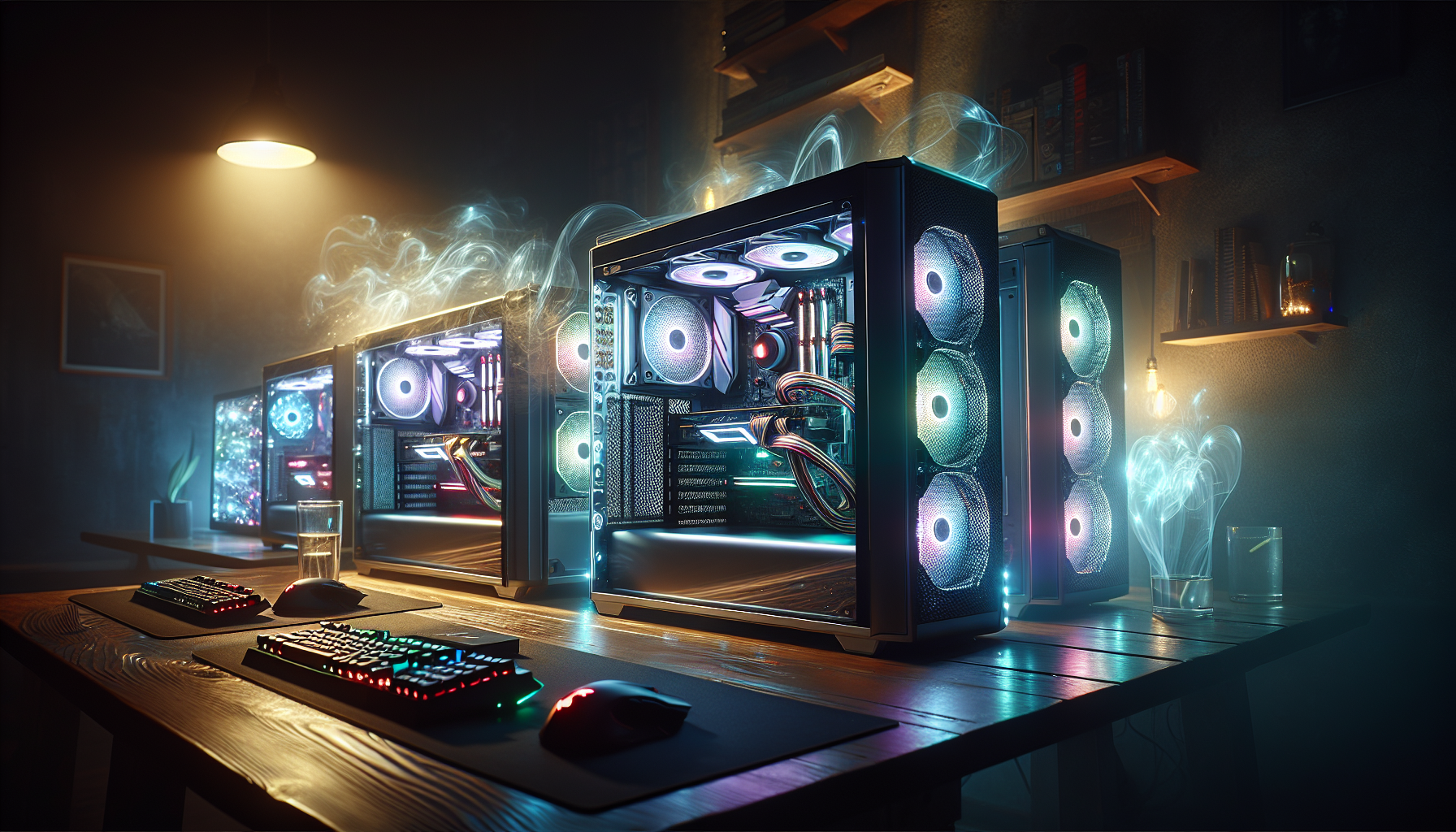
Budget gaming PCs offer an accessible entry point into the world of gaming without the hefty price tag associated with high-end gaming systems. They allow gamers to enjoy popular titles and immersive experiences without breaking the bank. These cost-effective machines are particularly appealing for newcomers or those who game casually but still want decent performance.
While budget gaming PCs may not boast the latest hardware, they are capable of running many modern games at respectable settings. This makes them an attractive option for gamers who prioritise value and functionality. For those interested in the latest trends, check out our article on the best gaming pcs of 2024.
Key Considerations for Budget Gamers
When diving into the realm of budget gaming PCs, there are several important factors to consider to ensure you get the best bang for your buck.
Performance vs. Cost
Finding the balance between performance and cost is crucial. Budget gaming PCs should provide satisfactory gaming experiences without overspending. It's essential to focus on components that offer the best performance within your price range. For example, opting for a mid-range GPU can significantly impact your gaming performance without a substantial increase in cost. Explore our list of top graphics cards for gaming for more insights.
Upgradeability
Considering future upgrades is another key factor. A budget gaming PC should have the potential for future enhancements, allowing you to replace or add components as your needs evolve. This makes it easier to keep your system up-to-date without having to invest in a new machine entirely. For more information on building and upgrading systems, visit our guide on building your own gaming pc.
Compatibility
Ensuring compatibility between components is vital. The motherboard, CPU, GPU, and other parts need to work seamlessly together. Using reliable sources and checking specifications can help avoid compatibility issues. For in-depth insights, refer to our article on prebuilt vs. custom gaming pcs.
Cooling Solutions
Effective cooling is essential to maintain optimal performance, especially for budget systems that may not include high-end cooling solutions. Ensuring proper airflow and considering aftermarket coolers can help maintain system health. Learn more about cooling techniques in our article on gaming pc cooling solutions.
Warranty and Support
When purchasing components or pre-built systems, it's important to consider the warranty and support options available. This is particularly relevant in the Australian market, where availability and support can vary. Comprehensive warranty and support can save money and stress in the long run.
By understanding these key considerations, budget gamers can make informed decisions that maximise their gaming experience without exceeding their financial limits. For ongoing maintenance and performance tips, check out our guide on gaming pc maintenance tips.
Essential Components of a Budget Gaming PC
When building or buying a budget gaming PC, understanding the critical components is essential for making informed choices. These parts play a pivotal role in determining the performance and longevity of your gaming setup.
Central Processing Unit (CPU)
The CPU, often referred to as the brain of the computer, handles all the calculations and processes required to run games effectively. For budget gaming PCs, it's important to choose a CPU that balances cost and performance. Dual-core processors can suffice for less demanding games, but quad-core processors are generally recommended for a better gaming experience.
| CPU Type | Performance Level | Price Range (AUD) |
|---|---|---|
| Dual-Core | Basic | $100 - $200 |
| Quad-Core | Moderate | $200 - $350 |
| Hexa-Core | High | $350 - $500 |
Graphics Processing Unit (GPU)
The GPU is responsible for rendering images, videos, and animations, making it a crucial component for gaming. While high-end gaming PCs may use top-tier GPUs, budget gaming PCs require a more cost-effective solution without sacrificing too much performance. Mid-range GPUs can provide a good balance between price and gaming capability.
| GPU Type | Performance Level | Price Range (AUD) |
|---|---|---|
| Entry-Level | Basic | $150 - $250 |
| Mid-Range | Moderate | $250 - $500 |
| High-End | High | $500 - $800 |
For more detailed information on GPUs, check out our article on top graphics cards for gaming.
Memory (RAM)
RAM (Random Access Memory) is vital for the smooth operation of games and applications. It temporarily stores data that the CPU needs quickly. For budget gaming PCs, 8GB of RAM is generally sufficient, but upgrading to 16GB can offer better performance and future-proofing.
| RAM Size | Suitable For | Price Range (AUD) |
|---|---|---|
| 8GB | Basic to Moderate Gaming | $50 - $100 |
| 16GB | Moderate to High Gaming | $100 - $200 |
Storage Options (HDD vs. SSD)
Storage is another essential component, and choosing between a Hard Disk Drive (HDD) and a Solid-State Drive (SSD) can impact both performance and cost. HDDs are more affordable and offer larger storage capacities, whereas SSDs provide faster load times and better overall performance.
| Storage Type | Capacity | Price Range (AUD) |
|---|---|---|
| HDD | 1TB - 2TB | $50 - $100 |
| SSD | 256GB - 512GB | $60 - $150 |
For a detailed comparison, refer to our guide on building your own gaming pc.
Motherboard Basics
The motherboard is the backbone of your gaming PC, connecting all the components and allowing them to communicate. When selecting a motherboard for a budget gaming PC, it's important to ensure compatibility with your chosen CPU and GPU, as well as having enough slots for RAM and storage upgrades. Entry-level motherboards can provide all the necessary features without breaking the bank.
| Motherboard Type | Suitable For | Price Range (AUD) |
|---|---|---|
| Entry-Level | Basic Builds | $70 - $150 |
| Mid-Range | Moderate Builds | $150 - $250 |
Understanding the key components of a budget gaming PC can help you make informed decisions and achieve a balance between cost and performance. For more tips on optimising your gaming setup, check our articles on gaming desktops vs. gaming laptops and prebuilt vs. custom gaming pcs.
Additional Components and Peripherals
When building or buying a budget gaming PC, it's essential to consider additional components and peripherals that can enhance your gaming experience. These include the power supply unit (PSU), cooling systems, monitors and displays, and keyboards and mice.
Power Supply Unit (PSU)
The power supply unit is a critical component of a gaming PC, as it provides the necessary power to all your system's components. Choosing the right PSU ensures that your system runs smoothly and reduces the risk of hardware damage.
| Component | Recommended Wattage |
|---|---|
| Basic Gaming PC | 450W - 550W |
| Mid-Range Gaming PC | 550W - 650W |
| High-End Gaming PC | 650W - 850W |
A reliable PSU should have an 80 Plus certification, indicating its efficiency. For those considering future upgrades, choosing a PSU with a slightly higher wattage than currently required is advisable.
Cooling Systems
Effective cooling is vital for maintaining the performance and longevity of your gaming PC. There are two primary types of cooling systems: air cooling and liquid cooling.
- Air Cooling: Utilises fans to dissipate heat. It's generally more affordable and easier to install.
- Liquid Cooling: Uses liquid to transfer heat away from components. It's more efficient but tends to be more expensive and complex to set up.
For budget gaming PCs, high-quality air cooling is usually sufficient. However, if you're interested in overclocking, you might want to explore liquid cooling options. For more details on cooling solutions, visit our article on gaming pc cooling solutions.
Monitors and Displays
A good monitor is crucial for an immersive gaming experience. When selecting a monitor, consider the following factors:
- Resolution: Higher resolutions (e.g., 1080p, 1440p) offer better image quality.
- Refresh Rate: Higher refresh rates (e.g., 60Hz, 144Hz) provide smoother visuals.
- Response Time: Lower response times (e.g., 1ms) reduce motion blur.
| Feature | Budget Option | Mid-Range Option | High-End Option |
|---|---|---|---|
| Resolution | 1080p | 1440p | 4K |
| Refresh Rate | 60Hz | 75Hz - 144Hz | 144Hz - 240Hz |
| Response Time | 5ms | 3ms | 1ms |
For the best gaming displays, check out our article on best gaming monitors.
Keyboards and Mice
Keyboards and mice are essential peripherals that significantly impact your gaming performance. When choosing these devices, consider the following:
- Keyboards: Mechanical keyboards are preferred by gamers for their tactile feedback and durability. Look for features like anti-ghosting and programmable keys.
- Mice: Gaming mice should have adjustable DPI settings, ergonomic design, and additional programmable buttons.
| Peripheral | Key Features | Budget Option | High-End Option |
|---|---|---|---|
| Keyboard | Mechanical, Anti-Ghosting, RGB Lighting | $ | $$$ |
| Mouse | Adjustable DPI, Ergonomic, Programmable Buttons | $ | $$$ |
For more information on top keyboards and mice, visit our articles on best gaming keyboards and best gaming mice.
By carefully selecting and investing in these additional components and peripherals, you can create a budget gaming PC that delivers a high-quality gaming experience without breaking the bank. For more on building a gaming PC, visit building your own gaming pc.
Building vs. Buying a Budget Gaming PC
When considering budget gaming PCs, individuals must decide between building their own system or purchasing a pre-built one. Each option has its unique set of advantages and disadvantages, which we will explore.
Pros and Cons of Building Your Own
Building your own budget gaming PC can be a rewarding experience. However, it comes with its own set of challenges and benefits.
Pros:
- Customisation: Builders have complete control over every component, from the CPU to the case, ensuring that the system meets their specific needs.
- Cost-Efficiency: By selecting individual components, one can often find deals and discounts, potentially saving money.
- Upgrade Potential: Custom-built PCs are generally easier to upgrade, allowing users to enhance their system over time.
- Learning Experience: Building a PC provides valuable knowledge about computer hardware and assembly.
Cons:
- Time-Consuming: Assembling a PC requires time and effort, especially for those unfamiliar with the process.
- Initial Cost: While building can be cheaper in the long run, the initial cost might be higher due to the need to purchase all components at once.
- No Immediate Support: Troubleshooting issues can be difficult without immediate technical support.
Pros and Cons of Pre-Built Systems
Opting for a pre-built budget gaming PC is another viable option, especially for those who prefer convenience.
Pros:
- Convenience: Pre-built systems are ready to use out of the box, requiring no assembly.
- Warranty and Support: These systems often come with warranties and customer support, providing peace of mind.
- Optimised Builds: Manufacturers typically optimise components for balanced performance, ensuring compatibility and stability.
Cons:
- Limited Customisation: Users have less control over the components and may have to compromise on certain features.
- Higher Cost: Pre-built systems can be more expensive due to assembly, branding, and warranty costs.
- Upgrade Limitations: Some pre-built PCs might come with proprietary components, making future upgrades more challenging.
| Criteria | Building Your Own | Pre-Built Systems |
|---|---|---|
| Customisation | High | Low |
| Cost-Efficiency | Potential Savings | Higher Initial Cost |
| Upgrade Potential | High | Moderate |
| Learning Experience | High | Low |
| Time and Effort | High | Low |
| Warranty and Support | Varies | Included |
When deciding between building or buying a budget gaming PC, one must weigh these factors. Whether opting for the hands-on experience of building or the convenience of a pre-built system, both paths offer unique advantages. For more insights on this topic, visit our article on prebuilt vs. custom gaming pcs.
Tips for Maximising Performance on a Budget
To get the most out of your budget gaming PC, there are several strategies you can employ. From upgrading components over time to optimising game settings and maintaining your system, these tips will help you achieve a high-performance gaming experience without breaking the bank.
Upgrading Components Over Time
One effective way to enhance the performance of your budget gaming PC is by upgrading its components gradually. This approach allows you to spread the cost over time and take advantage of new technologies as they become available. Key components to consider upgrading include:
- Central Processing Unit (CPU): Upgrading to a more powerful CPU can significantly improve your system's overall performance, especially in CPU-intensive games.
- Graphics Processing Unit (GPU): A better GPU can enhance graphics quality and frame rates, providing a smoother gaming experience. Check out our article on the top graphics cards for gaming.
- Memory (RAM): Increasing your RAM can improve multitasking and reduce game loading times.
- Storage: Switching from a Hard Disk Drive (HDD) to a Solid State Drive (SSD) can drastically reduce boot and load times, enhancing overall system responsiveness.
| Component | Initial Setup | Mid-Level Upgrade | High-End Upgrade |
|---|---|---|---|
| CPU | Dual-core | Quad-core | Hexa-core |
| GPU | Entry-level | Mid-range | High-end |
| RAM | 8GB | 16GB | 32GB |
| Storage | HDD | SSD (256GB) | SSD (1TB) |
Optimising Game Settings
Optimising game settings can make a significant difference in performance, especially on budget gaming PCs. Adjusting settings allows you to balance visual quality and frame rates. Key settings to tweak include:
- Resolution: Lowering the resolution can improve frame rates.
- Texture Quality: Reducing texture quality can free up GPU resources.
- Shadow Effects: Lowering shadow quality can boost performance.
- Anti-Aliasing: Reducing or disabling anti-aliasing can enhance frame rates.
Experiment with different settings to find the best balance for your system. For more detailed optimisation tips, visit our overclocking guide for gaming pcs.
Regular Maintenance and Upkeep
Regular maintenance is crucial for keeping your budget gaming PC running smoothly. Proper upkeep can prevent performance issues and extend the lifespan of your components. Key maintenance tasks include:
- Cleaning: Regularly dust your PC's interior to prevent overheating and ensure proper airflow.
- Software Updates: Keep your operating system, drivers, and games up to date to benefit from performance improvements and bug fixes.
- Cooling Solutions: Invest in adequate cooling solutions to prevent overheating. Explore our article on gaming pc cooling solutions.
- Disk Cleanup: Periodically clean up unnecessary files and defragment your hard drive to maintain optimal performance.
For more maintenance tips, check out our comprehensive guide on gaming pc maintenance tips.
By following these tips, you can maximise the performance of your budget gaming PC and enjoy a satisfying gaming experience without overspending. Keep exploring and experimenting with different components, settings, and maintenance routines to get the most out of your system.
Understanding the Australian Market
When it comes to building or buying budget gaming PCs in Australia, there are several factors to consider. These include the availability of components, the choice between importing and local purchasing, and warranty and support considerations.
Availability of Components
In the Australian market, the availability of gaming PC components can vary significantly. While some parts are readily available, others may be harder to find due to limited stock or high demand. It's essential to be aware of the current market conditions and plan your purchases accordingly.
| Component | Availability Level |
|---|---|
| CPU | High |
| GPU | Moderate |
| RAM | High |
| SSD | High |
| Motherboard | Moderate |
For those looking to build their own gaming setup, keeping an eye on stock levels and prices can help secure the best deals. For more information on building your own gaming PC, check out our guide on building your own gaming pc.
Import vs. Local Purchase
When deciding between importing components and purchasing locally, there are several factors to consider. Importing parts may offer a wider selection and potentially lower prices. However, it also comes with risks such as longer shipping times, potential customs fees, and difficulties in returning faulty items.
Local purchases, on the other hand, provide quicker delivery times and easier returns. Additionally, buying from local retailers can offer the benefit of local warranty support, which can be crucial for addressing any issues that may arise with your components.
| Factor | Import | Local Purchase |
|---|---|---|
| Selection | Wide | Limited |
| Price | Potentially Lower | Potentially Higher |
| Shipping Time | Longer | Shorter |
| Customs Fees | Possible | None |
| Returns | Difficult | Easier |
Warranty and Support Considerations
Warranty and support are critical considerations when investing in budget gaming PCs. Local purchases typically come with Australian Consumer Law protections, ensuring that products are covered for a reasonable period. This can make it easier to get replacements or repairs if something goes wrong.
Imported components may have limited warranty coverage, and returning items for warranty repairs can be challenging and costly. It's essential to weigh the benefits of potential cost savings against the convenience and security of local warranty support.
For gamers prioritising warranty and support, purchasing from local retailers may be the best option. For more tips on maintaining your gaming setup, visit our article on gaming pc maintenance tips.
Understanding the nuances of the Australian market can help budget-conscious gamers make informed decisions when building or buying their gaming PCs. By considering component availability, the pros and cons of importing versus local purchasing, and warranty and support factors, gamers can optimise their setup without breaking the bank. For more insights, explore our article on prebuilt vs. custom gaming pcs.


