


Boost Your Gaming Setup: Exploring What Makes M.2 SSD Special
Understanding M.2 SSDs
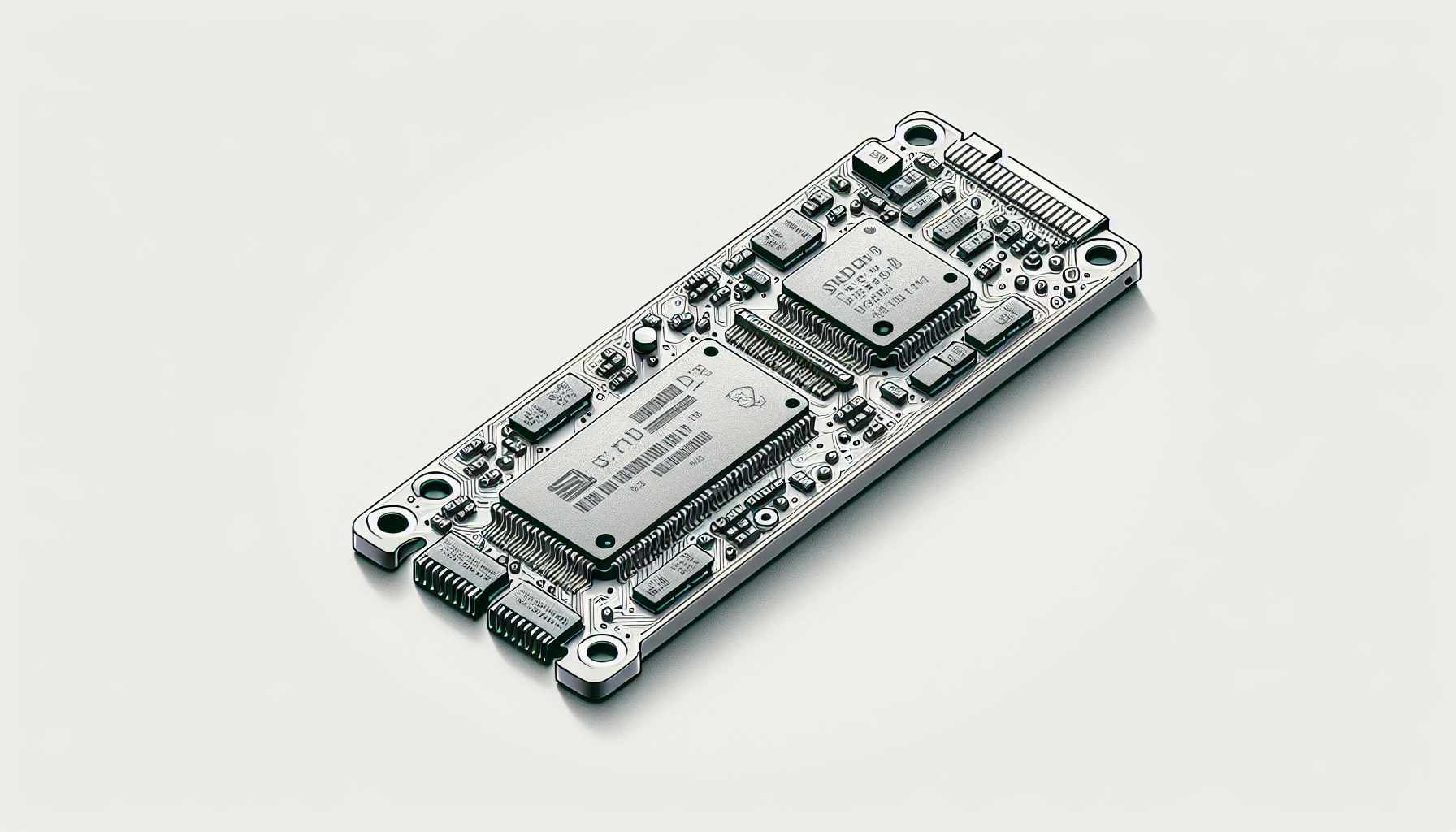
As gaming technology continues to advance, understanding the components that contribute to a superior gaming experience is crucial. One such component is the M.2 SSD, a solid-state drive that has gained prominence for its compact design and impressive performance.
M.2 SSD Form Factor
The M.2 SSD is designed to fit directly into the motherboard, making it more compact and efficient compared to traditional 2.5-inch SSDs. This directly influences its utilisation in modern gaming PCs, as M.2 drives take up less space and improve airflow within the system.
| M.2 SSD Size | Length (mm) | Common Applications |
|---|---|---|
| 2230 | 30 | Small form factors |
| 2242 | 42 | Mini PCs, ultra thin laptops |
| 2260 | 60 | Laptops and desktops |
| 2280 | 80 | Most gaming laptops and desktops |
| 22110 | 110 | High-performance systems |
The most widely used M.2 SSD size is 2280, which measures 22mm in width and 80mm in length. This form factor supports a range of storage capacities, offering options from a few hundred gigabytes up to 8TB, although those higher capacities typically come at a premium price (Backblaze).
Interface Versatility of M.2 SSDs
M.2 SSDs support multiple interfaces, offering both NVMe and SATA options. The interface plays a crucial role in determining the speed and performance of the SSD.
- NVMe (Non-Volatile Memory Express): This interface utilises the PCIe (Peripheral Component Interconnect Express) bus, allowing for significantly faster data transfer rates compared to SATA. Users seeking speed and efficiency, especially for gaming, should consider NVMe M.2 SSDs, as they provide superior performance.
- SATA (Serial ATA): This is the older interface primarily used by traditional SSDs. Although M.2 SATA drives still offer benefits over hard drives, they are substantially slower than their NVMe counterparts.
The choice between M.2 SSDs ultimately depends on the user's specific needs and budget. Users who desire faster speeds will benefit from M.2 NVMe SSDs, while those looking for cost-effectiveness may consider M.2 SATA options, which tend to be less expensive than traditional SATA SSDs (Ars Technica). For more information on the different types of M.2 SSDs, take a look at our article on what is m.2 ssd.
M.2 vs. U.2 SSDs
In the landscape of solid-state drives, understanding the differences between M.2 and U.2 SSDs is essential for gamers looking to maximise their gaming setups. Both offer unique advantages and cater to specific needs within the gaming community.
A Comparison of Form Factors
M.2 SSDs are compact and designed for smaller form factor systems where space is limited, making them ideal for laptops and modern desktop PCs. In contrast, U.2 SSDs are utilised primarily in high-end workstations, servers, and enterprise applications. While U.2 SSDs resemble traditional 2.5-inch drives in appearance, they are slightly thicker and utilise a different connector for data transmission via the PCIe interface.
Key Differences in Form Factor:
| Feature | M.2 SSD | U.2 SSD |
|---|---|---|
| Size | Smaller, more compact | Slightly thicker, 2.5-inch size |
| Connector Type | M.2 connector | U.2 connector |
| Usage | Consumer laptops/desktop PCs | High-end workstations/servers |
M.2 drives provide the versatility of supporting both SATA and PCIe interface options, offering high performance, whereas U.2 is reserved for applications requiring higher operating temperatures and better heat transfer capabilities. The smaller form factor of M.2 SSDs allows them to fit more easily into a variety of spaces, enhancing the aesthetic of gaming rigs.
Performance and Application Differences
When it comes to performance, M.2 SSDs, particularly the NVMe versions, significantly outperform their U.2 counterparts. NVMe M.2 SSDs can achieve theoretical transfer speeds of up to 20Gbps, with actual speeds reaching 3,500MB/s, whereas traditional SATA connections, whether in M.2 or U.2 format, limit performance to 6Gbps.
Performance Comparison:
| SSD Type | Maximum Speed | Best For |
|---|---|---|
| M.2 (NVMe) | Up to 20Gbps | Gaming, Video Editing, High-Performance |
| M.2 (SATA) | Up to 6Gbps | General Use, Older Systems |
| U.2 | Up to 12Gbps | Servers, Enterprise Applications |
The M.2 interface, especially with NVMe support, has become popular for its high speed and power efficiency. It is particularly suited for tasks that require rapid data access, such as gaming, where loading times can directly impact performance. U.2 drives, while robust, typically cater to enterprise needs where endurance under high loads is more critical than sheer speed.
In summary, gamers should consider M.2 SSDs, particularly NVMe variants, for a performance edge that enhances their gaming experience. Understanding these differences helps gamers make informed decisions regarding their setups. For further information on M.2 SSDs, explore what is a m.2 ssd and learn about installation and compatibility through our guide on how to install m.2 ssd.
SATA vs. NVMe M.2 SSDs
When gamers consider upgrading their systems, understanding the differences between SATA and NVMe M.2 SSDs is crucial. Each type offers unique advantages depending on the application and user needs.
Speed Comparison
The speed capabilities of SATA and NVMe M.2 SSDs differ significantly, primarily due to the underlying technology used for each.
| SSD Type | Maximum Speed | Interface | Typical Use Cases |
|---|---|---|---|
| SATA M.2 SSD | Up to 600 MB/s | SATA III | Everyday tasks, basic gaming |
| NVMe M.2 SSD | 1,000 MB/s to 7,000 MB/s | PCIe 3.0/4.0 | High-performance gaming, content creation |
PCIe NVMe SSDs are known for being three to ten times faster than SATA SSDs, making them more suitable for tasks that require high-speed data transfer, such as gaming and heavy productivity applications (Kingston).
Ideal Use Cases for Each Type
Determining the best use case for SATA versus NVMe M.2 SSDs depends on the specific requirements of the gaming setup or the productivity needs.
SATA M.2 SSD
Best for standard gaming experiences where load times are adequate.
Suitable for users who do not require extreme speed for applications.
Ideal for budget-friendly builds or upgrades where storage expansion is needed without a significant performance boost.
NVMe M.2 SSD
Recommended for serious gamers who want minimal load times and seamless performance in high-demand titles.
Excellent for content creators who handle large files and require quick read and write speeds.
A great choice for anyone looking to future-proof their build with high-speed capabilities and reduced latency thanks to the faster PCIe interface (Backblaze).
Game enthusiasts in Australia can enhance their gaming setup dramatically with the right choice of an M.2 SSD. Understanding what is optimal for their needs can lead to significant improvements in game performance and overall computer efficiency. For further guidance on installation, learn about how to install M.2 SSD.
Benefits of Upgrading to M.2 SSDs
Boost in Speed and Efficiency
Upgrading to an M.2 SSD offers significant enhancements in speed and efficiency compared to traditional spinning disk drives and even standard SATA SSDs. M.2 SSDs utilise the NVMe (Non-Volatile Memory Express) protocol, which allows for faster data transfer rates due to lower latency and increased bandwidth. This is particularly beneficial in gaming setups, where every millisecond counts.
The advantages of M.2 SSDs include:
| Feature | Traditional HDD | SATA SSD | M.2 SSD |
|---|---|---|---|
| Average Read Speed | Up to 160 MB/s | 500-600 MB/s | Up to 7000 MB/s (with NVMe) |
| Average Write Speed | Up to 160 MB/s | 450-550 MB/s | Up to 5000 MB/s (with NVMe) |
| Form Factor | 3.5 inch | 2.5 inch | M.2 (smaller) |
| Power Efficiency | Lower | Moderate | Higher |
According to Kingston, users can expect improvements in efficiency and durability when upgrading to an SSD. M.2 drives are notably smaller and more power-efficient, making them ideal for compact setups without compromising on performance.
Considerations Before Upgrading
While upgrading to an M.2 SSD comes with many benefits, there are several considerations to keep in mind:
Compatibility: It's crucial to check whether the motherboard supports M.2 drives. Not all motherboards have M.2 slots, and some only support specific types of M.2 SSDs (SATA vs. NVMe). Consulting the motherboard or system manufacturer's user manual is recommended before purchasing an SSD (Kingston).
Cost: M.2 SSDs generally come at a higher price point than traditional SATA SSDs and HDDs, especially for larger storage capacities. Users should weigh their budget against the performance gains when considering an upgrade.
Storage Capacity: While M.2 drives can hold substantial amounts of data, with options available up to 8TB (Backblaze), users should evaluate their storage needs carefully. Larger capacities may be more expensive.
Ease of Installation: M.2 drives are relatively easy to install, but users should be familiar with the installation process. For guidance, look into our article on how to install m.2 ssd.
Upgrading to M.2 SSDs can lead to noticeable improvements in overall system performance, but careful consideration of compatibility, cost, and storage requirements is essential for making the right choice.
M.2 SSD Installation and Compatibility
Installing an M.2 SSD can enhance a gaming setup significantly, provided the installation is done correctly and the components are compatible.
Installation Process
The installation of an M.2 SSD generally involves a few straightforward steps:
Power Down the System: Ensure that the computer is turned off and unplugged.
Open the Case: Remove the side panel of the computer case to access the motherboard.
Locate the M.2 Slot: Identify the M.2 slot on the motherboard. This is often labelled, and it can vary in position depending on the motherboard model. Refer to the motherboard manual for specific locations.
Insert the M.2 SSD: Align the M.2 connector with the slot and gently insert the SSD at a slight angle. Push down until it is securely in place.
Secure the SSD: Use a screw (usually provided with the motherboard) to secure the SSD to the motherboard.
Close the Case: Replace the side panel of the computer case and reconnect all cables.
Boot Up and Configure: Power on the computer. The operating system may automatically detect the new SSD, but it may require formatting or additional configuration (how to install m.2 ssd).
Checking Motherboard Compatibility
Compatibility is critical when installing an M.2 SSD. Here are important factors to consider:
Socket Type: M.2 SSDs connect through either a SATA or a PCIe interface. Check the motherboard's specifications to ensure the correct socket type for the chosen M.2 SSD. An M.2 module can only fit into the corresponding interface; it cannot function in both (ATP Electronics).
Interface Specification: Determine the specific PCIe version supported (e.g., PCIe 3.0 x2, PCIe 3.0 x4, or PCIe 4.0 x4). The latest M.2 SSDs use PCIe 4.0 x4, which allows much higher speeds compared to earlier versions (KingSpec).
Motherboard Size: Ensure the physical dimensions of the M.2 SSD (like 2280 or 2230) fit in the available M.2 slot.
Bios Settings: High-performance SSDs such as NVMe need to be recognised by the BIOS. If not showing up, a BIOS update or configuration may be required (why is my m.2 ssd not showing up in bios).
Storage Capacity: Consider the storage capacity limitations imposed by the motherboard. Certain older motherboards may restrict maximum capacity for installed M.2 drives.
By verifying installation processes and ensuring compatibility, an M.2 SSD can provide gamers with improved performance and speed, essential for enhancing any gaming rig. For further insights on M.2 SSDs, refer to our guide on what is a m.2 ssd.
Selecting the Right M.2 PCIe SSD
When searching for the ideal M.2 PCIe SSD, it is important to consider aspects such as speed, performance, form factor, and interface options. These factors greatly influence not only the functionality of the SSD but also the overall gaming experience.
Speed & Performance Considerations
Speed is a critical factor when selecting an M.2 PCIe SSD. This type of SSD is significantly faster than traditional SATA SSDs due to its advanced technology. PCIe NVMe SSDs can deliver transfer speeds ranging from 3,500MB/s up to an impressive theoretical maximum of 20Gbps, depending on the model and interface used. This is notably higher than SATA SSDs, which have a maximum speed of 6Gbps (Kingston).
When evaluating speed and performance, consider the following read and write speeds based on different types of M.2 SSDs:
| Type of SSD | Read Speed (MB/s) | Write Speed (MB/s) |
|---|---|---|
| SATA M.2 SSD | Up to 550 | Up to 520 |
| NVMe M.2 SSD | Up to 3,500 | Up to 3,000 |
| Advanced NVMe | Up to 7,000 | Up to 7,000 |
Higher read and write speeds lead to improved system performance, making M.2 PCIe SSDs suitable for gaming and intense content creation tasks (KingSpec).
Form Factor and Interface Options
M.2 drives, also recognised as Next Generation Form Factor (NGFF) drives, are compact and connect directly to the motherboard, eliminating the need for cables. They are available in several form factors, with the most common being 2280 (22mm wide and 80mm long), which is compatible with most motherboards.
While selecting an SSD, it is crucial to verify whether it supports the NVMe protocol, as there are M.2 SSDs that still use the SATA interface. This distinction can impact both speed and compatibility.
| Form Factor | Size (mm) | Common Usage |
|---|---|---|
| 2230 | 22 x 30 | Low power devices |
| 2242 | 22 x 42 | Compact laptops |
| 2260 | 22 x 60 | Mid-sized laptops |
| 2280 | 22 x 80 | Standard size for desktops/laptops |
| 22110 | 22 x 110 | High-performance needs |
Understanding both speed capabilities and physical dimensions is essential in selecting the right M.2 SSD. For more information about installation and troubleshooting, refer to guides such as how to install M.2 SSD and why is my M.2 SSD not showing up in BIOS.
Selecting a high-quality M.2 PCIe SSD can greatly enhance gaming performance and overall system efficiency, offering a worthwhile upgrade for any gaming enthusiast. For further details on M.2 technology, check out resources like what is an M.2 SSD and best M.2 SSD for gaming.


