


Boost Your Gameplay: The Ultimate Guide to M.2 SSDs
Understanding M.2 SSDs
Introduction to M.2 SSDs
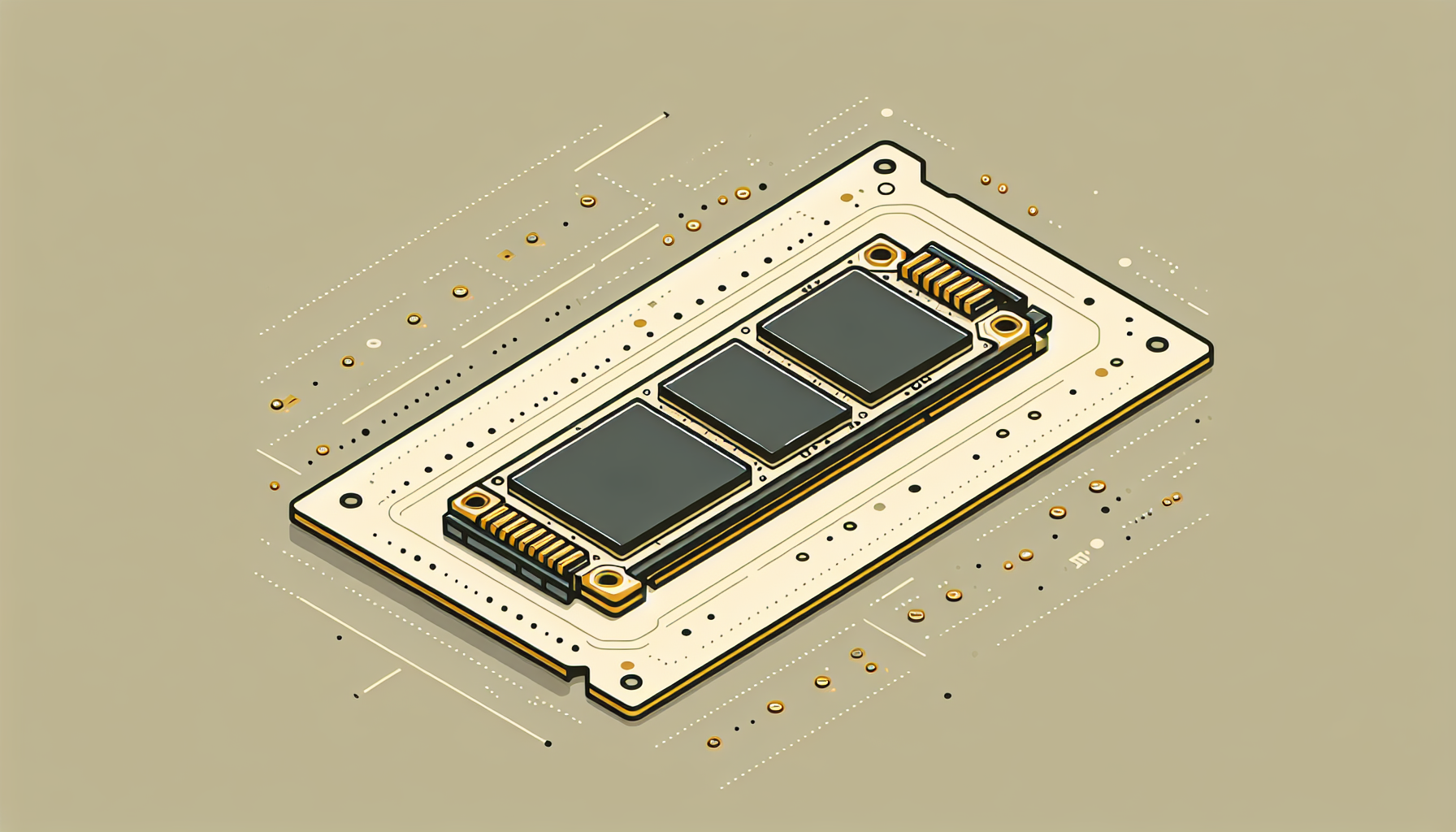
An M.2 SSD is a compact solid-state drive designed for high-performance storage in thin, power-constrained devices. These drives are found in various applications, including ultrabook laptops and tablet computers. The M.2 form factor allows for more flexible design options, enabling manufacturers to create slimmer devices without sacrificing storage performance.
Advantages of M.2 SSDs
M.2 SSDs offer numerous advantages over traditional hard disk drives (HDDs). One key benefit is speed. M.2 SSDs can be up to a hundred times faster than HDDs, resulting in shorter boot times and quicker data transfers. This can significantly improve the overall performance of laptops, desktop PCs, and servers compared to traditional HDDs.
Additionally, M.2 SSDs generally generate less heat due to their lack of moving parts, which can lead to reduced failure rates compared to HDDs. This is particularly important for gaming systems that may run intensive applications for long periods.
M.2 SSDs are available in various sizes and form factors, including options as small as a stick of gum up to the standard 2.5 inches (Kingston). This versatility makes them an excellent choice for gamers seeking to optimize their gaming PCs.
For those interested in learning how to install an M.2 SSD, you can read our guide on how to install m.2 ssd. Understanding the benefits and features of M.2 SSDs helps gamers make informed choices about their storage solutions.
Differentiating M.2 Types
Understanding the different types of M.2 SSDs is crucial for gamers looking to upgrade their systems for optimal performance. These SSDs primarily differ in their connector types and the protocols they support.
M-key vs. B-key SSDs
M.2 connectors are standardized to support various protocols, resulting in different key types. The main types are M-key and B-key connectors:
| Key Type | Uses | Supported Protocols |
|---|---|---|
| M-key | NVMe SSDs | PCIe |
| B-key | SATA and NVMe SSDs | PCIe and SATA |
M-key connectors typically support NVMe SSDs, which offer superior data transfer speeds. B-key connectors can work with both SATA and NVMe, making them more versatile but generally slower than M-key SSDs.
SATA-based M.2 SSDs
SATA-based M.2 SSDs use the SATA protocol, which limits their maximum data transfer speed to 6 Gbps. These drives are compatible with older systems that support SATA but do not take full advantage of the capabilities of M.2 technology.
| Speed | Typical Read Speed | Typical Write Speed | |
|---|---|---|---|
| Max | 600 MB/s | 600 MB/s |
For gamers, while SATA-based SSDs offer improvements over traditional hard drives, they do not deliver the best performance for tasks that require high data transfer rates, such as gaming or video editing.
NVMe-based M.2 SSDs
NVMe (Non-Volatile Memory Express) M.2 SSDs are designed specifically for high-speed data transfer. Utilizing the PCIe protocol, NVMe drives provide a significant performance boost compared to their SATA counterparts.
| Speed | Typical Read Speed | Typical Write Speed | |
|---|---|---|---|
| Max | 4,000 MB/s | 4,000 MB/s |
The highest-performing NVMe SSDs can reach read/write speeds exceeding 3,000 MB/s. This performance makes them ideal for gaming, high-resolution video editing, data analytics, and more demanding applications (Kingston), (CDW). For gamers seeking maximum performance, NVMe is often the preferred choice due to its superior speed and efficiency (Backblaze).
To learn more about M.2 SSDs, you can check our detailed guide on what is an M.2 SSD. For installation guidance, visit our article on how to install M.2 SSD.
Performance Variance
Understanding the performance differences between various types of M.2 SSDs is crucial for gamers looking to enhance their setup. The two primary interfaces for M.2 SSDs are SATA and PCIe, each offering distinct speed capabilities.
SATA Speeds vs. PCIe Speeds
M.2 SSDs can operate on either SATA or PCIe interfaces. For SATA connections, M.2 SSDs perform according to the latest SATA 3rd generation standard, reaching speeds of up to 6 Gb/s. However, with PCIe connections, M.2 SSDs can achieve notably higher transfer speeds depending on the number of lanes used (ATP Inc).
The following table outlines the typical speed comparisons:
| Interface Type | Maximum Speed |
|---|---|
| SATA | Up to 6 Gb/s |
| PCIe (x1) | Up to 1 Gb/s |
| PCIe (x2) | Up to 2 Gb/s |
| PCIe (x4) | Up to 8 Gb/s |
Speed Comparison: SATA vs. NVMe
M.2 NVMe SSDs leverage the PCIe interface, resulting in a significant speed advantage. NVMe (Non-Volatile Memory Express) is a high-speed protocol designed for flash memory, allowing for data transfer speeds that can surpass 5000 MB/s for both read and write operations, with some models reaching speeds up to 14,500 MB/s. This far exceeds SATA SSD speeds and is particularly beneficial for demanding tasks like gaming and content creation (Crucial).
| SSD Type | Read Speed | Write Speed |
|---|---|---|
| M.2 SATA SSD | Up to 550 MB/s | Up to 500 MB/s |
| M.2 NVMe SSD | 5000 MB/s+ | 5000 MB/s+ |
Factors Influencing Performance
Several factors can influence the performance of M.2 SSDs. The interface type (SATA vs. PCIe), the number of PCIe lanes used, and the capabilities of the motherboard all play critical roles. Additionally, heat management can affect performance; SSDs often throttle speeds when they reach high temperatures to prevent damage, making thermal management a crucial aspect of sustained performance.
For those considering installation, learning about how to install M.2 SSD can provide valuable guidance. Users should also stay informed about potential issues, such as why is my M.2 SSD not showing up in BIOS, to ensure a seamless computing experience.
By understanding the differences in speed and performance, gamers can make informed decisions about which M.2 SSD to choose for optimal gaming experiences and system responsiveness.
Form Factor and Sizes
Understanding the form factors and sizes of M.2 SSDs is critical for gamers looking to optimise their gaming PCs. With various dimensions and configurations available, knowing what to choose can significantly impact performance and storage capacity.
M.2 Dimensions and Nomenclature
M.2 SSDs come in standard dimensions typically measuring 22 millimetres in width, with lengths of either 60 mm or 80 mm. The sizes are designated by a four- or five-digit number, where the first two digits indicate the width, and the subsequent numbers signify the length. Common sizes include 2242, 2260, and 2280, following the naming convention where "22" refers to the width in millimetres (TechTarget).
| Size | Width (mm) | Length (mm) | Storage Capacity |
|---|---|---|---|
| 2242 | 22 | 42 | Up to 2TB |
| 2260 | 22 | 60 | Up to 4TB |
| 2280 | 22 | 80 | Up to 8TB |
Longer M.2 drives, such as the 80 mm or even 110 mm variants, can accommodate more NAND flash chips, resulting in higher storage capacities. However, selecting a size that fits within the thermal management parameters of your system is equally important for maintaining performance efficiency.
Single-sided vs. Double-sided M.2 SSDs
M.2 SSDs can be categorised as either single-sided or double-sided. This distinction impacts how many NAND chips can be mounted on the drive's circuit board, thus influencing the overall storage capacity.
Single-sided SSDs: These typically have chips on one side only, making them more compact and suitable for tight spaces. However, they generally offer lower storage capacities.
Double-sided SSDs: These feature chips on both sides, allowing for a greater amount of NAND flash and, consequently, increased storage capacity.
Choosing between single-sided and double-sided options often comes down to the available space within the PC case and desired storage needs.
Impact of Length on Storage Capacity
The length of an M.2 SSD directly affects its storage capability. Longer drives are designed to hold more NAND chips, thus catering to users requiring higher storage volumes.
60 mm SSDs (2242): Ideal for entry-level applications with lower storage needs, typically ranging up to 2TB.
80 mm SSDs (2280): These are the most common and can support configurations ranging from 256GB to a maximum of 8TB, suitable for gamers requiring extensive game libraries and applications.
When selecting an M.2 SSD, it is crucial to take into account both the physical dimensions and potential storage capacities to ensure compatibility and optimal performance. For detailed installation guidance, check out our resource on how to install m.2 ssd.
Practical Considerations
When it comes to selecting M.2 SSDs for gaming, several practical considerations need to be taken into account. Ensuring compatibility with the motherboard, choosing the right type, and managing thermal performance are crucial for optimal gameplay.
Compatibility and Installation
Before purchasing an M.2 SSD, it is essential to confirm compatibility with the motherboard. M.2 SSDs can connect via either a SATA interface or a PCI Express (PCIe) lane, but each M.2 module can only work with one interface at a time. To avoid installation issues, gamers should refer to the motherboard documentation for the specific requirements of their system.
Installation of M.2 SSDs is relatively straightforward, requiring no additional power or data cables. This makes them an attractive option for gamers looking to maximise performance and minimise clutter inside their gaming rigs. For detailed guidance on installing an M.2 SSD, check our article on how to install m.2 ssd.
Choosing the Right M.2 SSD
Selecting the appropriate M.2 SSD entails understanding the differences between various types. Gamers should consider if they need a SATA-based or an NVMe-based SSD. The performance gap becomes particularly evident with demanding tasks; NVMe SSDs offer faster load times, quicker file transfers, and greater system responsiveness compared to SATA drives.
Here is a comparative look at some features of both types:
| Type | Interface | Maximum Speed | Ideal Usage |
|---|---|---|---|
| SATA | SATA III | Up to 6 Gbps | Everyday computing |
| NVMe | PCIe Gen 3/4 | Up to 32 Gbps | Gaming, high-performance tasks |
For more on choosing the right M.2 SSD, consider exploring our article on best m.2 ssd for gaming.
Thermal Management and Sustained Performance
Thermal management is another critical factor for maintaining optimal performance of M.2 SSDs. High-performance tasks can generate significant heat, which can lead to throttling—a reduction in speed to prevent overheating. Many gaming motherboards come with M.2 heatsinks to help dissipate heat and maintain performance levels.
Gamers can also opt for M.2 SSDs with built-in thermal protection features. Effective thermal management not only enhances performance but also prolongs the lifespan of the SSD (Backblaze). For further insights on managing SSD temperatures, refer to related articles on proper thermal management strategies.
Understanding these practical considerations related to M.2 SSDs can help gamers make informed decisions, thereby optimising their system's performance while ensuring a smooth and immersive gaming experience.
Future of M.2 SSDs
The landscape of M.2 SSDs continues to evolve rapidly, bringing new technological advancements, increased storage capacities, and tailored applications for gamers. This section explores the upcoming trends in M.2 technology, emerging capacities and speeds, and the practical applications and benefits for gaming.
Trends in M.2 Technology
M.2 technology is seeing significant shifts towards enhanced performance and efficiency. The introduction of PCIe 4.0 and the anticipated arrival of PCIe 5.0 promise to double the data transfer rates. PCIe 3.0 currently offers an effective transfer speed of up to 985 MB/s per lane, enabling M.2 NVMe SSDs to peak at around 4 GB/s. These enhancements will significantly boost gaming performance and data-intensive tasks, allowing for smoother experiences and quicker load times (Kingston).
Moreover, the size and form factor flexibility of M.2 drives enable their integration into smaller devices, making them an ideal choice for ultra-thin laptops and compact gaming rigs. The ongoing miniaturization of components will also lead to even more efficient and compact designs.
Emerging Capacities and Speeds
The storage capacities of M.2 SSDs are rapidly increasing, with drives now available in sizes up to 8 TB. This trend allows gamers and content creators to store vast libraries of games, media, and files without the need for multiple drives (Backblaze).
In terms of speed, M.2 NVMe SSDs are already known for their remarkable transfer rates, with some models exceeding 3,000 MB/s and reaching up to 3,500 MB/s for sustained read-write speeds. These advancements give M.2 SSDs a definitive edge over traditional SATA SSDs, which max out at 600 MB/s. As technology progresses, we can expect these speeds to further escalate, making M.2 NVMe SSDs the preferred option for gamers who demand optimal performance.
| SSD Type | Max Speed (MB/s) | Max Capacity |
|---|---|---|
| SATA SSD | 600 | 8 TB |
| M.2 NVMe SSD | 3,500 | 8 TB |
Practical Applications and Gaming Benefits
The benefits of M.2 SSDs in gaming are profound. Their high speeds lead to faster load times, smoother gameplay, and reduced latency, allowing gamers to enjoy a more immersive experience. Applications such as high-resolution video editing, data analytics, and virtualization benefit greatly from the enhanced performance of M.2 NVMe SSDs, making them appealing not only for gamers but for professionals as well.
Furthermore, with the capacity for sustained read and write operations at up to 4 GB/s, M.2 NVMe drives can handle massive data transfers seamlessly. This capability is essential for modern gaming, where large game files and downloadable content are the norm.
M.2 SSDs deliver not just speed, but also improved energy efficiency compared to traditional storage options. This characteristic is crucial for gamers who want to maintain optimal performance without draining their systems' power resources.
As M.2 SSD technology continues to advance, keeping an eye on the latest developments ensures that gamers can stay ahead of the curve, benefiting from enhanced gaming experiences and state-of-the-art performance. For more insights on M.2 technology, check out our article on what is an M.2 SSD.


