


Achieve Peak Performance: The Science Behind Air vs Liquid Cooling
Understanding PC Cooling
To ensure optimal performance and longevity of a gaming PC, it's essential to understand the importance of cooling systems and the various types of cooling methods available.
Importance of Cooling Systems
Cooling systems play a critical role in maintaining the temperature of a PC's components, such as the CPU and GPU. When these components operate, they generate heat. If not properly cooled, this heat can lead to performance issues, system instability, and even permanent damage to the hardware.
Efficient cooling systems help dissipate the heat generated by the components, ensuring that they operate within safe temperature ranges. By maintaining lower temperatures, cooling systems can prevent thermal throttling, which can impede performance during intense gaming sessions.
Proper cooling also extends the lifespan of the components, as excessive heat can accelerate wear and tear on delicate circuitry. This is particularly important for PC gamers who demand high-performance computing and put their systems under heavy loads for extended periods.
Types of Cooling Methods
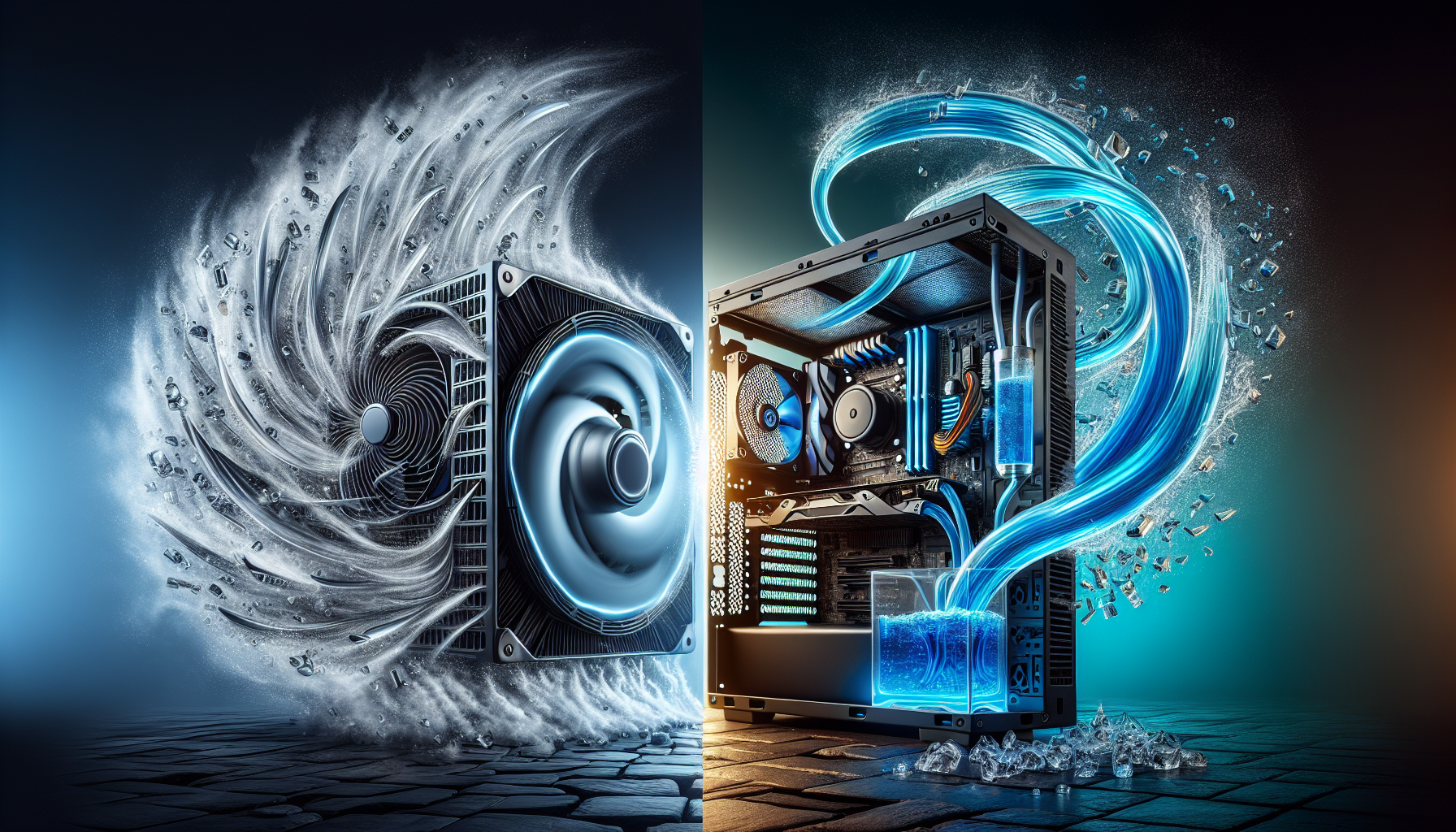
There are two primary types of cooling methods used in PC systems: air cooling and liquid cooling.
Air cooling utilizes fans and heat sinks to dissipate heat from the components. The fans draw cool air from the surroundings and blow it over the heat sinks, which absorb and disperse the heat. This process relies on convection to transfer heat away from the components and into the surrounding air.
Liquid cooling, on the other hand, involves circulating a liquid coolant, usually a mixture of water and antifreeze, through a closed-loop system. The liquid absorbs heat from the components and carries it to a radiator, where it is cooled by fans before cycling back to the components. Liquid cooling is highly efficient at dissipating heat and is often favored by PC enthusiasts and overclockers.
Both air cooling and liquid cooling have their advantages and considerations, which we will explore further in the subsequent sections. Understanding the differences between these cooling methods can help gamers make informed decisions when it comes to optimizing the cooling performance of their PCs.
By grasping the significance of cooling systems and familiarizing themselves with the available cooling methods, PC gamers can ensure that their systems operate at peak performance levels while maintaining the longevity of their hardware.
Air Cooling Explained
When it comes to keeping your gaming PC cool and performing at its best, air cooling is one of the most common and effective methods used by PC gamers in Australia. Understanding how air cooling works and its pros and cons can help you make an informed decision for your gaming needs.
How Air Cooling Works
Air cooling involves the use of fans and heatsinks to dissipate heat generated by the components in your gaming PC. The primary component being cooled is the CPU, which is typically equipped with a dedicated CPU cooler. The CPU cooler consists of a heatsink, which is a metal finned structure that increases the surface area for heat dissipation, and a fan that blows air over the heatsink.
As the CPU generates heat during operation, the heatsink absorbs the heat and the fan blows cool air onto the heatsink. This process helps to transfer the heat away from the CPU and into the surrounding air. Additionally, case fans are strategically placed in the PC chassis to improve airflow and expel hot air generated by other components, such as the graphics card and power supply.
Pros and Cons of Air Cooling
Air cooling offers several advantages that make it a popular choice among PC gamers. Firstly, it is generally more affordable compared to liquid cooling systems. The cost of air cooling components, such as CPU coolers and case fans, is typically lower, making it a budget-friendly option.
Another advantage of air cooling is its simplicity. Air cooling systems are relatively easy to install and require minimal maintenance. You can easily replace or upgrade individual cooling components if needed, without the need for specialized expertise or tools.
However, air cooling does have some limitations. While it is effective at cooling most gaming PCs, it may struggle to handle extreme overclocking or high-end components that generate a significant amount of heat. Additionally, air cooling systems can be slightly noisier compared to liquid cooling systems, as the fans need to run at higher speeds to maintain optimal cooling.
In terms of performance, air cooling can provide sufficient cooling for the majority of gaming scenarios. However, if you are aiming for extreme overclocks or want to push your components to their limits, liquid cooling may offer better thermal management capabilities.
Understanding how air cooling works and weighing its pros and cons can help you decide if it's the right cooling method for your gaming PC. For more information on CPU cooling fans and other cooling solutions, check out our article on top-rated cooling fans.
Liquid Cooling Explained
When it comes to keeping your gaming PC cool and maintaining peak performance, liquid cooling systems have become increasingly popular among PC gamers. This section will explain how liquid cooling works and explore the pros and cons of this cooling method.
How Liquid Cooling Works
Liquid cooling, also known as water cooling, utilizes a closed-loop system to dissipate heat from the components of your PC. The system consists of several key components, including a water block, radiator, pump, and coolant. Here's a simplified explanation of how liquid cooling works:
- The water block is installed on the CPU or GPU, and it transfers the heat generated by the component to the liquid coolant.
- The pump circulates the coolant through the system, pushing it towards the radiator.
- The radiator, equipped with cooling fans, helps in dissipating the heat from the coolant as it passes through its fins.
- The cooled-down coolant is then sent back to the water block to repeat the cycle.
Liquid cooling systems offer efficient heat transfer due to the high specific heat capacity of water. This means that water can absorb and carry away more heat compared to air, resulting in better cooling performance.
Pros and Cons of Liquid Cooling
Liquid cooling systems offer several advantages over air cooling, but they also come with some drawbacks. Let's take a closer look at the pros and cons of liquid cooling:
Pros of Liquid Cooling:
- Enhanced Cooling Performance: Liquid cooling systems have a higher cooling capacity compared to air cooling, allowing for lower temperatures and better overclocking potential.
- Reduced Noise: Liquid cooling systems tend to be quieter than air cooling setups since they rely on larger radiators and slower fan speeds.
- Aesthetics: Liquid cooling systems often feature sleek and eye-catching designs, with customizable RGB lighting options available for those who want to add a touch of style to their gaming setup.
- Component Longevity: By keeping your PC components running at lower temperatures, liquid cooling can help prolong their lifespan and improve overall system stability.
Cons of Liquid Cooling:
- Higher Cost: Liquid cooling systems are generally more expensive than air cooling solutions. The initial investment includes the cost of components such as the water block, radiator, pump, and coolant, which can add up quickly.
- Installation Complexity: Setting up a liquid cooling system requires more technical knowledge and can be more time-consuming compared to installing air cooling solutions.
- Maintenance Requirements: Liquid cooling systems require periodic maintenance, such as checking for leaks, monitoring coolant levels, and cleaning the system to prevent clogs and buildup.
Before deciding on liquid cooling, it's important to consider your cooling needs, budget, and level of technical expertise. If you're not comfortable with the complexity and maintenance requirements of liquid cooling, air cooling solutions can still provide effective cooling for your gaming PC. Ultimately, the choice between air cooling and liquid cooling will depend on your specific requirements and personal preferences.
Performance Comparison
When it comes to PC cooling, it's important to consider the performance of different cooling methods. In this section, we will compare the performance of air cooling and liquid cooling to help you make an informed decision for your gaming PC.
Air Cooling Performance
Air cooling is the most common and widely used method for cooling PCs. It involves using fans to circulate air and dissipate heat generated by the components. Air cooling systems typically consist of CPU cooling fans, case fans, and sometimes additional fans for specific components like the GPU.
The performance of air cooling depends on factors such as the number of fans, fan speed, and the design of the cooling system. Air cooling is generally effective in keeping temperatures within acceptable limits, especially for moderate gaming and everyday tasks. However, in more demanding scenarios or overclocking situations, air cooling may struggle to handle the higher heat loads.
Liquid Cooling Performance
Liquid cooling, also known as water cooling, is a more advanced cooling method that utilizes a liquid coolant to dissipate heat. This coolant is circulated through tubes or pipes and absorbs heat from the components before passing through a radiator where the heat is dissipated into the surrounding air. Liquid cooling systems often consist of a CPU water block, a pump, and a radiator.
Liquid cooling systems can provide more efficient cooling compared to air cooling, especially in high-performance gaming scenarios and for overclocked systems. The liquid coolant has better heat transfer properties than air, allowing for more effective cooling of components. This can result in lower temperatures and potentially better overall system performance.
However, liquid cooling systems can be more complex to install and require additional maintenance compared to air cooling. They also tend to be more expensive, making them a less accessible option for budget-conscious gamers.
In summary, while air cooling is generally sufficient for most gaming scenarios, liquid cooling offers superior performance for high-performance systems and overclocking enthusiasts. It's important to consider your specific needs, budget, and level of technical expertise when deciding between air cooling and liquid cooling for your gaming PC.
To learn more about PC cooling, check out our articles on cpu cooling fans, pc temperature monitoring software, and liquid cooling systems.
Factors to Consider
When deciding between air cooling and liquid cooling for your PC, there are several factors to take into consideration. Two important factors to consider are cost considerations and installation complexity.
Cost Considerations
In terms of cost, air cooling tends to be more budget-friendly compared to liquid cooling. Air cooling systems typically consist of fans and heatsinks, which are generally more affordable and readily available. Additionally, air cooling does not require the purchase of additional components such as pumps, radiators, or coolant.
On the other hand, liquid cooling systems can be more expensive upfront. They require the purchase of a pump, radiator, tubing, coolant, and sometimes water blocks for specific components. These additional components can increase the overall cost of a liquid cooling setup. However, it's important to note that the cost of liquid cooling can vary depending on the quality and complexity of the system you choose.
Ultimately, the decision on which cooling method to choose will depend on your budget and how much you are willing to invest in your PC cooling system.
Installation Complexity
When it comes to installation, air cooling is generally considered to be simpler and more straightforward. Air cooling typically involves mounting fans and heatsinks onto the CPU and other components, which can be easily done with basic tools. Most modern computer cases are designed to accommodate air cooling setups, making it a convenient choice for DIY builders.
On the other hand, liquid cooling systems tend to be more complex to install. They require more components and involve the installation of a pump, radiator, tubing, and water blocks. Proper installation of a liquid cooling system may require advanced knowledge, additional tools, and careful planning to ensure proper fitment and avoid leaks. It's important to carefully follow manufacturer instructions or seek professional help if you are unsure about the installation process.
If you are new to PC building or prefer a simpler installation process, air cooling may be the more suitable option. However, if you have experience with PC building and are willing to invest time and effort into the installation process, liquid cooling can offer superior cooling performance and aesthetics.
Considering the cost and installation complexity of air cooling and liquid cooling systems will help you make an informed decision based on your budget, technical expertise, and personal preferences. Remember to also consider other factors such as cooling performance, noise levels, and maintenance requirements when choosing the right cooling system for your PC.
Making the Decision
When it comes to choosing the right cooling system for your gaming PC, there are several factors to consider. Both air cooling and liquid cooling have their own advantages and disadvantages. Understanding these factors will help you make an informed decision based on your specific needs and preferences.
Choosing the Right Cooling System
When deciding between air cooling and liquid cooling, there are a few key points to consider:
Cooling Performance: Air cooling systems, typically consisting of fans and heatsinks, provide effective cooling for most gaming setups. They are relatively easy to install and maintain. On the other hand, liquid cooling systems, which use a combination of water blocks, pumps, and radiators, offer superior cooling performance and can handle overclocking and higher heat loads.
Noise Level: Air cooling systems tend to generate more noise due to the spinning fans. If noise is a concern for you, liquid cooling can be a better option as it operates silently, with only the sound of the pump running.
Compatibility: Air cooling is generally more compatible with a wide range of PC cases and configurations. Liquid cooling, on the other hand, requires sufficient space for the radiator and tubing. It's important to ensure that your case can accommodate the size and layout of a liquid cooling system.
Cost: Air cooling is typically more affordable compared to liquid cooling. Air coolers are widely available at various price points, making them a budget-friendly option. Liquid cooling systems, while offering superior performance, can be more expensive due to the additional components involved.
Maintenance and Upkeep
Maintenance and upkeep are important considerations when choosing a cooling system:
Air Cooling: Air cooling systems are relatively low maintenance. Regular cleaning of the fans and heatsinks is necessary to prevent dust buildup, which can affect cooling performance. Using top-rated cooling fans and fan speed control software can help optimize airflow and ensure efficient cooling.
Liquid Cooling: Liquid cooling systems require more maintenance compared to air cooling. The coolant levels need to be checked periodically, and the system should be flushed and refilled at recommended intervals. However, many modern liquid cooling solutions are designed for easier maintenance, with features like fill ports and sealed systems that reduce the need for frequent maintenance.
To make the right decision, assess your specific needs, budget, and comfort level with maintenance. If you prioritize excellent cooling performance and are willing to invest in a more complex setup with periodic maintenance, liquid cooling may be the ideal choice. On the other hand, if you prefer simplicity, lower cost, and easier maintenance, air cooling is a reliable option.
Remember to monitor your PC's temperatures using PC temperature monitoring software to ensure optimal performance and longevity of your gaming system. By choosing the right cooling system and maintaining it properly, you can achieve peak performance for your gaming PC while keeping the temperatures under control.


